Driving License Online Application – Apply from Mobile & Download Your DL
Applying for a Driving Licence in India has become more convenient with online services. Today, applicants can use a mobile phone or computer to begin several important steps related to a Driving License Online Application, including filling out application details, checking requirements, paying applicable fees, booking available appointments, and tracking application status.
The Government of India provides Driving Licence-related online services through the Sarathi Parivahan platform. Depending on your state, licence category, and service, you can access facilities for a Learner’s Licence, new Driving Licence, renewal, duplicate DL, address changes, and other services.
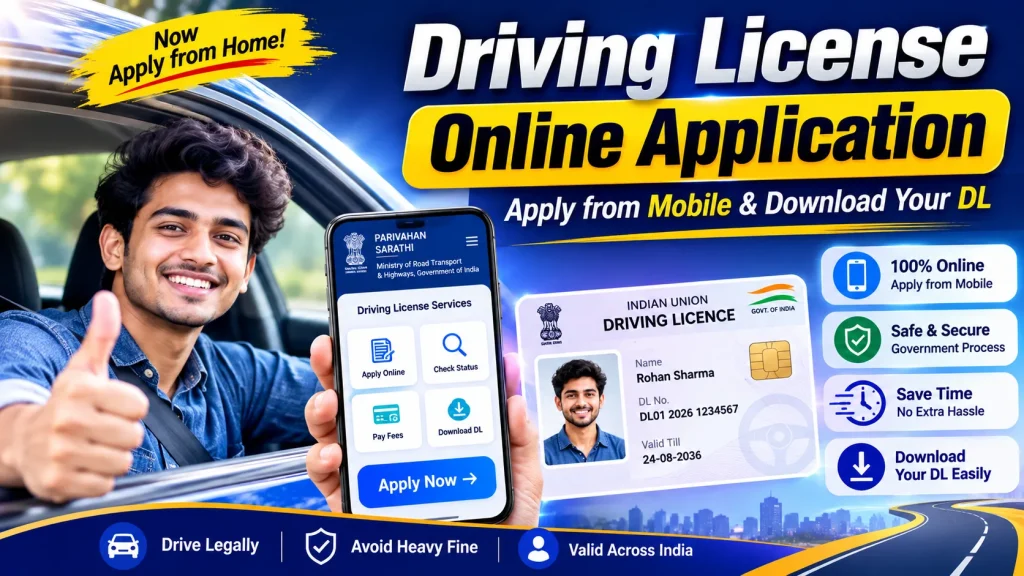
However, applying online does not mean that every first-time applicant can receive a permanent Driving Licence without completing the required offline procedures. A driving competency test, verification, or an in-person visit may still be required.
This guide explains how to apply for a Driving License from mobile, check your application status, understand the documents required, and access your digital DL after issuance.
Driving License Online Application – Quick Overview
| Particular | Details |
|---|---|
| Service | Driving Licence Application |
| Application Mode | Online + Offline Steps as Required |
| Official Platform | Sarathi Parivahan |
| Device | Mobile, Tablet or Computer |
| Learner’s Licence | Required as applicable |
| Driving Test | Generally required for a new permanent DL |
| Fee Payment | Online where available |
| Application Status | Available Online |
| Digital DL | Available through supported official services |
| Country | India |
What Is a Driving Licence?
A Driving Licence is an official authorization that allows an eligible person to operate specified categories of motor vehicles.
The licence usually includes the holder’s name, photograph, Driving Licence number, validity information and authorized vehicle class.
Different licence categories are available for different types of vehicles. Therefore, applicants should choose the correct vehicle category when submitting an application.
Holding a licence for one class of vehicle does not necessarily permit you to drive every type of vehicle.
Can You Apply for a Driving License from Mobile?
Yes. Many parts of the application process can be started using a smartphone.
The official Sarathi Parivahan website can be accessed through a compatible mobile browser. Applicants can select their state and access the services available for their jurisdiction.
You may be able to complete activities such as:
- Filling out an online application
- Viewing eligibility requirements
- Uploading documents where supported
- Paying applicable fees
- Booking an appointment or test slot
- Checking application status
- Accessing other licence-related services
Some stages may still require you to visit the concerned licensing authority.
Eligibility for Driving License Application
Eligibility depends on factors such as the applicant’s age and the class of vehicle.
For common private cars and motorcycles, 18 years of age is generally an important minimum-age threshold.
Different provisions apply to certain vehicle categories and circumstances. For example, specific rules exist for certain motorcycles for younger applicants, while transport vehicle requirements may be different.
Always verify the current eligibility requirements for the exact vehicle category you select.
Documents Required for Driving License
Document requirements can vary according to the state, application type and applicant.
Common requirements may include:
| Document | Purpose |
|---|---|
| Age Proof | Verifies date of birth/age |
| Address Proof | Confirms residential address |
| Learner’s Licence | Required at the applicable stage |
| Photograph | Applicant identification |
| Application Form | Provides applicant information |
| Medical Declaration/Certificate | Required in applicable cases |
| Additional Documents | As specified by the authority |
Use valid documents and make sure the information entered in your application matches your supporting records.
How to Apply for Driving License Online from Mobile
The following general process can help first-time applicants understand how the online system works.
Step 1: Open Sarathi Parivahan
Open the official Driving Licence portal on your mobile browser.
Sarathi Parivahan Official Portal
Select your State or Union Territory.
Using the official government platform helps reduce the risk of submitting personal information to unofficial websites.
Step 2: Select the Required Service
Choose the appropriate service based on your requirements.
First-time applicants generally begin with the applicable Learner’s Licence process before moving to a permanent Driving Licence.
If you already hold a licence, you may see options for renewal, duplicate DL and other services.
Step 3: Fill in Your Details
Complete the application form carefully.
Enter your name, date of birth, address, contact information and other requested details.
Pay particular attention when selecting your vehicle class. Incorrect details may cause delays during verification.
Step 4: Upload Required Documents
If document upload is supported for your application, upload clear copies of the requested documents.
Follow the file-format and size requirements displayed on the portal.
Do not upload blurred, incomplete or expired documents.
Step 5: Pay the Applicable Fees
Complete the fee-payment process where online payment is available.
Driving Licence-related charges can vary depending on the service and applicable requirements. Check the current amount displayed on the official portal rather than depending on old fee charts circulating online.
Keep your payment receipt or transaction reference.
Step 6: Book Your Appointment or Test Slot
Where required and available, select an appointment or driving-test slot.
Choose a convenient available date and follow the instructions provided by the portal.
Appointment availability may differ between licensing authorities.
Step 7: Complete the Required Driving Test
For a new permanent Driving Licence, applicants generally need to demonstrate their driving competency according to the applicable process.
Therefore, submitting an online form should not be confused with automatically receiving a permanent Driving Licence.
Complete all required tests and verification procedures instructed by the licensing authority.
Step 8: Check Your Application
Save your application number after submission. It can be useful for checking progress and completing subsequent steps.
How to Check Driving License Application Status
After applying, you can check the available status online.
Open Sarathi Parivahan, select your state and find the Application Status option.
Enter the requested information, which may include your application number, date of birth and verification details.
The portal will display the status currently recorded for your application.
Processing times can vary depending on verification, tests and the concerned authority.
How to Download or Access Your Digital DL
After your Driving Licence is officially issued, you may be able to access the digital version through approved government digital-document services.
One convenient option is DigiLocker.
Sign in to DigiLocker and locate the relevant Driving Licence issuer/service. Provide the requested information to fetch your issued document.
You can also access supported services through:
Parivahan Sewa Official Website
Always obtain digital licence information through official or authorized platforms instead of downloading unofficial edited DL images or PDFs.
Learner’s Licence vs Permanent Driving Licence
| Learner’s Licence | Permanent Driving Licence |
|---|---|
| Used during learning stage | Full licence for authorized vehicle class |
| Usually obtained first | Obtained after applicable requirements |
| Temporary validity | Valid according to applicable rules |
| Learning restrictions apply | Regular licence conditions apply |
| Preliminary process | Final licensing process |
| Further testing required | Driving test generally completed before issuance |
Advantages of Applying from Mobile
The ability to access Driving Licence services through a smartphone makes the process more convenient.
Applicants can review requirements before travelling to an office, complete available online forms, track applications and access payment or appointment facilities.
It is particularly helpful for applicants who live far from licensing offices because some preliminary work can be completed from home.
Digital access also helps applicants retain application numbers, payment receipts and other important information.
Safety Tips for Online DL Applications
Use only official government portals whenever possible. Avoid clicking unknown advertisements claiming to provide an “instant Driving Licence” without proper procedures.
Never share passwords, banking credentials or OTPs with unknown agents.
Also remember that no genuine website should be treated as a way to bypass legally required eligibility checks or driving tests.
Check all information before submitting your form because errors in your name, address, date of birth or vehicle category can create complications later.
Frequently Asked Questions (FAQ)
1. Can I apply for a Driving License using my mobile?
Yes. Many Driving Licence application services can be accessed through the Sarathi Parivahan website using a mobile browser.
2. Can the entire Driving License process be completed online?
Not necessarily. While several stages are available online, new permanent DL applicants generally need to complete applicable driving tests and verification requirements.
3. What is the official website for a Driving License application?
The official Driving Licence service is available through the Sarathi Parivahan platform.
4. Do I need a Learner’s Licence first?
For a typical first-time permanent Driving Licence application, a Learner’s Licence is generally part of the process, subject to applicable rules.
5. Can I check my DL status from mobile?
Yes. Select your state on Sarathi Parivahan and use the Application Status service with the requested application details.
6. How can I access my Driving License after it is issued?
Eligible digital Driving Licence documents can be accessed through supported official services such as DigiLocker and Parivahan.
7. Is a driving test compulsory?
A driving competency test generally forms part of the process for a new permanent Driving Licence, subject to applicable rules and circumstances.
8. What documents are required?
Common documents include proof of age, address proof, Learner’s Licence details where applicable and other documents requested by the authority.
9. Can I pay Driving License fees online?
Online payment facilities are available for applicable services in supported jurisdictions. Check the options displayed during your application.
10. Is it safe to apply for a DL online?
Yes, when you use official government services and follow proper security practices. Avoid unofficial websites and agents promising shortcuts.
Conclusion
The Driving License Online Application system makes it easier to begin the licensing process using a mobile phone. Applicants can access important services such as online applications, document-related steps where available, payments, appointments and DL application status checking through Sarathi Parivahan.
First-time applicants should remember that applying from mobile does not eliminate the legal requirements for obtaining a permanent Driving Licence. Complete your Learner’s Licence process where applicable, submit valid documents, attend required appointments and pass the prescribed driving test.
After your licence has been issued, official digital services such as DigiLocker can help you access your digital Driving Licence conveniently on your smartphone.
For the safest experience, use official government platforms, verify current state-specific requirements and avoid anyone promising an instant Driving Licence without following the required process.