New Driving License Online Apply – Check Status & Download DL Easily
Getting a new Driving Licence in India has become much easier with the availability of online government services. Applicants can now begin several important Driving Licence-related processes from their mobile phone or computer instead of visiting an office simply to collect forms or check basic information.
Through the official Sarathi Parivahan platform, users can access services related to Learner’s Licence (LL), new Driving Licence applications, application status, appointments, fee payments and several other licence-related services. After a Driving Licence has been issued, eligible digital documents can also be accessed through official services such as DigiLocker.
However, applicants should understand an important point: applying for a Driving Licence online does not necessarily mean the entire process can be completed from home. A new permanent Driving Licence generally requires applicants to complete the prescribed driving test and other verification requirements.
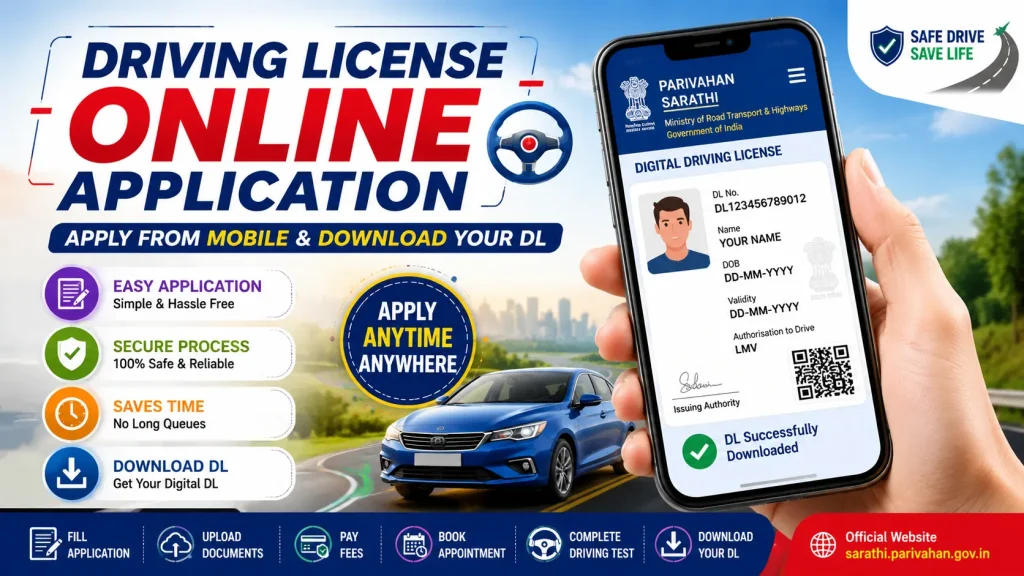
This guide explains the New Driving License Online Apply process, eligibility, required documents, application status checking and how to access your digital DL.
New Driving License Online – Overview
| Particular | Details |
|---|---|
| Service Name | New Driving Licence Application |
| Application Method | Online + Physical Process as Required |
| Official Platform | Sarathi Parivahan |
| Available Across | India |
| Learner’s Licence | Required as applicable |
| Driving Test | Generally required for new permanent DL |
| Application Status | Can be checked online |
| Digital DL | Available through supported official services |
| Payment | Online options available where supported |
| Responsible Authority | State/UT Licensing Authority |
What Is a Driving Licence?
A Driving Licence is an official authorization that allows an eligible individual to drive specified classes of motor vehicles. The licence is issued by the competent licensing authority under applicable motor vehicle laws and rules.
A Driving Licence normally contains information such as the licence holder’s name, photograph, DL number, validity period and the class or classes of vehicle the person is authorized to drive.
Different vehicle categories can have different eligibility and licence requirements. Therefore, applicants should carefully select the correct class of vehicle while completing an application.
Why Apply for a Driving License Online?
The online system makes several stages of the process more convenient.
Previously, applicants often had to visit the licensing authority multiple times to obtain information, submit forms or check their application. Online services can reduce some of this work.
Depending on the service and state, applicants may be able to:
- Start a Learner’s Licence application
- Apply for a new Driving Licence
- Upload required documents
- Pay applicable fees
- Book available appointments
- Check application status
- Access other DL-related services
The exact services and procedures can vary by state or Union Territory.
Eligibility for New Driving License
Eligibility depends mainly on the applicant’s age and the type of vehicle they intend to drive.
For many commonly used private motor vehicles, including cars and motorcycles, 18 years is generally the important minimum age requirement.
Different rules can apply to certain categories of motorcycles and transport vehicles. There are also specific provisions applicable in certain circumstances to applicants aged 16 and above.
Therefore, applicants should check the eligibility criteria for their exact vehicle class on the official portal before submitting an application.
Meeting the age requirement alone does not automatically guarantee a Driving Licence. Applicants must complete the required application, Learner’s Licence, test and verification procedures applicable to them.
Documents Required for Driving License
Applicants may be required to provide documents supporting their identity, age, address and eligibility.
Common requirements can include:
| Document | Purpose |
|---|---|
| Proof of Age | Confirms applicant’s age |
| Address Proof | Confirms residential details |
| Learner’s Licence | Required at the applicable DL stage |
| Photograph | Applicant identification |
| Application Details | Required for processing |
| Medical Declaration/Certificate | Required in applicable cases |
| Additional Documents | As requested for the selected service |
The exact document list can vary. Always follow the requirements displayed on the official portal for your application.
Make sure the documents are clear, valid and contain accurate information.
How to Apply for New Driving License Online
The following steps explain the general online application process.
Step 1: Open the Official Sarathi Portal
Visit the official Driving Licence service provided through Sarathi Parivahan.
Sarathi Parivahan Official DL Portal
Choose your state or Union Territory.
Using the official website is important because unofficial websites may charge additional service fees or collect personal information unnecessarily.
Step 2: Select Driving Licence Service
After choosing your state, select the service that applies to you.
First-time applicants may need to begin with a Learner’s Licence before proceeding to the permanent Driving Licence stage.
Existing licence holders can choose other relevant services such as renewal or duplicate licence services where available.
Step 3: Complete the Application
Enter all required information carefully.
This may include personal details, address information and the vehicle class for which you are applying.
Double-check your:
Name, date of birth, address, contact details and selected vehicle category.
Mistakes can delay the application or create problems during verification.
Step 4: Upload Documents
Upload the requested supporting documents if online document submission is available for your service.
Make sure the files are readable and meet the format and size requirements displayed on the portal.
Step 5: Pay the Application Fee
Pay the applicable government fees through the available payment options.
Fees can vary depending on the service, test and licence category. Applicants should rely on the current amount displayed on the official portal rather than outdated fee information from third-party websites.
Save the receipt or payment reference after completing payment.
Step 6: Book Your Appointment
Where an appointment is necessary and online scheduling is supported, select an available slot.
Save or print the appointment details if necessary.
Arrive at the concerned location with the documents and other items specified in your appointment instructions.
Step 7: Complete the Driving Test
Applicants seeking a new permanent Driving Licence generally need to demonstrate their driving ability through the prescribed test.
The test is an important part of determining whether an applicant is competent to operate the relevant vehicle.
Therefore, advertisements claiming that everyone can obtain a genuine permanent DL online without any required driving test should be treated cautiously.
Step 8: Track Your Application
After completing the required stages, you can monitor the progress of your application through the official online service.
Keep your application number safely until your licence process has been completed.
How to Check Driving License Application Status
If you have already submitted your application, checking its status online is straightforward.
Open Sarathi Parivahan and select your state. Find the Application Status option.
Enter the information requested by the system. This may include your application number, date of birth or other verification details.
You can then view the status currently available for your application.
Processing time can vary depending on the application, verification, test result and concerned licensing authority.
How to Access or Download Digital Driving License
After your Driving Licence is issued, you may be able to access the digital document through official digital-document services.
One widely used option is DigiLocker.
Sign in to your DigiLocker account and search for the Driving Licence document from the relevant issuer. Enter the requested details and follow the instructions to fetch the issued document.
You can also visit the main Parivahan platform for supported vehicle and Driving Licence services.
For security, avoid websites offering unofficial or modified “Driving License PDF” downloads.
Learner’s Licence and Permanent DL – Difference
| Learner’s Licence | Permanent Driving Licence |
|---|---|
| Used while learning | Authorizes eligible driving |
| Comes before permanent DL in the usual process | Obtained after completing applicable requirements |
| Temporary validity | Longer validity under applicable rules |
| Learning restrictions apply | Normal DL conditions apply |
| Preliminary stage | Final licensing stage |
| Required tests/process apply | Driving competency test generally applies |
Benefits of Online Driving License Services
Online DL services save applicants considerable time during several stages of the process.
You can begin an application without first travelling to an office, check requirements, submit information and use online payment or appointment facilities where supported.
Another major advantage is application tracking. Instead of repeatedly visiting an office just to ask about progress, applicants can check available status information online.
Digital document services can also provide convenient access to an issued Driving Licence on a smartphone.
Common Mistakes to Avoid
One common mistake is entering incorrect personal details. Always check your information before final submission.
Another problem is choosing the wrong vehicle class. Apply only for the class appropriate to the vehicle you intend to drive.
Applicants should also avoid unofficial agents who promise guaranteed Driving Licences without the legally required process.
Never share sensitive documents, passwords or OTPs with unknown people claiming they can instantly issue your licence.
Frequently Asked Questions – FAQ
1. How can I apply for a new Driving License online?
Visit the official Sarathi Parivahan service, select your state and choose the relevant Learner’s Licence or Driving Licence application option. Complete the steps displayed for your application.
2. Is the Driving License application completely online?
Several stages can be completed online, but a new permanent DL generally involves additional requirements such as a driving test and verification. The exact process depends on the service and jurisdiction.
3. What is the minimum age for applying?
For many common private cars and motorcycles, 18 years is generally the key minimum age. Different rules can apply to specific vehicle categories.
4. Is a Learner’s Licence necessary?
For a typical first-time permanent Driving Licence application, obtaining a Learner’s Licence is part of the process, subject to applicable rules.
5. How can I check my DL application status?
Open Sarathi Parivahan, select your state, choose Application Status, and enter the required application information.
6. Can I download my Driving License online?
Once issued, eligible digital Driving Licence documents can be accessed through official digital services such as DigiLocker and supported Parivahan services.
7. Can I apply using my mobile phone?
Many online stages can be accessed using a smartphone with a compatible browser and internet connection.
8. Do I need to take a driving test?
A driving competency test generally forms part of obtaining a new permanent Driving Licence, subject to the applicable rules and circumstances.
9. How much does a Driving License cost?
Fees depend on the service and applicable charges. Check the current fee shown by the official Sarathi portal during your application.
10. Which website should I use for a Driving License?
Use the official Sarathi Parivahan/Parivahan services provided under the Ministry of Road Transport & Highways ecosystem.
Conclusion
The New Driving License Online Apply facility has made it easier for applicants to begin their licence journey, submit information, make eligible payments, book available appointments and check Driving License application status without unnecessary visits.
First-time applicants should remember that an online application is only part of the overall licensing process. Depending on the applicable rules, you may need to obtain a Learner’s Licence, provide the required documents, complete verification and pass the prescribed driving competency test before a permanent DL can be issued.
Once your Driving Licence has been issued, official services such as DigiLocker can provide convenient digital access to your licence.
For a safe application process, always use official government websites, verify current requirements for your state or Union Territory, enter accurate information and avoid anyone promising a genuine Driving Licence through unauthorized shortcuts.