Vehicle Insurance Expiry Date – How to Check Policy Validity Online
Keeping track of your vehicle insurance expiry date is an important part of managing your car, bike, scooter, or other motor vehicle. An insurance policy is issued for a defined policy period, and knowing when that period ends can help you review your insurance requirements and take appropriate action before the policy expires.
If you cannot immediately find your insurance certificate, certain online services may help you check available insurance information using your vehicle registration number or policy details. Depending on the service and available records, you may be able to view the insurer name, insurance status, validity information, and expiry-related details.
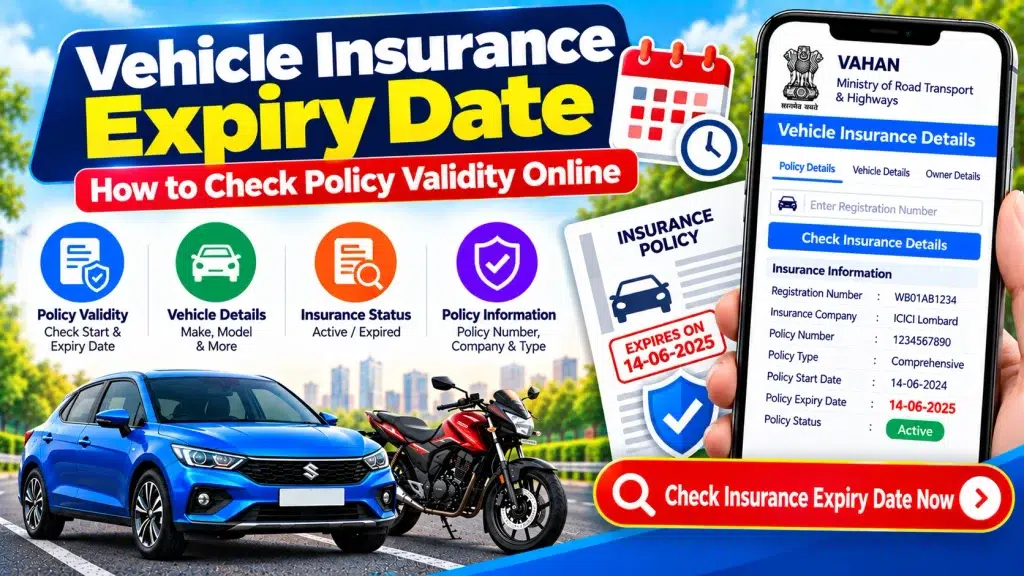
This guide explains how to check vehicle insurance policy validity online, where you may find the expiry date, how to check car and bike insurance information, and what to do if the online record does not match your current policy.
What Is a Vehicle Insurance Expiry Date?
A vehicle insurance expiry date generally refers to the date on which the applicable policy period ends according to the insurance contract.
Your current insurance certificate or policy schedule normally contains the relevant policy period. It may show when coverage begins and when the applicable policy period ends.
Knowing this date is useful because you can review your insurance requirements before the current policy period finishes.
However, you should not rely solely on a third-party online vehicle-information result for definitive insurance coverage information. Your latest policy document and the insurer’s official records are better sources for confirming your actual policy period.
Vehicle Insurance Expiry Date Check – Quick Overview
| Particular | Details |
|---|---|
| Service | Vehicle Insurance Expiry/Validity Check |
| Main Purpose | Review Policy Validity Information |
| Common Search Detail | Vehicle Registration Number |
| Other Useful Detail | Insurance Policy Number |
| Vehicle Types | Car, Bike, Scooter & Other Insured Vehicles |
| Possible Information | Insurer, Status & Validity Details |
| Online Availability | Depends on Service and Available Records |
| Device | Mobile, Tablet or Computer |
| Complete Policy Details | Check Current Policy Document |
| Final Verification | Insurance Provider |
Why Should You Check Your Insurance Expiry Date?
Vehicle owners may have multiple documents and renewal dates to manage. As a result, it can be easy to forget when a particular insurance policy period is approaching its end.
Checking the expiry date in advance gives you time to review your current policy and consider the next steps.
It is also useful after a policy renewal. You can compare the latest policy certificate with any insurance information displayed through supported online services.
For a second-hand vehicle, insurance validity is also an important part of document verification. A buyer should review the insurance certificate supplied by the seller rather than relying only on a screenshot or basic online search.
What Details May Be Available During an Online Insurance Check?
The exact information available depends on the platform, record availability, and applicable access restrictions.
You may find information such as:
- Vehicle registration number
- Insurance company name
- Insurance status
- Policy validity-related details
- Insurance expiry-related information
- Vehicle make and model
- Vehicle class
- Fuel type
- Registration information
Some services may show fewer details.
Information such as complete coverage terms, add-ons, exclusions, premium breakup, deductibles, insured declared value, and other policy conditions generally requires access to the actual policy document or your insurer’s service.
How to Check Vehicle Insurance Expiry Date Online
There are different ways to review your insurance information online. You may use an authorized vehicle-information service or the digital service offered by your insurance company.
Here is the general process.
Step 1: Keep the Registration Number Ready
Start by noting the complete registration number of your vehicle.
You can find it on the vehicle number plate and Registration Certificate (RC).
For example:
WB 00 AB 1234
Enter the number carefully because an incorrect letter or digit may prevent the correct record from appearing.
Step 2: Open an Authorized Service
Use an authorized vehicle-information platform or your insurance company’s official website or app.
Avoid unknown websites that claim to provide unrestricted access to private vehicle-owner information.
Step 3: Select the Relevant Vehicle or Insurance Service
Look for an option related to vehicle details, insurance information, policy status, or policy servicing.
The exact name of the option may vary by platform.
Step 4: Enter the Required Information
Enter the registration number or other information requested by the service.
If you use your insurer’s platform, you may instead be asked for a policy number, registered mobile number, email address, or account credentials.
Step 5: Complete Verification
Some services may require a captcha, OTP, login, or another authentication method.
Complete this step only through a trusted service.
Step 6: Check the Validity Information
Once the vehicle or policy record appears, look for the insurance validity or expiry-related information.
Compare the displayed details with your latest policy document.
If the information does not match a recently issued or renewed policy, verify the current record directly with your insurer.
How to Check Vehicle Insurance Policy Validity
Insurance validity is the applicable period during which a policy operates according to its terms.
The easiest way to confirm the validity of your own insurance is to review your current policy certificate.
When checking a policy, pay attention to the following information:
| Policy Detail | What to Check |
|---|---|
| Vehicle Number | Should match your registered vehicle |
| Policy Number | Check against insurer record |
| Insurer | Confirm insurance company |
| Policy Period | Review applicable start and end dates |
| Vehicle Details | Match insured vehicle |
| Coverage Type | Check current policy document |
| Add-ons | Review policy schedule |
| Terms | Read applicable policy conditions |
If important information is incorrect, contact your insurance provider for clarification.
How to Check Car Insurance Expiry Date
If you own a car, you can first check the latest policy certificate issued by your insurer.
If the document is not immediately available, use your insurer’s official digital service or a supported vehicle-information service.
Depending on the platform, entering the car registration number may provide limited insurance-related information.
For complete details about coverage and the applicable policy period, use the current policy document.
How to Check Bike Insurance Expiry Date
Motorcycle and scooter owners can follow a similar process.
Keep the two-wheeler registration number or policy number ready and access the appropriate authorized service.
Where available, you may be able to review insurance status and validity-related information.
If you recently renewed your bike insurance and the online vehicle record still displays old information, check the latest policy certificate before assuming that the policy has not been updated.
Registration Number vs Insurance Policy Number
Both numbers can be useful when checking insurance, but they identify different records.
| Registration Number | Policy Number |
|---|---|
| Identifies the registered vehicle | Identifies an insurance policy |
| Appears on vehicle number plate | Appears on insurance document |
| Connected with RC record | Issued by insurance provider |
| Can help with vehicle-information searches | Useful for insurer policy searches |
| Generally remains linked to registration | May change with a new policy |
If you are contacting your insurer about your own policy, keeping both numbers available can make the verification process easier.
What If You Do Not Know Your Policy Number?
If you cannot remember or locate your insurance policy number, do not panic.
Start by checking your email, SMS records, insurer account, downloaded documents, or any printed insurance papers you have retained.
You may also be able to locate limited insurance information through a supported vehicle-information service using the registration number.
For full policy access, contact your insurer and complete its required identity-verification process.
What If Insurance Expiry Information Is Not Showing Online?
There are several reasons why insurance information may not appear through a particular online service.
The policy may have been recently issued or renewed, the connected records may not yet have updated, or the platform may simply not display the information you need.
You may also have entered an incorrect registration number.
If the vehicle belongs to you, check your current policy certificate and insurer account.
The absence of an insurance record from one online service should not automatically be interpreted as proof that a vehicle has no insurance.
What If the Online Expiry Date Is Incorrect?
Suppose your policy certificate shows a current policy period, but another online service displays an older expiry date.
First, check that you entered the correct registration number.
Next, confirm that your latest insurance certificate contains the correct vehicle details.
If the policy was recently renewed, the external record may not yet reflect the latest information.
If the insurer’s own records also contain an error, contact the insurance company and request clarification or correction.
How to Check Insurance Expiry From a Mobile Phone
A smartphone can be used to review many insurance and vehicle records.
Open your insurer’s official digital service or another authorized vehicle-information service in your browser. Enter the requested registration or policy details and complete any required verification.
This can be particularly useful if you need to check insurance information while travelling and do not have a printed policy document with you.
For convenience, consider securely storing a digital copy of your latest policy document on a device or trusted storage service that you control.
Checking Insurance Before Buying a Used Vehicle
Insurance should be part of your document-verification process when buying a second-hand car or bike.
Check the following:
| Used Vehicle Detail | Verification |
|---|---|
| RC | Match with the vehicle |
| Registration Number | Compare all documents |
| Insurance | Review current policy |
| Insurance Validity | Check applicable policy period |
| Insurer | Confirm policy provider |
| PUC | Review applicable documentation |
| Hypothecation | Check financing-related information |
| Challans | Review applicable records |
| Service History | Examine maintenance records |
| Ownership Transfer | Complete required procedure |
Do not rely only on an online insurance result. Ask the seller for relevant original or authentic digital documents and independently verify important information where appropriate.
Is It Safe to Check Insurance Validity Online?
Checking insurance information through an authorized platform is a convenient way to review available records.
However, protect your personal information.
Never share an OTP, UPI PIN, card PIN, banking password, or account password with someone who claims they need it to check your vehicle’s insurance expiry date.
Also be cautious of websites promising complete private information about a vehicle owner from only the registration number.
Public-facing services may mask or restrict personal information for privacy and security reasons.
Tips to Avoid Missing Your Insurance Expiry Date
Once you know the applicable policy expiry date, consider setting a reminder on your mobile phone or calendar.
You can set more than one reminder before the policy period ends so you have time to review your insurance requirements.
Also keep your registered contact information updated with your insurer where appropriate, as insurers may provide policy-related communications through the contact channels associated with your account.
Most importantly, keep your latest insurance certificate organized and accessible.
Frequently Asked Questions (FAQ)
1. How can I check my vehicle insurance expiry date online?
You may use your insurer’s official service or an authorized vehicle-information platform. The latest insurance policy certificate is also an important source for checking the applicable policy period.
2. Can I check insurance validity using a vehicle registration number?
Depending on the service and available records, a registration number may help you retrieve limited insurance validity-related information.
3. Can I check car insurance expiry online?
Yes. Available car insurance information may be checked using supported online services or the insurance provider’s official platform.
4. Can I check bike insurance expiry date online?
Yes. Motorcycle and scooter owners can use supported vehicle-information or insurer services to review available insurance information.
5. Why is my new insurance expiry date not showing?
If you recently purchased or renewed a policy, another connected service may not yet reflect the updated record. Check your latest policy certificate.
6. What should I do if my insurance expiry date is incorrect?
Compare the online information with your current insurance certificate. If the insurer’s record itself appears incorrect, contact the insurance company.
7. Can I check insurance without knowing my policy number?
Limited insurance-related information may be searchable through certain services using the vehicle registration number. Full policy access may require additional verification.
8. Is the registration number the same as the policy number?
No. The registration number identifies the registered vehicle, while the policy number identifies a specific insurance policy.
9. Can I download my insurance policy online?
Many insurers provide digital policy access after appropriate authentication. The required information and verification process vary by insurer.
10. Should I verify insurance when buying a used vehicle?
Yes. Review the insurance policy along with the RC, vehicle details, applicable PUC, financing information, challan records, service history, and ownership-transfer requirements.
Conclusion
Knowing your Vehicle Insurance Expiry Date makes it easier to keep track of your insurance documents and review your policy before its applicable period ends.
You may be able to check vehicle insurance policy validity online using a registration number through supported vehicle-information services. Your insurer’s official digital service may also provide access to your policy details after appropriate verification.
Online information is useful for a quick check, but your latest insurance certificate and insurer’s official records remain important when you need definitive information about the policy period, coverage, exclusions, add-ons, or other conditions.
If online information appears outdated after a recent renewal, compare it with your current policy and contact the insurer when necessary.
Disclaimer: This article is for general informational and educational purposes only. It is not an insurance provider, government, RTO, Parivahan, or VAHAN service and does not provide insurance, legal, or financial advice. Policy terms, online information, procedures, and access methods can vary or change. Always verify insurance validity, expiry dates, coverage, and other important policy information through your current policy document or directly with your insurance provider.