Check Vehicle Registration Certificate Details Online – RC Status, Owner & Vehicle Information
Checking vehicle information online has become a convenient way to verify important registration details before buying a used vehicle, reviewing your own vehicle records, checking insurance information, or confirming basic RC data. With a vehicle registration number, users can access permitted vehicle-related information through authorized digital services in India.
A Vehicle Registration Certificate (RC) is an important document that confirms that a vehicle has been registered with the appropriate Regional Transport Office (RTO). The RC contains essential information related to the vehicle, including its registration number, registration date, vehicle class, fuel type, manufacturer, model, and other technical details.
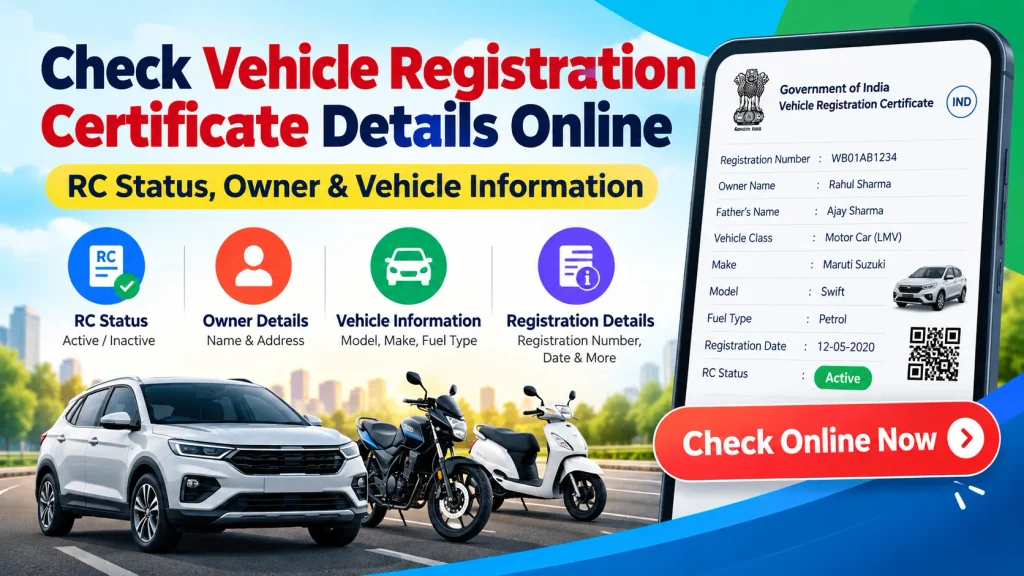
If you want to check Vehicle Registration Certificate details online, this guide explains what information may be available, what details are required, and how to check RC status and vehicle information safely.
What Is a Vehicle Registration Certificate (RC)?
A Registration Certificate, commonly known as an RC, is an official vehicle registration document issued after a vehicle is registered with the concerned transport authority.
Every registered vehicle has a unique registration number. This number generally appears on the vehicle’s number plate and is linked to its registration record.
RC information can help establish basic details about a vehicle and its registration. Traditionally, vehicle owners relied heavily on physical RC documents. Today, many permitted details can also be checked digitally through authorized platforms.
Vehicle RC Details Online – Quick Overview
| Particular | Details |
|---|---|
| Service | Vehicle Registration Certificate Details |
| Common Name | RC Details / RC Status |
| Search Method | Vehicle Registration Number |
| Information Type | Registration and Vehicle Information |
| Vehicle Types | Car, Bike, Scooter and Other Registered Vehicles |
| Possible Details | RC Status, Vehicle Class, Fuel Type, Registration Date, etc. |
| Availability | Depends on the record and applicable access rules |
| Official Platform | Parivahan / VAHAN Services |
| Suitable For | Vehicle Owners and Vehicle Verification |
| Access Mode | Online / Mobile |
What Vehicle Details Can You Check Online?
The exact information displayed can vary depending on the vehicle record, service being used, and applicable privacy restrictions. However, a vehicle search may provide several useful pieces of information.
Commonly available information can include:
- Vehicle registration number
- Registration date
- Registration validity
- Vehicle class
- Fuel type
- Manufacturer information
- Vehicle model
- Registration authority or RTO
- Insurance-related information, where available
- Pollution Under Control (PUC) information, where available
- Fitness validity for applicable vehicles
- Permit-related information for applicable vehicles
- RC status
Some personal information may be masked or restricted for privacy and security reasons.
How to Check Vehicle Registration Certificate Details Online
Vehicle information can be checked through authorized transport services. One commonly used option is the official Parivahan Sewa platform provided by the Ministry of Road Transport and Highways.
The general process is straightforward.
Step 1: Visit an Authorized Vehicle Information Service
Open the official Parivahan or VAHAN-related service through your mobile phone, tablet, or computer.
Avoid entering vehicle or personal information on unknown websites that claim to provide unrestricted owner information.
Step 2: Find the Vehicle Information Section
Look for a service related to vehicle information, vehicle registration, RC details, or “Know Your Vehicle Details.”
The wording and interface may change as online services are updated.
Step 3: Enter the Vehicle Registration Number
Enter the registration number exactly as shown on the vehicle number plate or RC.
For example, a registration number may follow a format similar to:
WB 00 AB 1234
Make sure that letters and numbers are entered correctly.
Step 4: Complete Verification
Depending on the platform, you may be required to sign in, create an account, enter a mobile number, complete an OTP verification, or pass another security check.
Follow the instructions displayed on the official service.
Step 5: View Available Vehicle Information
After successful verification, the available vehicle record can be displayed. Review the RC status, registration information and other permitted vehicle details carefully.
Can You Check Vehicle Owner Details Online?
Vehicle registration databases contain information connected with registered owners, but this does not mean that complete personal details are publicly available.
For privacy and security reasons, owner information may be masked, limited, or unavailable through public-facing services. The information visible to a user depends on the platform, applicable rules, and level of authorized access.
Therefore, a vehicle-number search should not be treated as a method for obtaining someone’s private address, phone number, or other sensitive personal information.
How to Check RC Status Online
RC status is useful when you want to confirm whether the vehicle’s registration record is available and review its registration-related information.
To check RC status, enter the vehicle registration number on an authorized vehicle information platform and review the available record.
Pay attention to information such as the registration date, validity, vehicle class and registering authority.
If you notice an error in your own RC information, contact the appropriate RTO or use the relevant official vehicle service to determine the correction procedure.
Check Vehicle Insurance Details
Insurance is another important part of vehicle documentation. Depending on the service and availability of updated records, vehicle information services may show limited insurance-related details.
This can help a vehicle owner identify whether an insurance record is associated with the vehicle.
However, online information may not always update immediately. For definitive policy details, check the insurance certificate or contact the insurance provider directly.
Why Should You Check RC Details?
There are several situations where checking vehicle registration information can be useful.
One common example is purchasing a used car or bike. Before completing a transaction, a buyer may want to compare the vehicle’s physical documents with available registration information.
RC verification can also be useful for existing vehicle owners who want to review registration validity, confirm vehicle information, or identify discrepancies in their records.
However, an online RC check should be only one part of used-vehicle verification. Buyers should also inspect original documents, insurance records, service history, applicable challans, financing or hypothecation status where relevant, and the physical condition of the vehicle.
RC Details to Verify Before Buying a Used Vehicle
When considering a second-hand vehicle, compare the available RC information with the actual vehicle and documents.
Check the registration number, vehicle make and model, fuel type, registration date, chassis-related information where legally available, insurance documentation, and registration validity.
If any major information does not match, ask the seller for clarification and verify the records through the appropriate authority before making payment or transferring ownership.
Can RC Details Be Checked on Mobile?
Yes. Vehicle-related online services can generally be accessed using a smartphone with an internet connection.
Users can open the relevant authorized website or supported application, enter the required registration information, complete verification if requested, and view the available vehicle record.
This makes it easier to check basic vehicle information without visiting an RTO simply to make an initial inquiry.
Tips for Safe Vehicle Information Checking
Always prefer official or authorized services when checking RC and vehicle information. Double-check the registration number before submitting a search and avoid sharing OTPs, passwords, Aadhaar information, banking details, or other sensitive information with unknown websites or individuals.
Be cautious of websites or applications claiming that they can reveal complete private information about a vehicle owner solely from a registration number.
If you need certified records or information that is not publicly available, contact the appropriate RTO or competent authority.
Frequently Asked Questions (FAQ)
1. What is an RC in a vehicle?
RC stands for Registration Certificate. It is an official record showing that a vehicle has been registered with the appropriate registering authority.
2. Can I check vehicle RC details online?
Yes. Permitted vehicle registration information can be checked through authorized online transport services using the vehicle registration number and any required verification.
3. What information is required to check RC details?
The vehicle registration number is usually the primary information required. Some services may also require login, mobile verification, OTP, or other authentication.
4. Can I find the complete owner’s name and address from a vehicle number?
Public services may restrict or mask personal information for privacy and security. Complete private owner information should not be expected from a public vehicle-number search.
5. Can I check vehicle insurance information with the registration number?
Limited insurance information may be available through certain authorized vehicle services, depending on the record. For complete and current policy information, refer to the insurer or insurance documents.
6. Can I check bike and scooter RC details online?
Yes. Available registration information for registered two-wheelers can generally be checked in the same way as other registered vehicles.
7. Is an online RC check useful when buying a used vehicle?
Yes, it can help compare available registration information with the documents supplied by the seller. However, you should also verify original documents, ownership transfer requirements, insurance, challans, financing status and the vehicle’s physical condition.
8. What should I do if my RC information is incorrect?
If your own vehicle record contains incorrect information, check the relevant correction service or contact the appropriate RTO for the procedure and required documents.
Conclusion
The ability to check Vehicle Registration Certificate details online makes it easier to review basic RC status and vehicle information from a mobile phone or computer. Using the vehicle registration number, users can access permitted details such as registration information, vehicle class, fuel type, manufacturer details, registration validity and other available records.
For the most reliable information, use official or authorized transport services and remember that personal owner information may be restricted for privacy. If you are buying a used vehicle, compare online RC information with the original documents and complete all necessary ownership and document verification before completing the transaction.
Disclaimer: This article is provided for general informational purposes only. It is not an official government website or transport authority service. Vehicle information, availability of records, procedures and online services may change. Always verify important RC, ownership, insurance and registration information through the official Parivahan/VAHAN service, the concerned RTO, or another competent authority.