Virtual Pag-IBIG – Registration, Login & Online Services Guide
The Virtual Pag-IBIG platform gives Pag-IBIG Fund members convenient online access to a variety of membership, savings, loan, and payment-related services. Instead of visiting a branch for every routine inquiry, eligible members can use supported digital services from a computer or mobile device.
Pag-IBIG Fund, officially known as the Home Development Mutual Fund (HDMF), administers savings and housing-related programs for qualified members in the Philippines. Through its digital platform, members can manage certain transactions, review available account information, access loan-related services, and explore Pag-IBIG programs online.
For new users, understanding how to register, log in, verify an account, and safely access member information is important. Members should also know that not every Pag-IBIG transaction can necessarily be completed entirely online. Some services can require additional documents, verification, or in-person processing.
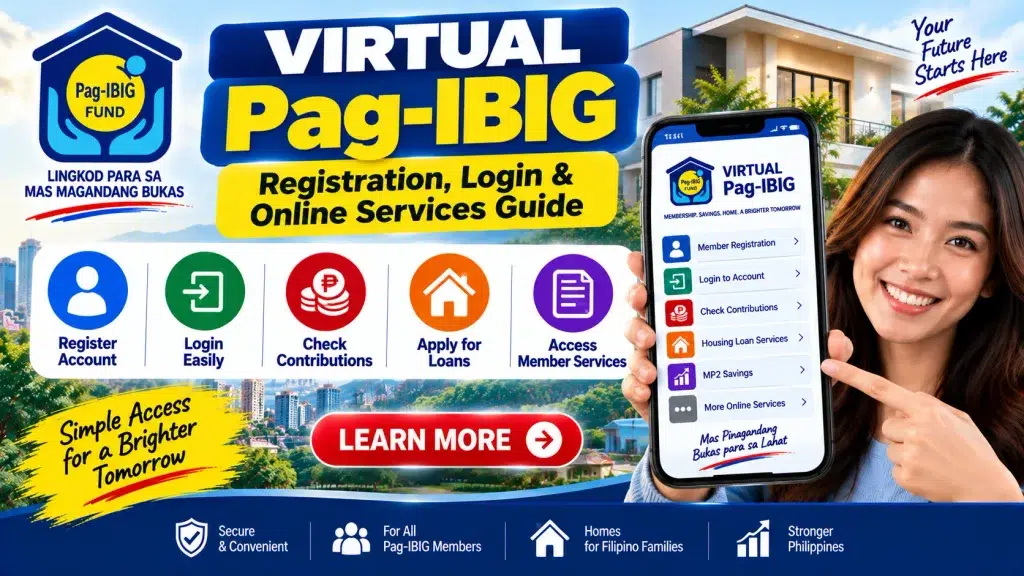
This guide explains Virtual Pag-IBIG registration, login, account access, contribution checking, housing and short-term loan services, MP2 Savings, online payments, and account security.
Important: Virtual Pag-IBIG features, registration procedures, verification methods, loan requirements, contribution rules, and payment options may change. Always verify current information through official Pag-IBIG Fund channels before submitting personal information or making payments.
Virtual Pag-IBIG – Quick Overview
| Information | Details |
|---|---|
| Online Platform | Virtual Pag-IBIG |
| Institution | Home Development Mutual Fund (HDMF) |
| Common Name | Pag-IBIG Fund |
| Country | Philippines |
| Main Users | Eligible Pag-IBIG members |
| Account Registration | Available subject to verification requirements |
| Membership Records | Supported account information may be available |
| Contributions | Membership savings records can be reviewed where supported |
| Housing Loan | Online services available for eligible transactions |
| Short-Term Loans | Supported services may be available |
| MP2 Savings | Digital services available |
| Payments | Selected payments may be supported online |
| Availability | Depends on current Pag-IBIG services |
What Is Virtual Pag-IBIG?
Virtual Pag-IBIG is the official digital service platform of the Pag-IBIG Fund.
It is designed to make selected member services accessible online, reducing the need to visit a physical branch for routine transactions.
Depending on current features and the member’s eligibility, Virtual Pag-IBIG can provide access to services related to:
- Membership records
- Membership savings or contributions
- Housing loans
- Multi-Purpose Loans
- Calamity Loans when applicable
- MP2 Savings
- Online payments
- Account information
- Other Pag-IBIG member services
The services displayed can differ depending on your account, membership status, and current platform features.
Why Use Virtual Pag-IBIG?
The biggest advantage is convenience.
Members who previously needed to visit a branch for certain inquiries may now be able to access information digitally.
Virtual Pag-IBIG can be particularly useful for:
- Employees checking membership information
- OFWs accessing services from abroad
- Self-employed members managing Pag-IBIG records
- Members monitoring savings
- Borrowers reviewing available loan information
- MP2 participants
- Members making eligible online payments
However, users should remember that digital access does not remove eligibility or documentary requirements for Pag-IBIG programs.
What Do You Need to Register?
Before attempting to create an account, prepare the personal and membership information required by the current registration process.
You may need information such as:
- Pag-IBIG MID Number
- Full legal name
- Date of birth
- Mobile number
- Email address
- Identification or verification information
- Other details requested by Pag-IBIG
The exact requirements depend on the verification method available.
Make sure the information you provide matches your Pag-IBIG membership record.
How to Register for Virtual Pag-IBIG
Account registration is designed to establish and verify your online identity.
Step 1: Access the Official Virtual Pag-IBIG Platform
Open the official Pag-IBIG Fund digital service through a trusted browser.
Be careful with sponsored advertisements, social media posts, or websites that imitate government branding.
Step 2: Choose Account Registration
Select the option for creating or registering an account.
Read the instructions carefully because different verification methods may be available.
Step 3: Select the Appropriate Verification Method
Follow the verification option applicable to you.
Pag-IBIG can offer different account-creation procedures depending on the member and available identity-verification methods.
Step 4: Enter Your Membership Information
Provide the requested information accurately.
Check your:
- MID Number
- Name
- Date of birth
- Contact details
Do not intentionally enter another person’s membership information.
Step 5: Complete Identity Verification
Follow the instructions for verifying your identity.
Depending on the current procedure, additional information or documentation may be requested.
Step 6: Provide Your Contact Information
Use a mobile number and email address you can access.
These can be important for verification, security alerts, and account recovery.
Step 7: Create Secure Login Credentials
Create a strong password that is difficult for another person to guess.
Avoid using obvious passwords such as your name or birth date.
Step 8: Complete Account Activation
Follow any activation or confirmation instructions provided.
Once the account is active, sign in and review the available services.
Virtual Pag-IBIG Login – Step-by-Step
After creating an account, logging in is generally straightforward.
- Visit the official Virtual Pag-IBIG platform.
- Select the login option.
- Enter the requested account credentials.
- Complete any additional security verification.
- Access your member dashboard.
- Select the service you need.
Always check that you are using the legitimate platform before entering your password.
Avoid logging in through links sent by unknown individuals.
What Can You Do Through Virtual Pag-IBIG?
The platform brings multiple services into one digital environment.
| Online Service | What Members May Be Able to Do |
|---|---|
| Membership | Access supported membership information |
| Contributions | Review available membership savings records |
| Housing Loan | Access supported housing loan services |
| Multi-Purpose Loan | Use available MPL-related services |
| Calamity Loan | Access services when the program applies |
| MP2 Savings | Review or manage supported MP2 services |
| Payments | Make eligible payments through supported channels |
| Loan Records | Review available loan information |
| Account Services | Manage supported online account functions |
Always use the actual options displayed in your account because services can be updated.
How to Check Pag-IBIG Contributions Online
One of the most useful digital features for members is the ability to access available membership savings information.
After logging in:
- Open your member dashboard.
- Find the relevant membership savings or contribution section.
- Review the periods shown.
- Compare records with your payslips or payment receipts.
- Identify unexpected missing periods.
- Contact Pag-IBIG through an official channel if verification is needed.
For employed members, a missing entry should first be investigated carefully.
Posting delays, incorrect membership information, or employer-remittance issues can affect the records.
Housing Loan Services
Pag-IBIG Fund is widely known for its housing finance programs.
Virtual Pag-IBIG can provide supported digital services related to housing loans.
Depending on current functionality, members may be able to access information or services involving:
- Housing loan applications
- Loan-related records
- Payment information
- Application-related services
- Other housing finance transactions
Remember that online access does not guarantee housing loan approval.
Applicants must satisfy applicable membership, income, capacity-to-pay, property, and documentary requirements.
Multi-Purpose Loan Services
Qualified members can apply for a Multi-Purpose Loan (MPL) subject to current eligibility requirements.
Digital services may make certain stages more convenient.
Eligibility can depend on factors such as:
- Membership savings
- Contribution history
- Existing loan obligations
- Account status
- Other Pag-IBIG requirements
Do not trust third parties promising a guaranteed MPL approval.
Calamity Loan Services
Pag-IBIG’s Calamity Loan can become available to qualified members affected by applicable officially declared calamities.
Availability depends on program rules and the affected area.
Virtual Pag-IBIG can provide access to applicable digital services when available.
Members should confirm whether their location and circumstances meet current eligibility requirements.
MP2 Savings Through Virtual Pag-IBIG
The Modified Pag-IBIG II (MP2) Savings program is a voluntary savings facility for qualified participants who want to save beyond their regular membership savings.
Through supported online services, members may be able to access MP2-related information and payment options.
Before participating, review current information concerning:
- Eligibility
- Savings rules
- Maturity period
- Dividend arrangements
- Payment options
- Withdrawal conditions
MP2 should be understood as a savings program with specific rules rather than an ordinary bank savings account.
Virtual Pag-IBIG Online Payments
Selected Pag-IBIG payments may be made through supported digital payment facilities.
Depending on current options, payments can relate to:
- Regular membership savings
- MP2 Savings
- Loan payments
- Housing loan payments
- Other eligible transactions
Before confirming a payment:
- Verify your MID Number or account information.
- Check the amount.
- Review the payment period.
- Confirm the selected transaction.
- Use an authorized payment method.
- Save the transaction reference or receipt.
Never send money directly to a personal account belonging to someone claiming to be a Pag-IBIG representative.
Virtual Pag-IBIG for OFWs
Virtual services can be especially useful for overseas Filipino workers because accessing a physical Pag-IBIG branch in the Philippines may not always be convenient.
Depending on current features, OFWs can use supported services to manage aspects of their membership, savings, payments, and loan information.
OFWs should ensure that their mobile number, email address, and identity-verification information remain accessible.
What If You Cannot Log In?
Login problems can occur for several reasons.
Possible issues include:
- Incorrect password
- Incorrect email or login information
- Verification problems
- Outdated contact information
- Account activation issues
- Temporary system problems
Use the official password recovery or support procedure.
Do not create multiple accounts simply because you cannot immediately access the existing one.
What If Your Pag-IBIG Information Is Incorrect?
If your personal information does not match your official documents, use the appropriate Pag-IBIG correction or update procedure.
Examples include:
- Misspelled name
- Incorrect birth date
- Changed civil status
- Changed contact information
- Incorrect employment information
Some corrections may require supporting documentation.
Avoid creating a new membership record to solve an information error.
Virtual Pag-IBIG Security Tips
Because your account can contain personal and financial information, security is extremely important.
Protect your account by following these practices:
- Use only the official Pag-IBIG website.
- Create a unique password.
- Never share one-time passwords or verification codes.
- Avoid logging in on unknown public computers.
- Log out after using a shared device.
- Do not post screenshots containing personal information.
- Avoid suspicious links sent through social media or messaging apps.
- Keep payment confirmations secure.
Pag-IBIG will not become safer simply because a page uses its logo. Always verify the actual platform.
Common Online Scams to Avoid
Be cautious of advertisements or messages promising:
- Guaranteed Pag-IBIG loans
- Instant housing loan approval
- Immediate contribution corrections for a fee
- Paid MID activation
- Guaranteed MP2 returns beyond official terms
- Account unlocking through an unofficial agent
Never provide your password, OTP, or sensitive documents to an unknown person.
Benefits of Managing Pag-IBIG Services Online
Using Virtual Pag-IBIG can help members manage routine services more efficiently.
Benefits can include:
- Convenient account access
- Reduced need for branch visits
- Easier contribution monitoring
- Access to supported loan services
- Online payment options
- Better record management
- Convenient access for OFWs
- Availability through internet-connected devices
For transactions requiring additional verification or original documents, a physical visit may still be necessary.
Frequently Asked Questions (FAQ)
1. What is Virtual Pag-IBIG?
Virtual Pag-IBIG is the official online service platform of the Pag-IBIG Fund for supported membership, savings, loan, and payment-related services.
2. Who can create a Virtual Pag-IBIG account?
Eligible Pag-IBIG members can register subject to the identity and membership verification requirements currently provided by Pag-IBIG.
3. Do I need a Pag-IBIG MID Number?
Your MID Number is an important identifier for your Pag-IBIG membership. Registration and verification requirements depend on the account-creation method available.
4. Can I check my Pag-IBIG contributions online?
Eligible members can access supported membership savings or contribution information through Virtual Pag-IBIG.
5. Can I access housing loan services online?
Virtual Pag-IBIG provides supported housing loan-related services, although additional documentation or physical processing may still be necessary.
6. Can I apply for a Multi-Purpose Loan online?
Eligible members may have access to supported MPL services through Virtual Pag-IBIG, subject to current requirements.
7. Can OFWs use Virtual Pag-IBIG?
Yes, supported digital services can be particularly useful for eligible OFW members who need remote access to their Pag-IBIG information.
8. Can I make Pag-IBIG payments online?
Selected Pag-IBIG transactions can be paid through supported digital payment channels. Check the current options before making a payment.
9. What should I do if I forget my password?
Use the official account recovery procedure rather than giving your information to an unofficial third party.
10. Where can I access the latest Virtual Pag-IBIG information?
Use official Pag-IBIG Fund channels to check current registration procedures, available online services, loan requirements, contribution information, and payment options.
Final Words
Virtual Pag-IBIG provides a convenient way for eligible members to access many Pag-IBIG Fund services online.
After creating and verifying an account, members can explore supported services related to membership records, contributions, housing loans, Multi-Purpose Loans, Calamity Loans when applicable, MP2 Savings, and online payments.
When registering, make sure your MID Number and personal information are accurate. Use an email address and mobile number you can access and protect your account with a strong password.
Most importantly, use only official Pag-IBIG channels. Avoid individuals or websites promising guaranteed loan approval, instant contribution corrections, or paid account activation.
Since Virtual Pag-IBIG features and Pag-IBIG policies can change, verify the latest requirements and available services before completing important financial transactions.
Declaration
The information provided on this website is published for informational purposes only. While every effort is made to ensure the accuracy and timely updating of the content, we do not guarantee the completeness, reliability, or authenticity of any information. Candidates and users are strongly advised to visit the official websites of the respective departments, organizations, or authorizing bodies before applying for any job, scheme, examination, or benefit program. This website is not associated with any government organisation and does not provide any recruitment guarantee or official confirmation. We are not responsible for any loss, error, or misunderstanding arising from the use of the information available on this website.