How to Check LTO Driver & Vehicle Services Online – Registration, License & Renewal Guide
The Land Transportation Office (LTO) provides essential services for drivers and vehicle owners throughout the Philippines. Whether you want to apply for or renew a driver’s license, manage vehicle registration, access driver education resources, or review available motor vehicle services, understanding the official online system can save time and help you prepare before visiting an LTO office.
Many LTO digital services are connected to the Land Transportation Management System (LTMS) Portal. Through an LTMS account, eligible users can access available driver’s license and motor vehicle services, manage their client profile, review supported transactions, and use online learning resources.
However, not every LTO transaction can be completed entirely online. Medical examinations, biometrics, practical driving tests, vehicle inspections, original-document verification, and other physical requirements may still apply.
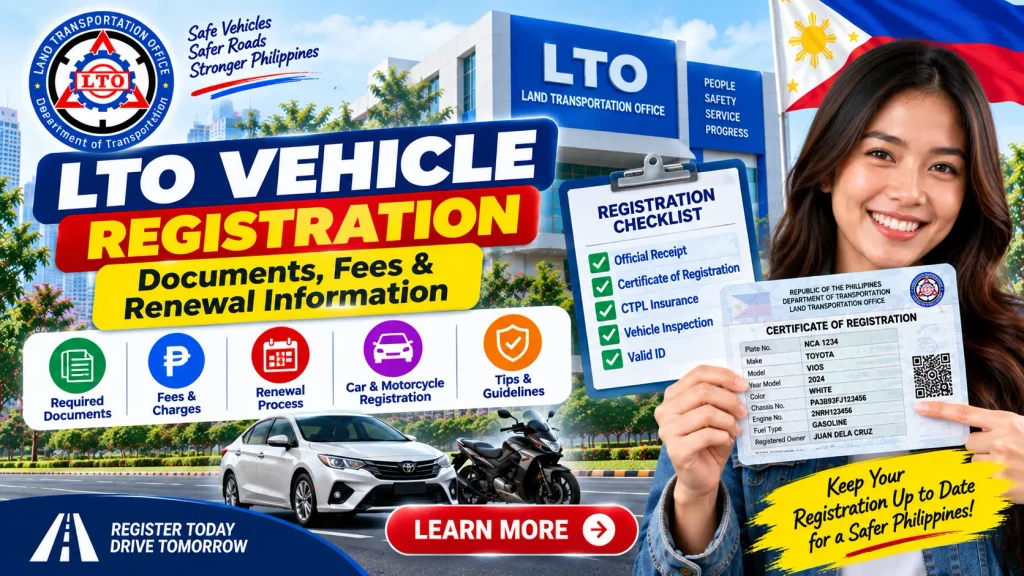
This guide explains how to check LTO driver and vehicle services online, including driver’s license services, vehicle registration, renewal information, documents, fees, LTMS account access, and important online safety tips.
Important: LTO requirements, fees, available online services, registration rules, and application procedures may change. Always verify the latest information through official LTO channels before paying or submitting documents.
LTO Driver & Vehicle Services – Quick Overview
| Service | General Information |
|---|---|
| Government Agency | Land Transportation Office (LTO) |
| Country | Philippines |
| Online Platform | LTMS Portal |
| Driver Services | License applications, renewals and related services |
| Student Permit | Supported as part of applicable licensing procedures |
| Driver Education | Online resources available |
| Vehicle Services | Registration and other supported transactions |
| Vehicle Renewal | Subject to applicable requirements |
| Insurance | CTPL required for applicable vehicle transactions |
| Inspection | Required for applicable vehicles/transactions |
| Fees | Depend on the selected service |
| Physical Visit | May still be necessary |
| Account | LTMS client account for supported personalized services |
What Is the LTO LTMS Portal?
LTMS stands for Land Transportation Management System. It is the LTO’s digital platform for various driver, licensing, and motor vehicle-related services.
The platform gives users access to a personal client account through which supported transactions and information can be managed.
Depending on the service and current system availability, LTMS can be used in connection with:
- Driver’s license applications
- Driver’s license renewal
- Student permit services
- Driver education
- Comprehensive Driver’s Education (CDE)
- Motor vehicle services
- Registration-related transactions
- Client profile management
- Transaction information
- Other LTO digital services
Users should access LTMS only through the official government platform.
How to Create an LTMS Account
If you do not already have an LTMS account, registration is generally the first step toward accessing personalized online services.
Step 1: Access the Official LTMS Portal
Open the official LTMS website using a trusted browser.
Be careful with websites or advertisements using similar LTO branding.
Step 2: Select Registration
Choose the option for creating a new account.
Read the terms and instructions presented by the system.
Step 3: Provide Accurate Personal Information
Enter your details exactly as they appear on your official documents.
Information can include:
- Full legal name
- Date of birth
- Email address
- Contact details
- Existing driver’s license information, where applicable
- Other client information requested by the portal
Step 4: Verify Your Account
Complete the verification process according to the instructions provided.
Use an email address you can access because it may also be important for account recovery.
Step 5: Create a Secure Password
Use a strong password and keep it private.
Never give your LTMS password or verification codes to an unofficial agent.
Step 6: Review Your Client Profile
After logging in, verify that your personal information is correct.
If you already have an LTO record, avoid creating multiple accounts because duplicate records may complicate future transactions.
How to Check LTO Driver Services Online
After accessing your LTMS account, review the services currently available under the licensing or transaction section.
Driver-related services may include information or transactions connected with the following areas.
Driver’s License Application
First-time applicants can use LTMS during applicable stages of the driver’s license process.
However, creating an account does not automatically qualify someone for a driver’s license.
Applicants may still need to satisfy requirements such as:
- Student Permit
- Theoretical Driving Course
- Practical Driving Course
- Medical examination
- Required holding periods
- Theoretical examination
- Practical driving test
- Identification and supporting documents
Requirements depend on the license category.
Driver’s License Renewal Online Services
Existing drivers can use LTMS as part of applicable license-renewal procedures.
Before renewal, check:
- Driver’s license expiration date
- Personal information
- CDE requirements
- Medical requirements
- Applicable renewal fees
- Outstanding documentary requirements
If the driver’s license has already expired, penalties or additional procedures may apply depending on the circumstances.
Checking the requirements early can help avoid last-minute problems.
Student Permit Services
A Student Permit is generally the starting point for eligible individuals learning how to drive.
Applicants can use applicable LTMS functions as part of the student permit process.
The procedure can involve completing the required Theoretical Driving Course (TDC), satisfying medical requirements, preparing identification, and completing the official LTO application.
Remember that a Student Permit is not equivalent to a full driver’s license.
Learner-driver restrictions and supervision requirements apply.
Comprehensive Driver’s Education Services
The Comprehensive Driver’s Education (CDE) program is relevant to applicable driver’s license renewal transactions.
LTMS provides access to educational and validation resources for eligible users.
The material is intended to reinforce important subjects such as:
- Traffic regulations
- Road signs
- Road safety
- Defensive driving
- Driver responsibilities
- Road courtesy
Drivers should complete required education and validation through authorized channels.
How to Check LTO Vehicle Services Online
LTMS is not limited to driver’s license services.
Vehicle owners can also use available digital services for eligible motor vehicle transactions.
Depending on current LTO functionality, services may relate to:
- Vehicle registration
- Registration renewal
- Motor vehicle transaction information
- Ownership-related services
- Vehicle records
- Other eligible motor vehicle transactions
The exact options shown can depend on the user’s account, vehicle record, and current LTO system.
LTO Vehicle Registration – Documents & Requirements
Motor vehicle registration requirements vary depending on whether the transaction involves a new vehicle, renewal, ownership transfer, or another service.
Common documents can include:
- Certificate of Registration (CR) or applicable existing record
- Previous Official Receipt or registration transaction record
- Proof of ownership for applicable transactions
- Compulsory Third Party Liability (CTPL) insurance
- Vehicle inspection documentation where required
- Emissions compliance documentation where applicable
- Valid identification
- Authorization documents where applicable
- Additional documents for special transactions
Do not rely on a single generic checklist for every vehicle.
LTO Vehicle Registration Renewal
Vehicle owners should keep their registration current according to the applicable LTO renewal schedule.
The general renewal process can involve:
- Checking when the registration is due.
- Reviewing the CR and existing vehicle records.
- Obtaining valid CTPL insurance.
- Completing applicable inspection or emissions requirements.
- Preparing supporting documents.
- Accessing the appropriate LTO service.
- Submitting the requirements.
- Paying the applicable fees.
- Obtaining updated registration documentation.
Starting before the deadline gives you more time to resolve inspection or documentation problems.
CTPL Insurance for Vehicle Registration
Compulsory Third Party Liability (CTPL) insurance is an important requirement for applicable vehicle registration transactions.
CTPL is not the same as comprehensive motor insurance.
Before submitting insurance documentation, check that details such as the registered owner and vehicle information are correct.
Purchase insurance only through legitimate and appropriately authorized providers.
Vehicle Inspection and Emissions Requirements
Depending on the vehicle and current registration procedure, inspection or emissions compliance may be required.
Before taking your vehicle for inspection, check basic safety items such as:
- Tires
- Headlights
- Brake lights
- Turn signals
- Brakes
- Horn
- Windshield
- Wipers
- Mirrors
- Seat belts where applicable
- Exhaust system
If the vehicle fails an applicable inspection, address the identified problem and follow the proper reinspection procedure.
LTO Driver and Vehicle Service Fees
There is no single fee for all LTO services.
Costs depend on the transaction.
| Transaction | Possible Costs |
|---|---|
| Student Permit | LTO charges plus applicable medical/training expenses |
| New Driver’s License | Application/license fees plus applicable external costs |
| License Renewal | Renewal fee and possible late penalties |
| Vehicle Registration | LTO registration charges |
| Vehicle Renewal | Registration fees plus applicable requirements |
| CTPL | Separate insurance expense |
| Vehicle Inspection | Separate authorized service cost where applicable |
| Late Registration | Applicable penalties may be added |
Always verify the current amount for the exact transaction before making a payment.
Can You Complete LTO Services Entirely Online?
Not necessarily.
This is one of the most important things to understand when searching for LTO Online Services.
The LTMS Portal can digitize parts of a transaction, but physical requirements can remain.
For driver’s license transactions, you may still need:
- Medical examination
- Biometrics
- Identity verification
- Theoretical examination
- Practical driving examination
- Physical document submission
Vehicle transactions can require:
- Inspection
- Emissions compliance
- Original documents
- Ownership verification
- Vehicle identification verification
Follow the instructions shown for your specific transaction.
How to Check Your LTO Transaction Information
When transaction information is available through your LTMS account, sign in and review the relevant transaction or profile section.
The available details depend on the service.
Keep official receipts, transaction references, and confirmation information until the process is fully completed.
If the portal does not display an expected transaction, do not immediately submit duplicate applications or payments.
Confirm the issue through an authorized LTO support channel.
Important Online Safety Tips
LTO-related scams can target people searching for faster driver’s license or vehicle services.
Be cautious of advertisements promising:
- Instant driver’s licenses
- Guaranteed license approval
- No-exam driver’s licenses
- Vehicle registration without required inspection
- Paid LTMS account activation
- Guaranteed removal of penalties
Never share your LTMS password or verification code.
Avoid sending photographs of your license, CR, or other documents to unknown social media accounts.
Use official or authorized payment channels and keep legitimate receipts.
Benefits of Checking LTO Services Online
Checking available services online before visiting an office can help you prepare more efficiently.
You can review your client information, understand requirements, complete eligible digital steps, and identify documents that may be needed.
It can also reduce dependence on unofficial middlemen.
However, always remember that an online status or application does not replace mandatory physical requirements.
Frequently Asked Questions (FAQ)
1. What is LTMS?
LTMS stands for Land Transportation Management System, the LTO’s digital platform for supported driver and motor vehicle services.
2. Can I check driver’s license services online?
Yes. LTMS provides access to supported licensing-related services and information. The exact services available depend on the transaction and current LTO system.
3. Can I renew my driver’s license online?
LTMS can be used for digital stages of applicable renewal transactions, but medical, verification, biometric, or other in-person requirements may still apply.
4. Can I check vehicle registration services through LTMS?
Eligible motor vehicle services may be accessible through the system. Availability depends on the vehicle and transaction.
5. What documents are commonly needed for vehicle registration renewal?
Common requirements can include existing registration records, CTPL insurance, applicable inspection or emissions documentation, and additional supporting documents.
6. Is CTPL insurance required?
CTPL is required for applicable vehicle registration transactions under current rules. Verify the requirements for your vehicle before processing registration.
7. Can all LTO transactions be completed from a mobile phone?
No. Some transactions require physical examinations, biometrics, driving tests, inspections, or document verification.
8. Are all LTO services charged the same fee?
No. Fees vary depending on whether you are applying for a permit, driver’s license, renewal, vehicle registration, or another transaction.
9. Should I use a fixer for faster processing?
Use official LTO and authorized service channels. Avoid people promising to bypass examinations, inspections, or other mandatory requirements.
10. Where can I check the latest LTO information?
Check the official Land Transportation Office (LTO) and LTMS Portal for current services, requirements, fees, and procedures.
Final Words
Knowing how to check LTO Driver and Vehicle Services online can make it easier to prepare for important transportation transactions in the Philippines.
Through the LTMS Portal, eligible users can access supported services related to driver’s licenses, Student Permits, license renewal, driver education, vehicle registration, and other motor vehicle transactions.
For vehicle owners, prepare the required registration documents, CTPL insurance, and applicable inspection or emissions compliance before renewal. Drivers should also review license validity, education requirements, medical requirements, and other documentation before beginning a licensing transaction.
Remember that not every LTO service can be completed entirely online. Physical verification, medical examinations, driving tests, biometrics, vehicle inspections, and original-document checks can still be necessary.
Always use official LTO channels, protect your LTMS credentials, and avoid websites or individuals promising guaranteed approval or shortcuts around mandatory requirements.
Declaration
The information provided on this website is published for informational purposes only. While every effort is made to ensure the accuracy and timely updating of the content, we do not guarantee the completeness, reliability, or authenticity of any information. Candidates and users are strongly advised to visit the official websites of the respective departments, organizations, or authorizing bodies before applying for any job, scheme, examination, or benefit program. This website is not associated with any government organisation and does not provide any recruitment guarantee or official confirmation. We are not responsible for any loss, error, or misunderstanding arising from the use of the information available on this website.