Labour Card / E-Shram Card – Eligibility, Benefits, Documents & Application Process
Workers in India’s unorganized sector can register on the e-Shram Portal to obtain a Universal Account Number (UAN) and become part of a national database designed to connect eligible workers with social security and welfare initiatives.
The term Labour Card is also commonly used for worker registration cards issued under different state labour welfare systems. However, a state Labour Card and the central government’s e-Shram Card/UAN are not always the same document. Eligibility, benefits, and application procedures may therefore vary depending on the scheme.
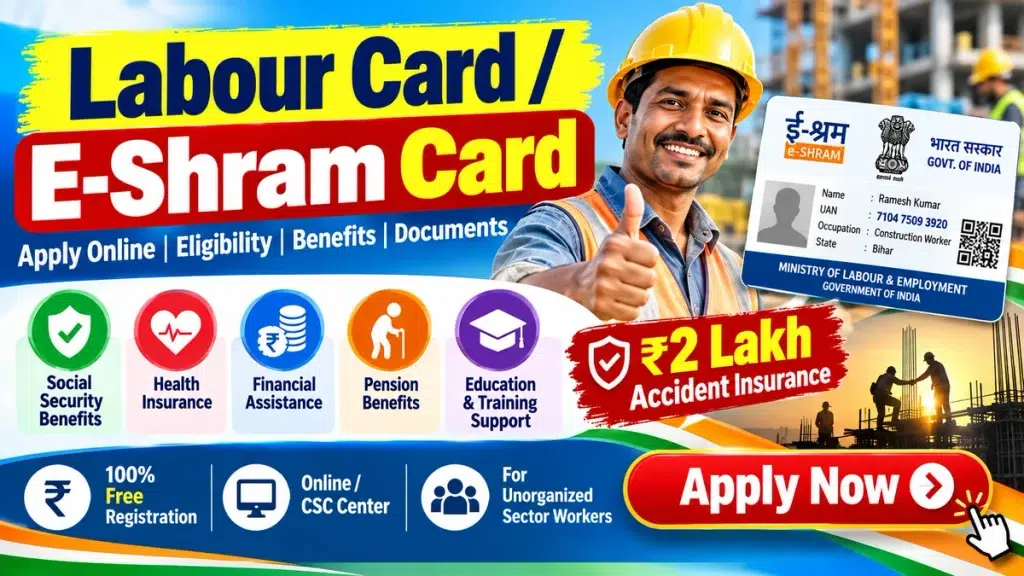
This guide explains the e-Shram registration process, eligibility, required documents, UAN Card download, profile updates, and other important information.
Labour Card / E-Shram Card – Quick Overview
| Feature | Details |
|---|---|
| Registration | e-Shram Registration |
| Intended For | Eligible Unorganized Workers |
| Registration Number | 12-Digit UAN |
| Registration Fee | No Registration Fee |
| Registration Mode | Online / Assisted Registration |
| Major Purpose | Social Security & Welfare Linkage |
| Key Requirement | Aadhaar and Other Required Details |
| Card Download | Available Online After Registration |
| Official Portal | e-Shram Portal |
What Is an E-Shram Card?
The e-Shram Portal is a national database for unorganized workers in India. After successful registration, a worker receives a 12-digit Universal Account Number (UAN).
The platform is intended to create a centralized record of workers across different occupations and help improve access to suitable government welfare and social security programs.
Workers from occupations such as agriculture, construction, domestic work, street vending, transport, small-scale work, and various self-employed activities may fall within the unorganized-worker category, subject to official eligibility conditions.
Labour Card vs E-Shram Card
It is important to understand that the terms Labour Card and e-Shram Card should not always be used interchangeably.
A Labour Card may refer to a worker registration card provided by a state government or a state labour welfare board. Such cards may have state-specific eligibility rules, benefits, fees, renewal requirements, and application procedures.
The e-Shram Card, on the other hand, refers to registration through the central e-Shram system, under which eligible unorganized workers receive a UAN.
Therefore, applicants should check whether they need e-Shram registration, a state-specific Labour Card, or both.
Who Can Register for E-Shram?
e-Shram registration is primarily intended for eligible workers engaged in the unorganized sector.
Depending on the applicable official conditions, this may include workers such as:
- Agricultural workers
- Construction workers
- Domestic workers
- Street vendors
- Migrant workers
- Small and marginal farmers
- Self-employed workers
- Drivers and transport workers
- Helpers and daily-wage workers
- Workers engaged in various other unorganized occupations
Eligibility conditions can change, so applicants should verify the latest requirements on the official e-Shram Portal before registering.
Major Benefits and Features of E-Shram Registration
e-Shram registration is primarily designed to improve the identification and inclusion of unorganized workers within India’s social-security ecosystem.
1. Universal Account Number
After successful registration, workers receive a 12-digit UAN, which serves as their unique identification number within the e-Shram database.
2. Centralized Worker Database
The registration creates a centralized record containing relevant worker information, including occupation and other registration details.
3. Social Security Integration
The e-Shram system can help eligible workers connect with applicable social-security and welfare schemes according to government rules.
4. Portability
The UAN is designed for workers across India, which can be particularly useful for migrant and mobile workers.
5. Employment and Skill Support
Worker information can also support government initiatives related to employment opportunities, skill development, and worker welfare.
Important Note on Benefits
Registering on e-Shram does not necessarily mean that every registered worker automatically receives every pension, insurance, housing, health, or cash benefit. Each linked government scheme may have its own eligibility criteria and conditions.
Documents and Information Required for E-Shram Registration
Applicants should keep the necessary personal and financial information ready before beginning registration.
Commonly required information may include:
- Aadhaar details
- Aadhaar-linked or accessible mobile number, depending on the registration method
- Bank account details
- IFSC code
- Residential address
- Date of birth
- Occupation details
- Educational information, where requested
- Skill information, where applicable
- Nominee or family-related information, if requested
The exact information required may vary depending on the registration method and updates made to the portal.
How to Apply for E-Shram Card Online
Eligible workers can register through the official e-Shram Portal.
Step 1: Visit the Official Portal
Open the official e-Shram website and locate the worker registration option.
Step 2: Start Registration
Choose the appropriate Register on e-Shram option.
Step 3: Complete Mobile Verification
Enter the required mobile details and complete the OTP verification process when prompted.
Step 4: Complete Aadhaar Authentication
Provide the required Aadhaar information and complete the authentication process according to the instructions displayed on the portal.
Step 5: Enter Personal Information
Check or enter details such as:
- Name
- Date of birth
- Gender
- Address
- Marital status
- Other requested personal details
Make sure the information matches your official documents.
Step 6: Enter Occupation Details
Select the occupation or nature of work that most accurately represents your current employment.
Providing correct occupation information is important because it helps classify workers within the e-Shram database.
Step 7: Add Education and Skill Information
Enter your educational qualifications and skill-related information wherever requested.
Step 8: Enter Bank Details
Provide accurate bank information, including:
- Account holder’s name
- Bank account number
- IFSC code
- Other requested banking details
Double-check the information before proceeding.
Step 9: Review Your Application
Carefully review all information entered in the registration form. Incorrect information may cause difficulties later.
Step 10: Complete Registration
Submit the registration after confirming that all details are correct.
After successful registration, the worker receives a 12-digit UAN and can access the UAN Card.
How to Register Through an Assisted Centre
Workers who face difficulties completing the online process may use an authorized assisted-registration facility, where available.
Before visiting, keep your Aadhaar information, mobile number, bank account details, and occupation information ready.
The operator can help enter the necessary information and complete the registration process according to the portal’s requirements.
Workers should avoid sharing OTPs, Aadhaar information, bank details, or other sensitive information with unauthorized individuals.
How to Download the E-Shram UAN Card
Registered workers can access their UAN Card through the official e-Shram system.
The general process is:
- Visit the official e-Shram Portal.
- Open the relevant worker login, update, or UAN Card section.
- Complete the required verification.
- Access your registered profile.
- Select the UAN Card download option.
- Save the available digital copy for future reference.
The exact names of menu options may change when the portal is updated.
How to Update E-Shram Details
Workers should keep their registered information accurate and up to date.
Depending on the options currently available on the portal, registered users may be able to update information such as:
- Address
- Mobile details
- Occupation
- Educational information
- Skill details
- Bank information
- Other profile details
To update your information, log in through the official portal, open the profile-update section, make the required changes, and complete any verification requested.
How to Check E-Shram Registration Details
If you have already registered and want to verify your information, use the official portal’s registered-worker services.
Complete the required login or verification process to access your profile and check your UAN or registration information.
If you cannot access your account, use the support options available on the official e-Shram website.
Is E-Shram Registration Free?
Workers should use only the official portal or authorized service channels for registration.
Be cautious of websites, social-media advertisements, or individuals asking for unnecessary payments while claiming to provide guaranteed e-Shram benefits.
Registration itself should not be confused with paid services that an assisted centre may separately provide under applicable service rules.
Does the E-Shram Card Need Renewal?
The UAN is intended to serve as a persistent identification number for a registered worker. However, workers should keep their profile information current, particularly when there is a change in occupation, address, mobile details, or bank information.
Applicants should check the official portal for the latest rules regarding profile updates or any future requirements.
Why Is E-Shram Important for Unorganized Workers?
India has a large workforce engaged in informal and unorganized occupations. These workers may not always be covered by the same employment-based systems available to formal-sector employees.
A centralized database can help authorities identify eligible workers and improve the delivery and planning of social-security initiatives.
The system can be particularly useful for migrant workers because their UAN is not limited to a single employer or workplace.
Important Safety Tips
While registering or updating your e-Shram information:
- Use the official government portal.
- Do not share OTPs with unknown people.
- Verify the website before entering Aadhaar information.
- Never pay someone who promises guaranteed government payments.
- Keep your UAN details safely stored.
- Enter bank information carefully.
- Check eligibility separately for every welfare scheme.
Frequently Asked Questions (FAQs)
1. What is the e-Shram Card?
The e-Shram Card generally refers to the UAN Card generated after an eligible unorganized worker successfully registers on the e-Shram Portal.
2. What is the UAN number?
UAN stands for Universal Account Number. Registered workers receive a unique 12-digit UAN.
3. Is a Labour Card the same as an E-Shram Card?
Not necessarily. A Labour Card may be issued under a state-specific labour welfare program, while e-Shram is a central registration system for eligible unorganized workers.
4. Can I download my E-Shram Card online?
Yes. Registered workers can access the relevant services on the official e-Shram Portal and download their UAN Card after completing the required verification.
5. Does E-Shram registration guarantee ₹2 lakh insurance?
Workers should not assume that registration automatically guarantees a ₹2 lakh payment or insurance benefit in every case. Insurance coverage and claims depend on the applicable scheme, eligibility conditions, enrolment status, and current government rules.
6. Does every E-Shram Card holder receive a pension?
No. e-Shram registration itself does not automatically provide a pension to every worker. Pension schemes have separate eligibility and enrolment requirements.
7. Can private-sector employees register?
Eligibility depends on whether the worker meets the official definition and conditions for e-Shram registration. Applicants should check the latest eligibility requirements before registering.
8. What should I do if I lose my E-Shram Card?
You can access the official portal, complete the required verification, and download your UAN Card again.
9. Can E-Shram details be updated?
Yes, eligible profile details can be updated through the services provided on the official portal, subject to the current portal rules.
10. Should I use third-party websites to register?
It is safer to use the official government portal or an authorized registration channel. Avoid websites that make misleading promises about guaranteed payments or benefits.
Conclusion
The e-Shram registration system is an important initiative for creating a national database of India’s unorganized workforce. Eligible workers can register, receive a 12-digit UAN, maintain their worker profile, and potentially connect with applicable social-security and welfare initiatives.
However, workers should remember that e-Shram registration does not automatically guarantee every government benefit, pension, insurance payment, or financial assistance program. Each scheme may have separate eligibility conditions.
Before registering or applying for any related benefit, always verify the latest information through the official e-Shram Portal and other authorized government sources.