E Shram Card Download 2026: How to Download E Shram Card Online Using Aadhaar, UAN Number & Mobile Number
Do you want to know more about this?
क्या आप इसके बारे में और जानना चाहते हैं?
আপনি কি এ বিষয়ে আরও জানতে চান?
আপুনি এই বিষয়ে আৰু জানিব বিচাৰেনে?
શું તમે આ વિશે વધુ જાણવા માંગો છો?
तुम्हाला याबद्दल अधिक जाणून घ्यायचे आहे का?
ਕੀ ਤੁਸੀਂ ਇਸ ਬਾਰੇ ਹੋਰ ਜਾਣਨਾ ਚਾਹੁੰਦੇ ਹੋ?
ଆପଣ ଏହା ବିଷୟରେ ଅଧିକ ଜାଣିବାକୁ ଚାହାଁନ୍ତି କି?
இதைப் பற்றி மேலும் தெரிந்துகொள்ள விரும்புகிறீர்களா?
దీని గురించి మరింత తెలుసుకోవాలనుకుంటున్నారా?
ಇದರ ಬಗ್ಗೆ ಇನ್ನಷ್ಟು ತಿಳಿಯಲು ಬಯಸುವಿರಾ?
ഇതിനെക്കുറിച്ച് കൂടുതൽ അറിയണോ?
The E Shram Card Download 2026 process allows registered unorganised workers in India to access their E Shram Card online. The Government of India introduced the e-Shram portal to create a national database of unorganised workers and help connect eligible workers with social security and welfare programmes.
If you have already registered on the e-Shram portal, you can download your E Shram Card using the available login and verification options. The downloaded card contains your Universal Account Number (UAN), which serves as a permanent identification number under the e-Shram registration system.
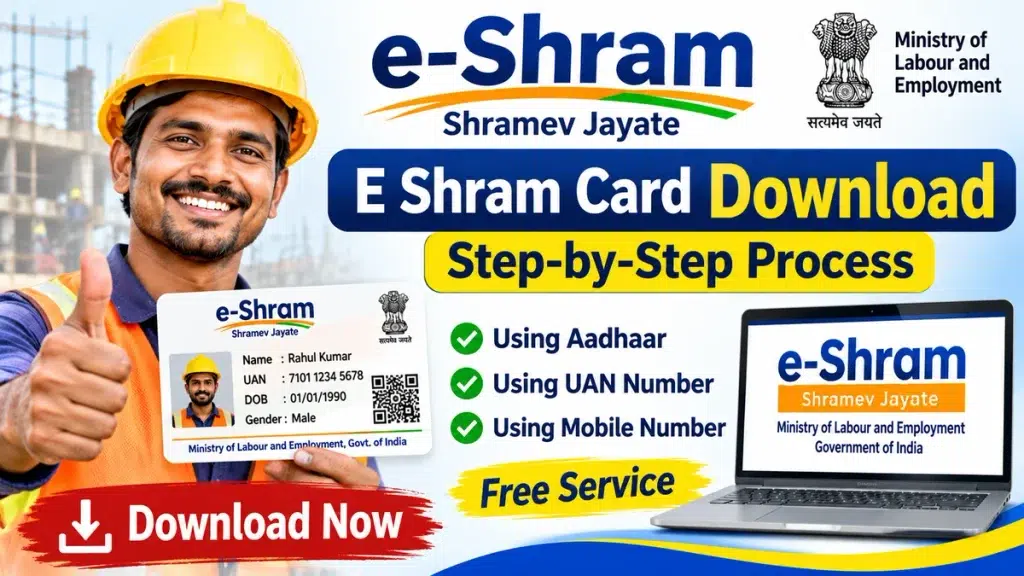
In this article, you will learn how to download your E Shram Card online, check your registration details, understand the required documents, recover your UAN number, and resolve common downloading problems.
What Is an E Shram Card?
An E Shram Card is a registration document issued to eligible unorganised workers through the Ministry of Labour and Employment’s e-Shram portal.
The card contains a unique 12-digit Universal Account Number (UAN) assigned to a registered worker.
The e-Shram database includes workers from different unorganised sectors, such as construction, agriculture, domestic work, street vending, and other eligible occupations.
The primary purpose of the system is to maintain a national database of unorganised workers and facilitate access to relevant government social security initiatives.
However, holding an E Shram Card does not automatically guarantee cash payments or eligibility for every government scheme.
E Shram Card Download 2026 – Overview
| Particulars | Details |
|---|---|
| Card Name | E Shram Card |
| Year | 2026 |
| Issuing Ministry | Ministry of Labour and Employment |
| Portal Name | e-Shram |
| Beneficiaries | Eligible Unorganised Workers |
| Card Number | 12-Digit UAN |
| Download Mode | Online |
| Registration Fee | Free |
| Card Download Fee | Free |
| Verification | Aadhaar-linked OTP or available portal method |
| Card Format | Downloadable Digital Card |
| Official Website | eshram.gov.in |
Who Can Download an E Shram Card?
Workers who have successfully completed their e-Shram registration can access their card through the official portal.
The following conditions are generally relevant:
- The applicant must already be registered on the e-Shram portal.
- A valid UAN must have been generated during registration.
- The worker must complete the verification process required by the portal.
- Registered personal information should match the details available in the system.
- The applicant must use an available official download or account access facility.
If you have not registered, you must complete the registration process before downloading the card.
Documents and Details Required for E Shram Card Download
Downloading an existing E Shram Card generally requires fewer documents than completing a new registration.
| Required Details | Purpose |
|---|---|
| Aadhaar Number | Identity verification, where required |
| Aadhaar-Linked Mobile Number | OTP authentication |
| UAN Number | Registered worker identification |
| Registered Mobile Number | Account access, where supported |
| Internet Connection | Accessing the official portal |
| Smartphone or Computer | Downloading the digital card |
The exact verification method depends on the options currently available on the official portal.
Workers should keep their registered details ready before starting the process.
How to Download E Shram Card Online in 2026?
Registered workers can follow the general steps below to download their E Shram Card.
Step 1: Visit the Official E Shram Portal
Open your mobile browser or computer and visit the official e-Shram website.
Make sure you are using the genuine government portal.
Step 2: Open the Registered Worker Section
On the homepage, look for the option intended for workers who have already registered.
Depending on the portal interface, this may appear under an update, login, or registered worker service.
Step 3: Enter the Required Information
Enter the requested identification details.
These may include your UAN, Aadhaar information, or registered mobile number, depending on the selected service.
Step 4: Complete OTP Verification
If OTP verification is required, enter the OTP received on the relevant mobile number.
Do not share your OTP with anyone.
Step 5: Access Your E Shram Profile
After successful verification, open your registered worker profile.
Check whether your name, UAN, and other available details are correct.
Step 6: Select Download UAN Card
Find the Download UAN Card or equivalent download option.
Select it to access your digital E Shram Card.
Step 7: Save Your E Shram Card
Download the available card file and save it securely on your device.
You can print a copy if required for personal records or an authorised service.
E Shram Card Download Using UAN Number
The Universal Account Number is an important part of e-Shram registration.
Every successfully registered worker receives a unique 12-digit UAN.
If the official portal offers UAN-based access, follow these steps:
- Open the official e-Shram portal.
- Navigate to the registered worker service.
- Choose the available UAN-based option.
- Enter the required details.
- Complete the verification process.
- Access the Download UAN Card facility.
- Save your digital card.
A UAN number alone may not be sufficient for downloading the card. Additional authentication may be required.
E Shram Card Download Using Aadhaar Number
Aadhaar plays an important role in the e-Shram registration and verification process.
Registered workers may be asked to complete Aadhaar-based authentication when accessing certain services.
The general procedure is:
Step 1: Open the official e-Shram portal.
Step 2: Select the appropriate registered worker service.
Step 3: Enter the requested Aadhaar-related information.
Step 4: Complete OTP authentication if required.
Step 5: Access your worker profile after successful verification.
Step 6: Download the UAN Card using the available option.
The portal may require an Aadhaar-linked mobile number for OTP-based authentication.
Workers without access to Aadhaar-linked OTP services can seek assistance through an authorised Common Service Centre (CSC), subject to available facilities.
How to Download E Shram Card Using Mobile Number?
Many workers prefer accessing their E Shram Card through a mobile phone.
If the portal provides registered mobile number authentication, you can use that option to begin account verification.
Follow the instructions displayed on the official website and complete any additional identity verification required.
After successful authentication, open the Download UAN Card option.
Remember that entering a mobile number alone does not necessarily provide access to the card. The portal may require Aadhaar verification or other details.
How to Find a Forgotten E Shram UAN Number?
If you have forgotten your UAN number, you should first check any previously downloaded E Shram Card, registration acknowledgement, or saved registration details.
You may also use the available registered worker account recovery or verification facilities on the official portal.
If you cannot recover your details online, contact the official e-Shram helpdesk or visit an authorised CSC for assistance.
Avoid registering again simply because you have forgotten your UAN.
E Shram Card Download Fees 2026
Downloading an E Shram Card through the official portal is free.
| Service | Fee |
|---|---|
| E Shram Registration | Free |
| E Shram Card Download | Free |
| UAN Card Access | Free |
| Profile Update on Official Portal | Free |
| Printing at a Service Centre | Service Charges May Apply |
Workers should not pay unauthorised individuals who claim that a government payment is necessary to release their card.
Benefits of E Shram Card
The e-Shram system helps maintain worker registration information and supports the delivery and coordination of relevant social security initiatives.
Some important features include:
- Unique Worker Identification: Registered workers receive a permanent 12-digit UAN.
- National Worker Database: Registration helps create a database of eligible unorganised workers.
- Welfare Scheme Integration: Worker information may support access to applicable social security programmes.
- Digital Card Access: Registered workers can access their UAN Card through official services.
- Profile Management: Workers can update eligible registration details through available portal facilities.
Specific financial assistance, insurance coverage, or pension benefits depend on the rules of the individual government scheme.
Common E Shram Card Download Problems and Solutions
| Problem | Possible Solution |
|---|---|
| OTP Not Received | Check mobile connectivity and retry |
| UAN Number Forgotten | Use official recovery options or seek assistance |
| Aadhaar Verification Failed | Verify details and authentication availability |
| Card Not Downloading | Check internet connection and browser |
| Incorrect Personal Details | Use the official profile update facility |
| Website Not Opening | Try again later or use another browser |
If the problem continues, contact the official e-Shram support service.
Important Instructions for E Shram Card Holders
Always use the official e-Shram portal to access your registration information.
Keep your UAN number secure and avoid sharing OTPs or sensitive personal details with unknown individuals.
Workers should also ensure that their occupation, address, and other relevant information remain accurate.
There is generally no requirement to renew the permanent UAN itself, although registered information should be updated when necessary.
Frequently Asked Questions (FAQs)
1. How can I download my E Shram Card online in 2026?
Visit the official e-Shram portal, access the registered worker service, complete the required verification, and select the Download UAN Card option.
2. Can I download my E Shram Card using Aadhaar?
Aadhaar-based authentication may be used through the official portal. The exact steps depend on the verification options available.
3. Is E Shram Card downloading free?
Yes. Downloading the E Shram Card through the official government portal is free.
4. Can I download my E Shram Card without a UAN number?
You may be able to access your registered account through another supported verification method. If necessary, seek assistance to recover your UAN.
5. Can I download my E Shram Card on my mobile phone?
Yes. Registered workers can use a compatible mobile browser to access the official portal and download their card.
6. What should I do if my E Shram Card is lost?
You can access the official portal and download your UAN Card again after completing the required verification.
7. Does an E Shram Card guarantee monthly financial assistance?
No. E Shram registration does not automatically guarantee monthly payments. Financial benefits depend on eligibility under specific government schemes.
Conclusion
E Shram Card Download 2026 is a useful online service for registered unorganised workers who want to access their digital UAN Card.
By using the official e-Shram portal and completing the required verification, eligible registered workers can download their cards and maintain their registration information.
Before starting, keep your Aadhaar details, UAN number, and relevant mobile number ready.
Always rely on official government services, protect your personal information, and verify the eligibility conditions of individual welfare schemes before expecting any financial benefits.