CMCHIS Tamil Nadu Status Check 2026: Track Your Health Insurance Application
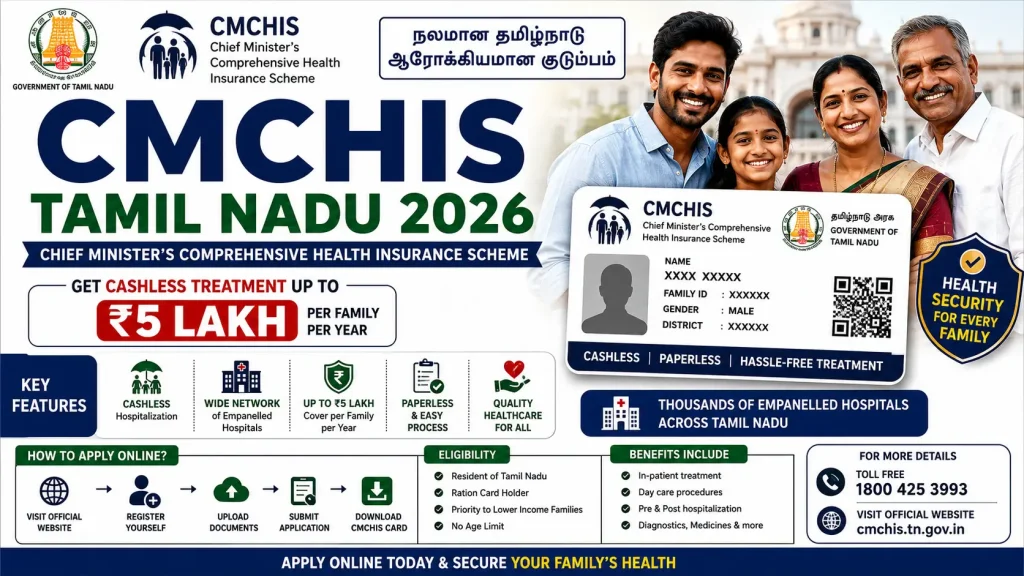
An unexpected medical emergency can cause massive financial distress to any household. To protect citizens from high out-of-pocket medical debts, the Government of Tamil Nadu provides the Chief Minister’s Comprehensive Health Insurance Scheme (CMCHIS). Running in structural convergence with the central government’s Ayushman Bharat Pradhan Mantri Jan Arogya Yojana (AB-PMJAY), this integrated health account yields up to ₹5 Lakh per family, per year for cashless medical treatments across empanelled hospitals.
If you have recently submitted a fresh application for the card, modified your existing family configuration details, or requested a duplicate smart card at the District Collectorate, tracking its administrative processing status is highly critical. This comprehensive guide details the step-by-step verification workflow to check your CMCHIS application status online, decode application status responses, and secure your health wallet in 2026.
What is CMCHIS Status Tracking?
The Chief Minister’s Comprehensive Health Insurance Scheme application status tracking engine is a digital utility monitored by the Tamil Nadu Health Systems Project (TNHSP) alongside the United India Insurance Company. Once a citizen files paperwork at a regional verification kiosk or via the integrated e-Sevai portal, the system generates a tracking ledger.
Checking your status online ensures that your demographic details, Aadhaar configurations, and income criteria match state validation frameworks without requiring repeated physical visits to government administrative desks.
Scheme Status Verification: Key Attributes
| Feature Parameters | Details and Specifications |
| Scheme Tracking Identity | Chief Minister’s Comprehensive Health Insurance Scheme (CMCHIS Status) |
| Administered State | Tamil Nadu |
| Primary Document for Search | 22-Digit URN (Unique Reference Number) or Smart Ration Card Number |
| Verification Portals | Integrated State Health Insurance Portal |
| Tracking Fee | 100% Free of Charge |
Key Advantages of Tracking Your Application Status
Routinely monitoring the progress of your health insurance profile provides several strategic benefits:
- Identify Mismatches Early: If your application is stuck or rejected due to a minor typographic mismatch between your Aadhaar card and your Smart Ration Card, tracking lets you flag it instantly.
- Confirm Health Wallet Readiness: You can ensure that your ₹5 Lakh yearly coverage parameter is marked active before planning any elective surgeries or major medical checkups.
- Verify Family Additions: If you recently updated the profile to add a newborn child or a spouse, status tracking confirms if their individual biometrics have successfully synchronized with the primary insurance account profile.
Detailed Eligibility Requirements for Scheme Approval
To guarantee that your processing status shifts from “Pending” to “Approved,” your application file must strictly align with the established 2026 welfare criteria enforced by the state:
- Annual Household Income: The combined gross income of all earning members within the family unit must not cross the maximum threshold of ₹1,200,000 (₹12 Lakhs) per annum.
- Civil Supplies Sync: The applicant’s primary demographic data must be active inside the Tamil Nadu Electronic Public Distribution System (TNEPDS) registry.
- Residential Parameter: The applicant must be a permanent resident of Tamil Nadu. Special exceptions are systematically allocated to registered Sri Lankan refugees residing in designated state camps.
Essential Information Needed for Online Status Checks
Before initializing the online verification system, make sure you have at least one of these primary reference values written down:
- URN (Unique Reference Number): The definitive 22-digit alphanumeric code assigned to your household unit during the biometric enrollment process.
- Smart Ration Card Number: The electronic food security number (starting with state designators) that identifies your family tree.
- Registered Mobile Number: The mobile link provided during enrollment to handle transactional One-Time Passwords (OTPs) if active authentication checks are triggered.
Step-by-Step Sequence to Check CMCHIS Application Status Online
Eligible families can monitor their file progress through the centralized health portal engine by executing the following operational steps:
1.Open the Central Insurance Dashboard:Step 1.
Launch your secure desktop or mobile web browser and enter the official public web interface configured for the Chief Minister’s Comprehensive Health Insurance Scheme (CMCHIS).
2.Navigate to the Beneficiary Corner:Step 2.
Locate the main navigation panel on the homepage interface. Select the interactive option labeled ‘Beneficiary Corner’ and click on the ‘Enrollment Status’ or ‘Track Application’ sub-link.
3.Select Your Search Identifier:Step 3.
The tracking engine presents multiple search filters. You can choose to search by entering your 22-Digit URN or select the ‘Ration Card’ option based on the documentation you currently hold.
4.Input Card Credentials and Security Captcha:Step 4.
Type your unique reference number carefully into the blank tracking field. Input the visual alpha-numeric security Captcha code exactly as displayed on the screen to prevent automated query bot errors.
5.Trigger the Master Database Query:Step 5.
Verify the numerical characters typed into the search panel and click the ‘Search’ or ‘Submit’ button. The tracking engine will send a secure lookup command to the master database.
6.Analyze the Status Output and Record Logs:Step 6.
The application will populate your detailed family profile card on the screen. Review the current operational status status tag, check the individual active states of all dependent names, and take a screenshot for your medical files.
Decoding Your CMCHIS Application Status Responses
When your tracking profile populates on the display, the administrative status will show one of the following color-coded tracking designations:
- Card Generated / Active (Green): This indicates that your registration cycle is entirely successful. The health card profile is valid, your biometric logs are matched, and your cashless balance wallet is active for institutional use.
- Pending for Verification (Yellow): This means your application has been successfully uploaded to the server but is currently waiting for digital vetting or physical signatures from regional revenue officers or Zonal Deputy Tahsildars.
- Rejected / Data Mismatch (Red): The profile has been turned down. This typically happens if the stated household income exceeds the ₹12 Lakh annual cap, or if severe demographic spelling errors are found between the food supply logs and your Aadhaar database records.
What to Do If Your CMCHIS Status Shows “Rejected”?
If your tracking query reveals a rejection badge, you do not need to panic. Follow these operational troubleshooting steps to correct the profile:
- Pinpoint the Rejection Reason: Look closely at the error footnotes listed at the bottom of the tracking screen. It will state whether the issue relates to income limits, missing signature components, or bad biometric capture.
- Update the Smart Ration Card: If the rejection occurred due to incorrect family mapping, update the core member details on the official TNEPDS portal first.
- Re-submit Documents at the Collectorate: Visit the dedicated health insurance desk at your local District Collectorate Office. Submit fresh income verification certificates along with a written rectification letter to clear the hold.
Frequently Asked Questions (FAQs)
1. How many days does it take for a fresh CMCHIS application status to change to approved?
Once you complete your digital document submission and biometric scanning at an authorized district hospital or collectorate kiosk, the verification lifecycle takes roughly 15 to 30 working days to clear background insurance checks and show an “Approved” status online.
2. Can I track my health card status if I completely lost my 22-digit URN?
Yes, you can easily track your profile status without a URN. On the official search tracking interface, simply switch your search criterion to ‘Ration Card’ or ‘Old Card Number’. Input your Smart Ration Card details to locate your unique household profile and retrieve your URN.
3. Why does my status show “Approved” but the hospital database can’t find my record?
This operational issue usually points to a missing Aadhaar Seeding step or an unmapped NPCI record on the insurance company’s backend servers. If this happens during a medical admission, ask the on-site Arogya Mitra executive to manually pull your profile using your physical acknowledgement receipt.
4. What is the fundamental difference between checking CMCHIS status and AB-PMJAY status?
CMCHIS status maps your local state health insurance card validity managed by the Government of Tamil Nadu. AB-PMJAY tracking looks up your national eligibility under the central government data engine. Because both systems run in structural convergence in Tamil Nadu, checking your URN status on the state portal covers both benefits concurrently.
5. What are the official helpline channels if my status remains pending for months?
If your application profile is stuck in the verification queue for more than 45 days without updates, you can dial the state’s 24/7 centralized toll-free health insurance helpline at 1800-425-3993 or call the institutional health grid at 104 to log an official escalation ticket.
Declaration
The information provided on this website is published for informational purposes only. While every effort is made to ensure the accuracy and timely updating of the content, we do not guarantee the completeness, reliability, or authenticity of any information. Candidates and users are strongly advised to visit the official websites of the respective departments, organizations, or authorizing bodies before applying for any job, scheme, examination, or benefit program. This website is not associated with any government organisation and does not provide any recruitment guarantee or official confirmation. We are not responsible for any loss, error, or misunderstanding arising from the use of the information available on this website.