Voice Caller ID App – Know Who Is Calling with Automatic Voice Alerts
Receiving calls is a normal part of everyday smartphone use, but looking at the screen every time the phone rings is not always convenient. You may be cooking, exercising, working, driving with an appropriate hands-free setup, or simply have your phone placed away from you. A Voice Caller ID App can make caller identification easier by announcing available caller information through automatic voice alerts.
Instead of requiring you to check the display, these apps generally use Text-to-Speech (TTS) technology to speak the name of a saved contact when an incoming call is detected. Depending on the app and smartphone, additional functions may include unknown-number announcements, custom announcement phrases, SMS sender alerts, Bluetooth support, and voice customization.
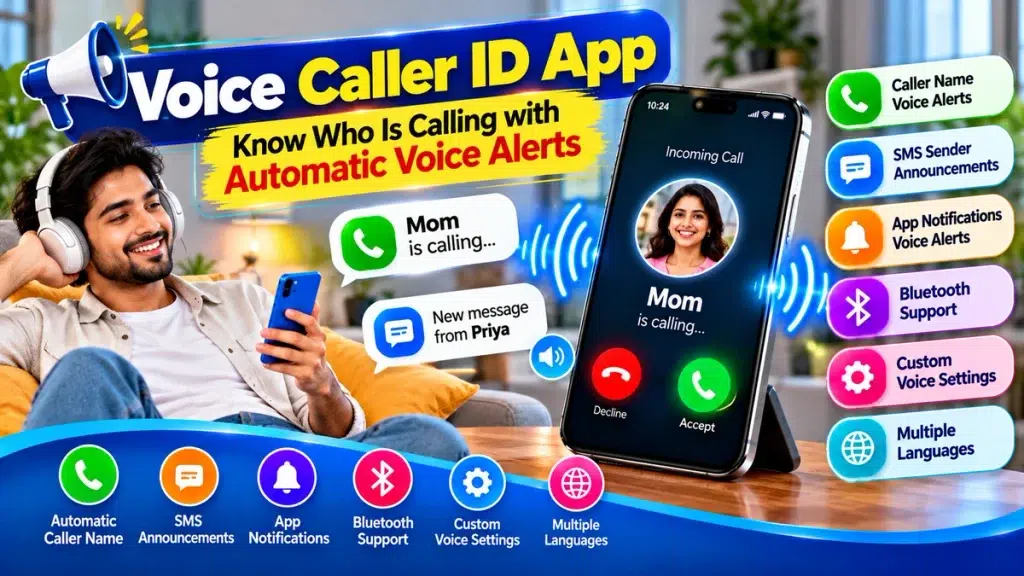
This guide explains how a Voice Caller ID App works, its major features, benefits, setup process, privacy considerations, and how automatic voice alerts can help you know who is calling.
Voice Caller ID App – Quick Overview
| Feature | Details |
|---|---|
| App Type | Voice Caller ID / Caller Announcer |
| Main Function | Announces incoming caller information |
| Technology | Text-to-Speech (TTS) |
| Saved Contacts | Can announce contact names |
| Unknown Numbers | May announce the number |
| Automatic Alerts | Available on supported apps |
| Custom Voice | Depends on TTS engine |
| Language Options | Vary by device and installed voices |
| SMS Alerts | Available in selected apps |
| Bluetooth Support | Depends on app and device |
| Offline Function | Some basic features may work offline |
| Best For | Hands-free caller identification |
What Is a Voice Caller ID App?
A Voice Caller ID App is a smartphone utility designed to provide spoken information about incoming calls.
Normally, when your phone rings, you need to look at the display to find out who is calling. With voice caller identification enabled, a compatible app can announce the caller’s saved contact name automatically.
For example, if a contact named Rahul calls you, the phone may announce:
“Rahul is calling.”
This allows you to identify the caller before deciding whether you need to pick up the phone.
If the incoming number is not saved in your contacts, some apps may read the number aloud or provide an unknown-caller announcement.
How Does Automatic Voice Caller ID Work?
Most Voice Caller ID applications rely on your smartphone’s Text-to-Speech engine.
When an incoming call arrives, the app uses caller information made available by the operating system. If the number matches a saved contact, the associated name can be sent to the TTS engine.
The TTS engine converts that text into spoken audio.
The process can be summarized as:
Incoming Call → Caller Information → Contact Match → Text-to-Speech → Automatic Voice Alert
The exact process and available information can vary depending on your smartphone, operating-system version, application, and permissions.
Why Use a Voice Caller ID App?
The main benefit is being able to identify callers without repeatedly checking your phone screen.
Hands-Free Caller Identification
If your hands are occupied, automatic voice alerts can tell you who is calling.
You can then decide whether you need to answer immediately.
Useful While Cooking
Your hands may be wet or dirty while preparing food. Instead of touching the phone just to check the caller, you can hear the caller’s name.
Convenient During Exercise
Looking at a phone during exercise can interrupt your activity.
A spoken caller alert allows you to hear who is calling before deciding whether to stop your workout.
Helpful While Working
Incoming calls can interrupt concentration.
If your phone announces the caller’s name, you can determine whether the call may require immediate attention without first checking the display.
Audio-Based Accessibility
Voice Caller ID can also complement other accessibility features for people who prefer spoken information or find it difficult to read caller information from the screen.
Main Features of a Voice Caller ID App
Features vary considerably between applications, but the following options are commonly useful.
1. Automatic Caller Name Announcement
This is the primary feature.
When someone in your saved contacts calls, a compatible app can automatically announce the contact’s name.
For example:
“Incoming call from Amit.”
2. Unknown Number Voice Alerts
What happens if the caller isn’t saved?
Some applications can read the incoming number aloud. Others may simply say something such as “Unknown caller.”
The behavior depends on the app and the information available to it.
3. Custom Announcement Messages
Some apps let you customize the phrase spoken during an incoming call.
Instead of a default message, you might choose:
“You have a call from Rahul.”
or:
“Rahul is calling your phone.”
4. Repeat Caller Name
Certain apps allow you to choose how many times the caller’s name is announced.
A limited number of repetitions can help you hear the alert without making it unnecessarily distracting.
5. Voice Speed and Pitch Controls
The Text-to-Speech engine may offer controls for speech speed and pitch.
Reducing the speech speed can help if names are being announced too quickly.
6. Multiple Language Options
Modern TTS engines may support multiple languages and voices.
Selecting a voice that matches the language used for your saved contacts can improve pronunciation.
7. SMS Sender Announcements
Some Voice Caller ID applications also include SMS-related functionality.
For example, when you receive a text message, the app might announce:
“New message from Priya.”
Full message reading may also be available in some applications, but this should be used carefully because of privacy concerns.
8. Bluetooth Support
Some configurations may allow caller-name announcements through connected Bluetooth headphones or other audio devices.
Bluetooth behavior varies by phone, app, operating system, and connected accessory.
Voice Caller ID Features at a Glance
| Function | Purpose |
|---|---|
| Caller Name Alert | Announces saved contact names |
| Unknown Caller Alert | May announce unsaved numbers |
| Automatic Voice Alert | Provides spoken alerts automatically |
| Custom Announcement | Changes the spoken phrase |
| Repeat Control | Sets how often an alert repeats |
| Voice Speed | Adjusts speech rate |
| Voice Pitch | Adjusts voice characteristics |
| Language Selection | Changes supported TTS language |
| SMS Sender Alert | Announces message sender where supported |
| Bluetooth Support | May send voice alerts to connected audio devices |
How to Set Up a Voice Caller ID App
The exact procedure depends on your device and chosen application, but the general setup is straightforward.
Step 1: Check Your Phone’s Built-In Features
Before downloading another application, check your smartphone’s Phone app and accessibility settings.
Some smartphones already include a caller-name announcement feature. If the built-in option provides everything you need, installing an additional app may not be necessary.
Step 2: Choose a Suitable Caller ID App
If you need additional features, search your device’s official app store for a Voice Caller ID or Caller Name Announcer app.
Check the developer, user reviews, update history, privacy information, and requested permissions before installing it.
Step 3: Enable Voice Caller Alerts
Open the application and find the incoming caller or caller-name announcement setting.
Enable the feature.
Step 4: Review Required Permissions
A caller announcement application may require access to certain information to identify saved contacts.
Only grant permissions relevant to the features you intend to use. Be cautious if an application requests unrelated access without a clear explanation.
Step 5: Configure Text-to-Speech
Select your preferred TTS engine, language, and voice where available.
Adjust speech rate and pitch until caller names are clear and easy to understand.
Step 6: Customize Announcements
If supported, select the announcement phrase, number of repetitions, and other preferences.
You can also configure SMS alerts, Bluetooth behavior, and silent-mode options if provided.
Step 7: Test an Incoming Call
Use another phone to place a test call.
Check whether the correct contact name is announced and whether the volume and pronunciation are suitable.
Does Voice Caller ID Work Without Internet?
Some basic caller-name announcement features may work offline.
If your contact information is stored locally and an offline Text-to-Speech voice is installed on the device, the smartphone may be able to generate spoken caller-name alerts without an active internet connection.
However, not every function necessarily works offline.
Online caller identification, cloud-based TTS voices, advertisements, updates, or additional services may require internet connectivity.
Users who specifically need offline caller announcements should check the features of their chosen app and TTS engine.
Voice Caller ID with Bluetooth Headphones
Bluetooth support can make caller announcements more private.
If your compatible headphones are connected, some devices and applications may route the spoken caller information through the headphones.
Instead of everyone around you hearing “Rahul is calling,” only you may hear the announcement.
However, audio routing isn’t identical across every smartphone and Bluetooth accessory. Test the feature on your own device before depending on it.
Privacy and Security Considerations
Caller announcement apps may need access to personal information to provide their features, so privacy deserves careful attention.
Review App Permissions
Check what information the application wants to access and why.
Contact access may be relevant for matching phone numbers with saved names, but unrelated permissions should be examined carefully.
Consider Who Can Hear Announcements
Voice Caller ID announcements can expose information to people nearby.
If your phone announces a caller’s name aloud in an office, public transport, or another shared environment, other people may hear it.
Be Careful with Message Announcements
If your app includes SMS announcements, consider using sender-name alerts rather than full message reading when privacy matters.
Text messages can contain personal or sensitive information.
Choose Trusted Applications
Prefer official app stores and review developer and privacy information before installing an application that handles contact, call, SMS, or notification data.
Using Automatic Voice Alerts While Driving
Automatic caller-name announcements may reduce the need to look at your phone screen solely to identify an incoming caller.
However, this doesn’t make every form of phone interaction safe while driving.
Avoid manually operating your smartphone while driving where doing so is unsafe or prohibited. Follow local traffic laws and use an appropriate hands-free system where permitted.
Advantages and Limitations of Voice Caller ID
| Advantages | Limitations |
|---|---|
| Hands-free caller identification | Features vary by device and app |
| Reduces need to check screen | Permissions may be required |
| Useful while hands are occupied | Spoken names can reduce privacy |
| Custom announcements may be available | TTS may mispronounce names |
| Multiple languages may be supported | Language availability varies |
| Bluetooth may provide private alerts | Bluetooth routing varies |
| Some features may work offline | Certain services require internet |
| SMS alerts may be available | Message reading can expose private data |
Tips for Better Automatic Voice Alerts
Save contacts using clear names and avoid unnecessary symbols or unusual abbreviations. Text-to-Speech engines may struggle with complicated contact names.
Select a TTS language that matches the language used for most of your contacts.
If announcements are difficult to understand, reduce the speech rate slightly.
Avoid setting the announcement to repeat too many times.
Use silent or Do Not Disturb settings when voice alerts would be inappropriate, such as during meetings, classes, hospital visits, or other quiet situations.
If privacy is important, consider using compatible headphones rather than loudspeaker announcements.
Frequently Asked Questions (FAQ)
1. What is a Voice Caller ID App?
A Voice Caller ID App is a mobile utility that uses spoken audio to provide available information about an incoming caller.
2. Can it automatically announce caller names?
Yes. Compatible applications can automatically announce saved contact names when the necessary information and permissions are available.
3. What happens when an unknown number calls?
Some apps may read the incoming number aloud, while others provide a generic unknown-caller announcement.
4. Does Voice Caller ID need internet?
Some basic caller announcements may work offline if the required contact information and TTS voice are stored locally. Other features may require internet access.
5. Can I change the caller announcement voice?
Voice selection depends on your smartphone’s Text-to-Speech engine and installed voice packages.
6. Can I change the announcement language?
Many TTS systems support multiple languages, although availability varies by device.
7. Can the app announce SMS senders?
Some Voice Caller ID apps include SMS sender announcements where supported.
8. Does Voice Caller ID work with Bluetooth headphones?
It may. Bluetooth support and audio routing depend on the app, smartphone, operating system, and connected device.
9. Why does the app pronounce some contact names incorrectly?
Text-to-Speech systems can have difficulty with unusual spellings, abbreviations, mixed languages, or names that don’t match the selected TTS language.
10. Can I temporarily stop automatic voice alerts?
Depending on the application, you may be able to disable announcements manually or configure them around silent and Do Not Disturb modes.
Conclusion
A Voice Caller ID App can provide a simple and convenient way to know who is calling with automatic voice alerts. Instead of checking your smartphone screen whenever the phone rings, you can hear the available caller name or number through spoken announcements.
Useful features may include automatic caller-name alerts, unknown-number announcements, custom phrases, repeat controls, multiple TTS voices, SMS sender alerts, and Bluetooth support.
Voice Caller ID can be particularly helpful while cooking, exercising, working, cleaning, or completing other tasks where your hands are occupied. At the same time, privacy and app permissions should be considered carefully because spoken caller information can be heard by people nearby.
By choosing a trusted app, configuring Text-to-Speech correctly, and enabling only the features you need, automatic voice alerts can make everyday call management more convenient and hands-free.