Best Virtual Hairstyle Apps: See Your New Look Before Cutting, Coloring or Buying a Wig
Have you ever seen a hairstyle in a photo, loved it, gone to the salon to get the same haircut—and then thought, “This doesn’t look nearly as good on me”? Unfortunately, there is no Undo button after a haircut.
Today, Virtual Hairstyle Apps and AI Haircut Simulators can help reduce that risk. By simply uploading a clear photo of yourself, you can preview short hair, long hair, bangs, curls, different hair colors, and many other styles before making a real change.
These apps are not only useful for people planning a new haircut. If you are experiencing thinning hair, hair loss, or considering a wig or hair system, an AI Hairstyle App can also help you visualize which type of hairstyle may suit your face before you spend money or make a major decision.
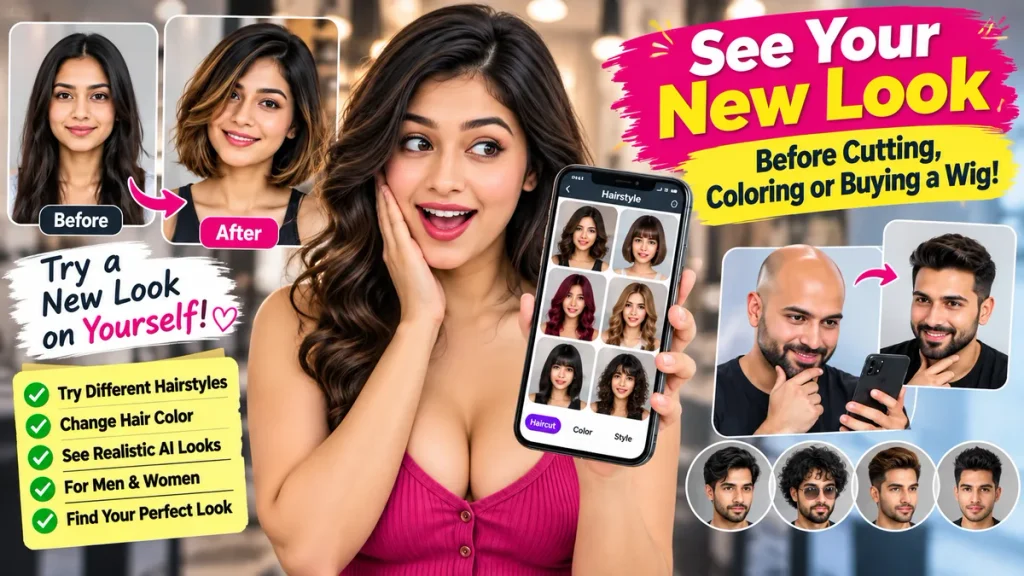
What Is a Virtual Hairstyle App?
A Virtual Hairstyle App allows you to digitally try different hairstyles using your own photo.
Older apps often placed a ready-made hairstyle over your picture. Modern apps can use AI technology to analyze your face, hairline, and photo structure to create more realistic-looking hairstyle previews.
With these apps, you may be able to try:
- Short, medium, and long hairstyles
- Bangs or fringe
- Bob cuts
- Pixie cuts
- Straight, wavy, and curly hair
- Fade cuts and other men’s hairstyles
- Different hair colors
- Highlights and balayage
- Increased hair volume
- Beard and facial hair styles
- Possible wig or hair system looks
The idea is simple:
See the look on yourself first, then decide.
Best Free Virtual Hairstyle Apps
If you want to preview your next hairstyle before making a change, here are some apps worth exploring.
| App | Best For | Free Option | Main Feature |
|---|---|---|---|
| YouCam Makeup | Overall hairstyle testing | Yes | AI hairstyles and hair color |
| FaceApp | Quick realistic transformations | Yes | Hairstyle, color, and volume |
| HairHunt | Finding a new haircut | Yes | AI haircut simulator |
| HairCanvas | Hairstyle and color preview | Yes | AI hairstyle preview |
| Hairstyle Try On | Simple hairstyle testing | Yes | Virtual haircut and color |
Note: Many apps are free to download, but advanced features, additional AI generations, premium hairstyles, or HD exports may require payment.
1. YouCam Makeup – Great for Overall Hairstyle Testing
YouCam Makeup is one of the popular options for people looking for a Virtual Hairstyle App.
One of the biggest advantages of this type of app is that you can experiment with several completely different looks instead of testing only one hairstyle.
For example, if you currently have long hair, you could compare:
Long Hair → Shoulder Length → Bob Cut → Bangs → Wavy Hair
Seeing multiple options on the same face can make it much easier to decide what may suit you best.
Another useful idea is to save two or three of your favorite AI hairstyle images on your phone.
When you visit a salon, instead of simply telling the hairstylist, “Make it a little shorter,” you can show them the images.
This gives your stylist a much clearer idea of the look you want.
Who Is It Good For?
It can be especially useful for people considering a major haircut or significant hair color change.
2. FaceApp – Quickly Compare Before and After Looks
FaceApp is primarily known as a photo-editing app, but many users also use it to experiment with different appearance transformations.
If you want to quickly answer questions such as:
How would I look with short hair?
Or:
Would a different hair color suit my face?
An appearance transformation app can give you a useful preview.
Suppose you currently have long black hair but are considering a shoulder-length brown hairstyle.
Instead of making the change immediately at a salon, create a virtual version first.
Then compare your current photo with your new AI hairstyle side by side.
You can even send both photos to friends or family and ask:
“Which look suits me better?”
A few minutes of comparison could help you avoid a hairstyle decision you later regret.
3. HairHunt – Not Sure Which Haircut to Choose?
Sometimes the problem is not whether a particular hairstyle will suit us.
The real problem is:
We don’t know which hairstyle to try in the first place.
This is where hairstyle inspiration apps such as HairHunt can be useful.
You can explore styles such as:
- Bob Cut
- Pixie Cut
- Bangs
- Layers
- Butterfly Cut
- Wolf Cut
Instead of only looking at hairstyles on other people, AI hairstyle tools can help you get an idea of how a similar look might appear on your own face.
If you have had the same hairstyle for years and want to try something different, this kind of app can make experimenting much easier.
4. HairCanvas – Try Hair Color Along With Your Haircut
For many people, choosing a new hair color can be even more difficult than choosing a haircut.
A shade that looks amazing on someone else may not create the same effect on you.
That is because several factors can influence how a hair color looks, including:
- Skin tone
- Face shape
- Eye color
- Eyebrows
- Current hairstyle
Before spending money on professional salon coloring, it can therefore be useful to preview several shades virtually.
Whether you are considering:
Black, Brown, Burgundy, Blonde, Copper, or another new shade, try it on your phone first.
Once you find a color you like, you can discuss it with your hairstylist.
5. Hairstyle Try On – A Simple Option for iPhone Users
Various Hairstyle Try On apps are also available for iPhone users, allowing you to experiment with hairstyles and hair colors using your own photo.
These apps can be useful for people who do not need a complicated photo-editing tool and simply want to experiment with their hair.
Upload a clear selfie and you may be able to compare several different haircuts within a few minutes.
Can Bald Men Use Virtual Hairstyle Apps?
Yes.
In fact, this can be one of the more interesting uses of AI hairstyle technology.
Men experiencing significant hair loss or baldness may want to see what they could look like with different hairstyles before considering a wig or hair system.
For example, you can experiment with looks such as:
- Short Hair
- Medium Hair
- Full Hairline
- Fade Hairstyle
- Hair System
- Wig
However, there is an important point to remember.
An AI-generated image cannot guarantee that a real wig or hair system will look exactly the same.
Real-world results can depend on factors such as:
- Hair density
- Hairline
- Texture
- Fitting
- Product quality
Still, an AI preview can help you answer an important question:
“What type of hair would suit my face best?”
You can then take the image to a wig specialist or hair professional and discuss realistic options.
Why Try a Hairstyle Before Going to the Salon?
This is probably one of the most practical reasons to use a Virtual Hairstyle App.
A basic haircut may not be extremely expensive.
However, professional hair coloring, highlights, balayage, extensions, or advanced styling can cost considerably more.
Instead of sitting in a salon chair and making an expensive decision within five minutes, experiment at home first.
Save three or four hairstyles that you like.
Then show them to your stylist during your salon appointment.
A professional can tell you which styles are realistically possible based on your current hair:
- Length
- Density
- Texture
- Condition
In other words, AI can provide inspiration, while an experienced hairstylist can tell you how practical the hairstyle will be in real life.
How to Get Better Results From an AI Hairstyle App
The quality of your photo can significantly affect the quality of your hairstyle preview.
For better results, use a clear selfie taken from the front. Make sure your face and hairline are clearly visible.
If possible, take the picture in natural light and avoid very dark backgrounds.
Do not wear:
- Hats
- Sunglasses
- Anything that covers your face or hairline
Also, do not make a decision after testing only one hairstyle.
Try several completely different hairstyles on the same photo.
Sometimes a hairstyle you had never considered before may turn out to be the one that suits your face best.
Which Hairstyle Should You Try First?
If you do not know where to start, begin by experimenting with hair length.
Try a style slightly shorter than your current haircut.
Then try:
Current Length → Shoulder Length → Very Short Hair
After that, experiment with texture:
Straight → Wavy → Curly
Finally, test different hair colors:
Black → Brown → Blonde → Auburn → Bold Color
Making one change at a time makes it easier to understand whether the biggest improvement in your new look comes from the haircut, the texture, or the hair color.
Are Virtual Hairstyle Apps Really Free?
Many hairstyle apps can be downloaded for free.
However, free download does not necessarily mean every feature is completely free.
Some apps may provide a limited number of hairstyles or AI generations at no cost.
After that, features such as:
- Premium hairstyles
- HD image export
- Additional AI generations
- Advanced editing tools
may require a subscription or in-app purchase.
Always check the app’s current pricing and subscription details before purchasing a paid plan.
For users who only want to experiment with a few hairstyles, the free version may be enough.
Try This Before Your Next Haircut
A hairstyle can dramatically change your overall appearance.
AI is not a replacement for a professional hairstylist.
However, it can be a useful decision-making tool before making a major change.
Whether you are thinking about a:
- New haircut
- New hair color
- Wig
- Hair system
- Complete makeover
previewing the look virtually gives you more freedom to experiment without making an immediate commitment.
Take a good selfie.
Try five completely different hairstyles.
Save your favorite three.
Then decide which hairstyle you would actually like to try in real life.
The hairstyle you have been afraid to try for years may turn out to be your new favorite look.
Frequently Asked Questions – FAQ
Which Is the Best Virtual Hairstyle App?
Apps such as YouCam Makeup allow users to experiment with both hairstyles and hair colors virtually. FaceApp can also be used for quick appearance and hairstyle transformations. The best option depends on your requirements, device, and the features currently offered by each app.
Can I See How I Would Look With Short Hair Before Cutting It?
Yes. AI Hairstyle Apps can allow you to preview styles such as Bob Cuts, Pixie Cuts, Shoulder-Length Hair, and other shorter hairstyles using your own photo.
Can Men Use Virtual Hairstyle Apps?
Yes. Men can experiment with Fade Cuts, Short Hair, Medium Hair, Long Hair, increased hair volume, and different hairstyle-and-beard combinations.
Can AI Show Me How I Would Look With Hair If I Am Bald?
Yes. AI hairstyle generators can create an approximate preview showing how you might look with different hairstyles or hairlines. These previews may be useful when considering a wig or hair system, but they should not be treated as a guarantee of real-world results.
Can I Change My Hair Color Virtually?
Yes. Many hairstyle and photo-editing apps allow you to test Black, Brown, Blonde, Red, and other hair colors using your own photo.
Are AI Hairstyle Apps Completely Free?
Some features may be free, while premium hairstyles, additional AI generations, HD exports, or advanced tools may require payment or a subscription.
Should I Show an AI Hairstyle Image to My Barber or Hairstylist?
Yes. An AI hairstyle image can be a useful visual reference. Your stylist can look at the image and explain whether the style is realistically achievable based on your current hair length, density, texture, and condition.