X-Ray Vision App – Learn the Truth Behind X-Ray Camera Effects & How They Work
X-ray camera effects are among the most curious features found in entertainment and photo-editing apps. Promotional images often show a smartphone pointed at a hand, arm, or body while a skeleton-style image appears on the screen. At first glance, these effects can look surprisingly similar to an actual X-ray.
This naturally raises an important question: can an X-Ray Vision App really make your smartphone see bones or look through objects?
The answer is no. A standard smartphone camera cannot perform genuine medical X-ray imaging simply by installing an application. Most X-ray vision apps create simulated results using photo filters, skeleton overlays, animations, augmented reality, or other digital effects.
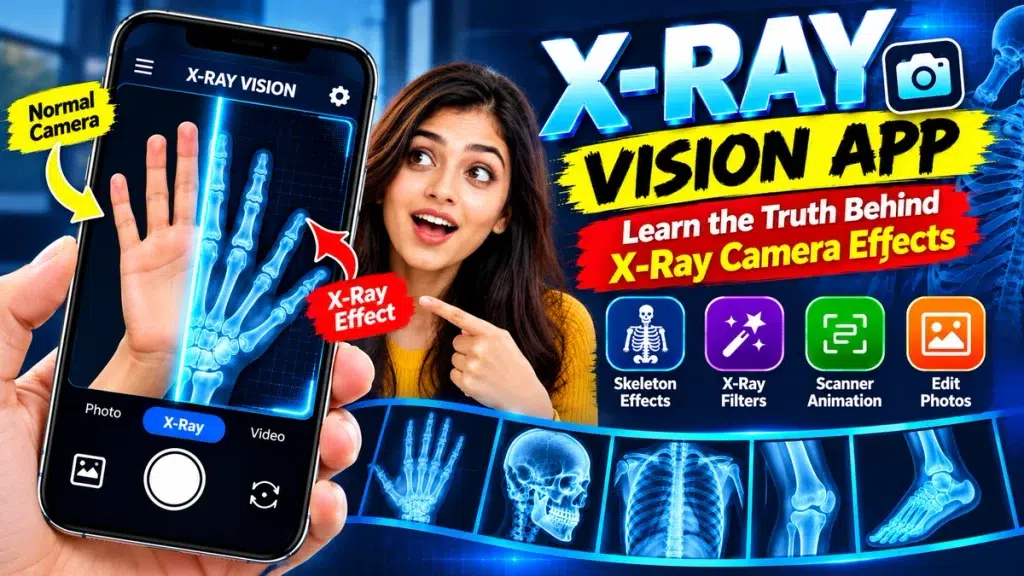
These apps can still be entertaining and useful for creative photography. The key is understanding what they actually do and separating visual simulations from real X-ray technology.
In this guide, we explain how X-ray camera effects work, their popular features, limitations, permissions, privacy considerations, and the truth behind common X-ray app claims.
X-Ray Vision App – Quick Overview
| Feature | Details |
|---|---|
| App Type | Photography / Entertainment / Simulation |
| Main Purpose | Create X-ray-style visual effects |
| Real Medical X-Ray | No |
| Popular Effects | Skeletons, filters, overlays and scanner animations |
| Live Camera Effects | Depends on the app |
| Gallery Editing | Often supported |
| Real Bone Detection | Not supported |
| See-Through Vision | Not possible with a standard camera app |
| Medical Diagnosis | Not supported |
| Best Use | Entertainment and creative photo editing |
What Is an X-Ray Vision App?
An X-Ray Vision App is generally a camera or photo-editing application designed to create images inspired by the appearance of X-ray scans.
Some apps display digital skeleton graphics when the user points a camera at a hand, foot, arm, or another body area. Others allow a photograph to be transformed using negative colors and glowing effects.
You may also see apps featuring animated scanner lines that move across the screen before revealing an X-ray-style image.
These effects can be visually impressive, but they are generated by software. The phone is not actually seeing beneath the skin.
How Do X-Ray Camera Effects Work?
There are several ways an application can create an X-ray-style effect without performing an actual X-ray scan.
X-Ray Style Photo Filters
One of the simplest methods is image filtering.
A normal photograph contains information captured from visible light. An app can process that information by changing brightness, contrast, colors, shadows, and edges.
For example, the application might convert the image into dark blue and white tones or invert the colors.
The final image may resemble an X-ray, but it still contains information from an ordinary photograph.
Skeleton Overlays
Another popular technique uses digital skeleton graphics.
Suppose you point your phone toward your hand. The application may place a pre-designed image of hand bones over the live camera image.
By matching the approximate position and size, the effect can appear convincing.
However, those bones are not the user’s actual bones. They are a digital illustration.
Scanner Animations
Scanner animations can make a simulated effect feel more realistic.
A glowing horizontal line may move across the screen while a skeleton or X-ray-style image gradually appears.
This creates the impression that the phone is scanning the selected area.
In reality, the application is simply revealing a graphic or applying a visual transition.
Augmented Reality
Some modern camera apps may use augmented reality technology.
AR can recognize certain visible elements and position digital objects over the live camera view. This makes it possible for a skeleton graphic to appear to move with a person or stay aligned with a body area.
Although the effect can look advanced, it remains digitally generated.
Can a Smartphone Camera Really Take X-Rays?
No. A standard smartphone cannot produce genuine medical X-rays using only an application.
Smartphone cameras primarily use image sensors designed to detect visible light. Medical X-ray equipment works using different technology.
A genuine X-ray system requires specialized equipment to generate X-rays and detectors capable of producing images based on how those X-rays interact with structures inside the body.
Installing software cannot add this missing hardware to a standard phone.
Therefore, an X-Ray Vision App should be treated as a camera effect or simulator rather than genuine X-ray equipment.
Main Features of X-Ray Vision Apps
Available features depend on the application, but several tools are commonly found.
Skeleton Effects
Apps may include simulated skeleton graphics for the hand, foot, arm, leg, skull, chest, or other areas.
X-Ray Photo Filters
Users can transform ordinary photos using blue, black, white, negative, or high-contrast visual styles.
Live Camera Effects
Some apps allow users to preview X-ray-style effects directly through the camera.
Gallery Photo Editing
Instead of taking a new photograph, users may be able to import an existing picture and apply an effect.
Scanner Animation
Moving lines, glowing frames, and animated scan graphics can make the simulation more interactive.
Editing Tools
Depending on the app, users may be able to adjust brightness, contrast, opacity, orientation, filter intensity, and other settings.
Save and Share Options
Edited photographs may be saved to the device or shared through compatible applications.
How to Use an X-Ray Vision App
The exact steps vary by application, but the process is generally simple.
First, select an appropriate app from a trusted marketplace. Read its full description before installing it.
Look for terms such as simulator, photo effect, filter, or entertainment. These terms usually indicate that the application does not provide genuine X-ray scanning.
After installation, open the app and review its requested permissions.
Choose the available scanner, skeleton, or X-ray-style effect.
You may then be able to capture a new photo or select an existing image from your phone.
Apply the desired effect and adjust any available editing settings.
Finally, preview and save the image if you are satisfied with the result.
Can an X-Ray Vision App Show Real Bones?
No. A normal smartphone camera cannot reveal the actual bones underneath your skin.
When an X-Ray Vision App displays a hand skeleton, the image usually comes from a digital illustration, overlay, animation, or generated effect.
The application does not know the precise shape, position, or medical condition of your bones from an ordinary camera photograph.
This is why the resulting images should never be interpreted as real medical scans.
Can an X-Ray Camera App Detect Broken Bones?
No. A simulated X-ray camera effect cannot reliably identify a fracture.
Even if an app displays what appears to be a damaged bone, that image does not necessarily represent the user’s actual anatomy.
Diagnosing a fracture may require assessment by a qualified healthcare professional and appropriate diagnostic imaging.
If an injury causes significant pain, swelling, deformity, or difficulty moving, professional medical advice may be appropriate.
Do not rely on an entertainment application for medical decisions.
Can X-Ray Vision Apps See Through Clothes?
No standard smartphone application can make an ordinary phone camera genuinely see through clothing.
Some apps may create transparent-looking or body-scan-style images using digital graphics, filters, AI-generated effects, or overlays.
These results are simulations.
The application is not revealing what is actually hidden underneath the clothing.
The same limitation applies to walls, boxes, bags, and other opaque objects.
Are X-Ray Vision Apps Fake?
Not necessarily. It depends on how the application describes itself.
An app can genuinely provide X-ray-style photo filters, skeleton graphics, scanner animations, and editing tools.
If it clearly describes these features as simulations or entertainment effects, then the application may be doing exactly what it promises.
Problems arise when users are led to believe that the app provides genuine medical X-rays or real see-through vision.
Reading the app description carefully is therefore important.
X-Ray Camera App Permissions
Camera and photo apps may request access to several smartphone features.
Camera permission can be necessary to capture photos or provide live effects. Gallery access may be needed to import or save images.
However, users should consider whether every requested permission is necessary for the app’s advertised functionality.
You can usually review and change app permissions through your phone settings.
Pay particular attention to apps requesting access to unrelated sensitive information.
Privacy Considerations
Photographs can contain personal information, so privacy is important when using camera apps.
Check whether an application processes photographs directly on your device or sends them to external servers.
Review the developer’s privacy information and understand how uploaded photographs may be stored, processed, or shared.
Avoid uploading sensitive or private images to unfamiliar applications unless you are comfortable with their data practices.
How to Choose an X-Ray Vision App
Start by checking whether the application clearly describes itself as a simulator or creative photo tool.
Review recent user feedback to learn about app performance, advertisements, subscriptions, crashes, or misleading features.
Check the developer’s information, privacy practices, permissions, in-app purchases, and subscription conditions.
Be skeptical of claims suggesting that a normal smartphone can perform genuine medical scans or see through solid objects without specialized equipment.
X-Ray Vision App vs Real Medical X-Ray
An X-Ray Vision App and a medical X-ray system are fundamentally different technologies.
The mobile application works with ordinary photographs and digital effects. It may use overlays, filters, animations, augmented reality, or image processing.
A medical X-ray system uses specialized equipment and ionizing radiation to produce diagnostic images.
Medical imaging is also performed under appropriate professional procedures and safety requirements.
A smartphone camera effect cannot replace this equipment.
Creative Uses of X-Ray Camera Effects
Although X-ray vision apps cannot perform genuine scans, their visual effects can still be useful for creative projects.
Users can create futuristic profile pictures, science-themed images, Halloween graphics, social media content, and unusual photo edits.
Scanner animations can also add an interesting technology-inspired appearance to short videos.
When sharing these images, describing them as X-ray-style effects or simulated scans makes their purpose clearer.
Frequently Asked Questions (FAQ)
1. What is an X-Ray Vision App?
An X-Ray Vision App is generally an entertainment or photo-editing application that creates X-ray-style visuals using filters, graphics, overlays, animations, or augmented reality.
2. Can a smartphone take a real X-ray?
No. A standard smartphone does not contain the specialized hardware required to produce genuine medical X-ray images.
3. Are the skeletons shown by X-ray apps real?
No. They are generally digital graphics, overlays, animations, or simulated effects rather than images of the user’s actual bones.
4. Can an X-Ray Vision App detect a fracture?
No. Entertainment camera apps should not be used to diagnose broken bones or other medical conditions.
5. Can an X-ray app see through clothes?
No. A normal smartphone camera cannot genuinely see through clothing simply through an application.
6. How do X-ray camera effects look so realistic?
Photo filters, carefully positioned skeleton graphics, augmented reality, overlays, and scanner animations can create convincing visual simulations.
7. Can I use X-ray effects on gallery photos?
Many apps allow users to import existing photographs and apply X-ray-style filters or graphics, although available features vary.
8. Why does an X-ray app need camera permission?
Camera permission may be necessary for taking photos or providing live visual effects. Always review permissions before granting access.
9. Are X-Ray Vision Apps safe to use?
Safety depends on the individual application. Review its developer, permissions, privacy information, user feedback, and payment conditions.
10. Can an X-Ray Vision App replace a medical X-ray?
No. Mobile photo effects cannot replace genuine medical imaging or professional healthcare assessment.
Conclusion
An X-Ray Vision App can create impressive visual effects using skeleton graphics, scanner animations, negative filters, augmented reality, and digital overlays. These features can make ordinary smartphone photographs look similar to X-ray images and provide interesting options for entertainment and creative editing.
However, the truth behind these effects is important. A standard smartphone cannot genuinely reveal bones, detect fractures, see through clothing, or perform medical X-ray imaging simply by installing an app.
Treat X-ray camera features as creative simulations, review app permissions and privacy practices carefully, and be cautious of exaggerated claims. For genuine medical imaging or concerns about an injury, appropriate healthcare professionals and specialized diagnostic equipment are the correct resources.