Free Ringtone Maker App – Create Custom Ringtones & Download Now
A ringtone can make your phone feel more personal. Instead of using the same default sound, you can create a ringtone from your favourite song, music track, voice recording, or any audio file. A Free Ringtone Maker App makes this process simple by allowing users to cut, trim, edit, and save audio clips as custom ringtones.
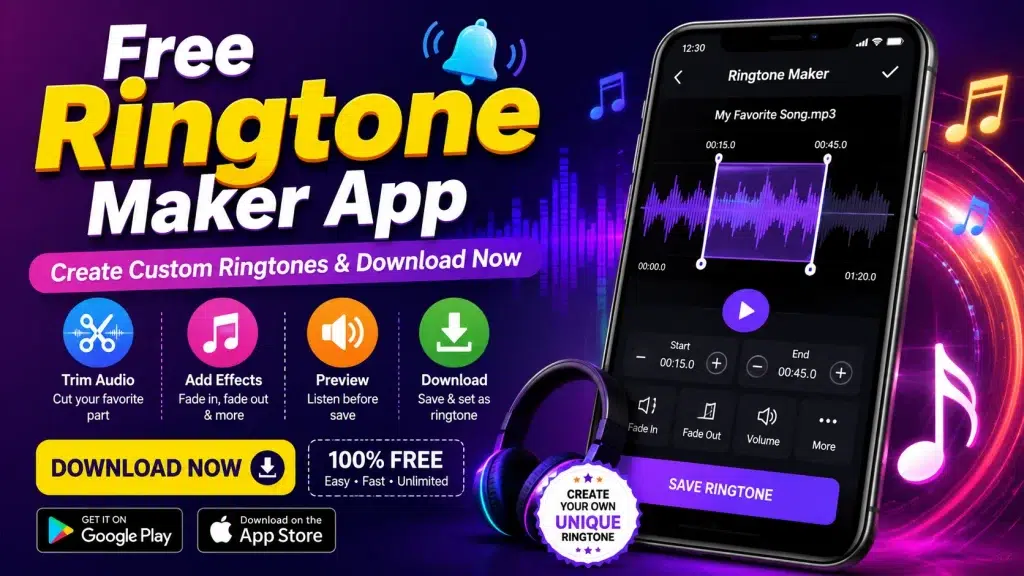
With a ringtone maker app, you do not necessarily need professional audio-editing software. Most apps provide easy-to-use tools that let you select an audio file, choose the part you want, preview it, and save the finished ringtone on your device.
What Is a Free Ringtone Maker App?
A Free Ringtone Maker App is an application designed to create personalized ringtones from audio files stored on your smartphone. Depending on the app, you may be able to work with MP3, WAV, AAC, M4A and other common audio formats.
The main advantage is that you can select a specific section of a song instead of using the complete audio file. For example, if your favourite part of a song starts at 45 seconds, you can trim that portion and save it as a ringtone.
Many ringtone maker apps also include basic editing functions such as audio trimming, volume adjustment, fade-in, fade-out and ringtone preview.
Free Ringtone Maker App – Key Features
A good ringtone maker application should offer simple tools that are easy for beginners to understand. Some common features include:
| Feature | What It Does |
|---|---|
| Audio Cutter | Cuts a selected portion from an audio file |
| MP3 Ringtone Maker | Creates ringtones from MP3 files |
| Audio Trimmer | Removes unwanted parts of a recording |
| Preview | Lets you listen before saving |
| Fade In/Out | Creates smoother audio starting and ending |
| Volume Control | Adjusts ringtone loudness |
| Voice Recording | Allows creation of ringtones from recordings |
| Custom Name | Saves the ringtone with a preferred name |
| Multiple Formats | Supports different audio formats |
| Easy Interface | Makes editing simple for beginners |
Features can vary depending on the app and your device.
Why Use a Ringtone Maker App?
The biggest reason to use a ringtone maker app is customization. Your smartphone may come with dozens of built-in sounds, but creating your own ringtone gives you more control.
1. Create Your Own Ringtone
You can select a favourite part of a song or audio track and turn it into a ringtone. This allows you to create something different from the default sounds available on your phone.
2. Easy Audio Cutting
Most ringtone maker apps provide a timeline or slider. You can move the start and end points to select the exact portion of an audio file.
3. Save Storage Space
Instead of keeping a complete long audio file only for ringtone purposes, you can create a shorter clip containing just the section you need.
4. Personalize Your Phone
Different sounds can be created for different contacts or notifications, depending on the features supported by your smartphone.
5. No Professional Editing Skills Required
You don’t need advanced audio-editing knowledge. Basic trimming and saving can usually be completed in a few steps.
How to Download a Free Ringtone Maker App
If you want to use a ringtone maker application, download it from your device’s official app store whenever possible. Avoid unknown websites offering modified or suspicious APK files, as they may create security or privacy risks.
Android Users
Android users can search for “Ringtone Maker” or “MP3 Ringtone Maker” in the Google Play Store. Before installing an application, check its developer information, reviews, permissions and recent update history.
iPhone Users
On iPhone, ringtone creation can involve additional restrictions because of Apple’s audio and file-management system. Some apps can help create ringtone files, but you may need to use Apple’s supported workflow to add the ringtone to your device.
How to Create a Custom Ringtone
The exact interface varies between applications, but the general process is straightforward.
Step 1: Install a Ringtone Maker App
Download a trusted ringtone maker application from the official app store on your smartphone.
Step 2: Select an Audio File
Open the application and choose the song, music track or audio recording that you want to edit.
Step 3: Trim the Audio
Use the start and end markers to select the part of the audio you want to use as your ringtone.
For example, you can select a short section from the middle of a song rather than using the complete track.
Step 4: Preview Your Ringtone
Play the selected section before saving it. Check whether the beginning and ending points sound natural.
Step 5: Add Effects if Available
Some applications offer fade-in and fade-out options. These can make the ringtone start and finish more smoothly.
Step 6: Save the Ringtone
Give your ringtone a name and save it in the supported audio format.
Step 7: Set It as Your Ringtone
Depending on your phone model and operating system, you can then select the saved audio file from the ringtone or sound settings.
Best Audio Formats for Ringtones
Different smartphones and applications support different formats. MP3 is one of the most widely used audio formats because it offers good compatibility and relatively small file sizes.
| Audio Format | Common Use | Compatibility |
|---|---|---|
| MP3 | Music and ringtones | Very High |
| WAV | High-quality audio | High |
| AAC | Mobile audio | High |
| M4A | Apple/mobile audio | Device dependent |
| OGG | Compressed audio | Device dependent |
Before saving a ringtone, check which formats are supported by your particular phone.
Free Ringtone Maker App vs Default Ringtone Settings
Your smartphone already provides built-in ringtone settings, but these generally allow you to select from existing sounds. A ringtone maker app provides additional customization.
| Option | Default Phone Settings | Ringtone Maker App |
|---|---|---|
| Built-in ringtones | Yes | Usually |
| Custom audio trimming | Limited/No | Yes |
| Create ringtone from song | Device dependent | Yes |
| Audio editing | Limited | Yes |
| Preview edited section | Limited | Usually |
| Custom ringtone creation | Limited | Yes |
| Voice recording | Device dependent | Some apps |
Therefore, if your main goal is to create a ringtone from a specific part of an audio file, a ringtone maker can be more convenient.
How to Choose a Safe Ringtone Maker App
There are many applications available, so choosing a reliable one is important. Before downloading an app, consider the following points:
Check the Developer
Look at the developer information shown on the official app store. A transparent developer profile can provide additional confidence.
Read Recent Reviews
Don’t rely only on the overall star rating. Read recent reviews to see whether users are experiencing crashes, excessive advertisements or other problems.
Check App Permissions
A ringtone maker may need access to audio files or media stored on your device. Be cautious if an application requests permissions that don’t appear necessary for its functionality.
Check Updates
Apps that receive regular updates may offer improved compatibility, security fixes and bug fixes.
Avoid Untrusted Modified APKs
Third-party websites may advertise “premium unlocked” or “mod” versions of ringtone applications. Installing modified applications can expose your device to unwanted software or privacy risks.
How to Make a Ringtone From Your Favourite Song
Creating a ringtone from a song is one of the most popular uses of these apps.
Suppose you have a legally obtained audio file and want to use a particular 20–30 second section. Open the ringtone maker, import the file, and move the trimming markers around the desired section.
After previewing the selection, save it as a new audio file. You can then use the resulting file as a ringtone if your device supports that format.
Remember that copyright rules may apply to commercial music. Creating a ringtone for personal use does not automatically give you permission to distribute copyrighted music.
Create a Ringtone From Voice Recording
A ringtone maker can also be useful for creating a ringtone from your own voice recording.
For example, you could record a short greeting, notification sound, or personal audio clip and then trim it to the desired length. If the application supports voice recording, you may be able to record and edit the clip directly inside the app.
This is particularly useful for creating completely original ringtone sounds.
Advantages of Using a Free Ringtone Maker
There are several advantages to using a dedicated ringtone creation application:
- Simple audio trimming tools
- Custom ringtone creation
- Easy preview before saving
- Support for common audio formats
- Ability to use personal recordings
- Faster than using professional editing software
- Useful for beginners
- More control over ringtone length
However, available features differ between applications, so always check the app’s current feature list before installation.
Things to Check Before Downloading
Before installing any free ringtone maker app, consider these points:
App Store Availability: Prefer official app stores.
Permissions: Review what access the application requests.
Advertisements: Some free applications may contain ads.
File Support: Make sure the app supports your audio format.
Privacy: Review the developer’s privacy information if available.
Reviews: Look at recent user feedback.
Updates: Check when the application was last updated.
Is a Free Ringtone Maker App Really Free?
Many ringtone maker applications offer free basic features, but some may include advertisements, optional purchases or premium editing tools.
“Free” does not always mean that every feature is available without payment. Before installing, check the app listing carefully to understand whether it includes in-app purchases or subscription features.
Can You Use Any Song as a Ringtone?
Technically, an app may allow you to edit an audio file that your device can access. However, copyright restrictions can apply to commercial music.
For safer use, consider creating ringtones from:
- Your own recordings
- Copyright-free audio
- Audio you have permission to use
- Music legally obtained for personal use
Do not redistribute copyrighted audio without appropriate permission.
Frequently Asked Questions
1. What is the best free ringtone maker app?
The best option depends on your phone, required features and preferences. Look for an app with reliable audio trimming, common file-format support, reasonable permissions and good recent reviews.
2. Can I make a ringtone from an MP3?
Yes. Many ringtone maker apps support MP3 files and allow you to select a specific section for creating a ringtone.
3. Can I create a ringtone from my voice?
Yes. If the application supports voice recordings, you can record your voice and trim the recording into a ringtone.
4. Do ringtone maker apps work on Android?
Yes. Android supports many ringtone creation applications. The exact steps can differ depending on the phone manufacturer and Android version.
5. Can I create a ringtone on iPhone?
Yes, but iPhone has a different ringtone-management process from Android. You may need to follow Apple’s supported process for adding custom ringtone files.
6. Can I cut only a small part of a song?
Yes. Audio trimming is one of the main functions of ringtone maker applications. You can usually select the beginning and ending points of the desired clip.
7. Are free ringtone maker apps safe?
Some are, but you should always check the developer, permissions, reviews and download source. Using the official app store is generally safer than downloading unknown modified APK files.
8. Do ringtone maker apps require internet access?
Not necessarily. Basic audio editing can often be performed offline, although some apps may require internet access for advertisements, online libraries or additional features.
9. Can I use a ringtone for a specific contact?
Many smartphones allow you to assign a custom ringtone to individual contacts. The exact option depends on your phone’s operating system and manufacturer.
10. Can I use copyrighted songs as ringtones?
Copyright laws vary by country and situation. For personal use, rules may differ from commercial distribution or sharing. Always make sure you have the necessary rights or permission for the audio you use.
Final Words
A Free Ringtone Maker App can be a convenient way to personalize your smartphone without needing complicated audio-editing software. You can select an audio file, trim your favourite section, preview it and save it as a custom ringtone.
Before downloading any application, check its official store listing, developer information, permissions, reviews and available features. Avoid suspicious modified APK files and be careful when using copyrighted music.
If you want a simple way to create personalized sounds from your own audio files or recordings, a reliable ringtone maker app can make the process quick and beginner-friendly.