Can Your Phone Really Scan Human Body Heat? Discover How Thermal Camera Apps Work
Have you ever wondered what your body looks like through a thermal camera? Imagine pointing your smartphone at someone and seeing their face, hands, and body covered in glowing red, yellow, blue, and purple colors. These fascinating images have made thermal camera apps increasingly interesting to smartphone users.
But can your phone actually detect human body heat? Can it identify warmer and cooler areas of your skin, or are those colorful scanning videos simply camera effects?
Modern infrared imaging technology makes it possible to visualize body-surface heat patterns. However, there is an important difference between genuine thermal imaging equipment and ordinary mobile camera applications. Here’s what you should know before trying a body heat scanner app.
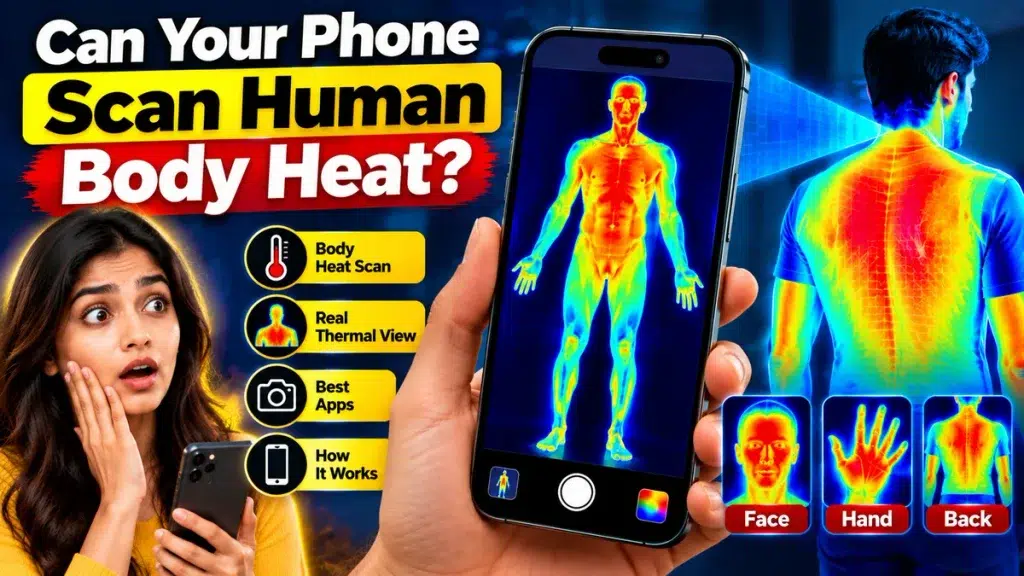
Can a Smartphone Really Detect Human Body Heat?
Yes, a smartphone can display genuine human body heat patterns when equipped with compatible thermal imaging hardware.
Most ordinary Android and iPhone cameras cannot detect infrared radiation needed for thermal imaging.
However, smartphones with built-in thermal sensors or compatible external infrared camera attachments can display surface temperature differences.
These devices produce colorful thermal images that help visualize warmer and cooler areas of exposed skin.
How Does a Human Body Heat Scanner Work?
The human body naturally emits infrared radiation. A thermal imaging camera detects this radiation and processes it into a visual image.
Different colors represent different temperature ranges.
For example:
- Red and Yellow: Often represent relatively warmer areas.
- Blue and Purple: Often represent relatively cooler areas.
- Orange: May indicate intermediate temperatures.
- White: Sometimes represents the warmest areas in a selected palette.
The actual colors depend on the camera’s settings and do not represent fixed temperatures.
A thermal camera measures surface infrared radiation rather than directly viewing internal organs or measuring core body temperature.
Best Ways to Scan Body Heat With Your Phone
1. Use a Thermal Camera Attachment
External infrared camera attachments can turn compatible smartphones into portable thermal imaging devices.
Products such as FLIR ONE and Seek Thermal cameras allow supported phones to display genuine temperature patterns.
These devices are used for thermal photography, building inspections, and technical investigations.
2. Try a Smartphone With a Built-in Thermal Sensor
Certain specialized smartphones include integrated thermal cameras.
These devices can display infrared images without requiring a separate camera attachment.
However, most everyday smartphones do not include this technology.
3. Explore Thermal Camera Filter Apps
Some camera applications create colorful heat-map effects using regular photographs or live video.
They can be entertaining and visually impressive, but they do not detect actual human body temperatures.
🔥 X-RAY CAMERA APP Can Your Phone REALLY See What’s Inside? Discover the mysterious X-Ray camera effects everyone’s curious about! TAP TO DISCOVER THE X-RAY APP Explore camera effects, features and the truth behind themReal Body Heat Scanner vs Thermal Filter App
| Feature | Real Thermal Camera | Thermal Filter App |
|---|---|---|
| Detects surface heat | Yes | No |
| Infrared sensor | Required | Not required |
| Temperature readings | On supported models | No |
| Colorful body images | Yes | Yes |
| Extra equipment | Usually required | Usually not |
| Medical diagnosis | Not suitable by itself | Not possible |
| Photography effects | Yes | Yes |
What Can Thermal Imaging Reveal About Your Body?
Real thermal imaging can show differences in skin-surface temperature.
For example, exposed hands, the face, and other body areas may display different heat patterns.
Temperature variations can result from environmental conditions, blood flow, physical activity, and other factors.
However, thermal imaging cannot reveal internal organs, diagnose medical conditions, or reliably detect fever using an ordinary smartphone app.
Specialized temperature-screening systems require appropriate equipment and operating conditions.
How to Use a Thermal Camera App
If you have compatible infrared imaging equipment, follow these steps:
Step 1: Check whether your smartphone supports the thermal camera device.
Step 2: Install the manufacturer’s recommended application.
Step 3: Connect the infrared camera attachment if required.
Step 4: Open the application and activate the thermal imaging view.
Step 5: Select a suitable temperature color palette.
Step 6: Point the camera toward an exposed surface and observe the thermal image.
Step 7: Capture a photograph or video if the device supports recording.
Follow the equipment manufacturer’s instructions for reliable measurements.
Important Things to Know Before Downloading
Before choosing a body heat scanner app, check the following:
- Whether it provides genuine infrared imaging or simulated filters.
- Whether additional thermal camera hardware is required.
- Smartphone and operating-system compatibility.
- Available temperature measurement features.
- Application permissions and privacy information.
- Camera resolution, accuracy specifications, and equipment cost.
For entertainment, a simulated thermal camera app may be sufficient. Genuine temperature measurement requires appropriate hardware.
Frequently Asked Questions
1. Can I scan human body heat using my Android phone?
Yes, if your Android device includes a thermal sensor or supports a compatible infrared camera attachment.
2. Can an iPhone detect body heat?
An iPhone can display genuine thermal images using supported external infrared camera equipment.
3. Can thermal camera apps see inside the human body?
No. Thermal cameras detect surface temperature patterns, not bones or internal organs.
4. Are free body heat scanner apps real?
Many free scanner apps provide visual effects only. Genuine thermal imaging requires suitable hardware.
5. Can a thermal camera detect fever?
Specialized systems may help assess elevated skin temperature, but they cannot independently diagnose fever or illness.
Conclusion
Thermal camera technology provides an interesting way to explore the invisible temperature patterns surrounding everyday objects and the human body.
Although ordinary smartphone cameras cannot detect genuine body heat, specialized infrared camera attachments and thermal-enabled phones make surface heat visualization possible.
Before installing a thermal scanner app, understand whether it provides real temperature measurements or simulated camera effects. Choosing the right technology helps you get more reliable results.