Best Hairstyle App Download BN – Preview Your New Look Before You Cut
Choosing a new hairstyle can be exciting, but it can also feel risky. A haircut that looks perfect on someone else may not suit your face shape, hair type, or personal style. Once your hair is cut, you cannot instantly go back to your previous look. This is where a hairstyle app can be extremely useful.
With a modern hairstyle app download, you can upload a photo or take a selfie and virtually try different hairstyles before visiting a salon. Depending on the app, you may be able to preview short hair, long hair, curly styles, straight cuts, bangs, layers, different hair colors, and even AI-generated hairstyles.
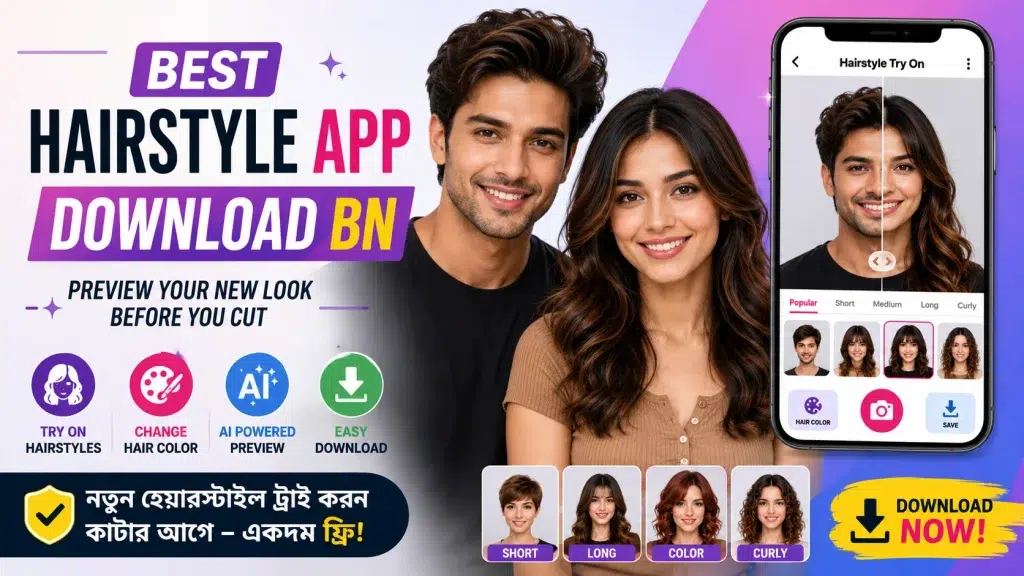
In this guide, we will explain how hairstyle apps work, their main features, how to use them, what to check before downloading, and how they can help you choose a new look with more confidence.
What Is a Hairstyle App?
A hairstyle app is a mobile application designed to help users preview different haircuts, hairstyles, and sometimes hair colors on their own photos.
Traditional hairstyle apps usually place a hairstyle template over your face. More advanced apps may use AI (Artificial Intelligence), face detection, and image-processing technology to create a more realistic preview.
For example, you may want to know how you would look with:
- Short hair
- Long layered hair
- Bob cut
- Pixie cut
- Bangs or fringe
- Curly hairstyle
- Straight hairstyle
- Wavy hair
- Different hair colors
- Men’s fade or textured styles
Instead of choosing a haircut only by looking at another person’s photo, you can preview similar styles on your own image first.
Why Use a Hairstyle App Before Getting a Haircut?
Getting a haircut is a personal decision, and the final result depends on many factors, including your natural hair texture, density, face shape, and the skill of your stylist.
A virtual hairstyle app gives you a convenient way to explore ideas before making that decision.
The biggest advantage is experimentation. You can compare several styles without actually cutting or coloring your hair. If a particular style does not look right in the preview, simply try another one.
You can also save your preferred hairstyle image and show it to your barber or hairstylist as a visual reference.
However, remember that virtual previews are simulations. The actual haircut may look different depending on your hair texture, growth pattern, length, and styling.
Best Features to Look for in a Hairstyle App
Not every hairstyle app offers the same features. Before downloading one, check whether it provides the tools you actually need.
| Feature | What It Does | Why It Is Useful |
|---|---|---|
| Virtual Hairstyle Try-On | Places hairstyles on your photo | Helps compare different looks |
| AI Hairstyle Generator | Generates alternative hairstyles using AI | Can create more natural-looking previews |
| Hair Color Try-On | Changes your virtual hair color | Useful before dyeing your hair |
| Men’s Hairstyles | Provides styles designed for men | Helps preview fades, short cuts, etc. |
| Women’s Hairstyles | Provides multiple cuts and lengths | Useful for exploring new looks |
| Photo Upload | Lets you select an existing selfie | Easy to use with a clear photo |
| Camera Mode | Allows direct photo capture | Faster hairstyle testing |
| Save/Share | Saves the preview | Useful for showing your stylist |
Features vary between apps and versions, so check the current app description before installing.
How to Download a Hairstyle App
Downloading a hairstyle app is generally simple.
Step 1: Open Your App Store
Android users can open the Google Play Store, while iPhone users can use the Apple App Store.
Step 2: Search for a Hairstyle App
Try search terms such as:
“Hairstyle Try On”
“AI Hairstyle App”
“Haircut Simulator”
“Virtual Hairstyle”
“Hair Color Try On”
These searches can help you discover apps offering different types of virtual hair previews.
Step 3: Check Ratings and Information
Before installing, review the app’s description, screenshots, ratings, recent reviews, developer information, privacy details, and whether it contains advertisements or in-app purchases.
Step 4: Install the App
Select an app that meets your requirements and use the official Install or Get button.
For security, it is generally better to download apps from trusted official app stores instead of unknown APK websites.
How to Preview Your New Hairstyle
After installing your chosen hairstyle app, the process usually takes only a few steps.
First, open the app and select its hairstyle, makeover, AI hair, or virtual try-on feature. You may be asked to take a selfie or upload a photo from your phone.
For better results, use a clear front-facing photo. Your entire face and current hairline should be visible, and strong shadows should be avoided.
Next, browse through the available hairstyles. Select the styles you want to preview and compare the results.
If the app provides customization tools, you may also be able to change the hair length, volume, color, or style.
Save the versions you like most so you can compare them later.
Try Different Hair Colors Before Dyeing
Many hairstyle and beauty apps also include virtual hair-color tools.
This can be useful if you are considering a major color change but are unsure whether it will complement your appearance.
Depending on the application, you may find colors such as black, brown, blonde, red, burgundy, copper, or more creative shades.
A virtual color preview is especially useful for narrowing down your options before speaking with a professional colorist.
Keep in mind that real-world color results depend on your existing hair color, previous treatments, hair condition, bleaching, lighting, and the products used.
Hairstyle Apps for Men
Virtual hairstyle apps are not only for women. Men can also use them to explore different haircuts before visiting a barber.
Popular categories may include short cuts, fades, undercuts, textured styles, side-part hairstyles, longer hairstyles, and other modern looks.
If you are planning a major change—for example, going from longer hair to a very short cut—previewing the style can provide a useful reference before making the decision.
Some makeover apps may also provide beard or facial-hair previews, although availability varies by app.
Hairstyle Apps for Women
Women can use hairstyle apps to compare a wide variety of cuts, lengths, textures, and colors.
For example, you can experiment with bob hairstyles, layered cuts, bangs, shoulder-length styles, long hair, waves, curls, pixie cuts, and other looks.
This is particularly helpful when considering a dramatic haircut. Instead of relying only on a celebrity or model photo, you can get an approximate idea of how the style might look with your own facial features.
Tips for Getting a Better Hairstyle Preview
The quality of your photo can make a significant difference to the virtual result.
For the best possible preview:
- Use a clear, high-resolution selfie.
- Face the camera directly.
- Choose bright, even lighting.
- Avoid sunglasses, hats, or anything covering your face.
- Keep the background relatively simple.
- Try several hairstyles instead of judging only one.
- Compare screenshots side by side.
- Ask your hairstylist whether your preferred style suits your natural hair type.
A hairstyle app is best treated as an inspiration and visualization tool rather than a guarantee of the final salon result.
Free vs Paid Hairstyle Apps
Many hairstyle apps can be downloaded for free, but “free download” does not always mean every feature is free.
Some apps provide basic hairstyles without charge while locking advanced AI generations, premium hairstyles, high-resolution exports, or additional hair colors behind a subscription or one-time purchase.
Before purchasing anything, check the current price and subscription terms displayed inside the app store or application.
| App Type | Typical Availability |
|---|---|
| Basic Hairstyle Preview | Often available free |
| Limited Hair Colors | Often free |
| AI Hairstyle Generation | May be limited or premium |
| Premium Style Collection | Often paid |
| Ad-Free Experience | May require payment |
| High-Resolution Saving | Depends on the app |
Prices and features can change, so always check the latest information before subscribing.
Is It Safe to Upload Your Photo?
Photo privacy is important because hairstyle apps may require access to your camera or photo gallery.
Before uploading personal images, review the application’s privacy policy and permissions. Check what happens to uploaded photos, whether images are processed locally or on a server, and whether the developer explains how data is stored or deleted.
Avoid granting permissions that do not appear necessary for the feature you are using.
Downloading an app from an official store also gives you access to developer details, permission information, user reviews, and platform safety information.
Can a Hairstyle App Find the Perfect Haircut?
A hairstyle app can help you visualize possible styles, but it cannot guarantee that a haircut will look exactly the same in real life.
Your final hairstyle depends on factors such as:
- Face shape
- Natural hair texture
- Hair density
- Hairline
- Current hair length
- Styling routine
- Hair condition
- Barber or stylist technique
Use the app to shortlist a few hairstyles. Then show the previews to an experienced stylist who can tell you whether the cut is practical for your actual hair.
Benefits of Using an AI Hairstyle App
AI-based hairstyle tools can make experimentation faster and more entertaining. Instead of manually placing a basic hairstyle sticker over your photo, some AI tools can generate an altered image that attempts to preserve your facial appearance while changing the hair.
This can make it easier to compare several ideas, especially when planning a noticeable change.
You can try multiple looks, save your favorites, discuss them with friends or family, and finally take the preferred reference to your hairstylist.
Final Words
A hairstyle app download can be a useful option for anyone thinking about changing their haircut, hairstyle, or hair color. It allows you to experiment with different looks from your phone before making a permanent or expensive change.
For the best experience, choose a well-reviewed app from an official app store, use a clear front-facing photo, compare several styles, and check privacy and subscription information before proceeding.
Most importantly, remember that an AI or virtual hairstyle preview is only an approximation. Use it for inspiration, then consult your barber or hairstylist about whether the selected look will work with your real hair.
Frequently Asked Questions (FAQ)
1. What is the best hairstyle app?
The best app depends on what you need. Look for an app with virtual hairstyle previews, AI generation, hair-color options, good recent reviews, and clear privacy information.
2. Can I try a hairstyle using my own photo?
Yes. Many hairstyle apps allow you to upload a selfie or take a new photo and apply virtual hairstyles to it.
3. Are hairstyle apps free?
Many are free to download, but some features may require in-app purchases or subscriptions. Check the current pricing before using premium features.
4. Can men use hairstyle apps?
Yes. Many apps include men’s hairstyles such as short cuts, fades, textured styles, and longer hairstyles.
5. Can I preview hair color before dyeing my hair?
Many makeover apps provide virtual hair-color tools that allow you to test different shades on your photo.
6. Are AI hairstyle previews completely accurate?
No. They are simulations. Your actual result can differ because of hair texture, density, current length, lighting, styling, and the stylist’s technique.
7. Where should I download a hairstyle app?
For Android, use the Google Play Store. For iPhone, use the Apple App Store. Avoid downloading unknown APK files from untrusted websites.
8. What type of photo works best?
A clear, front-facing photo with good lighting, a visible face, and minimal obstruction generally produces a better virtual preview.
9. Can I save the hairstyle and show it to my barber?
If the app provides a save or export feature, you can save your preferred preview and use it as a reference when discussing your haircut with a barber or hairstylist.
10. Should I cut my hair exactly like the AI preview?
Not necessarily. Use the preview to choose a direction, then ask a professional stylist whether the hairstyle is suitable for your hair type, length, and face shape.