Best AI Music Generator App – Create Songs Using Your Own Voice
Artificial Intelligence has changed the way music can be created. Today, you do not necessarily need a professional recording studio, expensive instruments, or years of music-production experience to experiment with an original song. With a modern AI Music Generator App, you can start with lyrics, a simple idea, a melody, or even a recording of your own voice and turn it into a more complete musical creation.
Some current AI music tools now support personal voice features. For example, Suno’s Voices feature allows users to create a voice profile from their own recording and use it in generated songs, while other apps offer similar voice-based song creation features. (Suno Help)
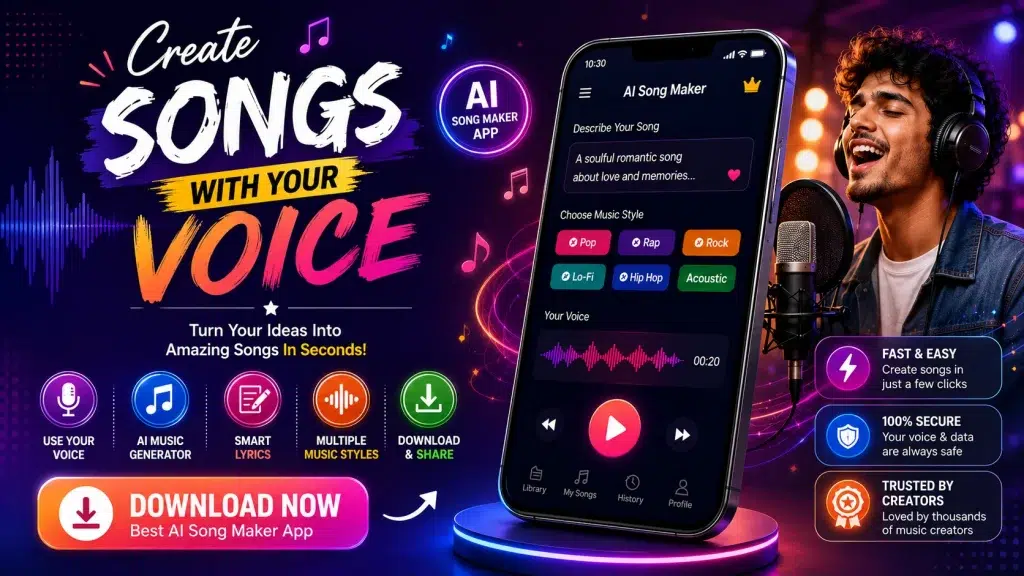
If you want to create birthday songs, romantic music, rap, motivational tracks, social-media audio, or simply hear an original song performed in a voice modeled on your own, this guide explains how an AI song generator with your own voice works, what features to look for, and how to get started.
What Is an AI Music Generator App?
An AI music generator is software that uses artificial intelligence to assist with creating music. Instead of manually composing every instrument, melody, beat, and vocal part, you provide instructions and the AI generates musical material based on them.
Your input might be as simple as:
“Create an emotional pop song about friendship with piano, soft drums, and an uplifting chorus.”
Some platforms can turn that description into a more complete song with vocals, lyrics, melody, and instrumentation. Suno, for example, currently supports song creation from descriptions or lyrics and provides controls for editing and developing generated tracks. (Suno)
More specialized apps can also work with a voice sample. That means you may record your voice once and use the resulting authorized voice profile for future song generations.
AI Music Generator Features at a Glance
| Feature | What It Does |
|---|---|
| AI Song Generator | Turns an idea or prompt into music |
| Own Voice Feature | Creates vocals based on your authorized voice sample |
| Lyrics to Song | Converts written lyrics into a musical track |
| Prompt to Music | Creates music from a text description |
| Hum to Song | Develops a hummed melody into music where supported |
| AI Lyrics Generator | Helps create verses, hooks and choruses |
| Genre Selection | Lets you choose different musical styles |
| Mood Selection | Creates happy, romantic, energetic or emotional music |
| Instrumental Mode | Generates music without vocals |
| Export & Sharing | Lets you save or share tracks where supported |
Features vary significantly between apps, so check the current product description before downloading or purchasing a plan.
Can AI Really Create Songs Using Your Own Voice?
Yes, some modern AI music applications now provide this capability.
Typically, you record a short sample of your voice. The service analyzes characteristics of the recording and creates a reusable voice profile. You can then select that profile when generating compatible songs.
For example, Suno says its Voices feature accepts a real-time recording or an existing audio file; it recommends cleaner vocal recordings for better results. (Suno Help)
Other apps take similar approaches. SingMyVoice describes a process where a user provides a short recording, selects a musical style or writes lyrics, and then generates songs using that voice profile. (SingMyVoice)
The exact quality and process vary from one service to another. An AI-generated vocal may resemble aspects of your voice without reproducing every nuance of your natural singing.
How to Create a Song Using Your Own Voice
Creating an AI song is usually easier than traditional music production. Although every app has a different interface, the general workflow looks like this.
Step 1: Choose an AI Music Generator
First, choose an AI song maker that actually supports the feature you need.
If your goal is specifically to hear generated songs using your voice, don’t assume that every “AI Music Generator” supports personal voice profiles.
Check whether the app provides:
- Own-voice generation
- Voice recording or upload
- Text-to-song generation
- Custom lyrics
- Genre and mood selection
- Audio export
Also review its privacy policy and voice-data controls.
Step 2: Record Your Voice
Open the voice creation or recording section.
The app may ask you to speak, sing, or record a specific phrase. Some services also allow an existing recording to be uploaded.
Try to record in a quiet room. Keep the microphone at a comfortable distance and minimize fans, traffic, television, music, and other background sounds.
A clean source recording can help the system capture your voice more effectively.
Step 3: Add Lyrics or Describe Your Song
Next, tell the AI what you want.
If you already have lyrics, paste them into the appropriate field.
If you don’t have lyrics, describe your idea instead. For example:
“Create a romantic acoustic song about two people meeting after many years, with a warm and emotional chorus.”
A descriptive prompt gives the AI more creative direction than simply writing “make a love song.”
Step 4: Choose a Genre
Depending on the app, you may be able to choose styles such as pop, hip-hop, rock, electronic, acoustic, lo-fi, R&B, cinematic, or other genres.
Some services offer many style choices. SingMyVoice, for example, currently advertises more than 80 music styles. (SingMyVoice)
Choose a style that matches your lyrics and intended audience.
Step 5: Select Your Voice
If you have already created your authorized voice profile, select it for the song.
The AI can then use that voice profile instead of a standard generated vocalist, where the platform supports this feature.
Step 6: Generate Your Song
Tap Create, Generate, or the equivalent button.
Processing time varies depending on the platform, song complexity, subscription level, and server demand.
Some generators provide multiple versions so you can compare different interpretations of the same idea.
Step 7: Preview and Improve
Listen to the result carefully.
If it isn’t what you expected, don’t immediately give up. Try modifying:
- Lyrics
- Genre
- Mood
- Tempo
- Instruments
- Vocal direction
- Prompt description
AI song generation often works best as an iterative creative process.
Step 8: Download or Share
Once you’re happy with the song, check the available download and sharing options.
Some apps allow MP3 or other audio exports, while advanced services may provide stems or higher-quality audio on specific plans. Suno, for instance, advertises stem exports and more advanced production features on eligible offerings. (Suno)
What Kind of Songs Can You Make?
One advantage of an AI song maker is its flexibility.
Personalized Birthday Songs
Create a birthday song featuring someone’s name, a special memory, or a personalized message.
Romantic Songs
Turn a personal message into lyrics and generate romantic music for your partner.
Rap & Hip-Hop
Write your own rap lyrics or ask AI to help develop verses, hooks, and song structure before choosing an appropriate beat style.
Songs for Reels and Shorts
Creators can experiment with short, catchy music ideas for social videos. Before using generated music commercially, check the platform’s licensing conditions.
Motivational Music
Create energetic tracks for fitness videos, inspirational content, presentations, or personal listening.
Songs for Family and Friends
A personalized song can be created around an anniversary, wedding, friendship, family celebration, or other special occasion.
Some India-focused services are already emphasizing this use case. Surilo, for example, currently offers personalized songs using a user’s own voice and supports several Indian languages. (Surilo)
Why Use an AI Song Generator?
The biggest advantage is accessibility.
Traditional music production can involve songwriting, recording, arranging, mixing, mastering, instruments, microphones, and specialist software.
An AI music generator can simplify parts of that process.
Beginner Friendly
You can start with an idea even if you don’t know music theory or professional audio software.
Fast Experimentation
Instead of spending hours producing a demo, you can rapidly experiment with different styles and musical directions.
Personalized Music
Own-voice features can make a generated song feel more personal than a track using a generic synthetic vocalist.
Creative Inspiration
AI can help when you’re struggling to find a melody, theme, hook, or lyrical direction.
Multiple Genres
You can experiment with styles you might not normally know how to produce yourself.
AI Song Maker vs Traditional Music Production
| AI Music Generator | Traditional Production |
|---|---|
| Beginner-friendly | Often requires more technical knowledge |
| Fast idea generation | Usually takes more manual work |
| Prompt-based creation | Hands-on composition and production |
| AI can assist with lyrics | Lyrics usually written manually |
| Voice models may be available | Vocals recorded traditionally |
| Easy genre experimentation | Requires production knowledge |
| Good for quick prototypes | Greater direct creative control |
| Can work on mobile | Often uses DAW/studio equipment |
AI music and traditional production don’t have to compete. Musicians can use AI to develop an initial idea and then continue editing it in a conventional digital audio workstation.
How to Get Better AI Music Results
Your prompt matters.
Instead of:
“Make a good song.”
Try:
“Create an uplifting modern pop song about achieving your dreams, with energetic drums, bright synths, an emotional verse and a catchy chorus.”
This gives the AI information about genre, theme, instrumentation, energy, and song structure.
If you’re using your own voice, record the cleanest sample possible. Some voice-based platforms specifically recommend clean or isolated vocals because source quality can influence the resulting voice profile. (Suno Help)
Most importantly, generate several versions. Small prompt changes can produce noticeably different results.
Free vs Paid AI Music Generator Apps
AI music services commonly combine free access with paid upgrades.
| Free or Limited Version | Paid Version |
|---|---|
| Limited generations | More generation capacity |
| Basic tools | Advanced editing tools |
| Standard quality | Higher-quality options may be available |
| Limited exports | More export formats/features |
| Personal-use restrictions may apply | Commercial rights may be offered |
| Some features unavailable | Advanced voice/music tools may be included |
Never assume that because a song was generated for free, you automatically have unrestricted commercial rights.
Licensing rules vary considerably.
For example, Suno currently states that songs created while subscribed to eligible paid plans receive commercial-use rights under its stated terms. (Suno)
Always check the latest terms of the specific service before monetizing a track.
Use AI Voice Features Responsibly
Voice cloning deserves particular care.
Use your own voice or a voice you have explicit permission to use. Do not upload another person’s voice and represent generated audio as genuinely performed or endorsed by that person without authorization.
You should also check how an app stores, processes, and deletes voice data before submitting recordings.
If you’re using AI-generated music professionally, review copyright, licensing, platform rules, and applicable laws before releasing it commercially.
Frequently Asked Questions (FAQ)
1. What is an AI music generator app?
It is an application that uses AI to help generate musical elements such as melodies, vocals, lyrics, beats, arrangements, or complete songs based on user instructions.
2. Can I create songs with my own voice?
Yes, on platforms that specifically support authorized personal voice profiles. Suno and several newer voice-focused music apps currently offer versions of this functionality. (Suno Help)
3. Do I need to know how to sing?
Not necessarily. Requirements depend on the platform. Some services can work from short spoken, hummed, or sung recordings.
4. Can AI write lyrics for me?
Yes. Many AI music tools can generate or assist with lyrics based on a topic, mood, or story.
5. Can I add my own lyrics?
Many platforms let you provide your own lyrics and use AI to create the musical arrangement around them.
6. Can AI turn humming into a song?
Some applications provide hum-to-song functionality. Melodize, for example, currently advertises the ability to turn a hummed melody into a fuller musical track. (App Store)
7. Are AI music generator apps free?
Some provide free credits or limited free generation, while advanced features may require payment. Pricing and limits vary by service.
8. Can I download my AI-generated songs?
Many apps offer downloads or exports, but available formats and restrictions depend on the service and plan.
9. Can I upload AI songs to YouTube?
Potentially, but check the music generator’s licensing terms and the destination platform’s rules first, particularly if the video will be monetized.
10. Is it safe to clone another person’s voice?
You should only create or use a voice model when you have appropriate authorization. For the safest approach, use your own voice.
Final Words
The best AI music generator app for you depends on what you want to create. If you only need instrumental background music, a basic text-to-music generator may be enough. If your goal is to create songs using your own voice, look specifically for an app that supports personal voice recording or authorized voice profiles.
With the right tool, you can start with a simple idea, write or generate lyrics, select a genre and mood, add your own voice where supported, and let AI help transform those ingredients into a more complete song.
AI won’t automatically replace creativity or professional music production, but it can make experimentation dramatically more accessible. It can be especially useful for beginners, singers, video creators, songwriters, and anyone who wants to turn an idea into music without starting with a full studio setup.
Before downloading an app, compare its voice features, generation quality, export options, privacy policy, pricing, and commercial-use rights. Use only voices you have permission to use, and check licensing conditions before monetizing generated music.
With those precautions in place, an AI song maker can become a powerful creative tool—turning a few lyrics, a melody, or your own voice into a song you can develop, personalize, and share.