AP Pattadar e-Passbook Online – Download Passbook & Check Land Ownership Details
Landowners in Andhra Pradesh can access several land-related services digitally, making it easier to verify property information without depending entirely on repeated visits to revenue offices. One important land document is the Pattadar Passbook, which is associated with the recorded landholder and contains important information connected with agricultural land and revenue records.
The AP Pattadar e-Passbook system provides electronic access to Pattadar-related information and is connected with Andhra Pradesh’s digital land administration services. Landowners can use official services such as MeeBhoomi and MeeSeva/GSWS for different land-record requirements, including checking available land information and accessing services related to Pattadar Passbooks.
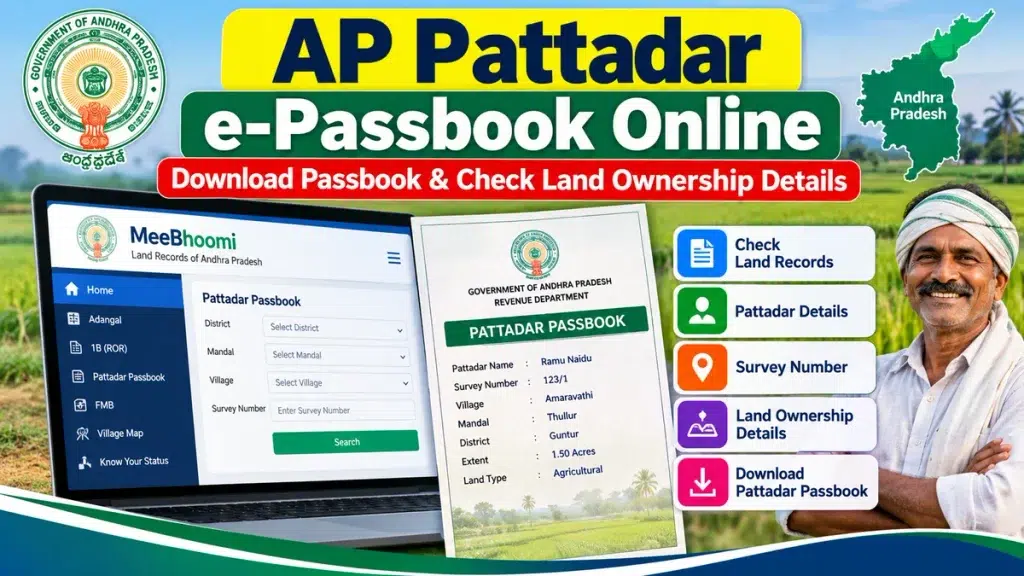
If you are searching for AP Pattadar e-Passbook Online, this guide explains how to check land records, what information may be available, how Pattadar Passbook services work, what documents may be required, and how to deal with incorrect or outdated land entries.
What Is an AP Pattadar Passbook?
A Pattadar Passbook is a land-related document issued in connection with the landholder recorded in Andhra Pradesh revenue records. The person whose name is entered as the Pattadar is generally associated with the relevant landholding in the revenue database.
The Andhra Pradesh Revenue Department maintains land records and provides Pattadar Passbook and title-deed-related services. These records form part of the state’s land administration system.
A Pattadar Passbook can be useful for referring to important land information such as the Pattadar’s details, survey-related information and the landholding recorded with the Revenue Department.
What Is an AP Pattadar e-Passbook?
The AP Pattadar e-Passbook is the electronic form of Pattadar Passbook-related information and services.
Andhra Pradesh has digitized a significant portion of its land record services. MeeBhoomi is the state’s online land records portal, through which users can access available land-related information.
Electronic access is useful because a landholder can check important entries from a mobile phone or computer before taking further action through MeeSeva, Village/Ward Secretariat or the appropriate revenue authority when required.
AP Pattadar e-Passbook – Key Details
| Particular | Information |
|---|---|
| State | Andhra Pradesh |
| Document/Service | Pattadar Passbook / e-Passbook |
| Main Purpose | Access Pattadar and land-related information |
| Land Records Portal | MeeBhoomi |
| Citizen Services | MeeSeva / GSWS |
| Related Record | ROR-1B |
| Other Related Record | Adangal |
| Important Identifier | Survey Number / land account information |
| Passbook Services | New, Duplicate and Replacement services are available through applicable AP citizen-service channels |
| Responsible Department | Revenue / Land Administration authorities |
| Recommended Source | Official Andhra Pradesh government portals |
What Details Can You Check?
The exact information available depends on the record and service being accessed. Andhra Pradesh digital land records can provide information useful for identifying a property and checking its revenue entries.
Depending on the applicable record, users may find information related to:
- Pattadar or landholder name
- Survey number
- Sub-division details
- Land extent
- Village information
- Mandal details
- District information
- Khata or account-related details
- Classification of land
- ROR-1B information
- Adangal-related information
- Available ownership-related revenue entries
Users should carefully match the survey number, Pattadar name and land extent with their existing property documents.
MeeBhoomi and AP Land Records
MeeBhoomi is an important online land records service for Andhra Pradesh. It was introduced by the Andhra Pradesh Revenue Department to provide easier digital access to land information.
Through the available MeeBhoomi services, users can check land ownership-related information and other digitized land records. Electronic passbook-related property information may also be accessible through the state’s land-record ecosystem.
For basic land verification, MeeBhoomi can therefore be an important starting point.
How to Check AP Pattadar e-Passbook and Land Details Online
The options displayed on government portals can change over time, but the general process for checking Andhra Pradesh land information is straightforward.
Step 1: Visit the Official Land Records Service
Open the official Andhra Pradesh MeeBhoomi land records portal. Avoid entering sensitive personal information on websites that merely imitate government land-record services.
Step 2: Choose the Required Land Record
Select the appropriate land-record service available on the portal. Depending on your requirement, you may need Pattadar-related information, ROR-1B, Adangal or another land record.
Step 3: Enter Property Information
Provide the requested information. This can include details such as district, mandal, village, survey number or other identifiers supported by the service.
Step 4: Complete Verification
Complete any CAPTCHA, OTP or other verification displayed by the official service.
Step 5: Check the Record
Once the land information appears, verify important entries such as the Pattadar name, survey number, land extent and location.
Step 6: Save the Available Record
Where an official print or download option is provided, follow the instructions displayed on the portal. The availability and legal status of a downloaded or printed record can depend on the particular service.
AP Pattadar e-Passbook Download
Many users search online for AP Pattadar Passbook Download or AP e-Passbook Download.
It is important to distinguish between viewing electronic land information and obtaining an officially issued Pattadar Passbook. MeeBhoomi provides online access to land information, while specific Pattadar Passbook services are also handled through Andhra Pradesh citizen-service channels such as MeeSeva and GSWS.
Official GSWS material lists services for replacement and duplicate Pattadar Passbooks as well as printing of Title Deed cum PPB. Therefore, if the exact document you need cannot be directly obtained through the land-record viewing facility, check the appropriate official citizen service.
New Pattadar Passbook
Andhra Pradesh government district service information lists a service for a New Pattadhar Pass Book.
Depending on the applicable case, documents listed by official district service information can include an application form, tax receipts, an old Pattadar Passbook, copies of registered documents, a recent passport-size photograph and the applicant’s signature.
Document requirements can vary depending on the service and circumstances, so applicants should verify the latest requirements before submission.
Duplicate Pattadar Passbook
If a Pattadar Passbook is lost or another eligible situation applies, a duplicate Pattadar Passbook service is available through Andhra Pradesh’s citizen-service system.
Official district guidance lists documents such as an application form, scanned FIR copy, relevant bank NOC, registered document copies where applicable, photograph and signature for the duplicate service.
Always check the latest official requirements because documentation and processing rules may be updated.
Replacement Pattadar Passbook
A Pattadar Passbook Replacement service is also listed by Andhra Pradesh government sources.
The replacement process can require an application form and supporting documents, along with photograph and signature requirements. The exact procedure should be confirmed through the official service channel applicable to the applicant.
GSWS documentation also lists the e-Passbook replacement service with the Tahsildar as the approval authority.
What Is ROR-1B?
ROR-1B is another important Andhra Pradesh land record. ROR refers to the Record of Rights, and the 1-B record contains revenue-related information concerning the landholding.
People checking a Pattadar Passbook may also need to examine the corresponding ROR-1B information, particularly when verifying whether the revenue database reflects the expected Pattadar and land entries.
Andhra Pradesh’s GSWS services include ROR-1B and rectification of ROR-1B records.
What Is Adangal?
Adangal is an important village-level land record associated with land and cultivation-related information.
Depending on the record, Adangal information can help users understand details associated with a particular survey number and land parcel.
Andhra Pradesh citizen services include computerized and manual Adangal-related services. When verifying a landholding, checking relevant Pattadar, ROR-1B and Adangal information can provide a broader view of the available revenue records.
AP Pattadar Passbook and Mutation
Mutation is particularly important when ownership or related particulars have changed.
For example, mutation may become relevant after a registered sale, inheritance, family division or certain other transactions. Andhra Pradesh’s official service documentation identifies mutation-related processes and includes services connected with Mutation and Title Deed cum Pattadar Passbook.
If land has recently been transferred but the previous Pattadar’s details continue to appear in the revenue records, the mutation status should be checked with the competent authority.
What to Do If Land Ownership Details Are Incorrect
Finding an incorrect name, survey number, land extent or other entry does not mean you should simply edit the information yourself.
First, compare the online record with your registered documents, previous revenue records and other supporting documents.
If there is a genuine discrepancy, use the appropriate official correction, mutation or rectification service. GSWS documentation specifically lists Rectifications in Record of Rights (ROR 1B) as a revenue service.
Depending on the issue, verification and approval from the Tahsildar or another competent revenue authority may be required.
Important Tips for AP Landowners
Always use official Andhra Pradesh government land-record and citizen-service portals for sensitive land-related work.
Do not share OTPs, banking passwords, PINs or unnecessary personal information with third-party websites or unknown agents.
When buying land, do not depend only on an online Pattadar Passbook or a screenshot of a land record. Compare available revenue records with registered property documents and other relevant records.
For disputes, inheritance matters, complicated transfers or significant property transactions, professional legal verification may be appropriate.
Frequently Asked Questions (FAQ)
1. What is the AP Pattadar e-Passbook?
The AP Pattadar e-Passbook refers to electronic Pattadar Passbook-related land information and services available through Andhra Pradesh’s digital land administration system.
2. Where can I check Andhra Pradesh land records online?
MeeBhoomi is an official Andhra Pradesh land records portal used to access available land information online.
3. Can I download the AP Pattadar Passbook online?
Electronic land information can be accessed through official digital services, while the availability of a specific downloadable or officially issued passbook depends on the service. AP also provides Pattadar Passbook services through MeeSeva/GSWS.
4. Can I check land ownership using a survey number?
Available Andhra Pradesh land-record services can be used to search and verify land information using supported property identifiers such as survey-related details.
5. What is ROR-1B in Andhra Pradesh?
ROR-1B is a Record of Rights-related land record containing important revenue entries associated with a landholding.
6. Can I get a duplicate Pattadar Passbook?
Yes. Andhra Pradesh government citizen-service information lists a Duplicate Pattadar Passbook service. Supporting documents are required according to the applicable procedure.
7. Is there a Pattadar Passbook replacement service?
Yes. Official AP government service information includes a Pattadar Passbook/e-Passbook replacement service.
8. What should I do if the Pattadar name is incorrect?
Compare the record with your registered and supporting documents and approach the appropriate revenue authority or official rectification/mutation service.
9. Is Pattadar Passbook the same as mutation?
No. Mutation is the process of updating relevant revenue entries following qualifying changes or transactions, while the Pattadar Passbook is a land-related document connected with the recorded landholder.
10. Can I check AP land records from a mobile phone?
Yes. Online land information can generally be accessed through the official web services using an internet-connected smartphone, subject to portal availability.
Conclusion
The AP Pattadar e-Passbook Online system makes it easier for Andhra Pradesh landholders to access important land information digitally. Through official services such as MeeBhoomi, MeeSeva and GSWS, users can check available land records and access various services connected with Pattadar Passbooks, ROR-1B, Adangal and mutation.
If you want to download a Pattadar e-Passbook or check land ownership details, begin with the official Andhra Pradesh land-record services and verify the Pattadar name, survey number, land extent and other available entries carefully.
For new, duplicate or replacement Pattadar Passbook requirements, use the applicable official citizen-service channel and submit the required supporting documents.
Disclaimer: This article is intended for general informational purposes only and is not an official government website or legal advice. Land-record procedures, portal options, fees, processing times and document requirements may change. Always verify the latest information through the official Andhra Pradesh Revenue Department, MeeBhoomi, MeeSeva or GSWS services before submitting an application.