E Shram Card UAN Number 2026: How to Find, Check & Download Your 12 Digit UAN Number
Do you want to know more about this?
क्या आप इसके बारे में और जानना चाहते हैं?
আপনি কি এ বিষয়ে আরও জানতে চান?
আপুনি এই বিষয়ে আৰু জানিব বিচাৰেনে?
શું તમે આ વિશે વધુ જાણવા માંગો છો?
तुम्हाला याबद्दल अधिक जाणून घ्यायचे आहे का?
ਕੀ ਤੁਸੀਂ ਇਸ ਬਾਰੇ ਹੋਰ ਜਾਣਨਾ ਚਾਹੁੰਦੇ ਹੋ?
ଆପଣ ଏହା ବିଷୟରେ ଅଧିକ ଜାଣିବାକୁ ଚାହାଁନ୍ତି କି?
இதைப் பற்றி மேலும் தெரிந்துகொள்ள விரும்புகிறீர்களா?
దీని గురించి మరింత తెలుసుకోవాలనుకుంటున్నారా?
ಇದರ ಬಗ್ಗೆ ಇನ್ನಷ್ಟು ತಿಳಿಯಲು ಬಯಸುವಿರಾ?
ഇതിനെക്കുറിച്ച് കൂടുതൽ അറിയണോ?
The e-Shram Card is an important government initiative designed to create a national database of unorganised workers in India. After successfully registering on the e-Shram portal, every eligible worker receives a unique 12-digit Universal Account Number (UAN).
This UAN helps identify registered workers and connects their information with various government welfare schemes and social security services.
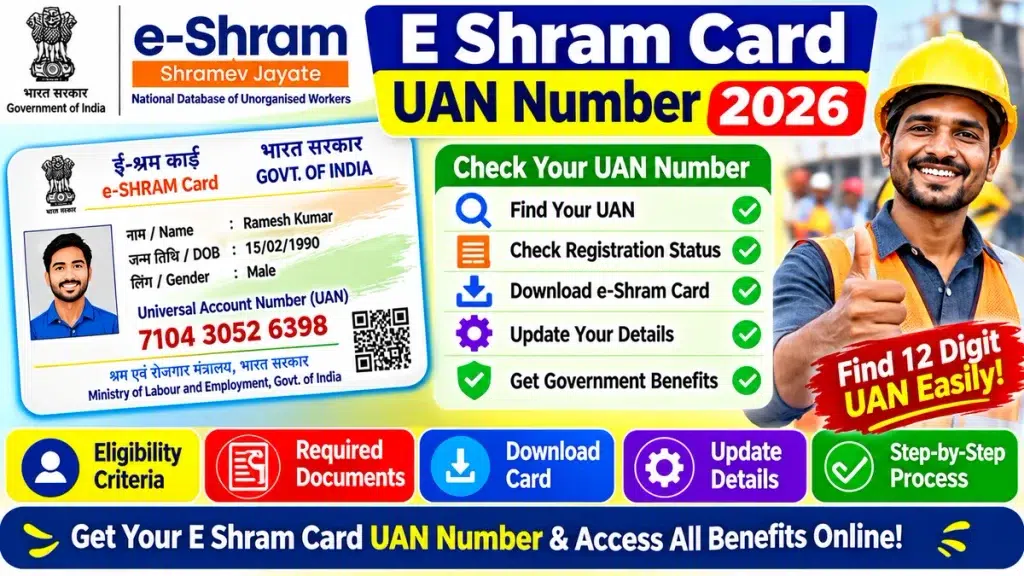
Many registered workers want to know how to find their E Shram Card UAN Number, check their registration details and download their e-Shram Card online.
If you have already registered but cannot remember your UAN, there are ways to access your registration information through the official portal.
In this article, we explain everything about the e-Shram UAN Number 2026, including its meaning, importance, how to find it online, card download process and frequently asked questions.
What Is an E Shram Card UAN Number?
UAN stands for Universal Account Number. It is a unique 12-digit identification number assigned to every worker after successful registration on the e-Shram portal.
The Ministry of Labour and Employment, Government of India, introduced the e-Shram initiative to create a centralised database of unorganised workers across the country.
The UAN helps identify registered workers and facilitates access to relevant government welfare schemes and services.
Once a UAN is assigned, it remains permanent and does not change even if the worker changes their occupation or moves to another state.
E Shram Card UAN Number 2026 – Overview
| Particulars | Details |
|---|---|
| Scheme Name | e-Shram Scheme |
| Full Form of UAN | Universal Account Number |
| UAN Number | 12 Digits |
| Launched By | Government of India |
| Ministry | Ministry of Labour and Employment |
| Launch Date | 26 August 2021 |
| Beneficiaries | Eligible Unorganised Workers |
| Registration Mode | Online / CSC |
| UAN Validity | Permanent |
| Registration Fee | Free |
| Card Download | Online |
| Main Purpose | Worker Identification |
How to Find E Shram Card UAN Number Online?
If you have already registered on the e-Shram portal but forgotten your 12-digit UAN, you can access your account and check your registration information.
Follow these steps:
Step 1: Visit the Official e-Shram Portal
Open the official e-Shram website using your mobile phone or computer.
Step 2: Select the Login or Already Registered Option
Look for the login or profile update facility available for registered workers.
Step 3: Enter Your Registered Details
Provide the required Aadhaar-linked or registered mobile information according to the authentication method displayed on the portal.
Step 4: Complete OTP Verification
An OTP may be sent to your registered mobile number. Enter the OTP to complete the verification process.
Step 5: Access Your e-Shram Profile
After successful authentication, your registered profile will open.
Step 6: Check Your UAN Number
Your name and 12-digit Universal Account Number should be displayed in your registered profile.
Step 7: Save Your UAN Number
Note down your UAN number and keep it safe for future use.
How to Download E Shram Card Using UAN Number?
Registered workers can download their e-Shram Card online through the official portal.
Follow the steps below:
- Open the official e-Shram portal.
- Select the login option for registered workers.
- Enter your UAN or other required login details.
- Complete OTP authentication.
- Access your registered profile.
- Find the Download UAN Card option.
- Click on the download option.
- Save the e-Shram Card PDF on your device.
After downloading, check whether your name, photograph and UAN details are displayed correctly.
What If You Forget Your E Shram UAN Number?
Sometimes, registered workers forget their UAN number or lose their previously downloaded e-Shram Card.
In such situations, they can try the following methods:
Method 1: Check Your Registered Profile
Log in to the e-Shram portal using the available authentication method and check your UAN on the dashboard.
Method 2: Visit a Common Service Centre (CSC)
Visit your nearest CSC or State Seva Kendra with your Aadhaar details and request assistance in retrieving your registration information.
Method 3: Contact e-Shram Helpdesk
If you are unable to access your UAN, contact the e-Shram helpdesk by calling 14434 for assistance.
Always use official channels to retrieve your registration details.
How to Update Details on E Shram Card?
If your personal information, mobile number, address or bank details have changed, you may update the information through the e-Shram portal.
Follow these steps:
- Visit the official e-Shram website.
- Select the Update Profile option under the already registered section.
- Complete the required authentication.
- Access your registered account.
- Select the information you want to update.
- Enter the correct details.
- Complete any required verification.
- Save the updated information.
Depending on the type of update, Aadhaar authentication or other verification may be required.
Important Features of E Shram UAN Number
The UAN number provides several useful facilities for registered unorganised workers.
- Unique Identification: Every registered worker receives a unique 12-digit UAN.
- Permanent Number: The UAN remains unchanged after it is assigned.
- Worker Database: It helps maintain a centralised database of unorganised workers.
- Scheme Integration: It helps connect workers with eligible government welfare schemes.
- Portability: It supports the portability of social security and welfare benefits for migrant workers.
- Online Access: Registered workers can access their profile and download their UAN card online.
E Shram Card UAN Number – Important Information
| Question | Information |
|---|---|
| How many digits are in UAN? | 12 Digits |
| Is UAN permanent? | Yes |
| Can I download the card online? | Yes |
| Is registration free? | Yes |
| Can I update my details? | Yes |
| Can I retrieve a forgotten UAN? | Yes, through available portal or CSC assistance |
| Is card renewal required? | No |
| Official Helpdesk | 14434 |
Frequently Asked Questions (FAQs)
Q1. What is the E Shram Card UAN Number?
Ans: UAN stands for Universal Account Number. It is a unique 12-digit identification number provided to workers after successful registration on the e-Shram portal.
Q2. How can I check my 12-digit UAN number online?
Ans: Visit the e-Shram portal, access the registered worker login or profile update facility, complete the required authentication and check your UAN on your profile.
Q3. Can I download my e-Shram Card using my UAN number?
Ans: Yes. Registered workers can log in through the available authentication facility and select the Download UAN Card option.
Q4. What should I do if I forget my UAN number?
Ans: Try accessing your registered profile through the e-Shram portal. You can also visit the nearest CSC or contact the e-Shram helpdesk at 14434.
Q5. Does the UAN number change after changing jobs?
Ans: No. The UAN is a permanent identification number and remains unchanged even if the registered worker changes their occupation or workplace.
Q6. Is there any fee for downloading an e-Shram Card?
Ans: Downloading your e-Shram Card through the official portal is free. Workers do not need to pay a government registration fee.
Q7. Can I update my mobile number on the e-Shram portal?
Ans: Yes. Registered workers can update their mobile number through the available profile update facility. If Aadhaar-linked authentication is not possible, they may visit a nearby CSC or SSK.
Q8. Does an e-Shram Card expire?
Ans: No. The e-Shram Card does not expire, and renewal is not required. However, keeping your personal information updated is recommended.
Q9. What is the official e-Shram helpline number?
Ans: The official e-Shram helpdesk number is 14434. Workers can contact this helpline for registration and technical assistance.
Q10. Can I register for e-Shram again if I already have a UAN?
Ans: No. If you are already registered, you do not need to register again. Use your existing UAN to access the available services.
Conclusion
The E Shram Card UAN Number is an important identification number for workers registered under the e-Shram initiative. This 12-digit number helps identify registered workers and facilitates access to various government welfare schemes and services.
If you have forgotten your UAN, you can retrieve your registration information through the official e-Shram portal or by visiting a nearby Common Service Centre.
Always keep your UAN number safe and ensure that your registered personal information remains updated. This will help you access your e-Shram profile and available services whenever required.