PF Balance Check Online: How to Find Out Whether Your Employer Is Depositing Your PF Contributions Every Month
Do you want to know more about this?
क्या आप इसके बारे में और जानना चाहते हैं?
আপনি কি এ বিষয়ে আরও জানতে চান?
আপুনি এই বিষয়ে আৰু জানিব বিচাৰেনে?
શું તમે આ વિશે વધુ જાણવા માંગો છો?
तुम्हाला याबद्दल अधिक जाणून घ्यायचे आहे का?
ਕੀ ਤੁਸੀਂ ਇਸ ਬਾਰੇ ਹੋਰ ਜਾਣਨਾ ਚਾਹੁੰਦੇ ਹੋ?
ଆପଣ ଏହା ବିଷୟରେ ଅଧିକ ଜାଣିବାକୁ ଚାହାଁନ୍ତି କି?
இதைப் பற்றி மேலும் தெரிந்துகொள்ள விரும்புகிறீர்களா?
దీని గురించి మరింత తెలుసుకోవాలనుకుంటున్నారా?
ಇದರ ಬಗ್ಗೆ ಇನ್ನಷ್ಟು ತಿಳಿಯಲು ಬಯಸುವಿರಾ?
ഇതിനെക്കുറിച്ച് കൂടുതൽ അറിയണോ?
PF Balance Check Online is an important service for salaried employees who want to verify whether their employers are depositing provident fund contributions regularly. Many employees notice PF deductions on their salary slips but do not know how to confirm whether the money has actually reached their EPF accounts.
The Employees’ Provident Fund Organisation (EPFO) provides online facilities that allow eligible members to check their PF balance, review monthly deposits, and verify employer contributions.
Using your Universal Account Number (UAN), you can access your EPF passbook and examine your contribution history without visiting an EPFO office.
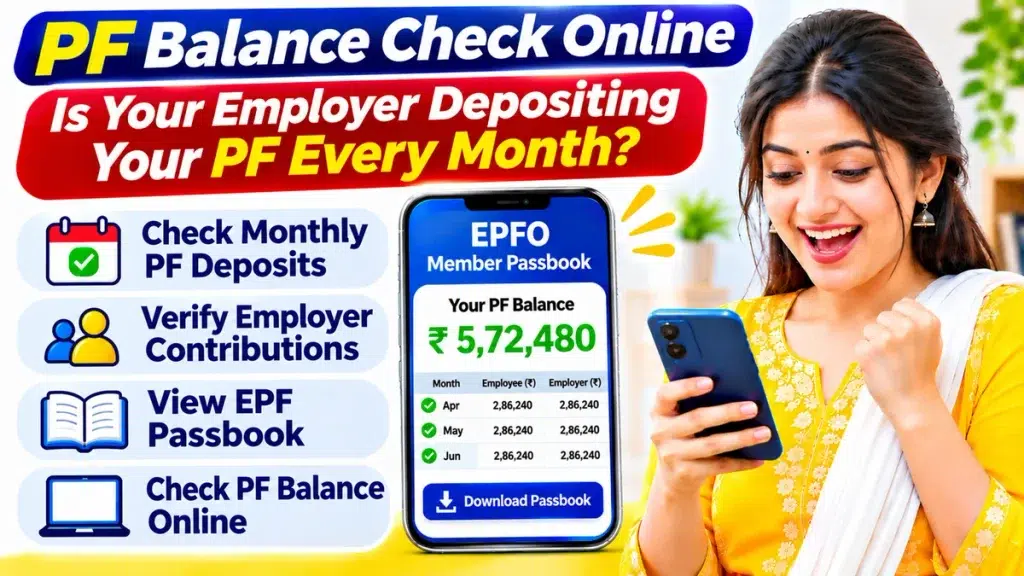
This guide explains how to check your PF balance online, verify monthly employer deposits, identify missing contributions, and resolve common account-related problems.
What Is PF Balance Check Online?
The Employees’ Provident Fund (EPF) is a retirement savings scheme managed by EPFO under the Ministry of Labour and Employment, Government of India.
Under this scheme, eligible employees and employers contribute towards retirement benefits every month.
Generally, employees contribute 12% of basic wages and dearness allowance. The employer also contributes according to applicable rules, with part potentially allocated to the Employees’ Pension Scheme (EPS).
The EPF balance includes accumulated provident fund contributions and credited interest, adjusted for withdrawals and transfers.
Regular balance checks help employees monitor savings and verify whether expected deposits appear in their accounts.
PF Balance Check Online – Overview
| Particulars | Details |
|---|---|
| Organisation | Employees’ Provident Fund Organisation |
| Scheme Name | Employees’ Provident Fund |
| Service | PF Balance Check Online |
| Beneficiaries | Eligible EPF Members |
| Required Information | UAN and Password |
| Online Facility | EPFO Member Passbook |
| Mobile Application | UMANG |
| SMS Number | 7738299899 |
| Missed Call Number | 9966044425 |
| Main Purpose | Verify PF Contributions |
| Online Service Fee | Free |
How to Check PF Balance Online Using UAN
The EPFO Member Passbook service allows eligible employees to view provident fund balances and contribution details.
Follow these simple steps:
Step 1: Open the official EPFO Member Passbook portal using your smartphone or computer.
Step 2: Enter your activated Universal Account Number.
Step 3: Provide your EPFO account password.
Step 4: Complete the required verification and sign in.
Step 5: Select the Member ID associated with your employer.
Step 6: Open your EPF passbook.
Step 7: Review employee contributions, employer contributions, and interest credits.
Step 8: Check your available PF balance.
Step 9: Download the passbook if required.
Employees who have worked for multiple organisations should select the correct Member ID to review the relevant employment period.
How to Check Whether Your Employer Deposits PF Every Month
Your EPF passbook generally provides month-wise contribution information.
You can compare these records with your monthly salary slips to verify expected deposits.
Follow these steps:
- Log in to the EPFO Member Passbook service.
- Select your current employer’s Member ID.
- Open the detailed contribution statement.
- Review the wage month associated with each entry.
- Check employee provident fund contributions.
- Review employer provident fund contributions.
- Compare the recorded amounts with your salary slips.
- Identify missing or unexpected entries.
- Contact your employer if clarification is required.
Remember that passbook updates may take time after an employer submits contribution information.
A missing entry does not automatically prove that your employer has failed to deposit the contribution.
Employee and Employer PF Contribution Details
Understanding the contribution structure helps employees verify their provident fund records.
| Contribution Type | General Details |
|---|---|
| Employee Contribution | Generally 12% of eligible wages |
| Employer Total Contribution | Generally 12% of eligible wages |
| Employer EPF Portion | Remaining amount after applicable EPS allocation |
| EPS Contribution | Subject to pension scheme rules |
| EPF Interest | Credited according to applicable rates |
| Contribution Records | Available in EPF Passbook |
Actual amounts may vary depending on wage limits, establishment conditions, and applicable exemptions.
The employer’s total contribution should not be confused with the employer’s EPF portion alone.
How to Download EPF Passbook Online
An EPF passbook provides detailed information about provident fund transactions.
It generally includes monthly contributions, interest credits, withdrawals, and transfer entries.
To download your passbook:
- Open the official EPFO Member Passbook portal.
- Log in using your UAN and password.
- Select the relevant PF Member ID.
- Open the available passbook.
- Review the contribution history.
- Select the download option.
- Save the statement on your device.
Downloading your passbook periodically can help you maintain accurate financial records.
What to Do If Your Employer Is Not Depositing PF
If expected provident fund contributions are missing, employees should first verify their records.
Step 1: Check whether the relevant wage month appears in your passbook.
Step 2: Compare the entry with your salary slip.
Step 3: Allow for possible processing or passbook update delays.
Step 4: Contact your employer’s HR or payroll department.
Step 5: Request clarification about the contribution deposit and reporting status.
Step 6: Preserve salary slips, employment records, and relevant communication.
Step 7: If the issue remains unresolved, consider raising a grievance through the official EPFO grievance facility.
Employees should avoid assuming wrongdoing based only on a temporarily missing passbook entry.
How to Check PF Balance Using UMANG App
The UMANG application provides access to several government services, including EPFO facilities.
Follow these steps:
- Install the official UMANG application.
- Open the application and log in.
- Search for EPFO services.
- Select Employee Centric Services.
- Choose View Passbook.
- Enter your UAN.
- Complete the required OTP verification.
- Select your Member ID.
- Review your available PF information.
The application is convenient for employees who prefer checking account information using smartphones.
PF Balance Check Through SMS
EPFO provides an SMS facility for eligible members who want provident fund information without internet access.
Follow these instructions:
- Open your mobile messaging application.
- Type
EPFOHO UAN. - Send the message to 7738299899.
- Wait for the EPFO response.
- Review the available balance information.
The message must be sent from your UAN-registered mobile number.
An activated UAN and applicable linked KYC information are required.
EPFO SMS Language Codes
| Language | SMS Format |
|---|---|
| English | EPFOHO UAN |
| Hindi | EPFOHO UAN HIN |
| Bengali | EPFOHO UAN BEN |
| Tamil | EPFOHO UAN TAM |
| Telugu | EPFOHO UAN TEL |
SMS provides limited information and does not replace detailed passbook verification.
PF Balance Check Through Missed Call
Eligible EPFO members can also use the missed call facility.
Follow these steps:
- Dial 9966044425 from your UAN-registered mobile number.
- Allow the call to disconnect automatically.
- Wait for the EPFO information message.
- Review your available provident fund details.
Your UAN must be activated, and applicable account requirements must be satisfied.
For detailed employer contribution verification, the EPF passbook is generally more useful than a missed call enquiry.
Common PF Contribution Problems and Solutions
| Problem | Possible Solution |
|---|---|
| Missing Monthly Entry | Check for reporting delays |
| Incorrect Contribution | Compare with salary slips |
| Employer Deposit Not Showing | Contact HR or payroll |
| Incorrect Member ID | Select the correct PF account |
| Passbook Not Available | Verify account eligibility |
| OTP Not Received | Check registered mobile number |
| Unresolved Contribution Issue | Raise an EPFO grievance |
Employees working in exempted establishments may need to obtain provident fund statements from their employer or authorised PF trust.
Benefits of Checking Employer PF Contributions
Regular provident fund checks provide several advantages.
Verify Monthly Deposits: Confirm whether expected contributions appear in your account.
Monitor Retirement Savings: Track accumulated EPF contributions and interest.
Identify Missing Entries: Detect discrepancies that may require clarification.
Maintain Financial Records: Preserve important contribution statements.
Improve Financial Planning: Understand your provident fund savings for retirement preparation.
Important Safety Tips for EPFO Members
Never share your UAN password, OTP, Aadhaar details, or banking credentials with unknown individuals.
Use only official EPFO services for account access.
Avoid suspicious messages promising immediate PF withdrawals.
Do not pay unknown agents for contribution verification.
Keep your registered mobile number and account information updated.
Frequently Asked Questions (FAQs)
1. How can I check whether my employer deposits PF every month?
Log in to the EPFO Member Passbook service using your UAN and password. Select your employer’s Member ID and compare the monthly contribution entries with your salary slips.
2. Can I check employer PF contributions online?
Yes. Eligible members can review recorded employer provident fund contributions through their EPF passbook.
3. What should I do if my employer’s PF contribution is missing?
First check for reporting delays and verify your Member ID. Contact your employer for clarification. If the issue remains unresolved, you can raise a grievance with EPFO.
4. Can I download my EPF contribution history?
Yes. Eligible members can download their available EPF passbook through the official Member Passbook service.
5. Can I verify monthly PF deposits using SMS?
SMS provides limited balance information. For detailed month-wise contribution verification, use your EPF passbook.
6. Why is my latest PF contribution not showing?
Possible reasons include employer reporting delays, passbook update delays, technical problems, or missing contribution deposits.
7. Is checking employer PF contributions online free?
Yes. Official EPFO online passbook and balance enquiry services are free for eligible members.
Conclusion
PF Balance Check Online helps employees verify whether their employers are depositing provident fund contributions regularly.
Using the EPFO Member Passbook service, eligible members can review monthly deposits, compare contribution records with salary slips, and identify potential discrepancies.
Regular account monitoring supports accurate financial records and better retirement planning.
If contribution issues remain unresolved, employees can contact their employer or use the official EPFO grievance facility.
Always protect your UAN credentials and use official services when accessing provident fund information.