X-Ray Vision App – Discover How Mobile X-Ray Effects Actually Work
Smartphone camera technology has developed rapidly, giving users access to creative features that once required advanced editing software. Today, mobile apps can add augmented reality objects, change backgrounds, generate artistic effects, recognize faces, and transform ordinary photographs within seconds. Among these creative tools, the X-Ray Vision App is a category that often attracts curiosity.
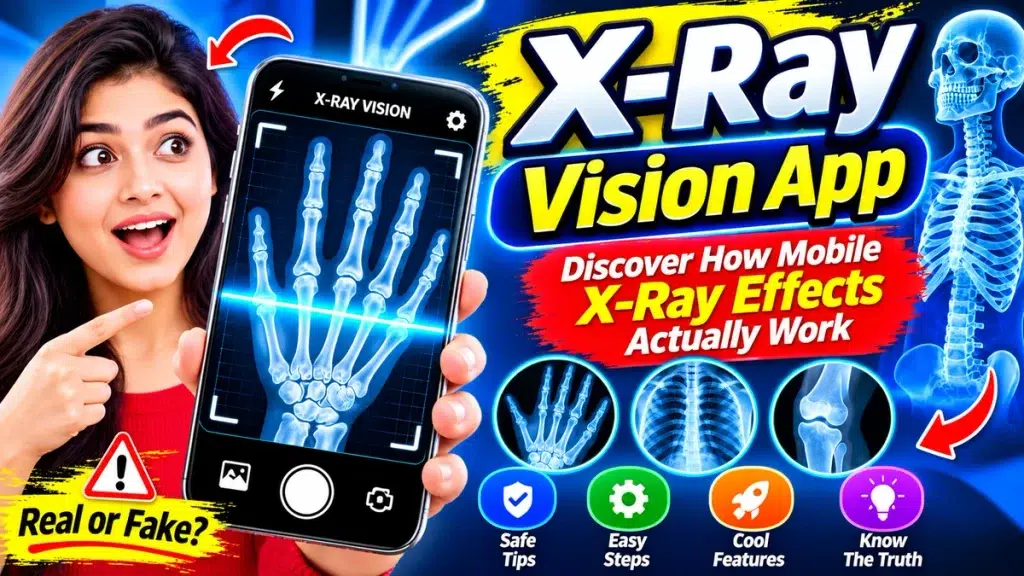
These apps can display skeleton-style graphics, scanning animations, negative photo filters, and other effects designed to resemble X-ray images. Some effects can look surprisingly realistic, especially when combined with a live camera preview.
But does an X-Ray Vision App actually allow a smartphone to see inside the human body or through solid objects? The answer is no. A normal smartphone does not contain the specialized hardware needed for genuine X-ray imaging. Mobile X-ray effects are created using software-based visual techniques.
This guide explains how X-Ray Vision Apps work, their common features, limitations, privacy considerations, and what users should know before trying one.
X-Ray Vision App – Quick Overview
| Feature | Details |
|---|---|
| App Category | Photography / Entertainment / Simulation |
| Main Purpose | Create X-ray-style visual effects |
| Real X-Ray Capability | No |
| Common Effects | Skeletons, filters, overlays and scan animations |
| Camera Support | Depends on the application |
| Gallery Editing | Available in many apps |
| See-Through Vision | Not provided by a standard app |
| Medical Diagnosis | Not supported |
| Main Use | Entertainment and creative photo editing |
| Important Note | X-ray effects are digitally simulated |
What Is an X-Ray Vision App?
An X-Ray Vision App is generally a mobile camera, entertainment, or photo-editing application that simulates the appearance of X-ray imagery.
For example, an app may display a skeleton graphic when you point your camera at a hand. Another may convert a normal photograph into blue, white, and black tones that resemble an X-ray.
Some applications also include animated scanning lines that move across the screen before revealing an X-ray-style image.
Although the results can look interesting, the application is not actually seeing through the skin. It is creating the appearance through software.
How Do Mobile X-Ray Effects Actually Work?
Several different techniques can be used to create X-ray-style visuals. Understanding them makes it easier to separate genuine technology from entertainment effects.
1. X-Ray Style Photo Filters
Photo filters are among the most common techniques.
The app can adjust the brightness, contrast, saturation, shadows, and colors of an ordinary photograph. Negative or inverted colors may also be used.
A combination of dark backgrounds, bright edges, and blue or white tones can make an ordinary image look similar to an X-ray.
However, the filter only modifies information already visible in the photograph.
2. Skeleton Image Overlays
Some X-Ray Vision Apps use pre-designed skeleton illustrations.
A digital image of hand bones, for example, can be placed over a photograph of a person’s hand. The position and size of the illustration may be adjusted to create a more convincing effect.
The skeleton displayed on the screen is not the user’s actual skeleton.
It is simply a graphic added by the application.
3. Scanner Animations
Scanner animations can make the experience appear more realistic.
A glowing line might move slowly across the screen. As it moves, an X-ray-style image is revealed underneath.
The animation creates the impression that the smartphone is scanning the object in real time.
In reality, it is a visual transition or animation rather than a physical scan.
4. Augmented Reality Effects
Some modern apps can use augmented reality, or AR, to make simulated effects more interactive.
AR technology can identify visible surfaces or body positions and place digital graphics over the live camera feed.
For example, a skeleton graphic could appear to move with a person.
Although AR can make the result more convincing, it still does not provide genuine X-ray vision.
Can a Smartphone Really Have X-Ray Vision?
A standard smartphone cannot gain genuine X-ray vision simply by installing an application.
Smartphone cameras primarily capture visible light using digital image sensors. Medical X-ray systems operate using a completely different type of technology.
A genuine X-ray system requires specialized equipment to generate X-rays and appropriate detectors to record how those X-rays interact with materials or structures inside the body.
Normal smartphones do not contain this equipment.
Therefore, software alone cannot turn an ordinary phone camera into a medical X-ray machine.
Popular Features of X-Ray Vision Apps
Features vary by application, but several options are commonly found.
Skeleton Effects
Some apps include graphics representing hand, foot, skull, chest, arm, or leg bones.
X-Ray Photo Filters
Users may be able to transform normal pictures into X-ray-inspired images using filters and color adjustments.
Live Camera Effects
Certain applications can display effects directly over the live camera preview.
Photo Gallery Editing
Many camera-effect apps allow users to choose an existing photograph from their phone instead of taking a new picture.
Scanner Animations
Moving lines, glowing frames, and scanning transitions can make the effect more interactive.
Editing Controls
Some applications provide controls for brightness, opacity, filter intensity, rotation, contrast, and other settings.
Save and Share Features
Edited images may be saved to the device or shared through compatible apps, depending on the application’s features.
How to Use an X-Ray Vision App
The exact process varies, but most X-ray effect apps follow a similar workflow.
First, select an appropriate application from a trusted app marketplace. Read its description carefully before downloading it.
Look for clear terms such as simulator, photo effect, filter, or entertainment.
After installing the app, review its requested permissions.
Choose the available X-ray, skeleton, scanner, or photo-effect feature.
The app may allow you to take a new picture or select one from your photo gallery.
Apply your preferred effect and adjust the available settings.
Preview the result and save the edited image if the app supports this option.
The finished picture should be treated as a creative visual effect rather than a genuine scan.
Can an X-Ray Vision App Show Real Bones?
No. An ordinary mobile app cannot use a standard smartphone camera to reveal your actual bones.
If you point the phone at your hand and the app displays a skeleton, the bones are usually generated from a pre-designed graphic, animation, overlay, or similar digital asset.
The app does not know the exact shape of the bones inside your hand based solely on a normal camera image.
This limitation is particularly important when X-ray apps are promoted with dramatic advertisements.
Can X-Ray Vision Apps Detect Broken Bones?
No. A simulated X-ray effect should not be used to diagnose a fracture.
A digital skeleton illustration does not provide information about the actual condition of a person’s bones.
If someone experiences an injury and there is concern about a possible fracture, appropriate medical assessment may be necessary.
Healthcare professionals can determine whether genuine diagnostic imaging is required.
Entertainment applications should never be used as a substitute for professional diagnosis.
Can an X-Ray Vision App See Through Clothes?
A standard smartphone cannot genuinely see through clothing simply because an X-Ray Vision App has been installed.
Apps may create transparent-looking images using overlays, filters, AI-generated visuals, or pre-designed graphics. These effects can sometimes look convincing.
However, they do not show what is actually hidden underneath clothing.
The same limitation applies to walls, boxes, bags, and other opaque objects.
Users should be cautious about any app claiming to provide genuine see-through vision using only a normal smartphone camera.
Are X-Ray Vision Apps Real or Fake?
The app itself can be completely real while its X-ray feature is simulated.
For example, an application may genuinely provide photo filters, skeleton overlays, animations, and editing features exactly as described.
The misleading part would be claiming that these visual effects represent genuine X-ray scans.
A transparent app description should clearly identify the feature as a simulator, effect, or entertainment tool.
This is why users should carefully read app descriptions rather than relying only on promotional images.
Privacy and Permissions
Camera applications often need certain device permissions.
Camera access may be required to take pictures or display live effects. Photo access may be needed if users want to edit existing images or save new ones.
These permissions can be reasonable, but users should still review them carefully.
Consider whether each requested permission is necessary for the advertised features.
You should also review the application’s privacy information, particularly if photographs are uploaded to remote servers for processing.
Avoid uploading private or sensitive photographs to unfamiliar services unless you understand how the images will be handled.
Tips for Choosing an X-Ray Vision App
Start by reading the full app description.
Look for developers who clearly explain that their product creates simulated X-ray effects.
Check recent reviews to see whether other users report excessive advertisements, unexpected subscriptions, poor performance, or misleading functionality.
Review permissions, privacy practices, in-app purchases, and subscription conditions before installing.
Most importantly, be skeptical of extraordinary claims involving real bone scans, instant medical diagnosis, or genuine see-through vision from a normal phone camera.
X-Ray Vision App vs Real Medical X-Ray
The difference is significant.
An X-Ray Vision App processes ordinary photographs or adds computer-generated visual elements. It may use filters, animations, overlays, augmented reality, or other software tools.
Medical X-ray equipment uses specialized hardware and ionizing radiation to create diagnostic images.
These systems are designed for appropriate professional environments and are fundamentally different from smartphone photo effects.
A mobile application cannot replace genuine medical imaging equipment.
Creative Uses of Mobile X-Ray Effects
Although they cannot perform real scans, X-ray-style effects can still be useful for creative projects.
Users can create science-themed pictures, Halloween graphics, futuristic profile photos, social media visuals, and entertaining short videos.
Skeleton overlays can also be combined with other effects to create unusual artwork.
When sharing such images publicly, presenting them as X-ray-style effects or simulations helps prevent viewers from misunderstanding what they represent.
Frequently Asked Questions (FAQ)
1. What is an X-Ray Vision App?
An X-Ray Vision App is generally an entertainment or photo-editing application that creates X-ray-inspired visuals using filters, graphics, animations, overlays, or augmented reality.
2. Can a mobile phone really provide X-ray vision?
No. A normal smartphone does not contain the specialized equipment necessary for genuine X-ray imaging.
3. Does an X-Ray Vision App show real bones?
No. Skeleton images displayed by these apps are generally simulated graphics rather than images of your actual bones.
4. Can an X-ray app detect a fracture?
No. Entertainment and photo-effect apps should not be used to diagnose fractures or other medical conditions.
5. Can an X-Ray Vision App see through clothes?
No standard smartphone app can make an ordinary camera genuinely see through clothing.
6. Why do mobile X-ray effects look realistic?
Carefully designed skeleton graphics, photo filters, augmented reality, overlays, and scanner animations can create convincing visual effects.
7. Can I apply X-ray effects to an existing photo?
Many apps allow users to select a gallery photograph and apply X-ray-style effects, although features vary between applications.
8. Are X-Ray Vision Apps safe?
Safety depends on the individual application. Review its developer information, permissions, privacy practices, recent reviews, and payment conditions.
9. Can X-ray effects be used for social media?
Yes. Simulated X-ray effects can be used for creative images and entertainment, provided they are not misleadingly presented as genuine medical scans.
10. Can an X-Ray Vision App replace a medical X-ray?
No. Mobile camera effects cannot replace professional medical imaging or appropriate healthcare evaluation.
Conclusion
An X-Ray Vision App can make smartphone photography more entertaining by providing skeleton overlays, scanning animations, negative filters, augmented reality graphics, and other X-ray-inspired effects.
However, these effects are created digitally. A standard smartphone cannot genuinely see through skin, reveal actual bones, diagnose fractures, or see through clothing and solid objects simply by installing an app.
Users should treat X-Ray Vision Apps as creative photo and entertainment tools. Check app permissions and privacy practices, avoid exaggerated claims, and clearly distinguish simulated visual effects from genuine medical imaging.
Understanding how mobile X-ray effects actually work makes it possible to enjoy their creative possibilities while maintaining realistic expectations about what smartphone camera technology can do.