X-Ray Camera App – Learn the Truth Behind X-Ray Scanner Effects & How They Work
X-ray camera apps have become an interesting category of mobile photography and entertainment apps. Their advertisements often show smartphones displaying bones, skeletons, scanning lines, or transparent-looking images. These visuals can easily make users wonder whether a smartphone camera can actually work like an X-ray scanner.
The reality is much simpler. A standard X-Ray Camera App does not turn your smartphone into a genuine medical X-ray machine. Instead, these apps typically use photo filters, digital overlays, pre-designed skeleton graphics, augmented reality, animations, or other software effects to simulate the appearance of an X-ray scan.
That does not mean X-ray camera apps cannot be entertaining. They can produce creative images, scanner animations, and unusual photo effects. However, understanding how they work helps users separate entertaining visual effects from genuine imaging technology.
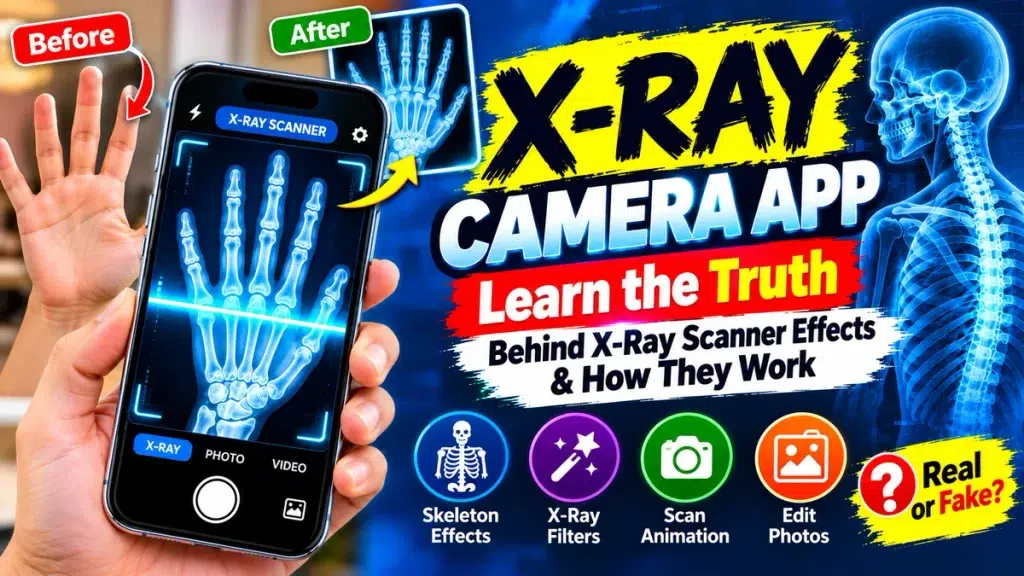
This guide explores the truth behind X-ray scanner effects, their main features, limitations, privacy considerations, and how to use them responsibly.
X-Ray Camera App – Quick Overview
| Feature | Details |
|---|---|
| App Category | Photography / Entertainment / Simulation |
| Main Purpose | Create X-ray-style visual effects |
| Real X-Ray Scanning | No |
| Common Technology | Filters, overlays, AR and animations |
| Skeleton Effects | Available in some apps |
| Gallery Photo Editing | Often available |
| Live Camera Effects | Depends on the app |
| Medical Diagnosis | Not supported |
| See-Through Capability | Not provided by a normal camera app |
| Best Use | Entertainment and creative photo editing |
What Is an X-Ray Camera App?
An X-Ray Camera App is generally an entertainment or photography application designed to make ordinary pictures appear similar to X-ray images.
Some apps allow you to point your phone at a hand, foot, head, or another area while displaying a skeleton-style graphic. Others let you select an existing photograph and apply an X-ray-inspired filter.
You may also find applications featuring moving scanner lines, negative image effects, glowing bones, or augmented reality graphics.
The important point is that these effects are created digitally. They do not reveal what is actually underneath a person’s skin.
The Truth Behind X-Ray Scanner Effects
The impressive visuals displayed by X-ray scanner apps can usually be explained by relatively straightforward software techniques.
Pre-Designed Skeleton Graphics
One common method is the use of pre-designed images.
For example, an application may contain an illustration of the bones in a hand. When you activate the scanner feature, the app displays this graphic on the screen.
If you carefully position your own hand behind or near the phone, the result can create the illusion that your bones have been scanned.
However, the skeleton image was already stored or generated by the application.
X-Ray Style Photo Filters
Filters can dramatically change the appearance of photographs.
An X-ray-style filter may alter brightness, contrast, color balance, edges, and shadows. Some filters use negative or inverted colors to make the photograph resemble the familiar blue-and-white appearance associated with X-ray imagery.
These filters process visible pixels in an ordinary photograph. They do not obtain information from inside the body.
Digital Image Overlays
An overlay places one image over another.
For example, a skeleton illustration can be layered over a photograph of a person. By changing the size, orientation, transparency, and position of the graphic, the app can create a convincing visual effect.
Again, this is photo editing rather than internal imaging.
Scanner Animations
Another popular technique involves animated scanning lines.
A bright line may move from the top of the screen to the bottom while an X-ray-style image gradually appears.
The animation gives users the feeling that a scan is taking place. In reality, the application is simply revealing an existing effect or processing the photograph.
Can Your Smartphone Really Take an X-Ray?
A normal smartphone cannot produce genuine medical X-rays simply through an application.
Phone cameras primarily use sensors designed to capture visible light. Genuine medical X-ray systems use specialized equipment capable of generating X-rays and detecting how they interact with structures inside the body.
Installing software does not add this missing hardware to your phone.
Therefore, an ordinary X-Ray Camera App should be viewed as an effect or simulator, not as genuine X-ray equipment.
Common Features of X-Ray Camera Apps
The available features vary depending on the developer and application.
Skeleton Effects
Users may find simulated skeleton graphics for hands, feet, arms, legs, skulls, or the chest.
X-Ray Photo Filters
These filters transform ordinary photos into X-ray-inspired images using colors, contrast, negative effects, and other visual adjustments.
Live Camera Preview
Some applications display effects while the camera is active, allowing users to position a graphic before taking a picture.
Photo Gallery Support
Instead of taking a new photograph, users may be able to select an existing picture and apply an effect.
Scanner Animation
Animated lines, glowing borders, scanning frames, and similar graphics can make the simulation more engaging.
Photo Editing Controls
Some apps provide controls for brightness, contrast, filter strength, opacity, rotation, and other adjustments.
Save and Share
Depending on the application, edited images may be saved to the device or shared through compatible apps.
Are X-Ray Camera Apps Real or Fake?
This question depends on what “real” means.
An X-Ray Camera App can be a genuine functioning application that creates the effects advertised in its description. For example, if the developer describes it as a simulator or photo filter, it may work exactly as intended.
What is not genuine is the idea that an ordinary camera-effect app can perform the same function as medical X-ray equipment.
Therefore, users should carefully read app descriptions.
Terms such as simulator, photo effect, prank, filter, or entertainment indicate that the application is producing visual effects rather than real scans.
Can X-Ray Camera Apps Show Your Real Bones?
No. Standard mobile camera apps cannot reveal your actual bones through the phone camera.
A hand skeleton shown by the application is generally an illustration, overlay, animation, or another digitally generated image.
The app does not know the exact structure, position, or medical condition of the bones inside your hand simply from an ordinary photograph.
This is why these images should never be interpreted as genuine medical information.
Can X-Ray Scanner Apps Detect Broken Bones?
No. X-ray camera simulators should not be used to diagnose fractures.
If an application displays a crack or unusual feature in a skeleton effect, it does not necessarily have any relationship to the user’s actual bone.
Determining whether a bone is fractured may require professional assessment and appropriate medical imaging.
If you have suffered an injury and are concerned about a possible fracture, seek suitable medical attention rather than relying on an entertainment app.
Can an X-Ray Camera App See Through Clothes?
A standard smartphone camera cannot gain genuine see-through capability from an app.
Some advertisements or visual effects may suggest that the camera can see through clothing or other objects. In reality, these effects may rely on pre-designed images, AI-generated visuals, overlays, filters, or animations.
They should not be interpreted as actual images of anything hidden behind clothing.
The same principle applies to walls, bags, boxes, and other opaque objects.
How to Use X-Ray Camera Effects
The exact steps depend on the application, but the general process is straightforward.
Start by choosing an X-ray-style photo app from a trusted app marketplace. Read the description, developer information, reviews, and privacy details before installing it.
Open the application and select an available scanner, skeleton, or X-ray-style effect.
You may then be able to capture a new photo or choose an image from your gallery.
Apply the effect and adjust its position, intensity, brightness, or other settings if the app provides editing controls.
Preview the result and save it if you are satisfied.
Remember that the finished image is a creative visual effect rather than an actual X-ray scan.
Check App Permissions Before Using
Camera apps often require access to sensitive device features.
Camera permission may be necessary for live effects, while photo or media access may be needed to import and save pictures.
However, users should review every permission requested.
Consider whether each permission makes sense for the app’s stated purpose. You can also review or change permissions later through your phone’s settings.
Privacy information is especially important if an application uploads photos to online servers for processing.
Avoid uploading sensitive or private photographs unless you understand how the developer collects, processes, stores, and shares data.
How to Choose a Good X-Ray Effect App
Start with transparency.
A trustworthy entertainment app should make it reasonably clear that its X-ray feature is a simulation or visual effect.
Review recent user feedback to learn whether the app works as described and whether users report problems with advertisements, subscriptions, unexpected charges, or performance.
Check the developer information and privacy practices.
You should also be cautious about apps making extraordinary claims such as genuine bone scanning, instant medical diagnosis, or true see-through vision without specialized hardware.
X-Ray Camera App vs Real Medical X-Ray
The difference between these technologies is fundamental.
An X-Ray Camera App processes ordinary images or displays digital graphics. It may use filters, overlays, animations, AI effects, or augmented reality.
A genuine medical X-ray system uses specialized hardware and ionizing radiation to produce diagnostic images.
Medical imaging equipment is also used within appropriate professional and safety procedures.
A smartphone filter cannot replace this technology.
Creative Uses for X-Ray Scanner Effects
Once you understand their limitations, X-ray-style effects can still provide plenty of creative possibilities.
Users can create science-inspired profile photos, Halloween graphics, futuristic images, posters, social media posts, or short-video effects.
Scanner animations can also add a technology-inspired appearance to creative videos.
The important point is to describe the result accurately. Calling it an X-ray-style effect or scanner simulation helps prevent viewers from mistaking it for a genuine medical scan.
Frequently Asked Questions (FAQ)
1. What does an X-Ray Camera App actually do?
It usually creates X-ray-inspired visual effects using filters, overlays, skeleton graphics, animations, or augmented reality.
2. Can my phone camera perform a real X-ray scan?
No. A standard smartphone does not contain the specialized equipment required for genuine medical X-ray imaging.
3. Are the bones displayed by an X-ray app real?
No. They are generally pre-designed or digitally generated graphics rather than images of the user’s actual bones.
4. Can an X-Ray Scanner App detect fractures?
No. Entertainment camera apps should not be used to diagnose broken bones or other medical conditions.
5. Can these apps see through clothing?
No ordinary smartphone app can make a standard camera genuinely see through clothing.
6. Why do X-ray effects look realistic?
Filters, overlays, scanner animations, augmented reality, and carefully designed graphics can make simulated effects look convincing.
7. Can I use X-ray effects on gallery photos?
Many applications allow users to import existing photographs and apply X-ray-style filters, although features vary by app.
8. Why does an X-Ray Camera App need camera permission?
Camera access may be required for taking photos or displaying live visual effects. Always review requested permissions before allowing access.
9. Are X-Ray Camera Apps suitable for entertainment?
Yes, when clearly presented as simulations or creative photo effects rather than genuine medical imaging.
10. Can I use an X-ray app instead of visiting a doctor?
No. A photo-effect app cannot replace professional medical assessment, diagnosis, or appropriate diagnostic imaging.
Conclusion
An X-Ray Camera App can create impressive scanner animations, skeleton graphics, negative filters, and X-ray-inspired photo effects. Modern editing tools, augmented reality, and digital overlays can make these simulations look surprisingly convincing.
The truth, however, is straightforward: a standard smartphone camera cannot perform a genuine medical X-ray, reveal your actual bones, diagnose fractures, or provide true see-through vision simply through an application.
Use X-ray scanner effects for entertainment and creative photo editing, check permissions and privacy practices before installing apps, and be cautious about exaggerated claims. Understanding how the effects work allows you to enjoy the creative side of X-ray camera apps without confusing simulations with genuine imaging technology.