Best Thermal Camera Apps – Real Heat Detection vs Camera Filters
Have you ever wondered whether your smartphone can detect body heat or display objects in glowing red, yellow, and blue colors? Thermal camera apps make this technology interesting, but not every application provides genuine infrared imaging.
Today, several thermal camera apps are available for Android and iPhone users. Some work with professional infrared sensors, while others create thermal-style camera effects for photography, videos, and entertainment.
Before installing an application or buying thermal imaging equipment, understanding the difference between real heat detection and simulated filters can help you make the right choice.
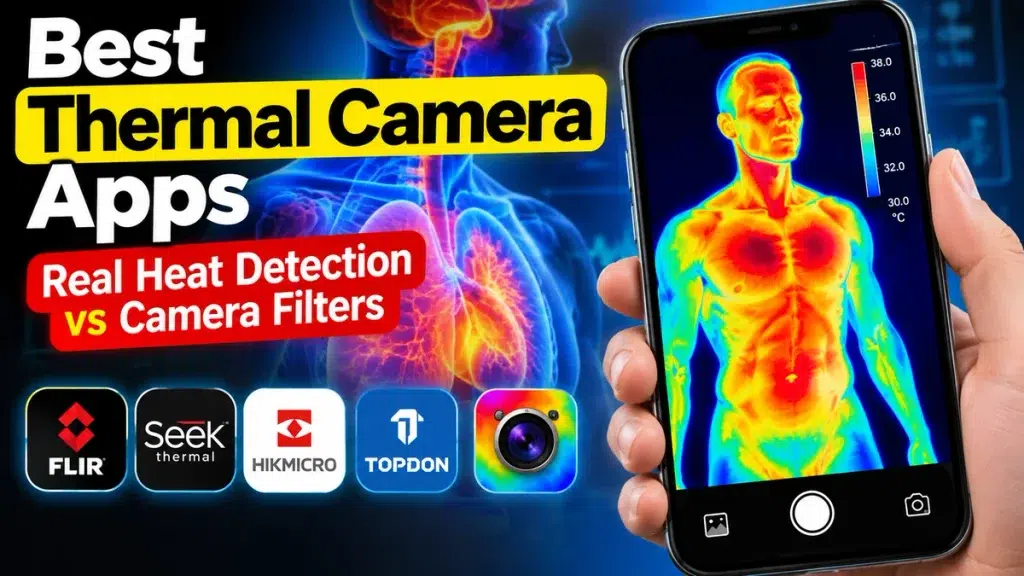
What Is a Thermal Camera App?
A thermal camera app displays infrared images or applies thermal-style effects to photographs and videos.
Real thermal cameras use special sensors to detect infrared radiation emitted by objects. The information is converted into colorful images representing surface temperature differences.
However, most ordinary smartphones cannot detect real heat using their standard cameras alone. Genuine thermal imaging generally requires compatible infrared hardware.
Best Thermal Camera Apps for Android and iPhone
1. FLIR ONE – Real Thermal Imaging
FLIR ONE is a well-known thermal imaging application designed to work with compatible FLIR camera accessories.
Its features include:
- Live thermal imaging
- Infrared photo and video capture
- Temperature visualization
- Image enhancement technology
- Building and electrical inspection support
The application is useful for homeowners, technicians, and professionals who need genuine thermal imaging.
Important: A compatible FLIR thermal camera is required for live thermal measurements.
2. Seek Thermal – Infrared Camera App
Seek Thermal is another option for users interested in professional thermal imaging.
When connected to supported Seek Thermal hardware, the application can display heat patterns and assist with temperature investigation.
Key features include thermal color palettes, image capture, spot-temperature measurements, and inspection modes.
It can be useful for home maintenance, mechanical inspection, and exploring temperature differences.
3. HIKMICRO Viewer – Thermal Camera Monitoring
HIKMICRO Viewer supports compatible HIKMICRO thermal imaging equipment, including certain smartphone camera attachments.
Users can explore thermal images, review temperature information, and capture inspection photographs.
This option is particularly relevant for people researching building inspections, insulation problems, HVAC maintenance, and infrared camera accessories.
Hardware compatibility should be checked before purchasing.
4. TopInfrared – Smartphone Heat Detection
TopInfrared works with selected TOPDON thermal camera devices.
Depending on the connected model, users can view infrared images, investigate temperature differences, and capture thermal photographs.
It is designed for practical inspection tasks rather than simulated entertainment effects.
Supported devices vary between Android and iOS, so choosing the correct camera model is essential.
5. Thermal Camera Effect – Creative Camera Filters
Thermal Camera Effect provides colorful thermal-style effects without requiring professional thermal equipment.
Users can experiment with different color palettes and transform ordinary pictures into heat-map-inspired images.
However, these effects are simulated. They do not measure actual temperatures or detect infrared radiation.
🔥 MOBILE CAMERA SECRETS Can Your Phone REALLY See Through Walls or Clothes? X-Ray effects, thermal scanning and hidden camera tricks — discover what’s actually possible! TAP TO DISCOVER THE TRUTH »Real Thermal Camera vs Camera Filter – Comparison Table
| Feature | Real Thermal Camera | Thermal Filter App |
|---|---|---|
| Detects actual heat | Yes | No |
| Infrared sensor | Required | Not required |
| Temperature measurement | Available on supported devices | No |
| Colorful effects | Yes | Yes |
| Additional hardware | Usually required | Usually not |
| Home inspection | Useful | Not reliable |
| Photography effects | Yes | Yes |
| Typical cost | Hardware purchase | Free or paid app |
Can a Thermal Camera App Scan the Human Body?
Thermal cameras can visualize temperature differences on the surface of human skin.
For example, the face, hands, and other exposed areas may display different thermal colors.
However, thermal cameras cannot see internal organs, bones, or what is happening inside the human body. They cannot replace medical imaging equipment or diagnose health conditions.
Many online thermal scanning videos use visual effects instead of genuine infrared technology.
How to Choose the Right Thermal Camera App
Before downloading, consider these important factors:
Device compatibility: Check whether the application supports your Android or iPhone model.
Hardware requirements: Confirm whether an external infrared camera is necessary.
Features: Compare thermal resolution, image quality, temperature measurement, and recording options.
Pricing: Consider both application charges and the cost of compatible imaging equipment.
Privacy: Review camera permissions, data collection policies, and app developer information.
For entertainment and social media photography, a simulated thermal filter may be sufficient. For genuine temperature investigation, choose appropriate thermal imaging hardware.
Frequently Asked Questions
1. Can I use a thermal camera app without an infrared sensor?
Yes, for simulated visual effects. Real thermal imaging requires compatible thermal hardware.
2. Which thermal camera apps detect real heat?
FLIR ONE, Seek Thermal, HIKMICRO Viewer, and TopInfrared can support genuine thermal imaging when paired with compatible equipment.
3. Are free thermal camera apps accurate?
Many free apps create visual filters rather than real temperature measurements. Accuracy depends on genuine sensors and proper calibration.
4. Can thermal cameras see through clothes or walls?
No. Standard thermal cameras detect surface infrared radiation rather than seeing through solid materials.
5. Can I use thermal imaging for home inspections?
Yes. Suitable thermal cameras can help identify unusual surface-temperature patterns, although further inspection may be necessary.
Conclusion
The best thermal camera app depends on whether you need genuine infrared imaging or colorful camera effects.
For practical temperature measurements, consider hardware-compatible solutions such as FLIR ONE, Seek Thermal, HIKMICRO Viewer, or TopInfrared.
For photography and entertainment, a thermal camera filter offers a simpler alternative. Understanding the difference helps you avoid misleading claims and choose the right technology.