Labour Card Registration – Check Eligibility, Documents and Step-by-Step Application Process
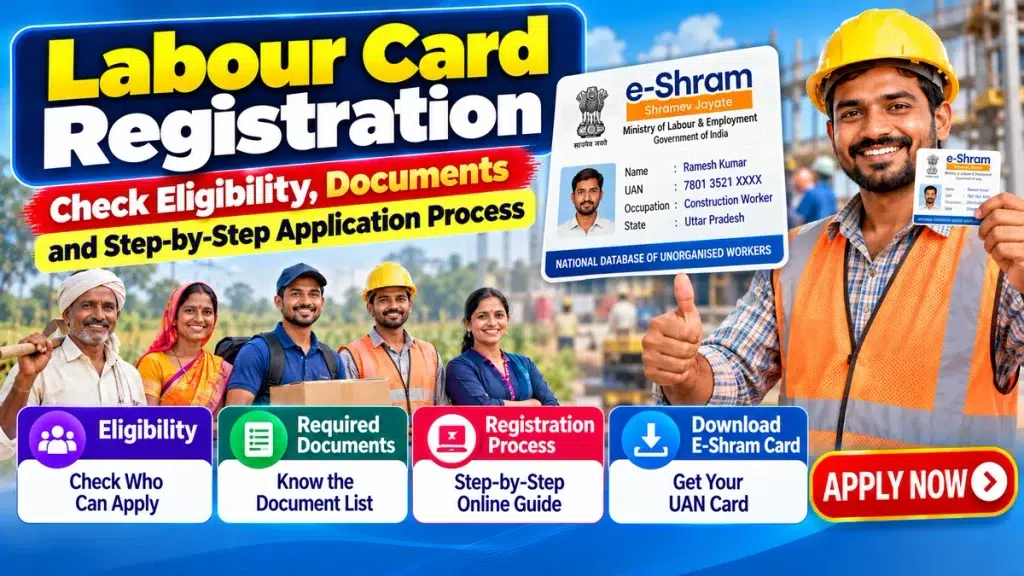
Labour Card Registration, commonly searched in connection with the e-Shram Card, can help eligible unorganised workers become part of India’s National Database of Unorganised Workers (NDUW). The e-Shram portal is an initiative of the Ministry of Labour & Employment and is designed to create a centralized database for eligible workers across different occupations.
Construction workers, agricultural labourers, migrant workers, domestic workers, street vendors, gig workers, platform workers, and many other eligible unorganised workers may be able to register through the e-Shram system.
After successful registration, the worker receives a 12-digit Universal Account Number (UAN).
Before registering, however, applicants should understand the eligibility requirements, keep the necessary information ready, and use only official or authorized channels.
This guide explains Labour Card/e-Shram registration eligibility, required documents, Aadhaar requirements, online registration, CSC registration, UAN details, card download, profile updates, and common application problems.
Labour Card Registration – Quick Overview
| Particular | Details |
|---|---|
| Portal | e-Shram |
| Managed By | Ministry of Labour & Employment |
| Database | National Database of Unorganised Workers |
| Target Group | Eligible unorganised workers |
| Registration Mode | Online / Assisted through CSC |
| Registration Fee | Free on the official e-Shram system |
| Aadhaar | Required |
| Aadhaar-Linked Mobile | Useful for OTP-based self-registration |
| Registration Number | 12-digit UAN |
| Card | e-Shram/UAN Card |
| Main Purpose | Worker database and welfare/social-security integration |
What Is Labour Card / E-Shram Registration?
The e-Shram system provides a national registration framework for eligible workers in the unorganised sector.
Once successfully registered, the worker becomes part of the National Database of Unorganised Workers and receives a UAN.
The database can contain information relating to:
- Identity
- Address
- Occupation
- Skills
- Education
- Employment category
- Bank details where applicable
- Other required worker information
This can help improve identification and delivery of applicable social-security and welfare services.
Who Can Apply for E-Shram Registration?
The platform primarily covers eligible unorganised workers.
Depending on applicable conditions, this can include workers such as:
- Construction workers
- Agricultural labourers
- Migrant workers
- Domestic workers
- Street vendors
- Delivery workers
- Gig workers
- Platform workers
- Carpenters
- Electricians
- Plumbers
- Tailors
- Drivers
- Helpers
- Small self-employed workers
- Home-based workers
- Other eligible unorganised workers
Occupation alone does not automatically establish eligibility. Applicants should verify the current e-Shram requirements before registration.
Labour Card Registration Eligibility
Several conditions can affect eligibility.
1. Applicant Should Be an Eligible Unorganised Worker
The applicant should generally fall within an eligible unorganised-worker category under the e-Shram framework.
2. Age Requirement
The applicant must fall within the age range currently permitted for e-Shram registration.
Because eligibility rules can be updated, applicants should check the current age criteria on the official portal before submitting their registration.
3. EPFO/ESIC Conditions
EPFO and ESIC membership/status can affect e-Shram registration eligibility.
A person should therefore verify the applicable current rules instead of assuming that every worker can register.
4. Income-Tax Related Conditions
Applicable income-tax conditions can also be relevant to e-Shram eligibility.
Check the latest official requirements before applying.
What Is an Unorganised Worker?
An unorganised worker can broadly include an eligible home-based worker, self-employed worker, or wage worker working in the unorganised sector and meeting the applicable e-Shram conditions.
Many workers in India do not have traditional employer-based social-security coverage.
Examples may include certain:
- Daily-wage workers
- Construction labourers
- Agricultural workers
- Domestic workers
- Street vendors
- Small self-employed workers
- Migrant workers
- Gig workers
The e-Shram system aims to maintain a centralized record of eligible workers.
Documents Required for Labour Card Registration
Applicants should keep the required information ready before starting.
| Requirement | Why It May Be Needed |
|---|---|
| Aadhaar Number | Identity and authentication |
| Aadhaar-Linked Mobile | OTP-based online authentication |
| Mobile Number | Communication/account access |
| Address Details | Worker profile |
| Occupation Details | Worker classification |
| Bank Details | Where requested/applicable |
| Education/Skill Details | Profile information |
| Other Information | As requested by the portal |
The portal may update requirements, so always verify current instructions.
Is Aadhaar Required?
Aadhaar is an important requirement for e-Shram registration.
For online self-registration, an Aadhaar-linked mobile number allows the applicant to complete OTP-based authentication more easily.
The personal information entered during registration should match applicable official records.
Incorrect details can create problems during verification or future account access.
What If Your Mobile Number Is Not Linked With Aadhaar?
Not having access to an Aadhaar-linked mobile number does not necessarily mean the eligible worker has no registration option.
A worker who cannot complete OTP-based self-registration may visit an authorized Common Service Centre (CSC) or applicable service point.
Biometric authentication may be used through the assisted registration process where available.
Applicants should carry Aadhaar and other required information when visiting the centre.
Is Labour Card Registration Free?
Registration through the official e-Shram system is free.
Workers should therefore be careful when unknown websites, agents, messages, or social-media pages demand large payments for “guaranteed” registration.
Always distinguish between the official registration process and any separate permitted assisted-service charges that may apply to additional services.
Step-by-Step E-Shram Card Registration Process
Eligible workers with the necessary information can complete self-registration through the official e-Shram system.
Step 1: Visit the Official Portal
Open the official e-Shram registration facility.
Avoid unofficial websites with similar names or logos.
Step 2: Choose Registration
Select the appropriate option for registering as an eligible worker.
Step 3: Enter Mobile Details
Enter the Aadhaar-linked mobile number where requested.
Step 4: Complete Security Verification
Enter CAPTCHA or other security information displayed on the page.
Step 5: Complete OTP Verification
An OTP may be sent to the registered mobile number.
Enter it only on the official portal.
Never share the OTP with an unknown caller or agent.
Step 6: Enter Aadhaar Information
Provide the required Aadhaar information and complete the applicable authentication.
Step 7: Verify Personal Details
Check information such as:
- Name
- Date of birth
- Gender
- Address
- Other identity details
Make sure everything is correct.
Step 8: Enter Address Information
Provide current and other requested address information accurately.
Migrant workers should pay particular attention to the address details requested by the portal.
Step 9: Enter Education and Skill Details
Provide the applicable education and skill information.
This helps create a more complete worker profile.
Step 10: Select Occupation
Choose the occupation that most accurately represents your work.
Selecting the wrong occupation can result in inaccurate database information.
Step 11: Provide Bank Information
Enter applicable bank details if requested during registration.
Check the account information carefully before proceeding.
Step 12: Review the Application
Before final submission, review:
- Name
- Aadhaar-related information
- Mobile details
- Address
- Occupation
- Bank information
- Other profile details
Correct any errors before submission.
Step 13: Submit Registration
Complete the final submission after confirming the information.
Step 14: Receive UAN
After successful registration, the worker receives a 12-digit Universal Account Number (UAN).
Step 15: Save the E-Shram Card
Use the available option to view, save, or download the UAN/e-Shram Card.
Portal screens can change, so the exact button names may vary.
How to Register Through a CSC
Workers who cannot complete online self-registration can seek assistance from an authorized Common Service Centre.
CSC registration can be useful when:
- Aadhaar-linked mobile access is unavailable
- Biometric authentication is needed
- The applicant is unfamiliar with online forms
- Technical assistance is required
- The worker needs help selecting the correct occupation
Carry all required information when visiting the centre.
What Is the 12-Digit UAN?
UAN stands for Universal Account Number.
A successfully registered e-Shram worker receives a 12-digit UAN.
The number identifies the worker’s e-Shram registration and should be kept safely.
Do not unnecessarily publish or share sensitive registration information online.
How to Download an E-Shram Card
A registered worker can use the official e-Shram facilities to access available account services.
The general process may involve:
- Visit the official e-Shram portal.
- Choose the appropriate account/update/download facility.
- Complete the required authentication.
- Access the registered profile.
- Select the available UAN/e-Shram Card option.
- Save or print the document if required.
Use only the official portal or an authorized service channel.
How to Update E-Shram Details
A worker’s information can change after registration.
For example:
- Mobile number
- Address
- Occupation
- Skill information
- Education
- Bank details
- Other profile information
Applicable details can be updated using the facilities provided by the official e-Shram system.
Keeping the worker profile accurate is important.
Registration for Migrant Workers
Migrant workers are an important part of the e-Shram framework.
A centralized database can help maintain worker information even when employment involves movement between different regions.
Migrant workers can be employed in areas such as:
- Construction
- Agriculture
- Hospitality
- Transport
- Manufacturing support
- Domestic work
- Delivery services
Registration itself does not guarantee a particular financial benefit. Individual welfare schemes have separate rules.
Registration for Gig and Platform Workers
Eligible gig and platform workers can also fall within the broader e-Shram framework.
Examples may include certain:
- Delivery partners
- App-based service workers
- Platform workers
- Other gig workers
Applicants should select the most appropriate occupation category available during registration.
Does Registration Guarantee Government Money?
No.
This is an important point for workers to understand.
Completing e-Shram registration does not automatically guarantee a fixed monthly payment, pension, ₹2 lakh payment, or other cash benefit.
The e-Shram platform helps create a worker database and can facilitate access or integration with applicable social-security and welfare schemes.
Individual schemes have separate eligibility and enrolment conditions.
E-Shram Registration and ₹2 Lakh Insurance Claims
Online advertisements sometimes claim that every e-Shram Card holder automatically receives ₹2 lakh.
That description can be misleading.
Insurance benefits associated with programs such as Pradhan Mantri Suraksha Bima Yojana (PMSBY) are governed by that scheme’s own eligibility, enrolment, premium, renewal, and claim conditions.
Therefore:
E-Shram Registration ≠ Automatic ₹2 Lakh Payment
Always verify the specific scheme separately.
Common Registration Problems
Aadhaar OTP Is Not Arriving
Check whether the mobile number linked with Aadhaar is active and has network connectivity.
Mobile Is Not Linked With Aadhaar
Eligible workers can explore assisted registration through an authorized CSC using the available authentication process.
Wrong Occupation Selected
Use the official update facility where available.
Incorrect Address
Correct inaccurate profile information through the applicable update process.
Registration Website Not Opening
Try again later using the official portal. Avoid immediately switching to an unknown third-party website.
Someone Asks for OTP
Do not provide it.
An OTP should be entered only into the legitimate authentication process.
Safety Tips During Registration
Fraudulent websites and messages can imitate government services.
Never share your:
- Aadhaar OTP
- Bank OTP
- ATM PIN
- UPI PIN
- CVV
- Internet banking password
- Debit-card PIN
Do not install unknown apps merely because someone claims they are required for e-Shram registration.
Online Registration vs CSC Registration
| Feature | Online Self-Registration | CSC Registration |
|---|---|---|
| Suitable For | Users comfortable online | Users needing assistance |
| Aadhaar Authentication | Usually OTP-based | Assisted/biometric where applicable |
| Aadhaar-Linked Mobile | Important for self-service | Alternative authentication may be available |
| Assistance | Self-service | Operator assistance |
| UAN | Generated after successful registration | Generated after successful registration |
| Official Registration | Free | Official registration remains free |
Frequently Asked Questions (FAQ)
1. What is Labour Card/e-Shram registration?
It is a registration process for eligible unorganised workers under the e-Shram National Database of Unorganised Workers.
2. Who can register for an E-Shram Card?
Eligible unorganised workers who satisfy the current age, employment, EPFO/ESIC, income-tax, and other applicable requirements may register.
3. Is E-Shram registration free?
Yes. Registration through the official e-Shram system is free.
4. Is Aadhaar required for E-Shram registration?
Aadhaar is an important requirement for e-Shram registration and authentication.
5. Can I register if my mobile number is not linked with Aadhaar?
Eligible workers who cannot complete OTP-based self-registration can seek assisted registration through an authorized CSC or applicable service centre, where biometric authentication may be available.
6. What documents are required?
Applicants generally need Aadhaar and relevant personal information. Mobile, address, occupation, bank, education, and skill details may also be requested.
7. What is UAN in an E-Shram Card?
UAN means Universal Account Number. Successful e-Shram registration generates a 12-digit UAN for the worker.
8. Does E-Shram registration automatically provide ₹2 lakh?
No. Registration itself does not automatically provide a ₹2 lakh payment. Any insurance benefit under a separate scheme is subject to that scheme’s eligibility and enrolment rules.
9. Can E-Shram details be updated later?
Yes, applicable profile details can be updated through facilities provided by the official e-Shram system.
10. Where should I register for an E-Shram Card?
Use the official e-Shram registration system or an authorized Common Service Centre if assisted registration is required.
Conclusion
Labour Card / E-Shram Registration provides eligible unorganised workers with a way to become part of India’s National Database of Unorganised Workers and receive a 12-digit UAN.
Construction workers, agricultural labourers, domestic workers, migrant workers, street vendors, gig and platform workers, small self-employed workers, and many other eligible workers can check whether they meet the current registration conditions.
Applicants should keep their Aadhaar and required information ready before starting. Workers with access to an Aadhaar-linked mobile can use the applicable online self-registration facility, while those requiring assistance can visit an authorized CSC where alternative authentication may be available.
Workers should also understand that registration itself does not guarantee a fixed cash payment, pension, or universal insurance amount. Benefits under individual government welfare and social-security schemes depend on their own eligibility and enrolment conditions.
Use only official channels, verify all information before submission, keep your UAN safely, and never share OTPs, PINs, passwords, or other confidential banking information with unknown persons.
Disclaimer: This article is provided for general educational and informational purposes only and is not an official government notice. It does not guarantee e-Shram registration, financial assistance, insurance, pension, employment, or any other benefit. Eligibility criteria, age requirements, registration procedures, documentation requirements, portal features, and linked welfare schemes can change. Benefits under PMSBY, PM-SYM, PMJJBY, or other programs are governed by their respective eligibility and enrolment conditions. Always verify the latest information through the official e-Shram portal or an authorized government service channel before registering.