How to Check Bike Insurance Status From Mobile – Policy Validity & Expiry Details
Keeping track of your bike insurance is an important part of managing a motorcycle or scooter. If you cannot immediately find your insurance document, a smartphone can make it easier to review available policy information without searching through printed papers.
Depending on the service and available records, you may be able to check bike insurance status from mobile using your vehicle registration number, insurance policy number, or insurer account. Available information may include the insurance provider, policy status, validity-related information, and expiry details.
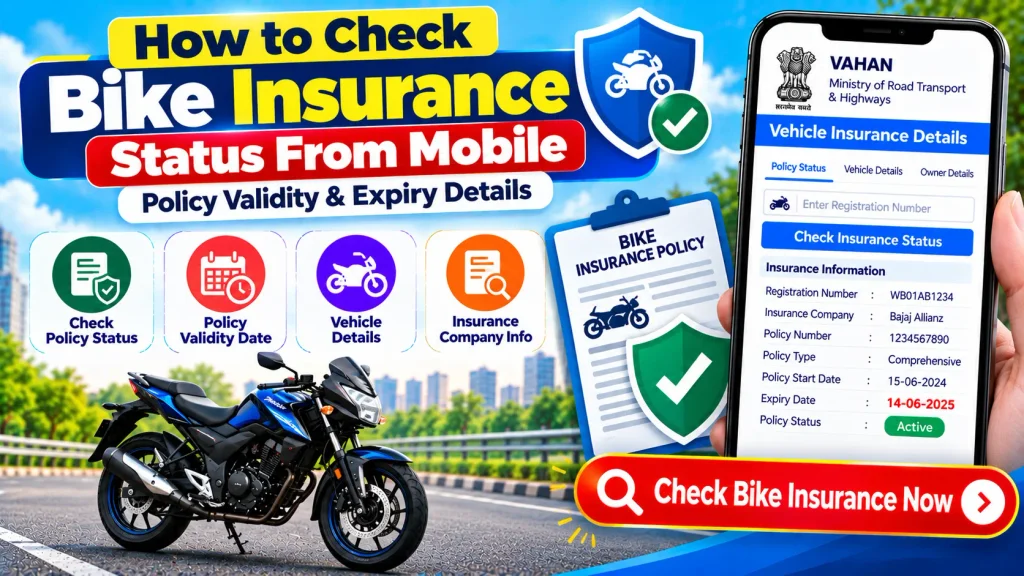
Mobile access is particularly convenient because you can check information from almost anywhere with an internet connection. However, an online vehicle-information result should not replace your current policy document when you need definitive information about coverage, exclusions, add-ons, claims, or policy conditions.
This guide explains how to check bike insurance status from mobile, how to review policy validity and expiry details, what information you may need, and what to do if the online insurance record appears incorrect or outdated.
What Is Bike Insurance Status?
Bike insurance status generally refers to the current state of an insurance policy associated with a motorcycle or scooter.
For example, a policy may be within its applicable policy period, expired, or recently renewed. The terminology displayed may vary depending on the insurer or online service.
Your latest policy certificate remains an important source for determining the applicable policy period and understanding the actual insurance coverage.
An online status check can be useful for quick reference, but it may show only limited information.
Bike Insurance Status Check From Mobile – Quick Overview
| Particular | Details |
|---|---|
| Service | Bike Insurance Status Check |
| Vehicle Type | Motorcycle, Scooter & Other Two-Wheelers |
| Device | Smartphone / Tablet |
| Common Search Detail | Vehicle Registration Number |
| Other Useful Detail | Insurance Policy Number |
| Possible Information | Status, Insurer, Validity & Expiry Details |
| Online Access | Depends on Service & Record Availability |
| Complete Coverage Details | Check Current Policy Document |
| Personal Information | May Be Restricted or Masked |
| Final Verification | Insurance Provider |
Why Check Bike Insurance Status From Your Mobile?
A mobile insurance check can be useful in several situations.
You may want to confirm your policy information before a renewal, after purchasing a new insurance policy, while organizing your bike documents, or before buying a used motorcycle.
Mobile access can also help when you are away from home and do not have a printed insurance document with you.
However, keeping a secure digital copy of your latest insurance certificate is still recommended because it provides more complete information than a basic vehicle lookup.
What Bike Insurance Details May Be Available Online?
The information displayed depends on the platform, access rules, and available vehicle records.
Depending on the service, you may see:
- Vehicle registration number
- Insurance provider
- Insurance status
- Policy validity-related information
- Expiry-related information
- Bike make or model
- Vehicle class
- Fuel type
- Registration date
- Other permitted vehicle information
Not every platform provides all of these details.
Information about coverage, exclusions, premium, add-ons, deductibles, claims, and other policy terms generally requires the actual insurance policy or access to your insurer account.
What Do You Need to Check Bike Insurance Status?
Before beginning, keep your bike registration number ready.
You can find this number on the motorcycle or scooter number plate and Registration Certificate (RC).
A registration number may look similar to:
WB 00 AB 1234
If you are using the digital service offered by your insurance company, you may also need your:
- Policy number
- Registered mobile number
- Email address
- Account login information
- OTP or another verification method
The exact requirements vary by service.
How to Check Bike Insurance Status From Mobile
Checking available bike insurance information from a smartphone can be straightforward. The interface will vary by service, but the general steps are similar.
Step 1: Connect Your Mobile to the Internet
Make sure your smartphone has a stable mobile-data or Wi-Fi connection.
Use an updated browser or the official digital service provided by your insurer where applicable.
Step 2: Open an Authorized Service
Visit an authorized vehicle-information service or your insurance company’s official website or app.
Avoid unknown websites claiming they can reveal complete private information about a vehicle owner using only a registration number.
Step 3: Find the Vehicle or Insurance Section
Look for the section related to vehicle details, insurance information, policy status, or policy services.
The exact option may have a different name depending on the platform.
Step 4: Enter Your Bike Registration Number
Type the complete motorcycle or scooter registration number.
Double-check each letter and digit before continuing.
An incorrect registration number may return no information or a different record.
Step 5: Complete the Required Verification
The service may require captcha verification, login, OTP, or another authentication step.
Complete verification only on a trusted website or app.
Never share an OTP with another person who says they need it to check your bike insurance.
Step 6: Review Available Insurance Information
Once the vehicle record appears, look for insurance-related information.
Depending on availability, you may see the insurer, policy status, validity information, or expiry-related details.
Compare important information with your latest policy certificate.
How to Check Bike Insurance Validity From Mobile
Insurance validity refers to the applicable period during which the policy operates according to its terms.
For your own bike, the latest insurance certificate is an important source for checking the exact policy period.
When reviewing your policy, compare the following details:
| Policy Information | What to Verify |
|---|---|
| Registration Number | Matches your motorcycle or scooter |
| Policy Number | Matches insurer’s record |
| Insurer | Correct insurance company |
| Policy Period | Review applicable dates |
| Vehicle Details | Match the insured bike |
| Coverage Type | Check policy certificate |
| Add-ons | Review current policy schedule |
| Policy Conditions | Read current insurance document |
If an online service shows different validity information, verify the current record directly with your insurer.
How to Check Bike Insurance Expiry Date
The expiry date is an important part of your insurance information because it indicates when the applicable policy period ends.
The simplest way to check it is to open your latest insurance policy document on your mobile.
If you do not have the document readily available, an authorized vehicle-information service may display validity or expiry-related information where supported.
Your insurance provider’s official digital service may also allow you to access your policy after verification.
If the online expiry date differs from the latest policy certificate, contact the insurer when necessary.
How to Check Bike Insurance Using Registration Number
A vehicle registration number may be used to locate permitted vehicle information through supported services.
Start by entering the complete bike registration number into the appropriate vehicle-information search.
After any required verification, review the available details.
Insurance-related information may be included where the record and service support it.
Remember that a registration-number search is generally intended for basic information. It should not be expected to provide unrestricted access to complete confidential insurance records.
Bike Registration Number vs Insurance Policy Number
These two numbers are different and serve different purposes.
| Bike Registration Number | Insurance Policy Number |
|---|---|
| Identifies the registered vehicle | Identifies a specific insurance policy |
| Displayed on number plate | Displayed on policy document |
| Connected with RC | Issued by insurer |
| Useful for vehicle information search | Useful for policy servicing |
| Generally linked to vehicle registration | May change with a new policy |
If you are contacting your insurance company, having both numbers available can make it easier to locate the correct policy.
What If You Do Not Know the Bike Policy Number?
If you have forgotten or lost the policy number, check your email, SMS messages, downloaded files, insurer account, or printed insurance documents.
If you still cannot locate it, contact the insurance provider through its official support channel and complete the required verification.
A supported vehicle-information search may also help you find limited insurance information using the bike registration number.
However, complete policy access may require additional authentication.
What If Bike Insurance Details Are Not Showing Online?
There can be several reasons why your bike insurance information does not appear.
The policy may have been issued or renewed recently, and another connected record may not yet reflect the update.
You may also have entered the wrong registration number, or the service may not provide the insurance information you need.
Temporary technical issues can also affect results.
If the bike belongs to you, check your latest policy certificate and your insurer’s official records.
The absence of information from one online service does not automatically prove that the motorcycle has no insurance.
What If Bike Insurance Shows Expired After Renewal?
Suppose you recently renewed your bike insurance, but a vehicle-information service continues to display an older expiry date.
First, check your new policy certificate.
Make sure the registration number, bike details, and policy period are correct.
If your insurer’s official records show the current policy correctly, another service may simply not have reflected the latest information yet.
If the insurer’s own record appears incorrect, contact the insurance company for clarification.
Can You Download Bike Insurance Policy From Mobile?
Insurance companies may allow policyholders to access and download their policy documents digitally.
The exact process depends on the insurer.
You may be required to enter your policy number, vehicle number, registered mobile number, email address, or account details.
An OTP or another authentication method may also be required.
A registration number alone should not be assumed to provide unrestricted access to the complete insurance policy.
Once you obtain your current policy, keep the digital document in a secure location on your phone or another trusted storage service.
Checking Insurance Before Buying a Used Bike
If you are planning to buy a second-hand motorcycle or scooter, insurance verification should be one part of a wider document check.
Review these important areas:
| Used Bike Check | What to Verify |
|---|---|
| Registration Number | Match number plate and documents |
| RC | Verify registration details |
| Insurance | Review available policy document |
| Policy Validity | Check applicable policy period |
| Insurer | Confirm insurance provider |
| PUC | Review applicable documentation |
| Hypothecation | Check financing-related information |
| Challans | Review applicable records |
| Service History | Check maintenance records |
| Ownership Transfer | Complete required transfer procedure |
Do not rely only on a screenshot of an insurance-status page. Ask the seller for relevant documents and independently verify important details where appropriate.
Is It Safe to Check Bike Insurance on Mobile?
Using an authorized service from your mobile can be a convenient way to check insurance information.
However, online safety is important.
Never provide unnecessary sensitive information to unknown websites. Do not share your OTP, UPI PIN, card PIN, banking password, or account password with anyone offering to check insurance information on your behalf.
Public-facing vehicle services may also mask or restrict personal information for privacy and security reasons.
A standard registration-number lookup should not be expected to reveal someone’s full residential address, Aadhaar information, banking details, or other protected personal information.
Tips to Keep Track of Bike Insurance Expiry
Once you identify the applicable expiry date, save it in your mobile calendar and set reminders before the policy period ends.
You can also securely store the latest policy PDF on your phone so that the information is easy to find.
Periodically check that the registration number and other vehicle information shown on your current policy are correct.
If you change your contact details, consider updating them with your insurer where appropriate so that policy-related communications reach you.
Frequently Asked Questions (FAQ)
1. How can I check bike insurance status from my mobile?
Use an authorized vehicle-information service or your insurance provider’s official website or app. Enter the requested registration or policy information and complete any required verification.
2. Can I check bike insurance using the registration number?
Depending on the service and available records, a registration number may help you retrieve limited bike insurance-related information.
3. How can I check my bike insurance validity?
Check the policy period shown on your latest insurance certificate. Supported online services may also display validity-related information.
4. Can I check bike insurance expiry date on my phone?
Yes. You can review your digital policy document or use a supported vehicle-information or insurer service to check available expiry information.
5. Why is my renewed bike insurance not showing online?
Recently renewed information may not immediately appear on every connected service. Check your latest policy certificate and insurer records.
6. What if my bike insurance shows expired even after renewal?
Compare the displayed information with your new policy document. If necessary, contact your insurer to confirm the current policy status.
7. Can I download my bike insurance policy on mobile?
Many insurers provide digital access to policy documents after appropriate verification. The exact process varies by insurer.
8. Can I check insurance without a policy number?
Limited insurance information may be searchable through supported services using the vehicle registration number. Full policy access may require additional verification.
9. Is the registration number the same as the insurance policy number?
No. The registration number identifies the registered bike, while the policy number identifies a specific insurance policy.
10. Should I check insurance before buying a second-hand bike?
Yes. Review insurance along with the RC, registration number, applicable PUC, financing information, challan records, service history, vehicle condition, and ownership-transfer requirements.
Conclusion
Knowing how to check bike insurance status from mobile makes it easier to review important insurance information for a motorcycle or scooter without depending only on printed documents.
Depending on the service and available records, you may be able to use the bike registration number to review basic policy status, validity and expiry details. Your insurance provider’s official digital service may offer more detailed access after appropriate authentication.
For definitive information about the policy period, coverage, exclusions, add-ons, and other insurance conditions, always refer to your latest insurance certificate or contact your insurer.
If online information appears outdated after a recent renewal, compare it with the current policy document rather than assuming the old online record represents your present insurance status.
Disclaimer: This article is for general informational and educational purposes only. It is not an insurance provider, government, RTO, Parivahan, or VAHAN service and does not provide insurance, legal, or financial advice. Insurance terms, online records, procedures, and access methods may vary or change. Always verify important policy status, validity, expiry, coverage, and other insurance information through your current policy document or directly with your insurance provider.