How to Find Vehicle Insurance Information Using Registration Number – Check Policy Details Online
Vehicle insurance is an important part of owning and using a motor vehicle in India. Whether you drive a car, motorcycle, scooter, or another insured vehicle, keeping track of your insurance information can help you know when coverage is active, when a policy may need renewal, and which records should be verified before buying a used vehicle.
If you do not have your insurance document immediately available, you may be able to find certain vehicle insurance information using the registration number through authorized online services. Depending on the service and available records, a vehicle search may show limited insurance-related information along with registration details.
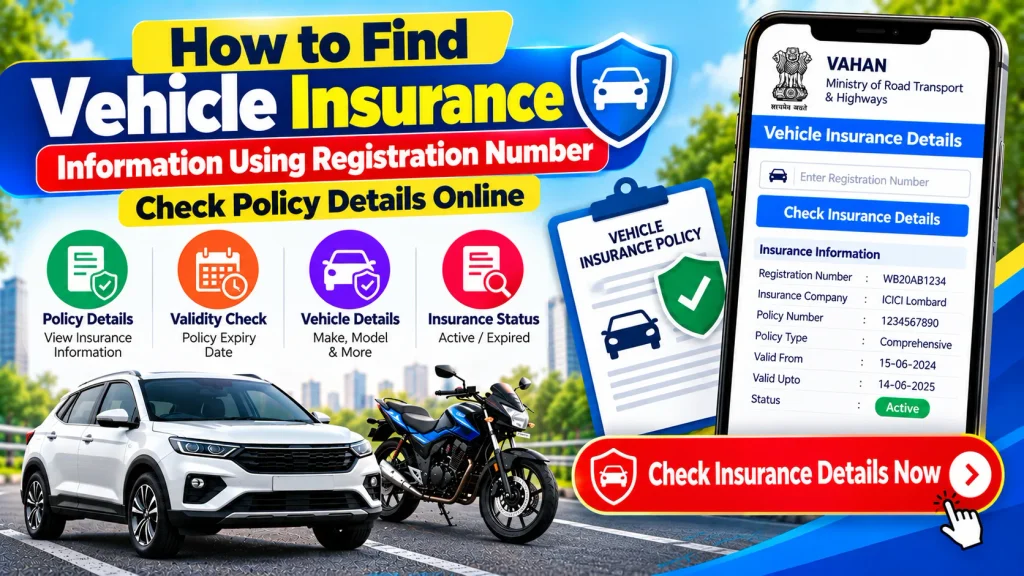
Knowing how to find vehicle insurance information using a registration number can be useful for existing vehicle owners and people checking a second-hand vehicle. This guide explains how to check available policy information online, what details may be displayed, what you need before starting, and what to do if the insurance record is missing or appears incorrect.
What Is a Vehicle Registration Number?
A vehicle registration number is a unique identifier assigned when a motor vehicle is registered with the appropriate registering authority.
It is generally displayed on the vehicle’s front and rear number plates and is also included in the Registration Certificate (RC).
A registration number may look similar to:
WB 00 AB 1234
The exact format varies according to the registration series and location.
Because the registration number is connected with the vehicle’s registration record, it can be used by supported services to retrieve permitted vehicle information. Depending on data availability, this may include limited insurance-related details.
Vehicle Insurance Check by Registration Number – Quick Overview
| Particular | Details |
|---|---|
| Service | Vehicle Insurance Information Check |
| Main Search Detail | Vehicle Registration Number |
| Vehicle Types | Car, Bike, Scooter & Other Insured Vehicles |
| Possible Information | Insurance Status, Insurer or Validity-Related Details |
| Related Record | Vehicle Registration Certificate |
| Online Access | Subject to Service & Record Availability |
| Device | Mobile, Tablet or Computer |
| Suitable For | Own Vehicle / Used-Vehicle Verification |
| Personal Information | May Be Restricted or Masked |
| Best Verification | Insurer / Policy Document / Authorized Service |
What Vehicle Insurance Information May Be Available Online?
The exact insurance information displayed online depends on the service being used, the data available for the vehicle, and applicable privacy rules.
Depending on the record, you may be able to see information such as:
- Whether insurance information is available
- Insurance company or insurer details
- Insurance validity or expiry-related information
- Policy-related reference information where displayed
- Vehicle registration details
- Vehicle make and model
- Vehicle class
- Fuel type
- Registration date
- Other permitted vehicle information
Not every platform will display all of these details.
For complete information about your insurance coverage, exclusions, add-ons, insured declared value, premium, claim terms, and policy conditions, always refer to the actual policy document or contact the insurance provider.
How to Find Vehicle Insurance Information Using Registration Number
There are different authorized sources that may provide vehicle or insurance-related information. The exact procedure and information displayed can change over time.
The following is a general process for checking available information using a vehicle registration number.
Step 1: Keep the Vehicle Registration Number Ready
Before beginning, check the vehicle’s number plate or RC and note the registration number accurately.
Enter every letter and number correctly. A typing error may return no result or information for a different vehicle.
Step 2: Open an Authorized Vehicle Information Service
Use an official or authorized platform that provides vehicle-related information.
Vehicle registration services may provide permitted registration details and, depending on available records, certain insurance-related information.
Avoid entering vehicle or personal information into suspicious websites that claim to reveal unrestricted private information.
Step 3: Select the Vehicle Information Option
Look for the section related to vehicle details, registration information, or the relevant vehicle-information service.
The exact menu name may vary depending on the platform and current interface.
Step 4: Enter the Registration Number
Type the complete vehicle registration number into the required field.
For example:
WB 00 AB 1234
Check the number carefully before continuing.
Step 5: Complete the Required Verification
Some services may require account login, captcha verification, mobile verification, or OTP authentication.
Follow the instructions provided on the authorized service.
Never share an OTP or password with another person who claims that it is required for them to check your vehicle information.
Step 6: Review Available Insurance Information
Once the record appears, look for any insurance-related information displayed with the vehicle details.
Depending on availability, you may see an insurer name, insurance validity information, or another insurance-related record.
If you need definitive policy information, verify it using the insurance policy document or directly with the insurer.
How to Check Car Insurance Details by Registration Number
If you want to check insurance information for a car, start with the registration number shown on the car’s number plate or RC.
Use an authorized vehicle or insurance information service and enter the number as requested.
The available record may provide basic vehicle information and, where supported, limited insurance-related details.
This can be useful if you are reviewing your own car’s records or checking documentation for a used car.
However, do not treat a basic online record as a replacement for the actual insurance policy.
The policy document contains much more detailed information about coverage and conditions.
How to Check Bike Insurance Information Online
A similar process can be used for motorcycles and scooters.
Keep the two-wheeler registration number ready, open the supported online service, enter the registration number, and complete the required verification.
Where available, insurance-related information may be displayed with the bike’s registration details.
This can help you perform an initial check, especially when reviewing a second-hand motorcycle or scooter.
Can You Check Vehicle Insurance Validity Online?
Depending on the platform and available record, insurance validity-related information may be displayed online.
This can be useful for identifying whether an insurance record appears current or whether you need to review the policy documents more closely.
However, there may be situations where online information is delayed, incomplete, or not synchronized immediately after a policy is issued or renewed.
Therefore, if you recently purchased or renewed insurance and the online record appears outdated, check the policy certificate issued by the insurer.
You can also contact the insurance provider if confirmation is required.
Registration Number vs Insurance Policy Number
A vehicle registration number and an insurance policy number are different identifiers.
The registration number is associated with the vehicle’s registration record, while the policy number is assigned by the insurer to a particular insurance policy.
| Registration Number | Insurance Policy Number |
|---|---|
| Assigned through vehicle registration | Assigned by the insurance company |
| Displayed on vehicle number plate | Usually shown on insurance documents |
| Used to identify a registered vehicle | Used to identify an insurance policy |
| Remains associated with registration record | Can change when a new policy is issued |
| May help locate permitted vehicle information | Used for policy servicing and insurer records |
When contacting an insurance company about your own policy, the policy number may provide more direct access to detailed policy information.
Why Check Insurance Information Before Buying a Used Vehicle?
If you are purchasing a second-hand car, motorcycle, or scooter, insurance should be included in your document-verification process.
An online registration-number search may help you conduct an initial review, but you should also ask the seller to provide the relevant insurance documents.
Important areas to verify include:
| Verification Point | What to Check |
|---|---|
| Vehicle Registration | Match RC with number plate |
| Make & Model | Match documents with actual vehicle |
| Insurance | Review policy document and available status |
| Policy Validity | Check applicable policy dates |
| Insurer | Confirm insurance provider |
| RC Validity | Review vehicle registration information |
| PUC | Check applicable pollution certificate |
| Hypothecation | Review financing status where relevant |
| Challans | Review applicable pending records |
| Ownership Transfer | Complete the required transfer procedure |
Insurance verification is only one part of the process. A buyer should also review the original RC, vehicle condition, service history, financing information, applicable challans, and ownership-transfer requirements.
What If Vehicle Insurance Information Is Not Showing?
There are several possible reasons why insurance information may not appear during an online vehicle search.
The online record may not yet reflect a recent policy issue or renewal. The service may also display only limited information, or there may be a temporary technical issue.
If the vehicle belongs to you, check the insurance certificate sent by your insurer.
You may also search your email or insurer account for the policy document if it was issued digitally.
If necessary, contact your insurance provider and provide the requested identification or policy information to verify your coverage.
Do not assume that the absence of an online record automatically means that a vehicle has no insurance.
What If the Online Insurance Information Is Incorrect?
If the information shown online does not match your current policy, first confirm that you entered the correct registration number.
Next, compare the online information with the policy certificate issued by your insurer.
If you renewed the policy recently, the online vehicle record may not have updated immediately.
If the discrepancy continues, contact the insurer and ask them to verify the policy information associated with your vehicle.
For registration-related discrepancies, the relevant transport authority may need to be contacted.
Can You Download an Insurance Policy Using Only a Registration Number?
The ability to retrieve or download an insurance policy depends on the insurer and the verification process used by its digital service.
A registration number alone should not be assumed to provide unrestricted access to a complete policy document.
Insurance companies may require additional information such as a registered mobile number, policy number, OTP, account login, or another identity-verification method before allowing a policy document to be downloaded.
This protects personal and policy-related information from unauthorized access.
How to Check Vehicle Insurance From a Mobile Phone
You can perform many vehicle-information checks using a smartphone.
Open the relevant authorized website or insurer’s official service, enter the requested vehicle or policy information, and complete any required verification.
Mobile access can be useful when:
- Reviewing your own vehicle records
- Checking a used vehicle before purchase
- Looking for insurance validity information
- Comparing an online record with a policy certificate
- Confirming basic vehicle information while travelling
For detailed coverage information, however, always refer to the actual insurance policy.
Is It Safe to Check Insurance Details Using a Registration Number?
Checking permitted vehicle information through an authorized platform is generally a normal process. The important issue is choosing the correct service and protecting your personal information.
Do not provide unnecessary Aadhaar details, bank passwords, card PINs, or OTPs to unknown websites or individuals.
A legitimate public vehicle-information search should not require you to share sensitive banking credentials.
Also be cautious of services claiming that a vehicle registration number gives unrestricted access to a person’s private information.
Vehicle Insurance Information and Privacy
Vehicle and insurance records may contain personal information, so public access can be limited.
Depending on the platform, certain details may be masked or not displayed at all.
You should not expect a registration-number search to reveal sensitive information such as a person’s complete residential address, private phone number, Aadhaar number, banking information, or full confidential insurance records.
If non-public information is required for a legitimate legal, insurance, or official purpose, use the appropriate authorized process.
Important Tips for Vehicle Insurance Verification
When checking vehicle insurance information, use the online result as an initial reference rather than the only source of verification.
For your own vehicle, keep a copy of the latest policy document accessible.
When buying a used vehicle, compare the registration number on the policy with the RC and physical number plate. Review the applicable policy dates and insurer details and ask questions about any major mismatch.
Also ensure that the required insurance and ownership-transfer procedures are properly completed as part of the transaction.
Frequently Asked Questions (FAQ)
1. Can I check vehicle insurance details using a registration number?
Depending on the service and available records, a registration number may help you view certain insurance-related information associated with a vehicle.
2. What insurance details can I check online?
Available information may include insurer details, insurance validity-related information, or other limited policy information. The exact data displayed varies by service.
3. Can I check car insurance with the vehicle number?
Yes, supported vehicle or insurance information services may allow you to search for available information using a car registration number.
4. Can I check bike insurance by registration number?
Yes. Available insurance-related information for a registered motorcycle or scooter may also be searchable through supported services.
5. Can I check when my vehicle insurance expires?
Insurance validity-related information may be displayed by certain services. For definitive dates and coverage details, refer to the current insurance policy document.
6. Why is my renewed insurance not showing online?
A recently issued or renewed policy may not appear immediately in every connected record. Verify the current policy certificate and contact your insurer if necessary.
7. Can I download my complete insurance policy using only the vehicle number?
Not necessarily. Insurers may require a policy number, registered mobile number, OTP, login, or other verification before allowing policy-document access.
8. Is a registration number the same as an insurance policy number?
No. A registration number identifies the registered vehicle, while a policy number identifies a specific insurance policy issued by an insurer.
9. Can I find the vehicle owner’s private information using the registration number?
Public services may restrict or mask personal information. A standard vehicle lookup should not be expected to reveal sensitive private owner information.
10. Should I check insurance before buying a second-hand vehicle?
Yes. Insurance verification is an important part of used-vehicle document checking, along with RC, registration information, financing status, applicable challans, PUC, service history, and ownership transfer.
Conclusion
Knowing how to find vehicle insurance information using a registration number can make it easier to perform an initial check of a car, motorcycle, scooter, or other registered vehicle. Depending on the authorized service and available record, you may be able to view limited insurance information such as insurer details or validity-related information along with basic vehicle registration data.
This can be useful when reviewing your own vehicle records or verifying documents before buying a used vehicle. However, online information should not replace the actual insurance policy document when you need definitive information about coverage, expiry dates, exclusions, add-ons, claims, or policy conditions.
Always use authorized vehicle-information services or the insurer’s official channels, protect your personal credentials, and verify any significant discrepancy directly with the insurance provider or relevant authority.
Disclaimer: This article is for general informational and educational purposes only. It is not an insurance provider, government, RTO, Parivahan, or VAHAN service. Availability and accuracy of online vehicle and insurance information may vary, and service interfaces or procedures can change. Always verify important insurance information through your current policy document, insurance provider, or other relevant authorized service.