RC Status Check Online – Check Vehicle Registration, Validity & RC Details
A Vehicle Registration Certificate, commonly known as an RC, is an important record associated with every registered motor vehicle in India. Whether you own a car, motorcycle, scooter, or another registered vehicle, the RC contains essential information about its registration. Today, many permitted vehicle registration details can be checked online using a vehicle registration number.
An RC Status Check Online can help you review vehicle registration details, registration validity, vehicle class, manufacturer, model, fuel type, registering authority, and other available information. Online RC checking can be useful for existing vehicle owners as well as people considering the purchase of a second-hand vehicle.
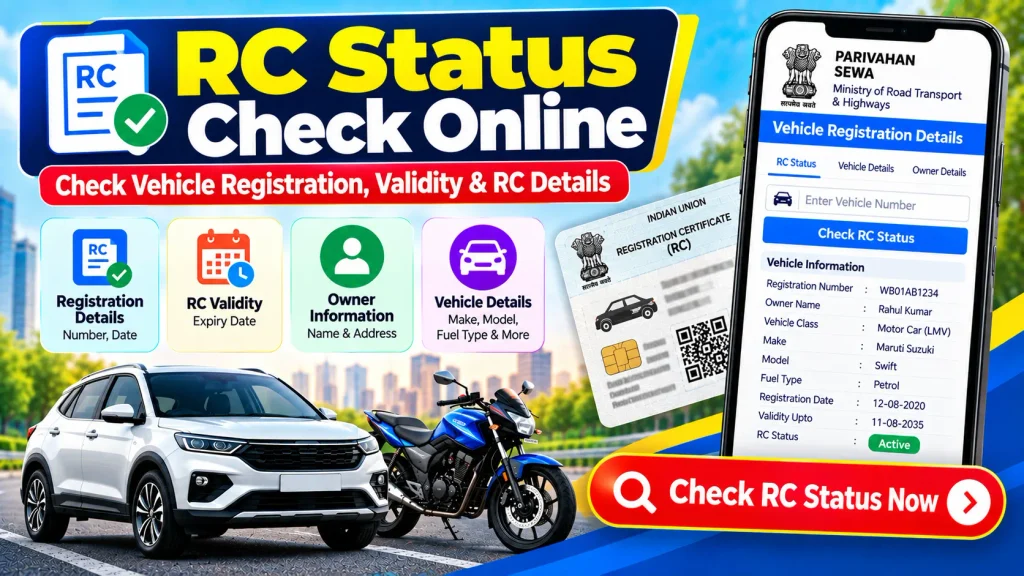
Instead of relying only on physical documents for an initial check, you can use authorized online vehicle services from a smartphone or computer. This guide explains how to check RC status online, what information may be available, how RC validity can be reviewed, and what vehicle details should be checked before purchasing a used car or bike.
What Is a Vehicle Registration Certificate (RC)?
A Registration Certificate (RC) is the official registration record created when a vehicle is registered with the appropriate registering authority.
Once a vehicle is successfully registered, it receives a unique registration number. This number is generally displayed on the vehicle’s number plate and is linked to its registration record.
An RC record may contain information such as:
- Vehicle registration number
- Registration date
- Vehicle class
- Manufacturer name
- Vehicle model
- Fuel type
- Registration validity
- Registering authority
- Chassis and engine-related information
- Other applicable vehicle information
Vehicle owners should ensure that their registration details remain accurate and complete applicable update, renewal, or correction procedures when required.
RC Status Check Online – Quick Overview
| Particular | Details |
|---|---|
| Service | RC Status Check |
| RC Full Form | Registration Certificate |
| Search Method | Vehicle Registration Number |
| Vehicle Types | Car, Bike, Scooter & Other Registered Vehicles |
| Registration Authority | Concerned RTO / Registering Authority |
| Online Service | Parivahan / VAHAN Services |
| Possible Information | Registration, Validity & Vehicle Details |
| Access Mode | Online |
| Device | Mobile, Tablet or Computer |
| Availability | Depends on available record and access rules |
Why Is an RC Important?
The RC provides important registration information associated with a vehicle. It helps identify the vehicle’s official registration record and contains key details that can be compared with the physical vehicle.
Vehicle owners may need registration information for various procedures, including ownership transfer, address updates, insurance-related processes, duplicate RC requests, registration renewal where applicable, and other vehicle-related services.
For a used-vehicle buyer, RC information is also an important part of document verification.
However, an RC check should not be treated as the only verification required before purchasing a vehicle.
What Details Can You Check Through an Online RC Search?
The exact information available through an online vehicle search depends on the vehicle record, the service being used, and applicable privacy restrictions.
Depending on availability, the information may include:
- Vehicle registration number
- Registration date
- RC validity
- Vehicle class
- Manufacturer
- Vehicle model
- Fuel type
- Registering authority or RTO
- Insurance-related information
- Pollution Under Control (PUC) information
- Fitness-related information for applicable vehicles
- Hypothecation-related information where displayed
- Other permitted registration information
Personal details associated with a registered owner may be masked, limited, or restricted for privacy and security reasons.
How to Check RC Status Online
Checking available vehicle registration information online is relatively straightforward. You generally need the vehicle’s registration number and access to an authorized vehicle information service.
Step 1: Open an Authorized Vehicle Service
Visit the official Parivahan Sewa platform or an applicable VAHAN-related service.
Always make sure that you are using an official or authorized platform before entering registration or personal information.
Step 2: Find Vehicle Information Services
Look for a section related to vehicle registration or vehicle information. Depending on the current interface, you may find an option similar to Know Your Vehicle Details.
Select the appropriate service.
Step 3: Enter the Vehicle Registration Number
Enter the complete registration number exactly as it appears on the vehicle number plate or RC.
For example:
WB 00 AB 1234
A small error in a letter or number may prevent the correct vehicle record from appearing.
Step 4: Complete the Required Verification
Depending on the service, you may be required to log in, complete a captcha, enter an OTP, or perform another verification step.
Follow the instructions displayed by the authorized service.
Step 5: View Available RC Details
After completing the required steps, available registration information should appear on your screen.
Review the vehicle registration details, validity information, vehicle specifications, and other displayed records carefully.
How to Check RC Validity Online
RC validity is an important part of a vehicle’s registration information.
When viewing an available vehicle record, check the registration date and any validity-related information displayed.
Registration and renewal requirements can depend on factors such as vehicle category, registration type, age of the vehicle, location, and applicable transport regulations.
Therefore, vehicle owners should not assume that the same validity or renewal requirement applies to every vehicle.
If your vehicle is approaching an applicable renewal stage, check the latest requirements through the relevant transport authority and complete the necessary process within the prescribed period.
RC Status vs RC Application Status
RC Status and RC Application Status may sound similar, but they can refer to different types of information.
RC Status generally relates to the existing registration information associated with a registered vehicle.
RC Application Status generally refers to the processing stage of a specific application submitted for a registration-related service.
For example, if you have applied for:
- Ownership transfer
- Duplicate RC
- Address update
- Registration-related correction
- Another RC-related service
you may need your application number to track the progress of that particular request.
A general vehicle-number search may not show the processing stage of a separate application.
Can You Check RC Details by Vehicle Registration Number?
Yes. A vehicle registration number is commonly used to search for permitted registration information through supported online services.
Enter the number exactly as displayed on the vehicle’s number plate.
This can be particularly useful when you want to perform an initial check on a used vehicle.
For example, you can compare the registration number and available make, model, fuel type, and registration information with the actual vehicle and documents provided by the seller.
If you notice a major mismatch, investigate it before completing the transaction.
Can You Check Vehicle Owner Details Online?
A vehicle registration record is linked to a registered owner, but complete personal information is not necessarily available through a public RC search.
Owner-related details may be masked, limited, or restricted because of privacy and security requirements.
A standard registration-number lookup should not be expected to reveal sensitive information such as a person’s complete residential address, private mobile number, Aadhaar number, banking details, or other protected information.
If non-public information is required for a legitimate legal or official purpose, it should be obtained through the appropriate authority.
How to Check Car RC Status Online
Registered cars may have permitted registration information available through supported online vehicle services.
The process generally involves entering the car’s registration number, completing any required verification, and reviewing the available vehicle information.
When checking a used car, compare the available registration information with the actual vehicle and original documents.
Do not rely only on a screenshot supplied by a seller.
How to Check Bike RC Status Online
The same general process can be used for motorcycles and scooters.
Enter the two-wheeler registration number into the supported vehicle information service and complete the required verification.
Depending on the available record, you may be able to review details such as registration date, vehicle class, manufacturer, model, fuel type, validity information, and registering authority.
Check RC Status From Your Mobile
You do not necessarily need a desktop computer to check available vehicle information.
Online vehicle services can generally be accessed through a smartphone browser. Open the authorized platform, select the relevant vehicle-information service, enter the registration number, and complete any required verification.
Mobile access can be especially useful when inspecting a second-hand car or bike because you can compare available online information with the vehicle and documents while you are viewing them.
Why Check RC Details Before Buying a Used Vehicle?
Purchasing a second-hand vehicle involves both financial and documentation considerations. An RC check can help you compare available registration information with the vehicle being offered.
Some important verification points include:
| Verification Point | What to Check |
|---|---|
| Registration Number | Compare RC with number plate |
| Make & Model | Match online record with actual vehicle |
| Registration Date | Review available registration information |
| RC Validity | Check applicable validity details |
| Vehicle Class | Confirm vehicle category |
| Fuel Type | Match vehicle specifications |
| Insurance | Review policy documents and available information |
| PUC | Check applicable pollution certificate |
| Hypothecation | Review financing details where available |
| Ownership Transfer | Complete the required transfer procedure |
An online RC search should be only one part of the verification process.
Buyers should also review original vehicle documents, insurance records, applicable challans, service history, financing or hypothecation status, and the physical condition of the vehicle.
What Is Hypothecation in Vehicle RC Details?
When a vehicle is purchased using financing, the registration record may contain information related to the financing arrangement or hypothecation.
If you are considering purchasing a financed or previously financed used vehicle, check the relevant documents and available registration information carefully.
Where a loan has already been repaid, ensure that any required procedures related to the financing record have been properly completed.
For an important used-vehicle transaction, confirm the current documentation requirements with the relevant authorities or financial institution.
Insurance and PUC Information in Vehicle Records
Depending on data availability and the service used, vehicle information may include limited details relating to insurance and Pollution Under Control certification.
These details can be useful as an initial reference, but they should not replace the original insurance policy or PUC certificate when definitive information is required.
Online records may not always reflect a very recent update immediately.
If there is a discrepancy, verify the information with the relevant insurer, authorized testing centre, or appropriate authority.
What If RC Details Are Incorrect?
If the online registration information for your own vehicle appears incorrect, first verify that you entered the correct registration number.
Next, compare the online information with your original vehicle documents.
If you confirm that there is a genuine discrepancy, check the relevant correction or update procedure through the appropriate transport authority.
Depending on the type of correction, you may need supporting documents, verification, applicable fees, or a visit to the concerned RTO.
Significant errors in registration records should be addressed rather than ignored.
What If RC Status Is Not Showing Online?
If your vehicle information does not appear, check the registration number again for typing errors.
You can also try completing any required login or verification, refreshing the service, or checking again later if the online platform is temporarily unavailable.
For your own vehicle, if the information remains unavailable or appears significantly incorrect, contact the concerned RTO or relevant transport authority for guidance.
Benefits of Checking RC Status Online
An online RC check provides a convenient way to access available registration information without visiting an RTO merely for an initial inquiry.
It can help you:
- Review your vehicle registration information
- Check available validity details
- Compare a used vehicle with its documents
- Identify possible registration discrepancies
- Review available vehicle specifications
- Access information from a mobile or computer
For official certification, corrections, or non-public information, however, you may still need to use the relevant formal procedure.
Important Safety Tips for Online RC Checking
Always prefer official or authorized vehicle information services.
Be cautious of websites or apps claiming that they can reveal unrestricted private information about a vehicle owner.
Never share an OTP, password, banking PIN, card details, or other sensitive credentials with an unknown person offering to check RC details.
If you are buying a used vehicle, verify important information independently instead of relying entirely on screenshots or documents sent electronically by the seller.
Frequently Asked Questions (FAQ)
1. How can I check RC status online?
Use an authorized vehicle information service, enter the requested vehicle registration number, and complete any required login or verification.
2. What is required for an RC Status Check Online?
The vehicle registration number is commonly required. Depending on the service, a captcha, account login, mobile verification, or OTP may also be required.
3. Can I check RC validity online?
Available vehicle information may include registration and validity-related details. Verify current renewal requirements with the relevant transport authority when necessary.
4. Can I check RC details by vehicle number?
Yes. A vehicle registration number can generally be used to search for permitted vehicle information through supported services.
5. Can I check both car and bike RC status online?
Yes. Available registration information may be checked for registered cars, motorcycles, scooters, and other supported vehicle categories.
6. Can I find the owner’s full address using a registration number?
Public-facing services may restrict or mask personal owner information. Sensitive private information should not be expected from a standard public RC search.
7. Is RC status the same as RC application status?
No. RC status generally refers to an existing registration record, while RC application status tracks a specific registration-related application.
8. Can RC information help when buying a used vehicle?
Yes. It can help compare available registration details with the vehicle and seller’s documents. Additional document, financing, insurance, challan, and physical vehicle checks should also be completed.
9. What should I do if my RC details are incorrect?
Compare the online record with your official documents. If an error is confirmed, check the relevant correction procedure or contact the concerned RTO.
10. Can I check vehicle RC status from my mobile phone?
Yes. Supported online vehicle services can generally be accessed through a smartphone browser, subject to the platform’s current requirements.
Conclusion
An RC Status Check Online is a convenient way to review available vehicle registration, validity, and RC information using a registration number. Depending on the record and service, you may be able to view the registration date, vehicle class, manufacturer, model, fuel type, registering authority, validity information, and other permitted details.
Online RC verification is useful for existing vehicle owners and for people considering a second-hand car, motorcycle, or scooter. It can help identify discrepancies and provide an initial view of important vehicle information.
However, an online RC lookup should not replace proper document verification, particularly when purchasing a used vehicle. Compare the information with original documents and review insurance, applicable challans, financing information, ownership-transfer requirements, and the physical vehicle.
For certified records, corrections, renewals, or other official registration matters, follow the current procedure provided by the relevant transport authority or concerned RTO.
Disclaimer: This article is for general informational and educational purposes only. It is not an official government, RTO, Parivahan, or VAHAN website or service. Vehicle registration rules, RC validity requirements, procedures, and available online information may vary or change over time. Always verify important vehicle-related information through the relevant official transport authority or concerned RTO.