RTO Vehicle Information App – Check RC & Insurance Details
Managing vehicle documents has become much easier with mobile-based digital services. Today, car and bike owners can check important information such as registration details, RC validity, insurance status and other available vehicle records directly from their smartphone.
An RTO Vehicle Information App can be especially useful when you want to verify vehicle documents, check insurance validity, review registration information or inspect a used vehicle before buying it. In most cases, the vehicle registration number is the main detail required to begin the search.
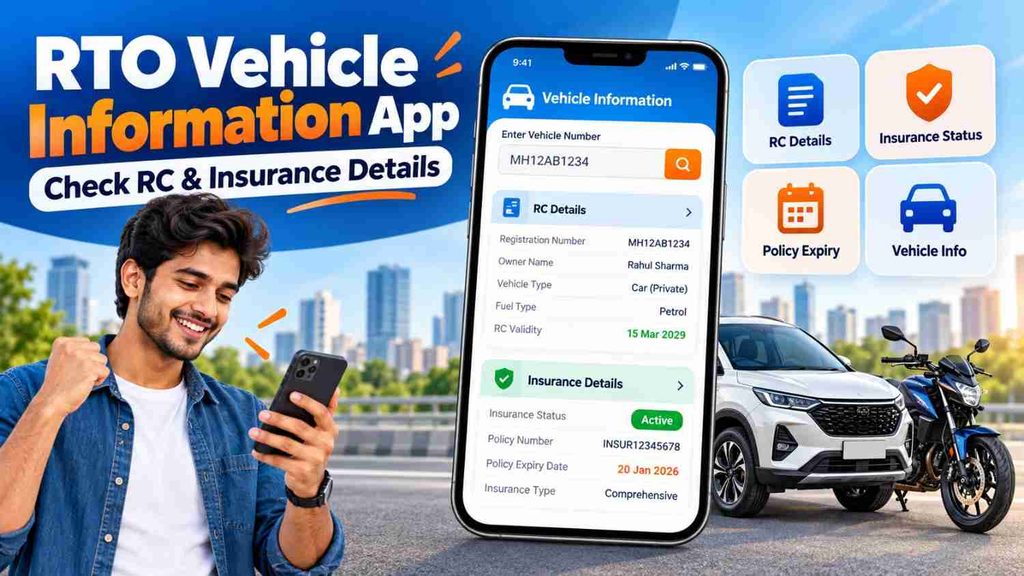
Instead of searching through multiple papers every time, users can check available vehicle information digitally and confirm whether important documents appear to be valid and up to date.
What Is an RTO Vehicle Information App?
An RTO Vehicle Information App is a mobile-based service that helps users access available vehicle registration and transport-related information.
Depending on the platform and available records, users may be able to check details such as:
- Vehicle registration number
- Registration date
- RC status
- Vehicle class
- Make and model
- Fuel type
- Insurance validity
- Fitness validity
- Permit information
- PUC-related details
- Road tax information
- Traffic challan information
The exact information available may differ depending on the vehicle type, state and database records.
For basic vehicle verification, the registration number shown on the number plate is usually the most important information.
RTO Vehicle Information App – RC & Insurance Details
| Information | What You Can Check |
|---|---|
| Registration Number | Vehicle registration identity |
| RC Status | Available registration status |
| Registration Date | Date of vehicle registration |
| Vehicle Class | Car, bike, scooter, commercial vehicle, etc. |
| Fuel Type | Petrol, diesel, CNG, electric or other |
| Make & Model | Available vehicle manufacturer/model information |
| Insurance Status | Available insurance validity information |
| Fitness Details | Fitness validity where applicable |
| Permit Details | Relevant mainly for transport vehicles |
| PUC Information | Available pollution certificate details |
| Challan Status | Pending traffic challans through relevant services |
This information can help vehicle owners keep track of important documents and can also assist buyers during used vehicle verification.
How to Check RC Details on Mobile
Checking RC information from your phone is generally a simple process.
Step 1: Open a Vehicle Information Service
Open a reliable vehicle information platform or app that provides access to registration-related details.
Whenever possible, use an official transport-related service or a trusted app.
Step 2: Enter the Vehicle Registration Number
Type the complete registration number of the vehicle.
For example:
MH12AB1234
or
WB20AB5678
Make sure the registration number is entered correctly.
Step 3: Complete Verification
Depending on the service, you may need to complete CAPTCHA, mobile verification, OTP or login authentication.
Step 4: Check RC Information
After completing the required verification, available RC information may appear.
You can review details such as:
- Registration status
- Registration date
- Vehicle category
- Fuel type
- Vehicle age
- Fitness validity
- Other available registration information
Step 5: Match the Details With Your Documents
If you are checking a used vehicle, compare the available information with the RC document provided by the seller.
Important details should match the actual vehicle and documents.
How to Check Vehicle Insurance Details
Vehicle insurance is one of the most important documents for car and bike owners.
An RTO vehicle information service may show available insurance information linked with the registration number.
To check insurance details:
- Open the vehicle information service.
- Enter the registration number.
- Complete the required verification.
- Open the vehicle details section.
- Look for insurance-related information.
- Check the available insurance validity or expiry date.
The information shown through a vehicle search is mainly useful for checking basic insurance status.
For complete information about coverage, premium, IDV, add-ons, deductibles and exclusions, check the actual insurance policy issued by the insurer.
Why Is RC Verification Important?
The Registration Certificate, commonly known as RC, is an important vehicle document.
It contains key registration information associated with the vehicle.
RC verification is particularly useful in several situations.
Buying a Used Vehicle
If you are planning to buy a second-hand car or bike, checking registration information can help you compare the seller’s documents with available digital records.
Selling Your Vehicle
Before selling your vehicle, reviewing registration details can help you identify any document-related issues that need attention.
Checking Registration Validity
Vehicle owners can check available registration information and determine whether additional renewal-related action may be required.
Vehicle Document Verification
RC verification can help when reviewing vehicle-related information during insurance renewal, transfer or other administrative processes.
Why Check Insurance Status Regularly?
Insurance validity is another important area vehicle owners should monitor.
An expired policy can create financial and legal complications.
Regularly checking insurance status offers several benefits.
Avoid Unexpected Expiry
Many vehicle owners forget their policy renewal date. Checking insurance information can help you identify whether renewal may be due.
Useful Before Long Trips
Before travelling long distances, it is a good idea to review important vehicle documents, including insurance.
Helpful While Buying a Used Vehicle
A seller may say that the vehicle has an active insurance policy. Checking available insurance information gives the buyer another way to verify the claim.
Helps With Policy Planning
Knowing the current policy expiry date gives you time to compare insurance options before renewal instead of making a last-minute decision.
RTO Vehicle Information App for Used Car Buyers
A used car purchase involves more than checking the vehicle’s exterior condition.
Before making payment, buyers should verify several important details.
Check:
- RC information
- Registration status
- Insurance validity
- Pending challans
- PUC validity
- Fitness details where applicable
- Vehicle identification details
- Service history where available
- Loan or finance status where relevant
- Ownership transfer documents
Online information is useful for preliminary verification, but buyers should also examine original documents and inspect the vehicle physically.
A professional vehicle inspection may also be helpful when purchasing an expensive used car.
RTO Vehicle Information App for Used Bike Buyers
The same verification process is useful when purchasing a second-hand motorcycle or scooter.
Before buying a used bike, check whether:
- The registration details appear correct
- Insurance is active
- The chassis and engine details match relevant documents
- There are pending challans
- Required documents are available
- Ownership transfer can be completed properly
A low purchase price should not be the only factor considered. Missing documents, expired insurance or unresolved ownership issues may create additional expenses later.
RC Details vs Insurance Details
RC and insurance are different vehicle documents.
RC Details
The RC is related to the vehicle’s registration.
It generally contains information associated with:
- Registration
- Vehicle category
- Vehicle specifications
- Registration validity
- Other vehicle-related records
Insurance Details
An insurance policy is related to financial protection against covered risks.
Depending on the type of policy, insurance may provide protection against areas such as:
- Third-party liability
- Accidental damage
- Theft
- Fire
- Natural disasters
- Personal accident cover
- Additional risks through optional add-ons
Users should therefore check both registration and insurance information instead of treating them as the same document.
Third-Party vs Comprehensive Vehicle Insurance
When reviewing vehicle insurance, you may come across two common categories.
Third-Party Insurance
Third-party insurance mainly covers liabilities arising from damage or injury caused to another person or property according to applicable policy terms and rules.
It does not generally provide the same level of protection for damage to your own vehicle.
Comprehensive Insurance
A comprehensive policy can provide broader coverage that may include own-damage protection along with third-party liability.
Depending on the insurer, optional add-ons may also be available, such as:
- Roadside assistance
- Zero depreciation
- Engine protection
- Return to invoice
- Consumables cover
Coverage differs between insurers and policies, so always read the policy terms before purchasing.
Vehicle Details Not Showing? Possible Reasons
Sometimes users may not find the expected RC or insurance information.
Possible reasons include:
- Incorrect registration number
- Temporary server issue
- Recently updated insurance policy
- Database update delay
- Old vehicle records
- Limited information availability
- Internet connection problems
If the insurance was recently renewed, updated information may not appear immediately on every platform.
In such cases, check the insurance policy document directly or contact the insurer if necessary.
Safety Tips While Checking RC and Insurance Details
Be careful when entering vehicle and personal information online.
Follow these basic safety practices:
- Use reliable vehicle information services.
- Avoid suspicious APK download links.
- Never share OTPs with unknown callers.
- Do not provide banking passwords.
- Verify payment pages before paying challans or fees.
- Avoid websites promising confidential owner information.
- Check insurance details directly with the insurer when required.
- Keep digital and physical copies of important vehicle documents.
These simple precautions can reduce the risk of fraud and misleading information.
Frequently Asked Questions
1. Can I check RC details using a vehicle number?
Yes. Available vehicle registration information can generally be searched using the vehicle registration number through relevant vehicle information services.
2. Can I check vehicle insurance details online?
Available insurance validity information may be linked with vehicle registration records. For complete policy details, check the policy document or insurer’s official service.
3. What details can an RTO Vehicle Information App show?
Depending on available records, it may show registration status, RC information, vehicle class, fuel type, insurance validity, fitness, permit and other related details.
4. Can I check insurance expiry using a registration number?
Available insurance validity information may be displayed through vehicle information services. However, always verify the exact expiry date from your insurance policy when renewal is important.
5. Is RC verification useful before buying a used car?
Yes. Checking RC details helps buyers compare available registration records with the documents provided by the seller.
6. Can I check bike insurance using the number plate?
The registration number displayed on the number plate can generally be used to search available vehicle and insurance-related information.
7. Why is my updated insurance not showing?
There may be a delay between policy renewal and database updates. Check the policy issued by your insurer for confirmation.
8. Can I see complete owner details through an RTO app?
Publicly available information may be limited because of privacy and security considerations. The exact information shown depends on the service and applicable rules.
9. Should I check both RC and insurance before buying a used vehicle?
Yes. RC and insurance verify different aspects of the vehicle. Buyers should also check challans, PUC, physical condition and ownership documents.
10. Is online vehicle information enough before buying a second-hand car?
No. Online vehicle information is useful for initial verification, but buyers should also inspect original documents, match relevant vehicle identification details and physically inspect the vehicle before payment.
Conclusion
An RTO Vehicle Information App can make checking RC and insurance details much easier from a mobile phone. By entering the vehicle registration number, users can review available information related to registration status, RC, insurance validity, vehicle category and other important records.
This can be useful for existing vehicle owners who want to keep track of documents as well as buyers considering a second-hand car or bike.
Before purchasing a used vehicle, check the RC, insurance, challan status, PUC and other available records carefully. For important transactions, always compare online information with original vehicle documents and complete the required ownership transfer process properly.