RC Application Status Online – How to Track Your Vehicle Registration Certificate Application
After applying for a new Vehicle Registration Certificate or requesting an RC-related service, many vehicle owners want to know whether their application has been processed, approved, or is still pending. Instead of visiting the Regional Transport Office (RTO) repeatedly, applicants can use available online transport services to check the progress of their application.
An RC Application Status Online check can help you track the progress of your Vehicle Registration Certificate application and understand whether further action may be required. Depending on the service, you may be able to check the status using an application number, vehicle registration number, or other requested details.
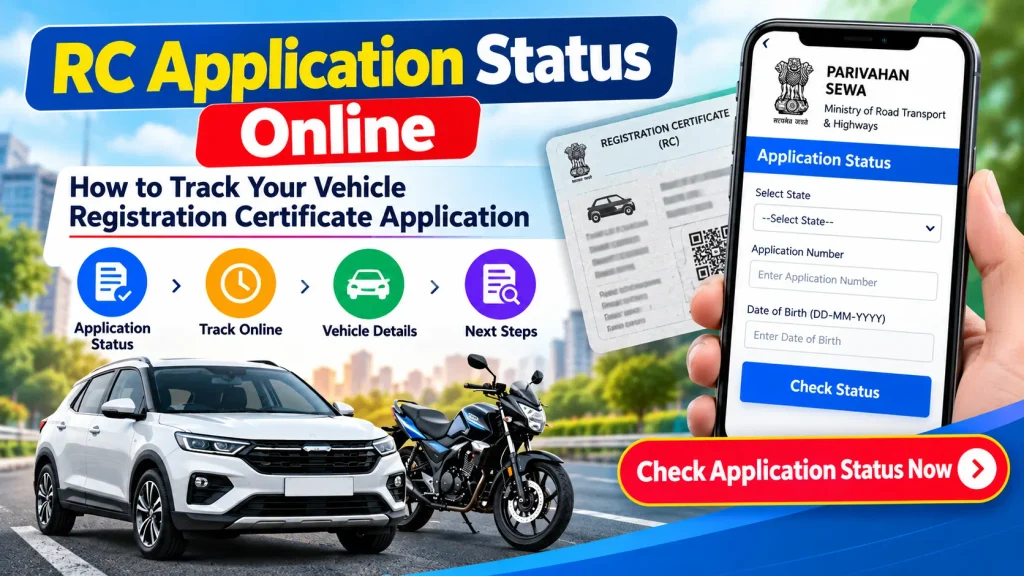
This guide explains how to track your Vehicle Registration Certificate application online, what information you may need, common RC status messages, possible reasons for delays, and what to do if your application remains pending.
What Is a Vehicle Registration Certificate?
A Vehicle Registration Certificate, commonly called an RC, is an official registration record associated with a vehicle registered with the appropriate transport authority.
The RC contains important vehicle-related information, which may include:
- Vehicle registration number
- Date of registration
- Vehicle class
- Fuel type
- Manufacturer and model
- Chassis and engine-related information
- Registration validity
- Registering authority
- Other applicable vehicle details
Vehicle owners may need RC-related services when registering a new vehicle, transferring ownership, changing an address, updating vehicle records, applying for a duplicate RC, or completing other registration-related procedures.
RC Application Status Online – Quick Overview
| Particular | Details |
|---|---|
| Service | RC Application Status Check |
| Document | Vehicle Registration Certificate |
| Common Name | RC |
| Authority | Concerned RTO / Transport Department |
| Online Platform | Parivahan / VAHAN Services |
| Tracking Method | Application Number or Requested Vehicle Details |
| Possible Status | Pending, Under Process, Approved, Completed, etc. |
| Access Mode | Online |
| Device | Mobile, Tablet or Computer |
| Availability | Depends on State and Service |
Why Should You Track Your RC Application?
Tracking an RC application can help you understand the current stage of your vehicle-related request.
For example, after submitting an application, you may want to know whether it has been received, whether document verification has been completed, or whether the requested service has been approved.
Online tracking can also help identify applications that require additional action. If the system shows that a document or verification step is pending, you can review the application and follow the instructions provided by the relevant transport authority.
However, the exact information and status labels available online can vary depending on the state, RTO, application type, and digital service being used.
What Do You Need to Check RC Application Status?
Before starting the tracking process, keep the information provided during your RC application ready.
Depending on the service, you may need:
- Application number
- Vehicle registration number
- Chassis number or requested digits
- Mobile number
- OTP for verification
- Receipt or acknowledgement details
- Other application-specific information
The application number is particularly important for many online tracking services. It may be available on the acknowledgement receipt generated when the application was submitted.
How to Check RC Application Status Online
Applicants can generally use authorized vehicle-related online services to check the status of their RC application.
The exact menu names may change, but the general process is as follows.
Step 1: Open the Official Transport Service
Visit the official Parivahan Sewa portal or the applicable state transport service.
Always make sure you are using an official or authorized platform before entering application, vehicle, or personal information.
Step 2: Select Vehicle-Related Services
Find the section related to Vehicle Related Services or vehicle registration services.
You may be asked to select your state or the relevant RTO before proceeding.
Step 3: Find Application Status
Look for an option such as:
Application Status, Know Your Application Status, or another similar tracking option.
The exact wording can vary depending on the service interface.
Step 4: Enter Your Application Details
Enter the requested information, such as your application number or other vehicle-related details.
Check the information carefully before submitting it. Even a small error in the application number can prevent the correct record from appearing.
Step 5: Complete Verification
Some services may require an OTP, captcha, login, or another verification step.
Complete the verification as instructed on the screen.
Step 6: Check the Current Status
Once the details are successfully submitted, the available application status should appear.
Depending on the application, you may see information indicating that it is pending, under processing, approved, completed, or awaiting another action.
Common RC Application Status Messages
Different systems and RTOs may use different terminology. Some common types of status messages can include:
Application Submitted
This generally indicates that the application has been successfully submitted and recorded in the system.
Under Process
An “Under Process” status usually means that the application is currently being reviewed or processed by the relevant authority.
Pending
A pending status may indicate that processing has not yet been completed. There can be different reasons for this, including document verification or another required step.
Approved
An approved status generally means that the relevant authority has approved the application. Additional processing may still be required depending on the service.
Completed
A completed status generally indicates that processing for the requested service has been completed.
These descriptions are general. Always rely on the instructions shown against your specific application.
How to Track RC Status Using a Vehicle Registration Number
For an already registered vehicle, certain registration information may also be available using the vehicle registration number.
Authorized vehicle information services may display available information such as registration validity, vehicle class, fuel type, registering authority, and other permitted details.
However, checking general vehicle information using a registration number is different from tracking a specific RC application. For an application submitted for a particular service, the application number may provide more relevant tracking information.
Why Is My RC Application Still Pending?
An RC application can remain pending for several reasons. The exact cause depends on the type of service and the relevant RTO.
Possible reasons may include incomplete documentation, verification still being processed, payment-related issues, a required inspection, data discrepancies, additional approval requirements, or processing delays.
A pending status does not automatically mean that an application has been rejected.
Check whether the portal displays any specific remark, pending action, or instruction associated with your application.
What to Do If RC Application Status Is Not Showing
If you cannot find your application status, first confirm that the application number has been entered correctly.
You can also:
- Check the acknowledgement or application receipt again.
- Confirm that you selected the correct state and RTO.
- Wait and check again if the application was submitted very recently.
- Review any SMS or notification received after application submission.
- Check whether any additional action is required.
- Contact the concerned RTO if the status remains unavailable.
Avoid submitting multiple applications for the same service simply because the status does not appear immediately, unless the relevant authority instructs you to do so.
Can You Track RC Application Status on Mobile?
Yes. Online vehicle services can generally be accessed through a smartphone browser, provided the relevant service is available online.
Open the authorized transport platform, select the appropriate vehicle service, enter the requested application details, and complete any verification required.
Using a mobile device can be convenient because you can keep your application acknowledgement or vehicle details nearby while checking the status.
RC Application Status vs RC Status
Although these terms sound similar, they can refer to different information.
RC Application Status generally refers to the progress of a particular application submitted for a vehicle registration-related service.
RC Status may refer more broadly to the current registration information associated with an existing vehicle.
For example, if you have submitted an ownership transfer request, checking the application status can help track that specific request. A general RC lookup, on the other hand, may display currently available registration information.
Important Safety Tips
When checking your RC application online, use official or authorized services whenever possible.
Do not share OTPs, passwords, banking information, Aadhaar details, or other sensitive personal information with unknown websites or individuals.
Also be cautious of websites claiming they can provide unrestricted personal information about vehicle owners. Access to personal vehicle-owner information may be limited for privacy and security reasons.
Frequently Asked Questions (FAQ)
1. How can I check my RC application status online?
Use the applicable official vehicle service, locate the application-status option, and enter the requested application details. The exact procedure can vary by state and service.
2. What number is required to track an RC application?
An application number is commonly used for tracking. Depending on the service, additional vehicle or verification information may also be required.
3. Where can I find my RC application number?
The application number is generally available on the acknowledgement or receipt generated when the application is submitted.
4. Why is my RC application showing pending?
An application may remain pending due to verification, incomplete documentation, processing requirements, payment issues, inspection requirements, or another administrative step. Check the remarks displayed with your application.
5. Can I track my RC application from a mobile phone?
Yes. If the relevant service is available online, you can generally access it using a smartphone browser.
6. Is RC status and RC application status the same?
Not necessarily. RC application status tracks the progress of a specific request, while general RC status can refer to the existing registration record of a vehicle.
7. What should I do if my RC application is delayed?
Review the online status and any remarks first. If no useful update appears for an extended period, contact the concerned RTO or follow the instructions provided by the official transport service.
8. Can I check RC application status without an application number?
This depends on the service. Some information may be searchable using vehicle details, but tracking a specific application may require the application number.
Conclusion
Checking RC Application Status Online is a convenient way to track the progress of your Vehicle Registration Certificate-related application. Depending on the service, applicants can use an application number and other requested vehicle details to review the current processing status.
Whether you have applied for a new registration-related service, duplicate RC, ownership transfer, address update, or another RC service, online tracking can help you identify whether the request is submitted, pending, under process, approved, or completed.
Always use official or authorized transport services, enter your details carefully, and follow any instructions displayed against your application. If the status remains pending or unavailable and no explanation is provided, contact the concerned RTO for further assistance.
Disclaimer: This article is for general informational purposes only and is not an official government or RTO service. Procedures, status labels, required information, and online services may vary by state, RTO, and application type and may change over time. Always verify important information through the official Parivahan/VAHAN platform, the relevant State Transport Department, or the concerned RTO.