Best Ways to Listen to Music & Radio Online in India – Apps, Live FM, Car, Smart Speakers & Data Plans
Listening to music and radio has become much easier with smartphones, smart speakers, connected cars and faster mobile internet. You no longer need to depend only on a traditional FM radio to enjoy live stations, regional programs, music, news or podcasts.
Today, users can listen through services such as All India Radio, Spotify, YouTube Music, Apple Music, JioSaavn, TuneIn and other internet-radio platforms. The same services can often be used at home, while travelling or through compatible car infotainment systems.
This guide covers the main ways to listen to music and radio online in India and explains which option may be best for different situations.
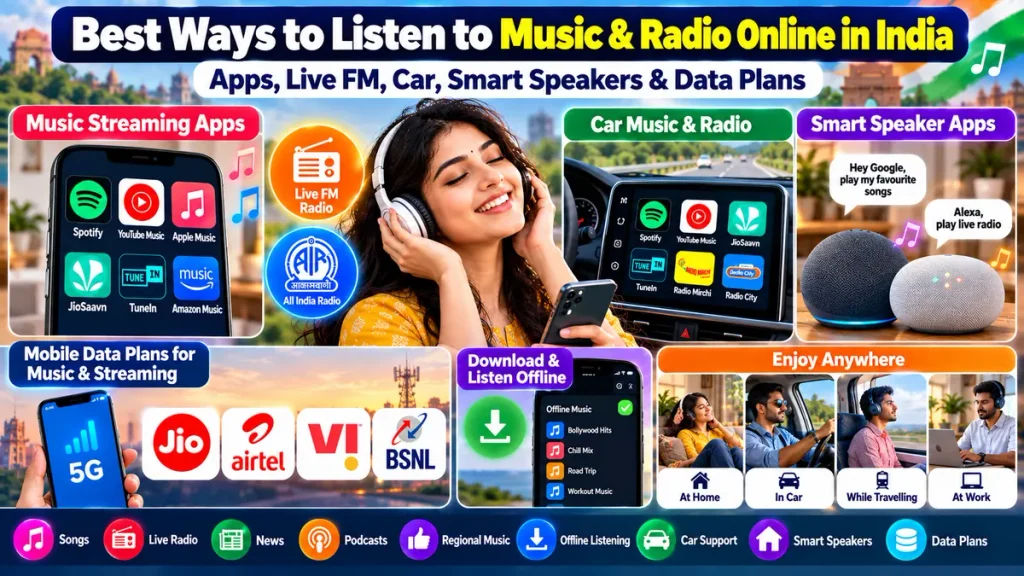
Popular Ways to Listen to Music & Radio
| Listening Method | Best For | Internet Needed |
|---|---|---|
| All India Radio Online | News & regional radio | Yes |
| Music Streaming Apps | Songs & playlists | Usually Yes |
| Internet Radio Apps | Live radio & news | Yes |
| Car Music Apps | Driving & navigation | Yes/Offline option |
| Smart Speakers | Home listening | Yes |
| Offline Downloads | Travel & weak-network areas | No during playback |
1. Listen to All India Radio Online
All India Radio, also known as Akashvani, remains one of the most recognised radio networks in India.
Instead of using only a traditional FM or AM receiver, listeners can access supported AIR services through digital platforms and mobile apps.
Popular AIR services may include:
- Akashvani regional stations
- Vividh Bharati
- FM Gold
- FM Rainbow
- News programs
- Regional-language broadcasts
Online radio is particularly useful for people living away from their home state who want to listen to regional news, music or cultural programs.
Listeners may search for stations related to Andhra Pradesh, Arunachal Pradesh, Assam, Bihar, Chhattisgarh, Goa, Gujarat, Haryana, Himachal Pradesh, Jharkhand, Karnataka, Kerala, Madhya Pradesh, Maharashtra, Manipur, Meghalaya, Mizoram, Nagaland, Odisha, Punjab, Rajasthan, Sikkim, Tamil Nadu, Telangana, Tripura, Uttar Pradesh, Uttarakhand and West Bengal.
2. Best Music & Radio Streaming Apps
If you prefer on-demand songs, playlists and podcasts, music-streaming apps offer more flexibility than traditional radio.
Popular options include:
Spotify
Spotify is useful for personalised playlists, artists, albums and podcasts. Paid plans may also offer offline downloads and ad-free playback.
YouTube Music
YouTube Music is popular among users who want songs, remixes, live performances and music videos in one platform.
Apple Music
Apple Music is suitable for listeners who prioritise premium audio quality, curated playlists and offline listening.
JioSaavn
JioSaavn is widely used for Bollywood, Hindi, Punjabi and other regional Indian music.
TuneIn
TuneIn focuses more heavily on internet radio, news, talk shows and global radio stations.
The best app depends on whether you prefer live radio, personalised music, regional songs, podcasts or offline playback.
|
3. Popular Indian FM Radio Stations
Apart from All India Radio, many listeners search for private FM brands such as:
- Radio Mirchi
- RED FM
- Radio City
- BIG FM
- Fever FM
Online availability may differ depending on the station, location and streaming rights.
Some radio brands provide digital content through their websites, apps or selected internet-radio platforms.
4. Best Music & Radio Apps for Cars
Modern cars make it much easier to listen to music and radio while travelling.
Depending on your vehicle, your phone may connect through:
- Android Auto
- Apple CarPlay
- Bluetooth
- USB
- AUX
Apps such as Spotify, YouTube Music and Apple Music can provide playlists and offline music, while internet-radio services can offer live stations and news.
Android Auto
Android Auto allows compatible apps to appear on supported car infotainment systems.
Drivers can use voice commands and steering-wheel controls where available.
Apple CarPlay
Apple CarPlay provides similar features for iPhone users, including music, navigation, calls and compatible audio apps.
Older Cars
Even if your car does not support Android Auto or CarPlay, you may still be able to play smartphone audio through Bluetooth, AUX or USB.
For safety, choose your music or radio station before driving and use hands-free controls whenever possible.
5. Smart Speaker Apps for Home Listening
Smart speakers can turn a living room, kitchen or bedroom into a voice-controlled music and radio system.
Popular smart-speaker services may include:
- Spotify
- YouTube Music
- Apple Music
- Amazon Music
- TuneIn
- JioSaavn
- News services
Devices such as Google Nest or Amazon Echo can often play music, news and internet radio through simple voice commands.
For example, users may ask a compatible speaker to:
- Play Bollywood music
- Start a favourite playlist
- Play a radio station
- Read the latest news
- Start a podcast
Smart speakers are particularly convenient when you want hands-free entertainment while cooking, exercising or working at home.
6. Choose the Right Mobile Data Plan for Streaming
Music and internet radio use mobile data continuously, so your telecom plan matters if you frequently listen away from Wi-Fi.
Popular Indian telecom providers include:
- Jio
- Airtel
- Vi
- BSNL
Rather than choosing a plan only by price, compare:
- Daily data allowance
- Monthly or annual validity
- 4G/5G availability
- Network coverage
- Data rollover
- Extra data packs
- Streaming benefits
- Speed after daily data is exhausted
How Much Data Does Music Streaming Use?
Actual consumption depends on audio quality.
| Audio Quality | Approximate Usage per Hour |
|---|---|
| Low quality | 25–40 MB |
| Standard quality | 40–70 MB |
| High quality | 70–120 MB |
| Very high quality | 120 MB or more |
For most music and radio listeners, 1GB of daily data can support several hours of audio streaming.
However, using YouTube videos, social media and navigation at the same time can significantly increase total data consumption.
7. Use Offline Downloads to Save Data
Premium music subscriptions often allow users to download songs and playlists.
This can be useful for:
- Long car journeys
- Train travel
- Flights
- Areas with weak mobile signals
- Reducing daily data usage
Download your music over Wi-Fi before travelling and use offline playback when needed.
Online Radio vs Music Streaming
| Feature | Online Radio | Music Streaming |
|---|---|---|
| Live Programming | Yes | Limited |
| Personal Playlists | Limited | Yes |
| News | Strong | Depends on app |
| Regional Stations | Yes | Regional songs available |
| Offline Downloads | Rare | Common with premium |
| Song Selection | Station controlled | User controlled |
Radio is better for listeners who enjoy live programming and discovery, while music-streaming apps provide more control over individual songs and playlists.
Which Option Is Best for You?
Choose All India Radio or internet radio if you mainly want news, regional programs or traditional radio-style listening.
Choose Spotify, YouTube Music, Apple Music or JioSaavn if you want specific songs and personalised playlists.
For driving, use compatible apps through Android Auto, Apple CarPlay or Bluetooth.
At home, a smart speaker can provide convenient hands-free music, radio and news.
Heavy mobile users should also choose a data plan that provides enough daily allowance for streaming.
Frequently Asked Questions
Can I listen to All India Radio online?
Yes. Supported Akashvani and AIR services can be accessed through digital platforms and mobile apps.
Which app is best for live radio?
TuneIn and dedicated station apps are common options, while AIR listeners can use supported Akashvani services.
Which music app is best for Indian songs?
JioSaavn, Spotify, YouTube Music and Apple Music all provide Indian and regional music.
Can I listen to music in my car without Android Auto?
Yes. Bluetooth, USB or AUX may work depending on your car stereo.
Can a smart speaker play live radio?
Yes. Compatible smart speakers can stream supported internet-radio stations through connected services.
Is 1GB daily data enough for music streaming?
For audio-only streaming, it can be enough for many users. Heavy video use will consume significantly more data.
Can I save mobile data while travelling?
Yes. Downloading playlists over Wi-Fi before travelling can significantly reduce mobile-data usage.
Conclusion
There are now many ways to enjoy music, live FM, All India Radio, news and podcasts without relying on a traditional radio.
Use All India Radio and internet-radio apps for live broadcasts, choose Spotify, YouTube Music, Apple Music or JioSaavn for on-demand music, connect your phone to your car through Android Auto, Apple CarPlay or Bluetooth, and use a smart speaker for hands-free listening at home.
Finally, compare mobile data plans carefully and use offline downloads whenever possible. Combining the right streaming app, device and data plan can give you a convenient music and radio experience wherever you are.