Track Gym Exercises on Your Phone – Record Sets, Reps & Daily Training
Keeping track of everything you do at the gym can become difficult when your workout includes several exercises, sets, repetitions, and training days. Instead of trying to remember your previous workouts, you can track gym exercises on your phone and keep your training information organized in one convenient place.
A Workout Tracker App or simple fitness log can help you record exercises, sets, reps, resistance used, workout duration, and completed training sessions. When you return to the gym, you can review your previous workout and see what you recorded.
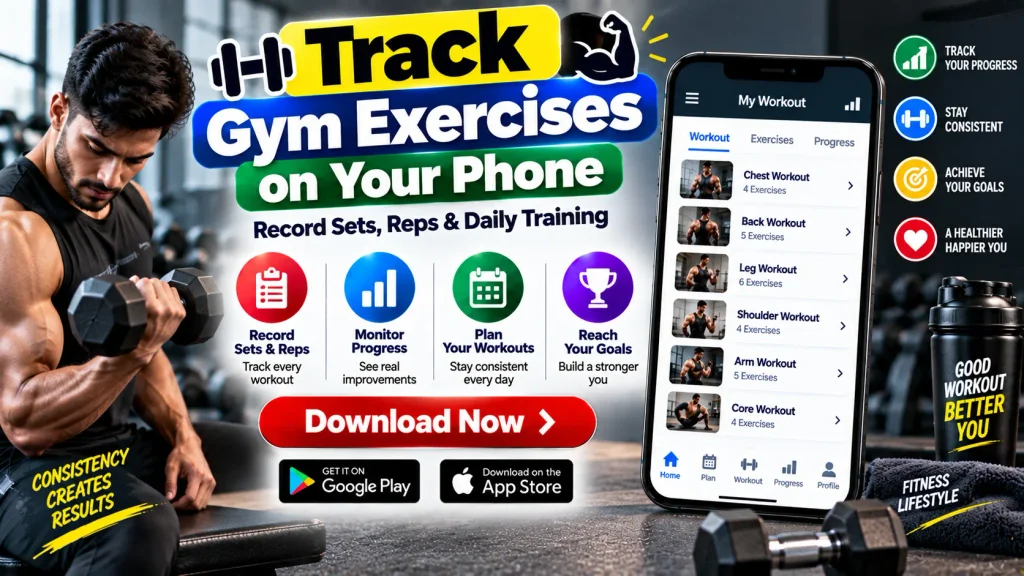
Workout tracking can be useful for beginners who want to organize a new routine as well as experienced gym users who prefer keeping detailed training records.
This guide explains how to record sets and reps, create a daily training log, organize gym exercises, track workout history, and monitor fitness progress using your smartphone.
What Is a Gym Exercise Tracker?
A Gym Exercise Tracker is a digital tool used to record information about your workouts.
It may be a dedicated fitness app, workout planner, spreadsheet, notes app, or another tracking tool on your smartphone.
Depending on the app, you may be able to record individual exercises, the number of sets and repetitions completed, resistance or weight used, workout duration, rest periods, and personal training notes.
Some apps also provide workout calendars, exercise libraries, progress charts, training reminders, and customizable workout routines.
The purpose of these features is primarily organization and tracking. An app cannot determine whether a particular exercise or training program is appropriate for every individual.
Gym Exercise Tracking – Quick Overview
| Tracking Feature | What You Can Record |
|---|---|
| Exercise Name | Individual gym exercises |
| Sets | Number of completed sets |
| Repetitions | Reps completed in each set |
| Resistance | Weight or resistance used |
| Workout Duration | Length of training session |
| Training Days | Dates of completed workouts |
| Workout Routine | Planned exercises for each session |
| Training Notes | Personal notes about a workout |
| Workout History | Previous exercise records |
| Fitness Goals | Personal training targets |
Why Track Your Daily Gym Exercises?
Without a workout log, you may not remember exactly what you completed during your previous training session.
For example, you might remember doing a particular exercise but forget how many sets or repetitions you performed.
Recording your workout immediately can solve this problem.
When your next training day arrives, you can open your workout history and review the previous session.
Tracking can also help you see how consistently you are following your planned routine.
However, recorded numbers should be treated as information—not as a reason to increase resistance or workout volume beyond what you can safely manage.
How to Track Gym Exercises on Your Phone
You do not need a complicated system to start recording workouts. A basic phone note can work, while dedicated workout apps can provide more advanced features.
Step 1: Choose a Workout Tracking Method
First, decide where you want to keep your training records.
You can use a:
- Workout Tracker App
- Fitness App
- Notes application
- Spreadsheet
- Digital workout journal
- Phone calendar
Choose a method that is easy to access while you train.
Step 2: Create Your Workout Routine
Add the exercises you plan to perform during a training session.
For example, you can organize exercises by workout day, movement type, or muscle group.
Keep exercise names clear so that you can easily identify them later.
Step 3: Record Your Sets
After completing an exercise, record the number of sets you performed.
A set is a group of repetitions completed before taking a break or moving to another activity.
Recording sets allows you to see how much work you completed during the session.
Step 4: Record Your Repetitions
Next, enter the number of repetitions or reps completed during each set.
Rather than entering only a total number, some people prefer recording each set separately.
This provides a more detailed picture of the session and may help you compare workouts later.
Step 5: Record Resistance When Relevant
If you are performing resistance training, you may also want to record the weight or resistance used.
This might include dumbbells, barbells, machines, cables, or resistance bands.
Record the information accurately rather than estimating it later.
Step 6: Add Training Notes
Many workout apps allow you to add personal notes.
You might record that an exercise felt comfortable, that you changed equipment, or that you adjusted the workout.
Notes can provide context when you review your history.
Track Sets and Reps for Strength Training
Sets and repetitions are among the most commonly tracked details in resistance training.
A simple exercise log could look like:
Exercise: Your selected movement
Set 1: Reps completed
Set 2: Reps completed
Set 3: Reps completed
Resistance: Weight or resistance used
The appropriate number of sets, repetitions, and amount of resistance depends on factors such as your current ability, experience, goals, and exercise selection.
Avoid assuming that more sets or heavier resistance automatically means a better workout.
Good technique, appropriate progression, consistency, and recovery are also important considerations.
Create a Daily Training Log
A Daily Training Log gives you a broader record of your entire workout rather than only individual exercises.
You can record the date, workout type, exercises completed, duration, and notes.
For example, your training log may contain separate entries for different gym days.
Over several weeks, these entries create a workout history that can help you understand how regularly you have been exercising.
A training log can also make it easier to identify changes in your schedule.
If you repeatedly miss a particular workout day, you may decide that another training schedule fits your routine better.
Organize Exercises by Training Day
If you train multiple times per week, organizing your workout tracker by day can make it easier to use.
Depending on your training program, you may have different exercises on different days.
You could also use a full-body routine or another structure appropriate to your circumstances.
There is no single training split that is best for everyone. Beginners should be particularly careful about copying advanced routines without considering their experience and recovery.
Your phone tracker should reflect your actual workout program rather than forcing you to use a particular training style.
Track Workout Duration
Some users also like to record how long their training sessions last.
A workout app may automatically track duration using a timer, while a basic training log may require you to enter it manually.
Workout duration can be useful for understanding how your routine fits into your schedule.
However, a longer workout is not automatically a better workout.
Exercise quality, intensity, selection, recovery, and individual circumstances also matter.
Monitor Your Workout History
One of the main advantages of recording workouts digitally is the ability to review previous training sessions.
Your history may show:
- Exercises completed
- Sets and repetitions
- Resistance used
- Training dates
- Workout duration
- Personal notes
- Completed sessions
Reviewing these records can help you understand how your routine has changed over time.
For example, you may notice improved consistency or that a particular exercise has become more manageable.
Progress should not be judged only by one number.
Set Personal Fitness Goals
Some workout tracking apps allow you to create personal fitness goals.
Your goal might involve becoming more consistent, completing a certain number of planned workouts, improving an exercise gradually, or simply becoming more physically active.
Keep goals realistic and adaptable.
Avoid allowing app streaks, rankings, or targets to pressure you into exercising when you are injured, unwell, or insufficiently recovered.
A tracking feature should support your routine rather than control it.
Track Cardio Alongside Gym Exercises
Workout tracking does not have to be limited to strength exercises.
Depending on your app, you may also record activities such as:
- Walking
- Running
- Cycling
- Treadmill sessions
- Swimming
- Other aerobic exercise
You might track duration, distance, or another relevant measurement.
For general health, public-health guidance for adults recommends regular aerobic activity along with muscle-strengthening activities. Your individual routine should still reflect your current ability and circumstances.
Workout Tracker App Features to Look For
When choosing a fitness tracking app, consider whether its features actually match your needs.
Useful features may include a custom exercise list, sets and reps tracker, workout history, calendar, timer, training notes, progress charts, and workout reminders.
Some apps may also synchronize information across devices or connect with compatible fitness platforms.
Before entering personal information, review the app’s privacy settings and understand what information it collects and how it is used.
You do not need every advanced feature. A simple tracker that you consistently use can be more practical than a complicated system that you abandon after a few days.
Benefits of Tracking Daily Training
Recording workouts can help you keep training information organized and reduce your reliance on memory.
You can see what exercises you completed, review previous sets and repetitions, and maintain a record of your training days.
It can also make planning future sessions easier because your previous workout is available for reference.
Most importantly, tracking can provide a clearer picture of consistency.
However, fitness apps may estimate certain metrics, and not every number shown by an app should be treated as perfectly accurate.
Use tracking data as a practical reference rather than a complete assessment of health or fitness.
Important Exercise Safety Tips
Use appropriate exercise technique and choose movements suitable for your current ability.
If you are new to resistance training, consider learning proper technique before adding substantial resistance.
Increase training demands gradually rather than trying to beat your previous record during every session.
Allow appropriate recovery between demanding workouts.
Do not continue exercising through concerning or unusual pain simply because your app says the workout is incomplete.
If you have an injury, health condition, disability, or uncertainty about which activities are appropriate, professional guidance may be useful before beginning or substantially changing your exercise program.
Frequently Asked Questions (FAQ)
1. How can I track gym exercises on my phone?
You can use a Workout Tracker App, fitness app, spreadsheet, notes application, or digital training journal to record your workouts.
2. What should I record during a gym workout?
Common information includes exercise names, sets, repetitions, resistance used, workout duration, training date, and personal notes.
3. What are sets and reps?
A repetition, or rep, is one completed performance of an exercise movement. A set is a group of repetitions performed together before a break.
4. Can beginners use a workout tracker?
Yes. Beginners can use a simple tracker to organize exercises and maintain a record of completed training sessions.
5. Can I track weights in a fitness app?
Many workout trackers allow users to record resistance or weight used for strength exercises. Features vary by app.
6. Can I track cardio workouts?
Many fitness apps allow users to record activities such as walking, running, cycling, and other aerobic exercise.
7. Should I increase the weight every workout?
Not necessarily. Appropriate progression depends on your exercise, technique, experience, recovery, and training plan. Do not increase resistance merely to improve an app statistic.
8. Can I create my own exercise routine in a workout app?
Many workout apps allow users to create custom routines and organize exercises by training day.
9. Is workout tracking necessary for fitness?
No. Tracking is an optional organizational tool. People can exercise effectively without a digital tracker, but some find records useful for consistency and planning.
10. Can a Workout Tracker App replace a personal trainer?
No. An app can record and organize training information, but it cannot fully replace individualized exercise instruction, technique assessment, or professional guidance.
Final Words
Using your smartphone to track gym exercises can provide a convenient way to organize daily training. You can record sets, reps, resistance, workout duration, training days, and exercise history without trying to remember every detail from previous sessions.
A Workout Tracker App can also help you create routines, organize training days, review workout history, and monitor your consistency over time.
Start with a simple tracking system and record only the information that is useful to you. As your routine develops, you can add more detailed tracking if needed.
Most importantly, do not let numbers, streaks, or app targets push you beyond your current ability. Use workout tracking as an organizational tool while prioritizing appropriate technique, gradual progression, recovery, and safe exercise habits.
Disclaimer: This article is for general informational and educational purposes only and is not medical or individualized fitness advice. Exercise needs and limitations vary between individuals. If you have an injury, chronic health condition, concerning symptoms, or uncertainty about which exercises are suitable for you, consult an appropriate healthcare professional or qualified fitness professional before starting or substantially changing an exercise program.