LTO Online Services – Driver’s License & Vehicle Services Guide
The Land Transportation Office (LTO) is one of the most important government agencies for motorists and vehicle owners in the Philippines. From driver’s license transactions to motor vehicle registration, Filipino motorists regularly need access to LTO services.
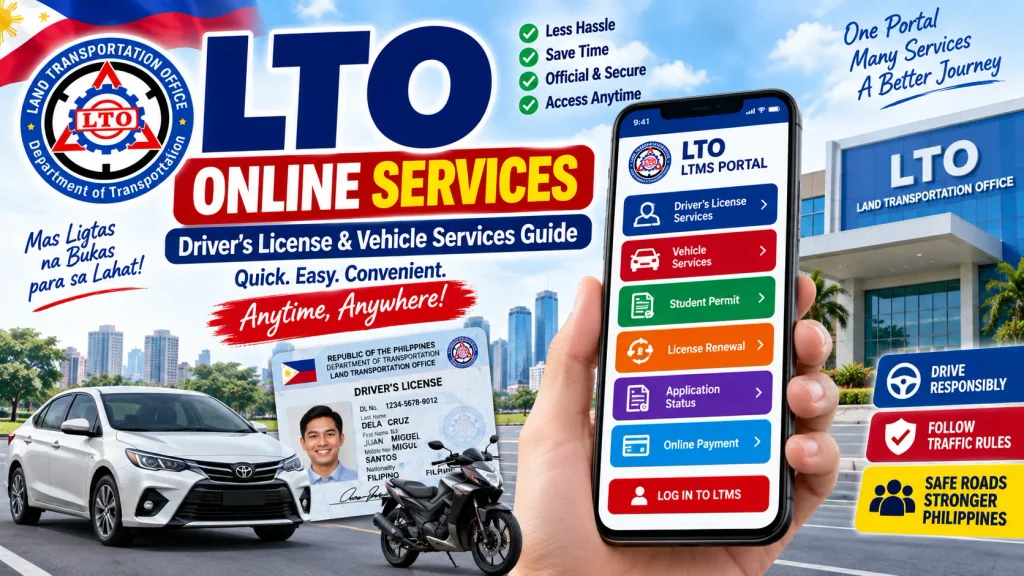
To make many transactions more convenient, the LTO provides digital services through the Land Transportation Management System (LTMS) and other authorized channels. The online system can help users manage their profile, access licensing-related services, review transactions, use educational resources, and begin or manage certain motor vehicle services.
If you are looking for information about LTO Online Services, this guide explains how the system works, the services motorists may find online, how to create an LTMS account, driver’s license services, vehicle-related transactions, common requirements, safety tips, and frequently asked questions.
Important: LTO procedures, fees, available online transactions, documentary requirements, and policies can change. Always verify the latest instructions through the official LTO and LTMS channels before submitting an application or making a payment.
LTO Online Services – Quick Overview
| Service Information | Details |
|---|---|
| Government Agency | Land Transportation Office (LTO) |
| Country | Philippines |
| Online Platform | LTMS Portal |
| Main Users | Drivers, applicants and vehicle owners |
| Driver Services | License-related transactions and information |
| Vehicle Services | Registration-related services and records |
| Education | Driver learning resources and examinations |
| User Account | LTMS client account |
| Requirements | Depend on transaction |
| Fees | Depend on selected LTO service |
| Payment | Authorized payment channels |
| Physical Visit | May still be required for some transactions |
| Official Information | LTO / LTMS Portal |
What Are LTO Online Services?
LTO Online Services refer to digital facilities made available by the Land Transportation Office for eligible transportation-related transactions.
Instead of relying entirely on manual processes, motorists can use the LTMS platform for supported services and information.
The online platform is particularly useful because one account can connect a user with several LTO-related functions.
However, “online service” does not necessarily mean that every LTO transaction can be completed entirely from home.
Some procedures still require physical processes such as identity verification, medical examinations, biometrics, vehicle inspection, document submission, theoretical or practical examinations, or the issuance of physical documents.
The exact procedure depends on the transaction.
What Is the LTMS Portal?
LTMS stands for Land Transportation Management System.
It is the LTO’s digital platform designed to support several services for motorists, driver’s license applicants, vehicle owners, and other clients.
An LTMS account creates a digital client profile where users can access eligible services.
The portal can be useful for activities involving:
- Driver’s license transactions
- Student permit-related services
- Driver education
- CDE-related services
- Motor vehicle transactions
- Personal profile management
- Transaction history
- LTO information and learning resources
- Other supported transportation services
Applicants should use the official portal and keep their login credentials secure.
LTO Driver’s License Online Services
Driver’s license services are among the most commonly searched LTO services.
Depending on the current system and the user’s eligibility, LTMS can support different stages of driver’s licensing transactions.
Driver’s License Application
First-time applicants can use LTMS as part of the licensing process.
An applicant may need to create a client account, provide personal information, complete applicable driving education, obtain the required medical certification, submit documents, and undergo the necessary examinations.
The process varies according to whether the applicant needs a student permit, non-professional driver’s license, professional license, or another licensing service.
Driver’s License Renewal
Existing license holders can also use LTMS-related services when preparing for renewal.
Renewal may involve updating personal information, completing the applicable Comprehensive Driver’s Education requirement, satisfying medical requirements, and completing the official LTO renewal transaction.
Drivers should check the expiration date of their licenses early to avoid unnecessary penalties or complications.
CDE Online Validation Exam
The Comprehensive Driver’s Education (CDE) process is an important part of applicable driver’s license renewal requirements.
The LTMS platform provides access to relevant learning and validation resources.
Drivers should study the materials carefully because they cover road safety, traffic regulations, driver responsibilities, and responsible road use.
Student Permit Services
A student permit is typically an important starting point for new drivers in the Philippines.
Before applying for a student permit, applicants should check the current age, identity, medical, theoretical driving course, and documentary requirements.
After receiving the permit, the holder must follow applicable restrictions and satisfy the required period before progressing to an eligible driver’s license category.
A student permit should not be treated as equivalent to a full driver’s license.
LTO Vehicle Online Services
LTO services are not limited to driver’s licenses. Vehicle owners can also access information and eligible transaction options relating to motor vehicles.
Depending on the transaction and current availability, vehicle-related services can involve:
- Motor vehicle registration
- Registration renewal
- Vehicle record information
- Ownership-related transactions
- Registration status
- Transaction records
- Other motor vehicle services supported by the system
Certain vehicle transactions require physical inspection, documentary verification, insurance-related documentation, emission or other compliance checks, or a visit to an LTO facility.
Users should follow the instructions applicable to their particular vehicle.
Motor Vehicle Registration
Vehicle registration establishes the official registration of a motor vehicle with the LTO.
For eligible registration transactions, the owner generally needs to ensure that the vehicle and documentation satisfy current government requirements.
Possible requirements can include:
- Proof of ownership
- Previous registration documents for renewals
- Appropriate insurance documentation
- Inspection or compliance documentation where required
- Valid identification
- Vehicle information
- Other documents specified for the transaction
Requirements can differ for new vehicles, renewals, transfers, imported vehicles, and other special transactions.
How to Create an LTMS Portal Account
Creating an LTMS account is an important first step for users who want to access supported online services.
Step 1: Access the Official LTMS Portal
Open the official Land Transportation Management System.
Be cautious with advertisements or websites using similar names. Verify that you are accessing the legitimate government portal.
Step 2: Select Registration
Choose the option for creating an account if you do not already have one.
Read the terms and instructions shown on the portal.
Step 3: Enter Your Personal Information
Provide the requested information accurately.
Your name, date of birth, contact information, and other details should match your official records and identification documents.
Step 4: Verify Your Account
Complete the verification procedure required by the platform.
Use contact information you can access because it may be needed for account-related notifications or verification.
Step 5: Create Secure Login Credentials
Use a strong password and do not share it with fixers, strangers, or unofficial service providers.
Step 6: Complete Your Client Profile
After registration, review your LTMS profile.
If you already have an LTO record, follow the official instructions for associating or verifying the relevant information.
Avoid creating duplicate records unnecessarily.
How to Use LTO Online Services
Once you have an LTMS account, the general process for using a supported service is relatively straightforward.
Step 1: Sign In
Log in using your registered email or client credentials and password.
Step 2: Select the Required Transaction
Choose the service applicable to your needs.
For example, this may relate to licensing, renewal, vehicle registration, or another available transaction.
Step 3: Review Eligibility and Requirements
Read the instructions before starting.
Some transactions cannot proceed until prerequisite requirements have been completed.
Step 4: Enter the Required Details
Provide the requested personal, license, or vehicle information.
Double-check numbers and spelling before submitting.
Step 5: Provide Required Documentation
Where the system allows or requests document submission, follow the stated format and requirements.
Some documents may instead need to be presented physically.
Step 6: Pay Applicable Fees
If payment is part of the supported online procedure, use only the authorized payment options presented by the official service.
Keep your transaction reference and official receipt.
Step 7: Complete Any In-Person Requirements
An online application does not necessarily remove all physical steps.
Visit the appropriate LTO facility if the transaction requires biometrics, testing, inspection, verification, document presentation, or another in-person procedure.
Step 8: Check Your Transaction
Use your account or authorized service channel to review available transaction information and follow the next instructions.
Common Requirements for LTO Transactions
The required documents depend heavily on the service.
| Transaction | Possible Requirements |
|---|---|
| Student Permit | Identification, TDC, medical requirements and application documents |
| New Driver’s License | Student permit, driving course records, medical requirements and examinations |
| License Renewal | Existing license, CDE compliance, medical requirements and applicable documents |
| Vehicle Registration | Ownership, insurance and vehicle compliance documents |
| Registration Renewal | Existing registration and current compliance requirements |
| Ownership Transaction | Ownership and supporting legal/vehicle documents |
This table is a general guide only. Always check the official checklist for the exact transaction.
LTO Online Service Fees
There is no single fee for all LTO online services.
Charges depend on the transaction.
A driver’s license renewal has a different fee structure from a new driver’s license application, student permit, motor vehicle registration, transfer of ownership, or other vehicle transaction.
There can also be legitimate expenses that are not government fees, including medical examination, driving school, insurance, inspection, and other third-party services.
Before paying, confirm:
- What government transaction you are paying for
- The official amount shown for that transaction
- Whether third-party expenses are separate
- Whether the payment channel is authorized
- Whether an official receipt or confirmation will be issued
Never pay someone simply because they promise faster approval.
Can All LTO Services Be Completed Online?
No.
This is an important point because the phrase “LTO Online Services” can create the impression that every transportation transaction is completely digital.
The LTMS platform can simplify many parts of a transaction, but physical requirements can remain.
For driver’s licenses, these may include medical examinations, identity checks, biometrics, theoretical tests, practical driving examinations, or final processing.
For motor vehicles, physical inspection and document verification can apply.
Always check the exact procedure for the service you need.
Benefits of Using LTMS
Using the official digital system can make LTO transactions easier to organize.
One major advantage is having a centralized client profile.
Users may also be able to review supported transactions, access educational resources, manage licensing-related information, and reduce unnecessary manual steps.
Digital systems can also improve transparency because users can see transaction information directly instead of relying entirely on unofficial intermediaries.
Important Online Safety Tips
Transportation documents contain sensitive personal information, so users should take account security seriously.
Never share your LTMS password or verification codes.
Do not post photographs of your driver’s license containing visible personal details on public social media.
Avoid clicking suspicious advertisements that imitate government services.
Before making a payment, confirm that you are using an authorized channel.
Be particularly cautious of people offering a driver’s license without an exam, guaranteed registration approval, or instant processing outside normal LTO procedures.
Frequently Asked Questions (FAQ)
1. What is the official online system for LTO services?
The Land Transportation Management System (LTMS) is the LTO platform used for various digital licensing, education, motor vehicle, and transportation-related services.
2. Can I apply for a driver’s license online?
LTMS supports online stages of driver’s licensing transactions, but applicants may still need to complete in-person requirements such as medical examination, verification, biometrics, and driving examinations.
3. Can I renew my driver’s license through LTMS?
LTMS is used in connection with driver’s license renewal services and requirements. The exact steps depend on current LTO procedures and the applicant’s situation.
4. What is the CDE Online Validation Exam?
The CDE validation process relates to Comprehensive Driver’s Education requirements for applicable driver’s license renewal transactions and helps assess knowledge of road safety and traffic rules.
5. Can I register my vehicle online?
Certain vehicle registration-related services may be supported digitally, but vehicle inspection, documentary verification, and other physical requirements may still apply.
6. Do I need an LTMS account?
An LTMS account is required to access various personalized online services offered through the platform.
7. Is LTMS registration free?
Creating an account on the official government portal should not be confused with fees for specific LTO transactions. A selected license or vehicle service may have its own applicable government fees.
8. Can I pay LTO fees online?
Certain transactions may offer authorized electronic payment options. Use only the payment methods presented or recognized by the official LTO service.
9. Can someone process my driver’s license without an examination?
Applicants should not rely on anyone promising to bypass mandatory LTO requirements. Legitimate licensing transactions require compliance with the applicable rules.
10. Where should I check the latest LTO requirements?
Check the official Land Transportation Office and LTMS Portal because requirements, fees, procedures, and online service availability can change.
Final Words
LTO Online Services make it easier for motorists in the Philippines to access important driver’s license and motor vehicle services through digital channels.
The LTMS Portal can assist users with driver’s license-related transactions, driver education resources, client profile management, and supported vehicle services. However, applicants should remember that not every LTO procedure can be completed entirely online.
Medical examinations, driving tests, biometrics, vehicle inspections, document verification, and other physical processes may still be required depending on the transaction.
Before starting, identify the exact service you need, check the latest requirements, prepare your documents, access the official LTMS platform, and use only authorized payment channels.
Most importantly, avoid unofficial fixers and websites claiming guaranteed approval or the ability to bypass LTO requirements.
By understanding how the LTO driver’s license and vehicle services work, motorists can prepare properly, reduce avoidable mistakes, and complete their transactions through the appropriate government channels.
Declaration
The information provided on this website is published for informational purposes only. While every effort is made to ensure the accuracy and timely updating of the content, we do not guarantee the completeness, reliability, or authenticity of any information. Candidates and users are strongly advised to visit the official websites of the respective departments, organizations, or authorizing bodies before applying for any job, scheme, examination, or benefit program. This website is not associated with any government organisation and does not provide any recruitment guarantee or official confirmation. We are not responsible for any loss, error, or misunderstanding arising from the use of the information available on this website.