Pay Your Electricity Bill from Mobile – Quick & Easy Online Payment Guide for All States in India
Paying an electricity bill has become much easier with digital payment services in India. Consumers no longer need to visit an electricity office or stand in a long queue every month just to pay their power bill. In many cases, you can check and pay your electricity bill from your mobile phone within a few minutes.
Electricity consumers across India can use their electricity distribution company’s official website or mobile app, participating banking/payment apps, and supported bill-payment services to complete online payments. Depending on the provider, payment methods may include UPI, debit cards, credit cards, net banking, and other digital options.
The exact process varies because India does not have a single electricity company for every state. Different states and regions have their own electricity boards and distribution companies (DISCOMs).
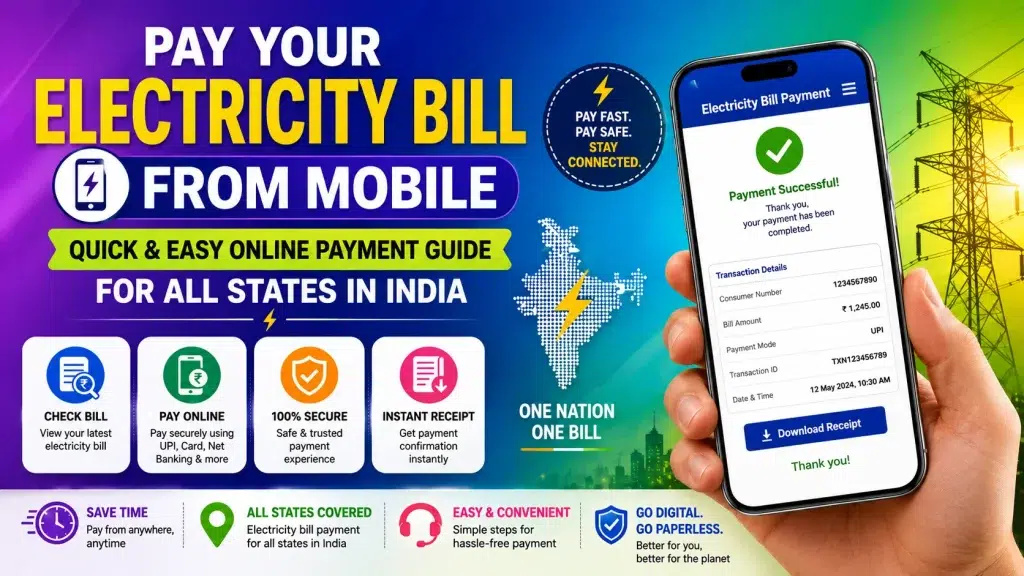
In this guide, we explain how to pay your electricity bill from mobile, check your bill amount, find your consumer number, make a secure payment, and save the payment receipt.
Electricity Bill Online Payment – Quick Overview
| Details | Information |
|---|---|
| Service | Electricity Bill Payment |
| Device Required | Smartphone, Tablet or Computer |
| Availability | Across India, subject to electricity provider |
| Bill Check | Available online for supported billers |
| Required Detail | Consumer/Account/CA/Service Number |
| Payment Methods | UPI, Cards, Net Banking & supported options |
| Payment Receipt | Usually available digitally |
| Provider | Local Electricity Board/DISCOM |
| Alternative Channel | Supported bill-payment/banking apps |
| Main Benefit | Quick payment without visiting a counter |
Can You Pay Electricity Bills from Mobile in India?
Yes. Most major electricity distribution companies provide some form of digital bill-payment facility.
The easiest option is usually to visit your electricity provider’s official website or use its official app where available. Consumers may also be able to use participating banks and payment applications.
India also has the interoperable Bharat Connect bill-payment ecosystem, formerly known as Bharat BillPay, which connects participating billers and payment channels.
Bharat Connect – Official Information
However, the availability of a particular electricity company and payment method depends on the platform you use.
What Is Required to Pay an Electricity Bill Online?
Before starting your payment, keep an old electricity bill with you.
You will normally need a unique number associated with your electricity connection.
Depending on your electricity provider, this may be called:
- Consumer Number
- Consumer ID
- Account Number
- CA Number
- Service Number
- Contract Account Number
- K Number
- BP Number
The terminology and number format differ between DISCOMs.
You can usually find the required number near the customer or connection details section of a previous electricity bill.
How to Check Your Electricity Bill from Mobile
Before making payment, it is a good idea to check your current electricity bill.
Step 1: Find Your Electricity Provider
Look at a previous bill and identify the electricity distribution company responsible for your connection.
This is particularly important because even consumers living in the same state may sometimes have different electricity providers.
Step 2: Open the Official Payment Service
Visit the electricity company’s official website or open its official mobile application.
Look for an option such as:
View Bill, Quick Pay, Online Payment, Pay Bill or Consumer Services.
Step 3: Enter Your Consumer Details
Enter the requested Consumer Number, CA Number, Account Number or other connection identifier.
Check every digit carefully.
Step 4: Check Your Bill
After submitting the correct information, the available billing details should appear if online bill retrieval is supported.
Check the payable amount, due date and available consumer information.
If the displayed details do not match your connection, do not continue with the payment.
How to Pay Your Electricity Bill from Mobile
Once you have verified the bill, the payment process is generally straightforward.
Step 1: Select Electricity Bill Payment
Open your electricity provider’s official payment page or a supported payment application.
Choose Electricity or Electricity Bill Payment.
Step 2: Choose Your Electricity Provider
Select the electricity board or DISCOM responsible for your connection.
Do not simply select the name of your state. Some states have multiple electricity distribution companies.
Step 3: Enter Your Consumer Number
Provide the consumer/account information requested by the biller.
If you are unsure about the correct number, compare it with an old bill.
Step 4: Verify Bill Information
Once the bill is fetched, verify the details carefully.
Check the amount and consumer information available on the screen before proceeding.
Step 5: Select Payment Method
Depending on the service, you may see payment options such as:
UPI, debit card, credit card, net banking or other supported methods.
Choose your preferred option.
Step 6: Complete the Payment
Review the amount one final time and authorize the transaction.
If you’re paying through UPI, enter your UPI PIN only inside your trusted UPI/payment application.
Step 7: Save Your Receipt
After successful payment, save the confirmation page, transaction ID or digital receipt.
Keeping this information is useful if the bill status takes time to update.
Electricity Bill Payment Options
| Payment Method | Best For |
|---|---|
| Official DISCOM Website | Direct electricity-provider payment |
| Official Electricity App | Regular bill checking and payment |
| UPI | Quick mobile transactions |
| Banking App | Paying bills through your bank |
| Bharat Connect-enabled Channel | Access to participating billers |
| Debit/Credit Card | Card-based online payments |
| Net Banking | Direct bank-account payment |
| Offline Counter | Consumers who prefer physical payment |
Electricity Bill Payment for All States in India
The overall process is similar across India, but the electricity provider varies according to location.
Consumers in states such as West Bengal, Karnataka, Tamil Nadu, Kerala, Maharashtra, Gujarat, Odisha, Assam, Telangana, Andhra Pradesh, Uttar Pradesh, Bihar, Punjab, Haryana, Rajasthan, Jharkhand and Madhya Pradesh should first identify the DISCOM printed on their bill.
The same advice applies to other states and Union Territories.
A simple method is:
Find Provider → Open Official Service → Enter Consumer Number → Check Bill → Choose Payment Method → Pay → Save Receipt.
This approach avoids confusion caused by different electricity boards and regional payment systems.
Benefits of Paying Electricity Bills from Mobile
Quick and Convenient
You can initiate your payment without travelling to an electricity office.
Available from Anywhere
As long as you have internet access and your provider supports online payment, you can manage the bill from home or while travelling.
Multiple Payment Methods
Supported platforms can provide different payment options, allowing consumers to select the method they prefer.
Easy Bill Checking
You can verify the payable amount before completing the transaction.
Digital Payment Record
A transaction ID or receipt gives you a record of the payment.
Easier Monthly Management
Saved billers and payment reminders available in some apps can help you keep track of upcoming bills.
How to Download Electricity Bill Receipt
After completing payment, check for an option such as Download Receipt, Payment Receipt, Transaction History or Payment History.
The exact wording varies by provider.
Download the receipt if available or take note of the transaction reference.
If you pay using a banking or payment application, you can usually find transaction information in that application’s payment history.
What If Money Is Deducted but the Bill Is Not Paid?
Do not immediately make another payment.
First, check whether the transaction is marked as Successful, Pending or Failed in your bank or payment application.
Next, check the electricity provider’s bill status after an appropriate processing period.
If the amount has been debited but the payment is not reflected, keep your transaction ID and contact the official support channel of the payment service or electricity provider.
Safety Tips for Online Electricity Bill Payment
Online payments require basic security precautions.
Always use your electricity provider’s official website/app or a trusted payment platform.
Never share your UPI PIN, OTP, debit/credit card PIN, CVV or banking password with anyone.
Be particularly cautious of SMS or WhatsApp messages claiming your electricity will be disconnected immediately unless you call an unknown number, install an app or send money to a personal account.
Instead, independently open your electricity provider’s official service and check whether a bill is actually pending.
Frequently Asked Questions (FAQ)
1. Can I pay my electricity bill using my mobile phone?
Yes. Electricity bills for supported providers can be paid through official electricity-company services and participating digital payment platforms.
2. How can I check my electricity bill online?
Open your provider’s official service and enter the requested Consumer Number, Account Number, CA Number or Service Number.
3. Can I pay my electricity bill using UPI?
Many supported bill-payment services accept UPI. Availability depends on your electricity provider and payment platform.
4. What is the Consumer Number?
It is a unique identifier associated with your electricity connection. The exact name and format vary by provider.
5. Can I pay an electricity bill for another person?
Many platforms can retrieve a bill using the relevant consumer details. Verify the consumer information carefully before paying.
6. Can I download my electricity bill receipt?
Many providers and payment services provide digital payment confirmation or downloadable receipts.
7. Is online electricity bill payment safe?
It can be safe when you use an official provider website/app or trusted payment channel and protect your banking credentials.
8. What happens if my payment fails?
Check your transaction status first. If money was debited, retain the transaction reference and follow the provider or payment platform’s official support procedure.
9. Is there one electricity bill app for all Indian states?
No single electricity company or official state electricity app serves every consumer in India. Provider-specific apps and interoperable payment channels vary.
10. Can I check the due date from my mobile?
If your electricity provider supports online bill retrieval, the fetched bill may display information such as the payable amount and due date.
Conclusion
The ability to pay your electricity bill from mobile has made monthly power-bill management much more convenient. Consumers can check their bill, verify the payable amount, choose a supported digital payment method and save a payment receipt without depending entirely on physical payment counters.
Because electricity providers differ across India, always check the name of the DISCOM printed on your bill before making a payment. Use its official website or app, or a trusted bill-payment service that supports your provider.
Most importantly, verify the consumer details before paying and never share your UPI PIN, OTP or banking password with anyone.
Following these simple precautions can help consumers across India enjoy a quick, easy and secure online electricity bill payment experience directly from their mobile phone.