Electricity Bill Payment from Mobile – Check Your Bill & Pay Online Easily
Paying an electricity bill no longer always requires standing in a queue at an electricity office or visiting a payment counter. Across India, consumers can use smartphones to check eligible electricity bills and make digital payments through their electricity distribution company’s official website/app or supported bill-payment platforms.
Whether you live in West Bengal, Karnataka, Tamil Nadu, Maharashtra, Gujarat, Assam, Odisha, Telangana, Andhra Pradesh, Kerala, Punjab, Uttar Pradesh, or another Indian state, online electricity bill payment can make monthly bill management faster and more convenient.
In most cases, you need information such as your Consumer Number, Account Number, CA Number, Service Number, or another identifier issued by your electricity provider. The exact name varies between electricity distribution companies (DISCOMs).
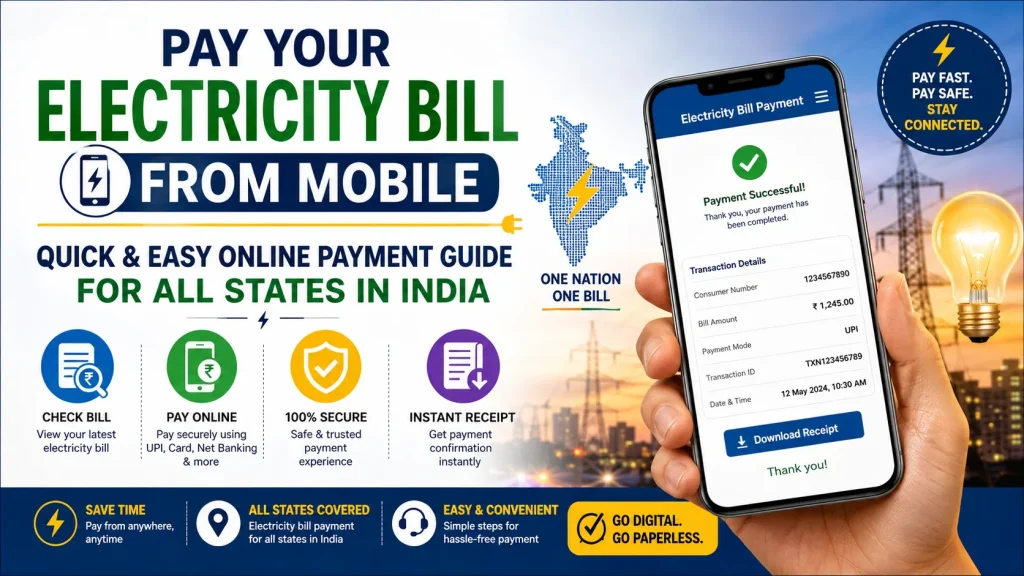
This guide explains how to check your electricity bill from mobile, pay it online, download or save your receipt, and choose a safe payment method.
Electricity Bill Payment Online – Quick Overview
| Details | Information |
|---|---|
| Service | Electricity Bill Payment |
| Payment Device | Mobile, Tablet or Computer |
| Availability | Across India, depending on biller |
| Bill Details | Consumer/Account/CA/Service Number |
| Payment Methods | UPI, cards, net banking and other supported methods |
| Bill Check | Available through participating provider/platform |
| Payment Receipt | Usually available after successful payment |
| Official Option | Your electricity provider’s website/app |
| Other Option | Supported Bharat Connect-enabled payment channels |
| Service Availability | Depends on electricity provider |
Can You Pay Your Electricity Bill from Mobile?
Yes. Electricity consumers can pay bills from their smartphones when their electricity provider supports online payment.
There isn’t one single electricity company serving every state. Different regions are served by different state utilities and DISCOMs. Therefore, the website, app and consumer-number format can differ according to your location.
One major interoperable bill-payment system in India is Bharat Connect, formerly known as Bharat BillPay. It supports bill-payment services through participating banks and payment apps.
Bharat Connect – Official NPCI Information
What Do You Need to Check Your Electricity Bill?
Before starting, keep your latest electricity bill nearby.
You will normally need a unique customer identifier. Depending on your provider, this might be called:
Consumer Number, Consumer ID, Account Number, CA Number, Service Number, K Number, BP Number, Contract Account Number, or something similar.
You can usually find this information on a previous electricity bill.
You may also need a registered mobile number or other verification information for certain services.
How to Check Electricity Bill from Mobile
Checking your bill before paying is important because it lets you verify the amount and billing information.
Step 1: Identify Your Electricity Provider
First, determine which electricity distribution company supplies power to your home, shop or other connection.
You can find the company name on an old electricity bill.
Step 2: Open the Official Website or App
Visit your electricity provider’s official website or use its official mobile app where available.
Look for options such as:
View Bill, Quick Pay, Pay Bill, Bill Details, Consumer Services or similar.
Step 3: Enter Your Consumer Details
Enter the requested consumer identifier exactly as it appears on your electricity bill.
Check the number carefully before continuing.
Step 4: View the Bill
If the information is correct and the service is available, the system should display relevant billing information.
Depending on the provider, this may include the payable amount, due date, consumer name or account information.
Verify these details before making payment.
How to Pay Electricity Bill Online from Mobile
Once you have checked the bill, you can proceed with payment.
1. Choose the Pay Bill Option
Select the electricity bill payment option on the official provider’s website/app or another supported bill-payment platform.
2. Select Your Electricity Provider
If you’re using a bank or bill-payment app, select Electricity as the bill category.
Next, select the appropriate electricity provider or DISCOM.
Choosing the correct biller is essential.
3. Enter Your Consumer Number
Enter the requested account identifier.
If you’re unsure which number is required, check your previous bill rather than guessing.
4. Verify Your Bill
Review the fetched bill information.
Check the bill amount and available consumer details before proceeding.
5. Choose a Payment Method
Depending on the platform, available payment methods may include:
- UPI
- Debit card
- Credit card
- Net banking
- Other supported digital payment methods
Availability, charges and limits can vary by platform and biller.
6. Complete Payment
Confirm the amount and authorize the transaction.
If using UPI, make sure the payment request corresponds to the transaction you initiated. Never approve an unknown collect request.
7. Save the Receipt
After successful payment, save the transaction confirmation or receipt.
It can be useful if the electricity provider’s account takes time to reflect the payment.
Common Ways to Pay Electricity Bills
| Payment Option | Main Advantage |
|---|---|
| Electricity Provider Website | Direct provider payment option |
| Official Provider App | Convenient for regular consumers |
| Bharat Connect-enabled Channels | Supports participating billers |
| Banking Apps | Bill payment alongside banking services |
| UPI-enabled Payment Apps | Quick mobile payment where supported |
| Offline Counter | Useful when digital payment isn’t suitable |
Benefits of Paying Electricity Bills from Mobile
Pay from Anywhere
You can initiate payment from home, work or while travelling instead of visiting a physical payment counter.
Save Time
Online payments can reduce the time spent travelling and waiting in queues.
Check Before Paying
Supported platforms can retrieve bill information so you can review the payable amount before completing the transaction.
Digital Payment Record
Online transactions generally provide a digital confirmation or transaction reference, making it easier to maintain payment records.
Multiple Payment Options
Depending on the service, you may be able to choose from UPI, cards, net banking and other payment methods.
Easier Monthly Bill Management
Some apps and banks allow saved billers or reminders, which can make recurring electricity payments easier to manage.
Electricity Bill Payment Across Indian States
Consumers across India should use the electricity provider serving their specific connection.
For example, someone in one city may have a different electricity provider from another consumer in the same state. This is why a pan-India guide should not assume that every resident of a state uses one particular electricity board or app.
The simplest approach is:
Check your old bill → identify your DISCOM → open its official payment service or a supported bill-payment platform → enter your consumer details → verify the bill → pay.
This process makes the guide useful whether you are in West Bengal, Tamil Nadu, Karnataka, Kerala, Maharashtra, Gujarat, Odisha, Assam, Bihar, Rajasthan, Punjab, Haryana, Telangana, Andhra Pradesh, Uttar Pradesh, Madhya Pradesh, Jharkhand or another state/UT.
How to Download Electricity Bill Payment Receipt
After completing a successful online payment, look for options such as Receipt, Payment History, Transaction History, Download Receipt or similar.
The exact option depends on your provider or payment platform.
If a downloadable receipt is available, save it to your phone. You can also retain the transaction ID or reference number.
If the money is debited but the electricity account still shows unpaid, avoid immediately paying again. First check transaction status and follow the payment platform/provider’s official support process.
How to Pay Electricity Bills Safely
Digital payments are convenient, but security is important.
Always verify that you are using the correct electricity provider website or a trusted payment application.
Never share your UPI PIN, banking password, card PIN or OTP with anyone claiming to be an electricity-board employee.
Remember that a UPI PIN is used to authorize a payment; you should be cautious if someone tells you that entering your PIN is necessary merely to receive money.
Be especially careful with messages threatening immediate electricity disconnection and asking you to call an unknown mobile number or install an unfamiliar app.
If you receive a suspicious message, independently visit your electricity provider’s official website/app to check your actual bill status.
What If Electricity Bill Payment Fails?
Sometimes a transaction can fail or remain pending because of network problems, bank issues or technical delays.
First, check your bank/payment-app transaction history.
Then check whether the electricity provider shows the bill as paid.
If money has been debited but the payment isn’t reflected, keep your transaction reference and follow the support or dispute procedure provided by your payment platform or electricity provider.
Avoid making repeated payments until you understand the status of the original transaction.
Frequently Asked Questions (FAQ)
1. Can I pay my electricity bill from my mobile?
Yes. If your electricity provider supports online payment, you can generally pay through its official website/app or supported digital bill-payment channels.
2. How can I check my electricity bill online?
Open your electricity provider’s official service and enter the requested Consumer Number, Account Number, CA Number or other identifier.
3. Can I pay electricity bills using UPI?
UPI is available as a payment method on many supported electricity bill-payment platforms. Availability depends on the biller and platform.
4. Can I pay electricity bills for another person?
Many services allow a bill to be fetched using the relevant consumer/account details, but requirements vary. Always verify the consumer and bill details before payment.
5. What is a Consumer Number?
It is an identifier associated with an electricity connection. Its name and format vary between electricity providers.
6. Can I download my electricity bill receipt?
Many online services provide a digital receipt, transaction confirmation or payment-history option after successful payment.
7. Is online electricity bill payment safe?
It can be safe when you use your electricity provider’s official website/app or a trusted payment platform and follow normal digital-payment security practices.
8. What should I do if money is deducted but the bill remains unpaid?
Check the transaction status and keep the transaction reference. If the payment is not updated after the applicable processing period, contact the official support channel of your provider or payment service.
9. Can I pay my bill after the due date?
Providers may accept late payments, but late fees, disconnection rules and other conditions vary. Check your bill and provider’s current rules.
10. Is the same electricity bill app used throughout India?
No. Electricity distribution companies and their official services vary by state and region. However, interoperable bill-payment networks and participating payment apps can support multiple electricity billers.
Final Words
Electricity Bill Payment from Mobile offers a convenient way to manage monthly power bills without depending entirely on physical payment counters. Using your smartphone, you can identify your electricity provider, enter your consumer details, check the available bill information and complete payment through supported digital methods.
For the safest experience, first identify the DISCOM mentioned on your electricity bill and use its official website/app or a trusted supported bill-payment platform. Always verify the consumer information and amount before confirming payment.
After paying, save your receipt or transaction reference. Most importantly, never disclose your OTP, UPI PIN or banking password to anyone offering to “help” you pay or prevent disconnection.
By following these simple steps, electricity consumers across India can check their electricity bill and pay online easily from mobile while keeping the payment process convenient, organized and secure.