Make New Driving License Online in Just 5 Minutes from Mobile
Getting a new driving licence in India has become much easier with online government services. Instead of making repeated visits just to submit basic information, applicants can complete many parts of the driving licence application process directly from a mobile phone.
Through the official Parivahan/Sarathi portal, you can select your state, fill in the application, upload documents where supported, pay the applicable fee, and book a slot for the required learner’s licence or driving test.
However, the phrase “in just 5 minutes” should be understood as referring to starting or filling out the online application. A permanent driving licence is not issued instantly. Depending on the type of application and your state, you may still need to complete identity verification, a learner’s licence test, a driving competency test, or other required steps.
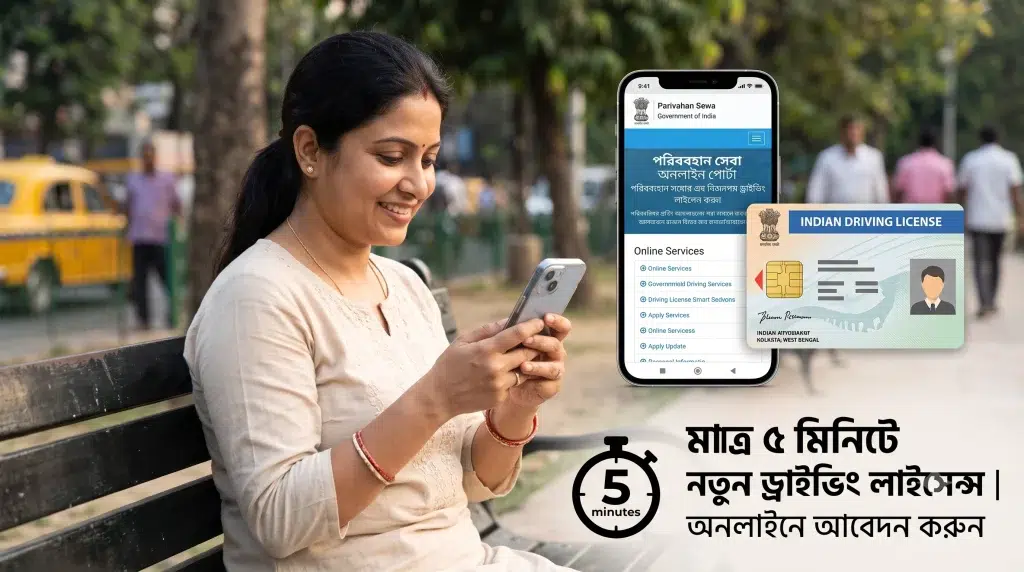
This guide explains how to apply for a new driving licence online from your mobile, what documents may be required, eligibility conditions, fees, application tracking, and important points to remember.
Driving Licence Online Application – Overview
| Details | Information |
|---|---|
| Service | New Driving Licence Application |
| Country | India |
| Application Mode | Online / State-specific services |
| Official Platform | Sarathi / Parivahan |
| Device Required | Mobile, Tablet, or Computer |
| Main Requirement | Valid documents and eligibility |
| Learner’s Licence | Generally required before permanent DL |
| Driving Test | Required where applicable |
| Fee | Depends on service and applicable rules |
| Application Tracking | Available online |
| Final Approval | Subject to RTO/licensing authority verification |
Can You Apply for a New Driving Licence from Mobile?
Yes. Many steps involved in obtaining a driving licence can be completed online using a smartphone.
The Ministry of Road Transport and Highways provides the Sarathi Parivahan platform for driving licence-related services. Services available can vary by state or Union Territory.
Using your mobile phone, you may be able to:
- Apply for a Learner’s Licence
- Fill out a new Driving Licence application
- Submit required details
- Upload supporting documents where available
- Pay applicable fees online
- Book a test or appointment slot
- Check application status
- Access other driving licence-related services
Keep in mind that online application does not necessarily remove the requirement to visit the RTO. A physical driving test or verification may still be necessary.
Who Can Apply for a Driving Licence?
Applicants must satisfy the eligibility requirements applicable to the class of vehicle they intend to drive.
Age requirements differ depending on the vehicle category. For example, special rules apply to certain low-powered motorcycles, while applicants for regular private motor vehicles generally need to be at least 18 years old.
Commercial or transport vehicle requirements can differ and may include additional conditions.
Applicants should also understand basic traffic rules, road signs, safety regulations, and responsibilities before taking the learner’s licence or driving test.
Documents Required for a New Driving Licence
The exact document requirements can vary by state, applicant category, and licence type.
Commonly requested documents may include:
| Document Category | Examples / Purpose |
|---|---|
| Proof of Age | Accepted government-recognized age proof |
| Proof of Address | Accepted residential address proof |
| Identity Details | As required by the licensing authority |
| Photograph | Where required |
| Learner’s Licence | For applicable permanent DL applications |
| Application Form | Online application details |
| Medical Certificate | Required in applicable cases |
| Additional Documents | Depending on vehicle/licence category |
Always check the document list displayed on the official portal for your state before submitting the application.
How to Apply for a New Driving Licence Online from Mobile
The application process is relatively simple. You can start it using Chrome or another modern mobile browser.
Step 1: Visit the Official Parivahan Portal
Open the official Parivahan website on your mobile phone and navigate to Driving Licence Related Services.
Avoid unofficial websites that claim they can guarantee a licence without completing the legally required process.
Step 2: Select Your State
Driving licence services are handled through the relevant state licensing authorities. Select your state or Union Territory to see the services available in your area.
The menu and exact options may vary between states.
Step 3: Choose the Required Service
If you are a first-time applicant, you will generally need to start with the Learner’s Licence process before applying for a permanent driving licence.
If you already have an eligible Learner’s Licence, select the service for applying for a Driving Licence.
Step 4: Enter Your Details
Fill in the information requested on the application form carefully.
You may need to provide details such as:
- Name
- Date of birth
- Address
- Contact details
- Learner’s Licence information
- Vehicle class
- Other required applicant information
Make sure your details match your supporting documents.
Step 5: Upload Documents
Where online document upload is available, upload clear copies of the requested documents.
Do not upload blurred, cropped, or unreadable files. Incorrect documents can delay processing or result in the application being returned for correction.
Step 6: Pay the Applicable Fee
Complete the required payment using the payment options provided on the official portal.
The total amount can vary depending on the service, licence category, test requirements, and other applicable charges.
Save the payment receipt or acknowledgement after successful payment.
Step 7: Book a Driving Test Slot
For a permanent driving licence, an applicant may need to demonstrate driving ability before the competent licensing authority.
If slot booking is available online, select a suitable available date and time.
Step 8: Complete the Driving Test
Attend the designated testing location on your scheduled date with the required original documents and vehicle, where applicable.
During the test, the authority may evaluate your ability to control the vehicle, follow traffic rules, observe road signs, and drive safely.
Step 9: Track Your Application
After completing the required process, you can use the application number or other requested details to check your status online.
The portal may display whether your application is under processing, approved, dispatched, or requires further action.
Can You Really Get a Driving Licence in 5 Minutes?
No, a new permanent driving licence generally cannot legally be obtained in five minutes.
What can often be completed quickly is the initial online application. If your documents and information are ready, filling out or starting the application from a mobile phone may take only a few minutes.
Issuance of the licence depends on completion of all mandatory requirements.
Therefore, advertisements claiming “Get a permanent driving licence instantly without a test” should be treated with caution.
Learner’s Licence vs Permanent Driving Licence
Understanding the difference is important for first-time applicants.
| Learner’s Licence | Permanent Driving Licence |
|---|---|
| Issued for learning/practice subject to rules | Authorizes eligible driving after required approval |
| Usually obtained first | Generally follows the learner stage |
| Knowledge/test requirements may apply | Driving competency test may apply |
| Valid for a limited period | Has validity according to applicable rules |
| Comes with learner restrictions | Subject to licence category and conditions |
Applicants should follow the legal sequence applicable to their licence category.
How to Check Driving Licence Application Status
Once you have submitted your application, you do not necessarily have to visit the RTO simply to ask about its status.
Go to the official driving licence service portal, select your state, find the Application Status option, and enter the requested application details.
You should keep your application number safely because it may be needed to track the application.
Common Reasons for Application Delays
A driving licence application may take longer if there are problems with the information or required steps.
Common issues include incorrect personal details, mismatched documents, unclear uploads, incomplete payment, missed appointments, incomplete verification, or failure to complete the required test.
Before final submission, review every field carefully.
Important Safety Tips While Applying Online
Use only official government websites for driving licence services.
Never share OTPs, banking passwords, card PINs, or other confidential information with unknown agents or websites.
Be particularly careful with advertisements or messages promising a “guaranteed DL without RTO test” or asking for unusually high payments.
A legitimate online application does not mean that mandatory legal checks can be bypassed.
Benefits of Applying Online
Online driving licence services can make the application process more convenient because applicants can complete several administrative steps without repeatedly visiting an office.
You can fill in information from home, access services from a smartphone, make eligible online payments, schedule appointments where supported, and track application progress.
The biggest advantage is convenience—not bypassing the official licensing procedure.
Tips for Passing the Driving Test
Before appearing for the test, practice driving regularly and become familiar with the vehicle you will use.
Learn important road signs and lane rules. Practice starting and stopping smoothly, turning, parking, reversing, using mirrors, indicating correctly, and maintaining safe control of the vehicle.
Do not focus only on passing the test. Safe driving habits are important after you receive your licence as well.
Frequently Asked Questions (FAQ)
1. Can I apply for a new driving licence using my mobile?
Yes. You can access the official Parivahan/Sarathi services through a mobile browser and complete many application steps online.
2. Can I get a permanent driving licence in just 5 minutes?
No. You may be able to start or fill out the online application quickly, but issuance of a permanent driving licence requires completion of applicable legal procedures.
3. Do I need a Learner’s Licence first?
For a typical first-time permanent driving licence application, a valid Learner’s Licence is generally part of the process. Check the requirements applicable to your vehicle category and state.
4. Is a driving test required?
A driving competency test is generally required for issuing a new permanent driving licence where applicable under the rules.
5. Can I apply without visiting an RTO?
Many administrative steps can be completed online, but an RTO or authorized testing-centre visit may still be required for a driving test, verification, biometrics, or another mandatory procedure.
6. How much does a new driving licence cost?
Fees depend on the service and applicable government fee structure. Check the amount shown on the official portal during your application rather than relying on unofficial fee claims.
7. How can I check my application status?
Open the official driving licence service portal, select your state, choose Application Status, and enter the requested application information.
8. Is the online driving licence application available throughout India?
The Sarathi platform supports driving licence services across many states and Union Territories, but individual online features and processes can differ by location.
9. What should I do if my application details are incorrect?
Check whether the portal provides a correction service. If the information cannot be corrected online, contact the concerned licensing authority/RTO for the appropriate procedure.
10. Is it safe to apply through third-party websites?
For government licensing services, it is safer to use the official Parivahan/Sarathi portal. Avoid unknown websites that promise guaranteed or instant licences.
Conclusion
Applying for a new driving licence online from your mobile can save considerable time. You can start the application, submit information, pay applicable fees, book appointments where supported, and track your application without relying entirely on offline paperwork.
The important point is that “5 minutes” refers to the convenience of starting or completing parts of the online application—not receiving a permanent licence instantly. A new driving licence is issued only after the applicant satisfies the required eligibility, verification, learner’s licence, testing, and approval requirements applicable to their case.
For the safest experience, always use the official Parivahan/Sarathi driving licence services and verify the latest requirements for your state before applying.