Best Apps to Listen to FM Radio Without Internet on Your Phone
Listening to FM radio is still one of the easiest ways to enjoy music, local news, sports updates, weather reports, talk shows, and entertainment. While most modern radio apps rely on mobile data or Wi-Fi, some smartphones can receive traditional FM radio broadcasts without an internet connection when the device has compatible FM receiver hardware and software.
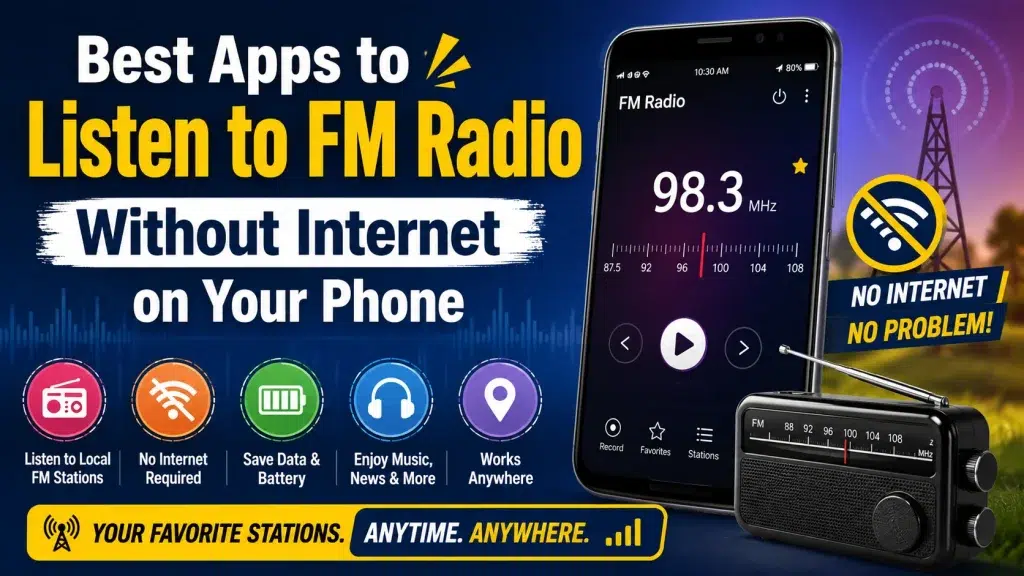
This can be especially useful when you are traveling, have limited mobile data, or live in an area with an unstable internet connection. Traditional FM reception also uses very little data—because it does not stream audio over the internet.
However, there is one important point to understand: an app alone cannot normally turn a phone without FM receiver hardware into an offline FM radio. Whether offline FM works depends mainly on your smartphone’s hardware, manufacturer configuration, region, and the app being used.
In this guide, we’ll explain how offline FM radio works, which types of apps you can try, how to check whether your phone supports FM reception, and the difference between offline FM and internet radio.
Can You Listen to FM Radio Without Internet?
Yes, but only on compatible smartphones.
Some Android phones contain an FM receiver chip that can receive local FM broadcasts directly. When the manufacturer enables this functionality, an FM Radio app can use the phone’s hardware to tune into nearby stations.
This works differently from apps that stream radio stations over the internet.
With traditional FM reception:
- Mobile data is generally not required for the radio broadcast.
- Wi-Fi is generally not required.
- You can listen to local FM stations within reception range.
- Wired earphones may be required on some phones because the cable functions as an antenna.
- Availability depends on your phone model and region.
If your smartphone does not have enabled FM receiver hardware, downloading an “offline radio” app will generally not make true FM reception possible.
Offline FM Radio vs Internet Radio
Many people confuse these two technologies. Understanding the difference can help you choose the right radio app.
| Feature | Offline FM Radio | Internet Radio |
|---|---|---|
| Internet Required | No, for compatible FM hardware | Yes |
| Mobile Data Usage | Normally none for broadcast | Yes |
| Wi-Fi Required | No | Wi-Fi or mobile data |
| Stations Available | Mainly nearby/local stations | Stations from around the world |
| FM Hardware Required | Yes | No |
| Wired Earphones | May be required as antenna | Usually not required |
| Audio Availability | Depends on local FM signal | Depends on internet connection |
| Works in Poor Network Areas | Often yes if FM signal exists | May not |
| International Stations | Usually no | Yes |
Both options have advantages. Traditional FM is useful when you want local radio without using data, while internet radio offers a much larger selection of stations.
Best Apps and Options for Listening to FM Radio
The best choice depends on whether your smartphone has a built-in FM receiver. Here are some common options worth checking.
1. Your Phone’s Built-In FM Radio App
Before installing anything, check whether your smartphone already includes an app named:
FM Radio, Radio, FM, or Wireless FM.
A manufacturer-provided radio app is usually the best option for true offline FM because it is designed specifically for the phone’s hardware.
Open your app drawer and search for “Radio” or “FM.”
If the app is available, connect wired earphones if requested and scan for available stations.
Why Built-In FM Radio Is Useful
The biggest advantage is that it may receive broadcasts directly rather than streaming them.
Depending on your device, you may be able to:
- Automatically scan FM frequencies
- Save favorite stations
- Tune frequencies manually
- Use speaker playback
- View station information
- Record broadcasts on supported devices
Features vary considerably between manufacturers and phone models.
2. NextRadio
NextRadio became well known for using enabled FM receiver hardware on certain Android smartphones.
Unlike ordinary streaming apps, its original hardware-supported functionality could access local FM broadcasts through compatible devices.
However, compatibility and availability have changed significantly over time. Therefore, users should not assume that NextRadio will work on every modern Android phone.
If you encounter this app, verify that it is currently available for your device and that your phone’s FM hardware is supported.
Important
Installing NextRadio does not add an FM receiver to a phone that does not already have compatible hardware.
3. Manufacturer Radio Apps
Several Android manufacturers have offered dedicated FM Radio applications on selected devices.
Depending on your smartphone, the manufacturer radio app may be the easiest way to receive local FM stations without internet access.
Look under:
Apps → Radio / FM Radio
or use your phone’s app search.
Some devices require wired headphones before scanning begins. This is because the headphone cable can function as the FM antenna.
The exact features and availability vary by model, country, Android version, and manufacturer.
4. Spirit FM and Hardware-Based Radio Solutions
Advanced Android users may come across applications designed to interact with supported FM receiver hardware.
These apps can be highly device-specific. Compatibility may depend on the chipset, Android version, manufacturer restrictions, and system permissions.
For most users, the manufacturer’s official FM Radio app is a simpler option.
Avoid installing unknown APK files from untrusted websites just because they claim to unlock FM radio. Such files may create privacy or security risks.
5. Internet Radio Apps as an Alternative
If your phone does not support offline FM reception, internet radio is the easiest alternative.
Popular radio-streaming services can provide access to local and international stations, music, podcasts, sports, and talk shows.
Unlike hardware FM radio, these apps require an internet connection.
Common categories include:
- Live radio apps
- Music streaming apps
- Local broadcaster apps
- News radio apps
- Podcast and radio platforms
Internet radio is especially useful if you want stations outside your local broadcast area.
How to Check Whether Your Phone Supports FM Radio
There is no single setting that works for every Android phone, but you can check a few things.
Step 1: Search Your Apps
Open your app drawer and search for:
FM Radio
or
Radio
If your phone includes a dedicated FM Radio application, that is a strong indication that FM functionality is available.
Step 2: Check Your Phone Specifications
Search the official specifications for your exact smartphone model and look for terms such as:
FM Radio, FM Receiver, or FM Tuner.
Be careful to check the exact regional model because hardware or enabled features can differ between markets.
Step 3: Connect Wired Earphones
If you have an FM Radio app but it does not start scanning, connect wired earphones.
On many older and some current devices, the earphone cable acts as an antenna.
Step 4: Scan for Stations
Open the FM Radio app and select the station scan option.
If compatible FM reception is available and local stations have adequate signal strength, the app should detect frequencies.
How to Listen to FM Radio Without Internet
If your smartphone supports hardware FM radio, the process is usually straightforward.
- Open the built-in FM Radio app.
- Connect wired headphones if the phone requests them.
- Select Scan or Auto Scan.
- Wait while the phone searches for nearby FM stations.
- Select the station you want.
- Save frequently used stations as favorites if supported.
- Switch to speaker output if your device provides that option.
Once the station is being received through the FM tuner, you can test whether it is truly offline by turning off Wi-Fi and mobile data.
If playback continues, the broadcast is being received independently of your internet connection.
Why Do Some Phones Need Earphones for FM Radio?
This often surprises users.
FM radio requires an antenna to receive radio signals. On many smartphones with FM functionality, the wired headphone cable doubles as that antenna.
That means you may need to keep the earphones connected even when you want audio to play through the phone’s speaker.
Some devices provide an option such as:
Speaker / Play Through Speaker
after the earphones have been connected.
Bluetooth earbuds generally cannot replace the wired antenna requirement on phones designed this way.
Benefits of Offline FM Radio
Traditional FM reception still offers several advantages.
No Mobile Data for FM Broadcasts
Because the radio signal comes from a local transmitter rather than an internet stream, traditional FM listening generally does not consume your mobile data allowance.
This can be useful for users with limited data plans.
Useful During Network Problems
Mobile networks can become slow or unavailable in some areas. FM reception works independently of mobile internet, provided a local FM signal is available.
Local News and Information
Local FM stations frequently provide regional news, weather, traffic information, music, and community programming.
Simple Listening Experience
You don’t necessarily need an account, subscription, or sign-in to listen to traditional FM broadcasts.
Battery-Friendly Option
Hardware FM reception can sometimes consume less power than continuously streaming audio through mobile data, although actual battery usage varies by phone.
Limitations of Offline FM Radio
Offline FM also has some important limitations.
Device Compatibility
Not every smartphone has accessible FM receiver hardware.
Limited Station Range
Unlike internet radio, FM reception is geographically limited. You can only receive stations whose signals reach your location.
Signal Quality
Buildings, mountains, distance from transmitters, and interference can affect reception.
Headphone Requirement
Some devices require wired earphones to act as an antenna.
Limited Availability on New Phones
Many newer smartphones focus primarily on streaming services, and traditional FM functionality may be absent or disabled.
Can You Download an App and Get FM Radio Without Internet?
Not necessarily.
This is one of the most important misconceptions about offline radio apps.
A normal application cannot create physical FM receiver hardware inside your phone.
If your smartphone lacks accessible FM tuner hardware, an app advertised as “FM Radio” may simply stream stations through the internet.
Therefore, always distinguish between:
Hardware FM Radio: Receives actual radio signals and can work without internet.
Internet Radio: Streams radio audio using Wi-Fi or mobile data.
An app’s name alone does not prove that it works offline.
Best Option for Android Users
Android users should first check for the manufacturer’s built-in FM Radio app.
If your phone supports FM reception, this is usually the most straightforward approach.
Before downloading third-party apps:
- Check your phone specifications.
- Look for a built-in Radio app.
- Verify whether wired headphones are required.
- Use trusted app stores and official sources.
- Avoid unknown APK downloads.
If your device does not support FM hardware, use a reputable internet radio service instead.
What About iPhones?
iPhones generally do not provide users with a conventional built-in FM Radio app for receiving local FM broadcasts directly through an accessible FM tuner.
For radio listening, iPhone users generally rely on internet-based radio and streaming services.
That means an active Wi-Fi or mobile data connection is normally required for live radio streaming.
If offline listening is important, some music or audio services may allow eligible content to be downloaded in advance, but downloaded audio is different from receiving a live FM broadcast.
Tips for Better FM Reception
If your phone supports offline FM but the signal is weak, try these simple techniques.
Use wired earphones: The cable may function as the antenna.
Move near a window: Indoor walls and structures can weaken radio reception.
Extend the earphone cable: Avoid keeping the cable tightly coiled.
Rescan stations: If you travel to a new city, scan again to discover local frequencies.
Move away from electronic interference: Chargers, computers, and other electronics can sometimes introduce noise.
Try manual tuning: If you know the exact frequency of a station, enter or tune to it manually if your app supports this.
Offline FM Radio: Quick Overview
| Question | Answer |
|---|---|
| Can FM radio work without internet? | Yes, on compatible phones |
| Does every smartphone support it? | No |
| Does an app alone enable offline FM? | Usually no |
| Is an FM receiver required? | Yes for true FM reception |
| Are wired headphones required? | On some devices |
| Does traditional FM use mobile data? | Normally no |
| Can you listen to local stations? | Yes, within signal range |
| Can internet radio work without data? | Generally no |
| Is built-in FM Radio preferable? | Usually, if available |
| Can Bluetooth headphones act as the FM antenna? | Usually not on devices requiring a wired antenna |
Frequently Asked Questions (FAQ)
1. Can I listen to FM radio without internet on my phone?
Yes, if your smartphone has compatible and enabled FM receiver hardware. You may also need a built-in or compatible FM Radio app.
2. Which app can play FM radio without internet?
The best place to start is your phone manufacturer’s built-in FM Radio or Radio app. Third-party hardware-based apps may work only on specific compatible devices.
3. Can any FM radio app work offline?
No. Many apps called “FM Radio” are actually internet streaming applications. They require Wi-Fi or mobile data.
4. Why does my FM Radio app ask me to connect headphones?
On many devices, wired headphones function as the FM antenna. The cable helps the phone receive broadcast signals.
5. Can I listen through the phone speaker?
Some compatible devices allow you to connect wired headphones for the antenna and then switch audio output to the phone’s speaker.
6. Does offline FM radio consume mobile data?
Traditional hardware-based FM reception normally does not use mobile data to receive the broadcast. Some apps may still use internet access for advertisements, station information, artwork, or other online features.
7. Can I listen to FM radio in airplane mode?
This depends on the device. Some phones may allow the FM tuner to function while airplane mode is enabled, while others may restrict radio-related functions.
8. Can I listen to FM without a SIM card?
Potentially yes. Traditional FM reception does not depend on a SIM card. Your phone still needs compatible FM hardware and adequate signal reception.
9. Why can’t I find an FM Radio app on my phone?
Your phone may not support accessible FM functionality, the manufacturer may have disabled it, or the feature may not be available for your regional model.
10. Can I install an FM receiver on my phone through software?
No. Software cannot add missing physical FM receiver hardware. An app can only use hardware and functionality already available to it.
11. Is offline FM better than internet radio?
It depends on your needs. Offline FM is excellent for local stations and avoiding data usage. Internet radio offers a much wider selection of stations from different cities and countries.
12. Can I record FM radio programs?
Some manufacturer FM apps include recording features, but this varies by device and software. Always follow applicable copyright and local laws when recording broadcasts.
Final Thoughts
Listening to FM radio without internet on your phone can be a convenient way to enjoy local music, news, talk shows, sports updates, and entertainment without continuously using mobile data.
The key requirement is compatible FM receiver hardware. If your smartphone includes an enabled FM tuner, its built-in FM Radio app is generally the first option to try. Connect wired earphones if required, scan for nearby stations, and test playback with mobile data and Wi-Fi turned off.
If your phone does not support traditional FM reception, you can still listen to thousands of stations through internet radio apps, but those services require an internet connection.
Before downloading any app that promises “offline FM radio,” check your smartphone’s specifications and understand whether the app uses the phone’s actual FM receiver or simply streams stations online. This small check can help you choose the right solution and avoid misleading downloads.
In short: if your phone has supported FM hardware, you may be able to enjoy local radio without internet. If it doesn’t, you’ll need an internet-based radio service.